1
Quick-Connect DVI/HDMI - SR Interface
Quick-Connect DVI/HDMI - SR Interface Overview
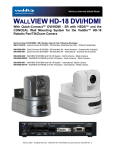
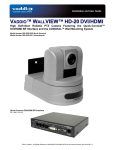
The Vaddio Quick-Connect DVI/HDMI SR Interface was designed and built
specifically to advance the Vaddio HD-18
camera into a wide variety of digital video
and extended control applications.
The Quick-Connect DVI/HDMI is a
perfect complement to the Vaddio HD-18
because it takes advantage of the superb
flexibility of the camera’s video system
and incorporates Vaddio’s EZCamera™
cabling system using two (2) Cat 5e
cables to transport Video, Power and
Control, to and from the camera and
interface. Simply put, these products
were designed and manufactured as a
pair from the beginning.
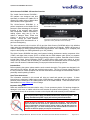
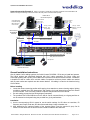
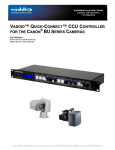
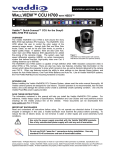
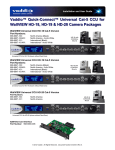
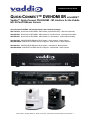
Rear Panel of the Quick-Connect DVI/HDMI - SR Interface (1/2
Rack Width Enclosure)
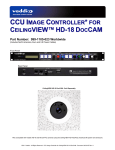
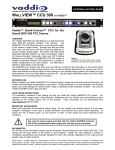
Front Panel of the Quick-Connect DVI/HDMI - SR Interface
(Optional Accessory Rack Mount Panel Available)
The active electronics built-in both the HD-18 and the Quick-Connect DVI/HDMI deliver high definition
video using high speed differential signaling (HSDS) for the video and IR signals. HSDS is at the core of
Vaddio’s Category 5 cabling systems and provides high definition video capability (up to 1080p/60) with
superior video quality over cabling distances up to 100’ (30.48m).
The Quick-Connect DVI/HDMI has many new features including simultaneous analog component video
(YPbPr) and digital video outputs (DVI-D or HDMI with the HDMI adapter cable option) on separate
connectors which is ideal for multiple monitoring and large projection systems. Extended control functions
include Daisy Chain Control Emulation (DCCE™) which allows single control port codecs to control
multiple HD-18 cameras, and IR forwarding in modulated and non-modulated formats for extending the
reach of the IR remotes included with today’s most popular videoconferencing systems.
Intended Use:
Before operating the system, please read the entire manual thoroughly. The system was designed, built
and tested for use indoors, and with the provided power supply. The use of a power supply other than
the one provided or outdoor operation has not been tested and could damage the camera and/or create a
potentially unsafe operating condition.
Save These Instructions:
The information contained in this manual will help you install and operate your system. If these
instructions are misplaced, Vaddio keeps copies of Specifications, Installation and User Guides and most
pertinent product drawings for the Vaddio product line on the Vaddio website. These documents can be
downloaded from www.vaddio.com free of charge.
Important Safeguards:
Read and understand all instructions before using. Do not operate any device if it has been dropped or
damaged. In this case, a Vaddio technician must examine the product before operating. To reduce the
risk of electric shock, do not immerse in water or other liquids and avoid extremely humid conditions.
Use
` only the power supply provided with the Quick-Connect system. Use
of any unauthorized power supply will void any and all warranties.
Please do not use “pass-thru” or “EZ” type RJ-45 connectors. These pass-thru
type connectors do not work well for professional installations and can be the
cause of intermittent connection which usually results in the RS-232 control line
failing (locking up). For best results please use standard RJ-45 connectors for
and test all cables for proper pin-out prior to termination.
©2010 Vaddio - All Rights Reserved. Quick-Connect DVI - SR Interface, Document Number 342-0045 Rev. A
Page 3 of 12