1
Phantom 3 Professional User Manual
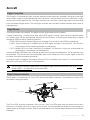
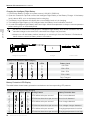
Charging the Intelligent Flight Battery
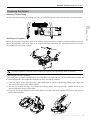
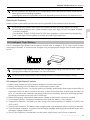
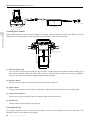
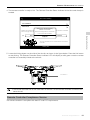
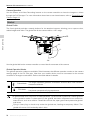
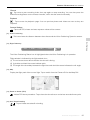
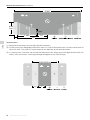
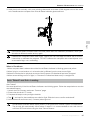
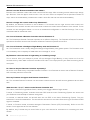
1. Connect the Battery Charger to a power source (100-240 V 50/60 Hz).
2. Open the Protection Cap and connect the Intelligent Flight Battery to the Battery Charger. If the battery
level is above 95%, turn on the battery before charging.
3. The Battery Level Indicator will display the current battery level as it is charging.
4. The Intelligent Flight Battery is fully charged when the Battery Level Indicators are all off.
5. Air-cool the Intelligent Flight Battery after each flight. Allow its temperature to drop to room temperature
before storing it for an extended period.
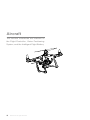
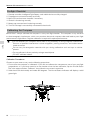
Aircraft
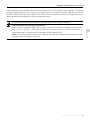
We do not recommend charging the Intelligent Flight Battery and remote controller with the
standard charger at the same time, otherwise the charger may overheat.
Always turn off the battery before inserting it or removing it from the Phantom 3 Professional.
Never insert or remove a battery when it is turned on.
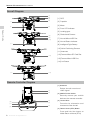
Intelligent Flight Battery
Charger
Power Outlet
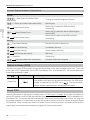
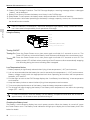
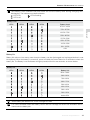
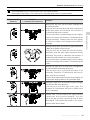
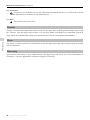
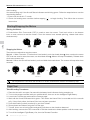
Battery Level Indicators While Charging
LED1
LED2
LED3
LED4
Battery Level
0%~25%
25%~50%
50%~75%
75%~100%
Fully Charged
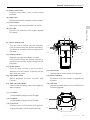
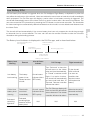
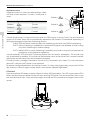
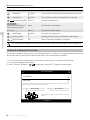
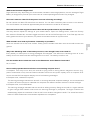
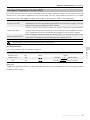
Battery Protection LED Display
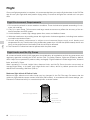
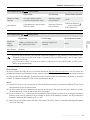
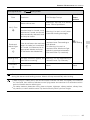
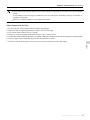
The table below shows battery protection mechanisms and corresponding LED patterns.
Battery Level Indicators while Charging
LED1
LED2
LED3
LED4 Blinking Pattern
LED2 blinks twice per second
Battery Protection Item
Over current detected
LED2 blinks three times per second Short circuit detected
LED3 blinks twice per second
Over charge detected
LED3 blinks three times per second Over-voltage charger detected
LED4 blinks twice per second
Charging temperature is too low
LED4 blinks three times per second Charging temperature is too high
20 © 2015 DJI. All Rights Reserved.