1
P23
Troubleshooting
Unit doesn’t respond (no power)
•
•
•
•
Check that unit is connected to AC power.
Make sure your device is properly paired with the iKN95.
Make sure the Power is ON.
If the unit seems “frozen” or locked up, disconnect the AC adaptor, remove the backup battery
and let unit stand for 3 minutes to reset the unit. Doing so will erase all settings. Replace backup
battery and re-connect AC adaptor.
Resetting Bluetooth
If Bluetooth function is not operating properly, you may wish to reset Bluetooth. To do so, press and
hold the Bluetooth Button 10 seconds. You will hear a long high tone. You will then need to re-pair
any previously paired devices.
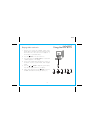
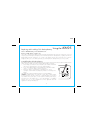
K-Cell Won’t Eject
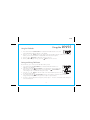
If the K-Cell won’t eject even after pressing the K-Cell Eject Button, you can turn the unit over and insert
the end of a paper clip or similar into the Battery Release pinhole port located on the back of the unit.
Trouble pairing device/computer with iKN95
Bluetooth implementation varies depending on your device’s hardware and operating system. Please
see our website for updates on pairing.
• Make sure you have the latest firmware for your device.
• Make sure your device is working properly. Check your device’s manual for details on Bluetooth
pairing and linking.
• When you power ON the speaker, it will automatically link with the last previously paired
Bluetooth device if the device is still within range (approx.30 feet). To pair with a different device
you must turn off Bluetooth capability on the already paired device, or take it out of range.
For further information and to see the latest instructions, visit www.ihome.com/support
22