1
Table of contents
Before Using the Product
Copyright5
Safety Precautions
6
Symbols6
Cleaning6
Storage7
Electricity and Safety
7
Installation8
Operation10
Preparations
Checking the Components
13
Components13
Parts15
Reverse Side
15
Anti-theft Lock
16
Remote Control
17
Before Installing the Product (Installation
Guide)19
Tilting Angle and Rotation
19
Ventilation19
Dimensions20
Installing the Wall Mount
Installing the Wall Mount Kit
Wall Mount Kit Specifications (VESA)
21
21
22
Remote Control (RS232C)
23
Cable Connection
23
Connection24
Control Codes
25
Using MDC
Configuring Settings for Multi Control40
Configuring settings for Multi Control40
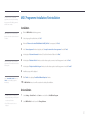
MDC Programme Installation/Uninstallation 41
Installation41
Uninstallation41
Connecting and Using a Source
Device
Before Connecting
Pre-connection Checkpoints
34
34
Connecting to a PC
Connection using the D-SUB cable
(Analogue type)
Connection using a DVI cable (Digital type)
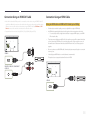
Connection Using an HDMI-DVI Cable
Connection Using an HDMI Cable
34
Connecting to a Video Device
Connection Using the AV Cable
Connection Using the component Cable
Connection Using an HDMI-DVI Cable
Connection Using an HDMI Cable
37
37
37
38
38
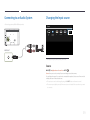
Connecting to an Audio System
39
34
35
35
36
Changing the Input source
39
Source39
What is MDC?
Connecting to MDC
42
42
Screen Adjustment
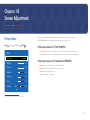
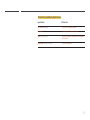
Picture Mode43
If the input source is PC, DVI, HDMI(PC)43
If the input source is AV, Component,
HDMI(AV)43
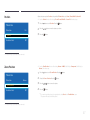
Backlight / Contrast / Brightness / Sharpness /
Colour / Tint (G/R)44
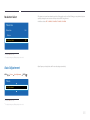
Picture Size45
Picture Size45
Position47
Zoom/Position47
Resolution Select48
Auto Adjustment48
PC Screen Adjustment49
PIP50
Advanced Settings51
2











































![[ED32D/ED40D/ED46D/ED55D] User Manual](http://vs1.manualzilla.com/store/data/005981977_1-5e9fcb879550bf5117f8a87507455499-150x150.png)