1
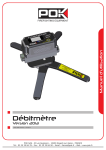
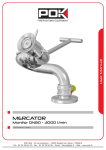
Flowmeter 2012
Reference : 29342, 39383, 29390, 29396, 30287
Presentation
Option
Overall dimensions
Exploded view
Bill of materials
Stickers
Warning
User manual
Maintenance
Please read this manual before using the equipment
Rev-A : 20/02/12
The technical informations included in this document might change without any warning. Contact our sales service for further details.
Doc 1822 EN
Presentation
Characteristics
Details
Construction
• Body in aluminium alloy
• Case in grivory with fibreglass
Maximum pressure of use
16 bar / 230 PSI
Working temperature
-10°C to 70°C (14°F to 158°F)
Waterproofness
IP65
Working flow rates limits
•
•
•
•
Accuracy
About 3% (if use within the working flow rate limits)
Flow rate results shown in
GPM or l/min (parameter defined in factory
Pressure results shown in
PSI or bar (parameter defined in factory)
Power supply
9V Battery (6LR61)
Bluetooth
Connection kit sold separately
USB
5m USB Cable sold separately
Software
Software for PC (Windows XP, Vista, Seven only) sold only with
the USB or Bluetooth® kit.
Bluetooth version
2.0
DN
DN
DN
DN
40 (1.5") : 100 l/min to 1000 l/min (26GPM to 260 GPM)
65 (2.5") : 300 l/min to 2500 l/min (80 GPM to 660 GPM)
80 (3") : 500 l/min to 3000 l/min (130 GPM to 800 GPM)
100 (4") : 1000 l/min to 5000 l/min (260GPM to 1350 GPM)
Diameter
DN40 (1.5")
DN65 (2.5")
DN80(3")
DN100 (4")
Reference
29342
29383
29390
29396
Note : references without coupling, any type available, to be specified when placing the order.
1
Rev-A : 20/02/12
The technical informations included in this document might change without any warning. Contact our sales service for further details.
Doc 1822 EN
Option
Example with a DN65 flowmeter
Ref : 30287
Construction :
Stabilizing legs in technical plastic
Holding system in aluminium
Axis and screws in stainless steel
Security : Automatic locking of the stabilizing legs by means of a ring
Note : This option is the same for all the models of flowmeter (DN40/65/80/100). It can't be removed
easily.
2
Rev-A : 20/02/12
The technical informations included in this document might change without any warning. Contact our sales service for further details.
Doc 1822 EN
Overall dimensions
Flowmeter
Diameter
A (mm)
B (mm)
Weight (kgs)
DN40
146
250
3
DN65
169
254
3.5
DN80
185
262
3.8
DN100
205
268
4.2
Note : dimension and weight without coupling or accessories
3
Rev-A : 20/02/12
The technical informations included in this document might change without any warning. Contact our sales service for further details.
Doc 1822 EN
Overall dimensions
Stand
• Unfold :
• Fold :
Weights : 2.36 Kgs
4
Rev-A : 20/02/12
The technical informations included in this document might change without any warning. Contact our sales service for further details.
Doc 1822 Fr
Exploded view
Flowmeter
5
Rev-A : 20/02/12
The technical informations included in this document might change without any warning. Contact our sales service for further details.
Doc 1822 EN
Bill of materials
Flowmeter
REP
QTY
DESCRIPTION
REF
1
1
Stand for electronic parts
29453
2
1
Stand for flow rate sensor
29339
3
1
Nut for flow rate sensor
4
1
Gasket Ø30xØ2
16833
5
1
Flow rate sensor
26624
6
1
Pressure sensor
26631
7
1
Electronic card
29449
8
1
Waterproof cap
26537
9
4
Washer W3
RGW3
10
4
Screw CHC M8-30
229389
VTCHC 8x30
11
1
Viewer
29336
12
1
Case
29382
13
1
4 pins female binder plug
26653
14
1
Case for 9V battery
38023
15
1
Gasket Ø48x2
16
2
Screw FHC M3-10
17
1
Battery cap
29335
18
1
Screw M3-10
26634
19
1
Sticker "user manual"
26848
FTFHC 3x10
--- French
30004
--- English
30005
--- German
30006
20
1
Push-button
26651
21
1
Sticker "case"
--- French
29497
--- English
29498
--- German
30007
RGW6
22
4
Washer W6
23
4
Screw CHC M6-20
24
1
Gasket R26
8226
25
1
Gasket R13
8213
26
1
Cut gasket ep.03
27
1
Stand
VTCHC 6x20
29901
--- DN40
29347
--- DN65
29388
--- DN80
29395
--- DN100
29401
28
1
Gasket Ø175x2,5
6245
29
1
Screw TBHC M3x8
VTBHC 3x8
-
2
Plug Mollex Male 2c
38043
-
2
Plug Mollex female 2c
38042
-
1
Cable for flow rate sensor
26625
6
Rev-A : 20/02/12
The technical informations included in this document might change without any warning. Contact our sales service for further details.
Doc 1822 EN
Exploded view
Stand
7
Rev-A : 20/02/12
The technical informations included in this document might change without any warning. Contact our sales service for further details.
Doc 1822 EN
Bill of materials
Stand
REP
QTY
DESCRIPTION
REF
1
1
Stand
13735
2
2
Stabilizing leg axis
13736
3
2
Spring washer
16644
4
4
Wedge washer
10916
5
4
Tip
10868
6
2
Screw FHC M8-16
7
2
Back leg
13734
8
1
Front right leg
13732
9
1
Front left leg
13733
10
1
Stand
30290
11
1
Locking axis holder
10918
12
1
Spring for locking system
10919
13
1
Ring
14
6
Screw CHC M8-12
VTCHC 8x12
15
3
Cylindrical wedge
30331
16
3
Screw FHC M8-50
VTFHC 8x50
17
1
Locking system axis
VTFHC 8x16
2898
30332
8
Rev-A : 20/02/12
The technical informations included in this document might change without any warning. Contact our sales service for further details.
Doc 1822 EN
Stickers
1
2
1
Ref : 29118
2
Ref : 18102
9
Rev-A : 20/02/12
The technical informations included in this document might change without any warning. Contact our sales service for further details.
Doc 1822 EN
Warning
Please respect the information given in this document. Ignoring this may give wrong results or even
damage the device.
Do not dismantle the device, electric shock might occur.
The POK warranty no longer applies if the device is dismantled outside our factory.
Dismantling and/or modifying the device by unqualified personal may give wrong results and/or
damage the device.
Only POK SA can repair the device and garantee its optimal and safe operation.
The exploded view and the bill of materials given in this document are not instruction to assemble
the pieces. They do exist only to make technical support easier.
Bluetooth® is a registered trademark by the Bluetooth SIG Consortium.
Please respect the safety rules relating to your environment/installation before using the device, it
emits continually bluetooth waves when working, which may not be allowed in some places and/or
conditions.
Bluetooth waves may in rare cases create interferences with other electronic devices.
The use of some electronic devices may be forbidden or restricted according to the places and/or
conditions in which you are.
Keep away from an excessive heat.
POK SA can't be responsible of any damage due to a dismantling, a
modification or a bad use of the apparatus.
10
Rev-A : 20/02/12
The technical informations included in this document might change without any warning. Contact our sales service for further details.
Doc 1822 EN
User manual
• Introduction :
The POK flowmeter offers an accuracy of about 3% (for the flow rate) only in certain flow rates limits,
these vary according to the diameter of the apparatus.
DN
DN
DN
DN
40 (1.5") : 100 l/min to 1000 l/min (26GPM to 260 GPM)
65 (2.5") : 300 l/min to 2500 l/min (80 GPM to 660 GPM)
80 (3") : 500 l/min to 3000 l/min (130 GPM to 800 GPM)
100 (4") : 1000 l/min to 5000 l/min (260GPM to 1350 GPM)
Results obtained outside this value may not be correct.
The maximum pressure of use is 16 bar (230 PSI), over this value the sensors may be damage.
The flowmeter is not waterproof. Gaskets are present in order to protect the electronic parts from
water spatters.
Before exposing the device in an environment where there may be liquid projections, make sure the
battery case and the cap on the binder plug are properly closed.
The flowmeter is supplied only with a 9V battery. If this battery can be recharged, it will have to be
done outside the battery case.
Keep the device from a heat over 70°C (158°F), the electronic parts may not resist.
A user manual reminder is stuck on the device if needed.
• How to use the flowmeter :
The flowmeter is made of a screen which is able to indicate 4 characters, 2 lights (on the top left
corner and on the bottom right corner of the screen) and a push-button (in a yellow circle).
Pushing the push-button "select" let the flowmeter operate, it will indicate the flow unit during 2 sec
(GPM or LPM depending on your configuration), the flow rate will appear after.
Pushing one more time the push-button is allowing the pressure to be indicated (PSI or bar depending
on your configuration).
The device will be turned off automatically after 15 sec.
Please notice that if you don't remember on which mode you are, a light on the screen, on the top left
corner to indicate the pressure mode and on the bottom right corner to indicate the flow rate mode.
Changing the battery is easily made by removing the 4 screws (rep.18 on the flowmeter exploded
view) on the device side and then by removing the cap. Extract the battery and change it before
closing the case correctly.
Please do this in a dry place.
Note : Please make sure the couplings are correctly attached before putting the device under pressure.
11
Rev-A : 20/02/12
The technical informations included in this document might change without any warning. Contact our sales service for further details.
Doc 1822 EN
User manual
• How to use the stand :
Some flowmeters may have a stand like the one shown in this document.
- 1 - Unfold the stabilizing legs by pulling one of them.
- 2 - Make sure the locking system locks the legs.
- 3 - Make sure that all the legs' tip are in contact with the floor, and that the flowmeter can't slip.
After using the device, the legs can be fold by pulling the ring on the locking system.
Note : Do not walk or put weight on the stabilizing legs, it would damage them.
12
Rev-A : 20/02/12
The technical informations included in this document might change without any warning. Contact our sales service for further details.
Doc 1822 EN
Maintenance
• Cleaning and tidying the device :
In order to preserve the device, it is important to :
• Make sure the cap on the binder plug is correctly closed before cleaning/tidying it.
• Clean up with clear water after every use.
• Do not use high pressure jet.
• If salt or unclear water has been use, make the device working with clear water to remove corrosive
parts.
• Do not use corrosive products, it might damaged the seals and/or the electronical parts.
• Do not tidy the device moist.
• Tidy the device in a dry place and away from rodents and/or pests.
• Do not tidy the device in a place with a high humidity rate in the air.
• Spare parts :
Please contact our sales service in order to be informed on tariffs and conditions for returns or to obtain
spare parts.
Use the bill of materials in this document to identify the parts to change.
13
Rev-A : 20/02/12
Doc 1822 EN