1
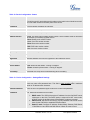
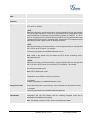
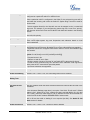
Distinctive Ring Tone
Select a Distinctive Ring Tone 1 through 3 for the caller ID. The Caller ID can be
configured as a particular caller ID or Alert-Info text.
When a particular call ID is configured in the Caller ID, the selected ring tone will be
used when the incoming call is from the Caller ID. System Ring Tone will be used for
all other calls.
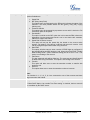
If server supports Alert-Info, the Alert-Info text can be mapped to the 3 customized
ring tones. For example, if you configure the custom ring tone 1 user ID to “priority”,
that ring tone will be used if we receive INVITE with Alert-Info header in the following
format:
Alert-Info:;info=priority
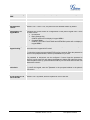
System Ring Tone
System ring tone. Default is North American standard.
Users could adjust system ring tone frequencies and cadences based on local
telecom standard.
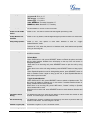
Call Progress Tones
Using these settings, users can configure ring or tone frequencies based on
parameters from local telecom. By default, they are set to North American standard.
Frequencies should be configured with known values to avoid uncomfortable high
pitch sounds.
Syntax: f1=val,f2=val[,c=on1/off1[-on2/off2[-on3/off3]]];
- Frequencies are in Hz
- Cadence on and off are in 10ms
- ON is the period of ringing (“On time” in “ms”) while OFF is the period of silence
- In order to set a continuous ring, OFF should be zero. Otherwise it will ring ON ms
and a pause of OFF ms and then repeat the pattern
- Up to three cadences are supported
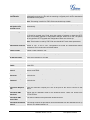
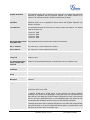
Intercom User ID
Configure intercom user ID when intercom is used. This is for Account 1.
Disable Call Waiting
Default is “No”. If set to “Yes”, the call waiting feature will be disabled.
Disable Call
Waiting Tone
Default is “No”. If set to “Yes”, the call waiting tone will be disabled.
Disable Direct IP Calls
Default is “No”. If set to “Yes”, direct IP calls will be disabled.
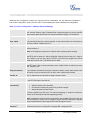
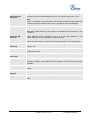
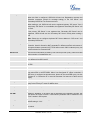
Use Quick IP Call
Mode
Dial an IP address under the same LAN/VPN segment by entering the last octet in the
IP address.
In the Advanced Settings page there is an option “Use Quick IP-call mode”. Default
setting is “No”. When set to “Yes”, offhook the phone and dial #XXX (X is 0-9 and
XXX <=255), phone will make direct IP call to aaa.bbb.ccc.XXX where aaa.bbb.ccc
comes from the local IP address REGARDLESS of subnet mask.
#XX or #X are also valid so leading 0 is not required (but OK). See Quick IP Call
Mode section for details.
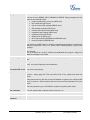
Disable Conference
Grandstream Networks, Inc.
Default is “No”. If set to “Yes”, conference will be disabled.
GXP2124 User Manual
Firmware version: 1.0.3.19
Page 33 of 46
Last Updated: 02/2012