1
JZC-E052HS
z
USER MANUAL
Status bar
It ‘s for SZ-A Auto Receiver to display the calculating time for every image.
6.3 Set Options
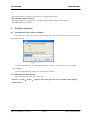
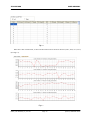
Click “options”, window shows as Fig 6.8:
Fig 6.8
To set the pieces of picture for every point, more pictures will bring higher precision. Also more pictures
will take more time. Generally setting small number at the range of 30~40 meters to the main body.
When far distance and intensive sway, set big number. The scope is 1—50. User can change the option
during measurement. For example, set 1 for former 20 points, set 5 for 20~30 points, set 10 for rest points
after No.30.
“Options” is not available for FJ11 Digital Display Target.
6.4 Measuring with SZ-A Auto Receiver
6.4.1 Connect the receiver and computer with transmission line, launch the software. When there is
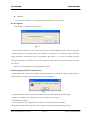
wrong connection or disconnection, the window Fig 6.9 will appear.
Fig 6.9
When this window appears, check the transmission line and then launch the software again.
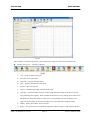
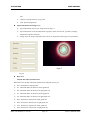
If there is no problem, laser spot will show on the image area. See Fig 6.5
6.4.2 Start measurement
Click “record” at every testing point, the software records the data in the data table.
6.4.3 After measurement of two rails, click “calculate”, the software calculates the deviation.
MANU_JZC-E052HS_en_001.doc
Page 14
©2008, LINGGAO GmbH