1
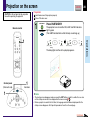
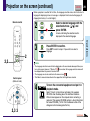
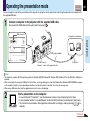
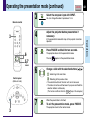
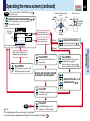
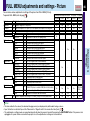
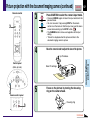
Turning the power off
1
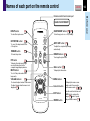
Remote control
ON /
STANDBY
KEYSTONE
AUTO SET
MUTE
PIP
CALL
2
ON/STANDBY
ON/STANDBY
RESIZE
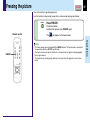
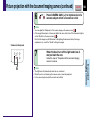
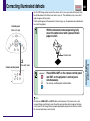
Press ON/STANDBY after using the projector.
An instruction message for turning the power off appears on
the screen and disappears after a while. When the message
disappears, operation becomes invalid.
Press ON/STANDBY again.
Cooling starts. Once cooling is completed, the LAMP and FAN
indicators turn off and the standby mode is set. (The ON
indicator turns in orange.)
ON
MENU
A
ENTER
EXIT /
P.MODE
CT-90106
A
Control panel
(Main unit side)
B
2
1,2
TEMP
LAM P
C
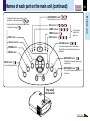
Indicators
ON / STANDBY
ON
LAMP
(Green)
(Orange) Flashing
VOL / ADJ
33
FAN
(Green)
ON
(Orange)
B
LAMP
ON
(Off)
FAN
(Green)
(Orange)
C
LAMP
(Off)
FAN
(Off)
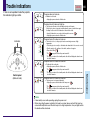
To protect the light source lamp, the LAMP indicator blinks as long as
a minimum of cooling is necessary. The power cannot be turned back
on during this time. Unplugging the power cord at this time will shorten
the lamp’s duration life.
The cooling fan continues to run for a while to expel the heat remaining
inside. If you are in a hurry, however, you may unplug the power cord
at this time.
The standby mode is set.
FAN
Notes
EN
AU
TO
NU
SE
T
KE
YS
IN
PU
T
ME
EXIT
TE R
N
TO
E
VOL / ADJ
• The projector consumes about 15W of power in the standby mode. We recommend you
unplug the power cord when not using the projector for long periods of time.
• Be sure that the LAMP indicator has turned off before unplugging the power cord. Cutting the
power by unplugging the power cord while the projector is operating or the light source lamp is
being cooled will shorten the lamp’s duration life. Should a fault or some other irregularity
arise with this unit, unplug the power cord.
• When reinserting the power plug before the lamp has cooled, please wait until the lamp has
cooled sufficiently before use. When the lamp is at a high temperature, it may not light and it’s
life duration will be shortened.
Operations
FREEZE
ON/STANDBY
ON/STANDBY
1,2
INPUT
CONTENTS