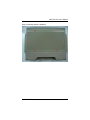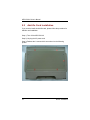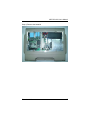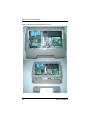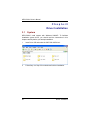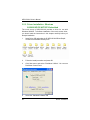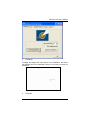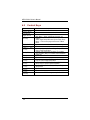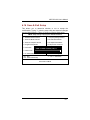
1
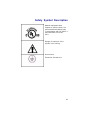
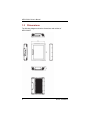
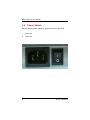
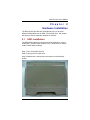
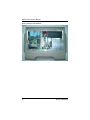
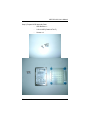
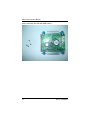
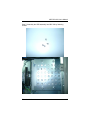
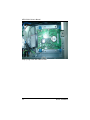
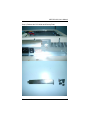
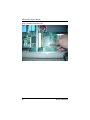
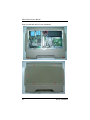
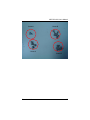
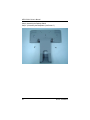
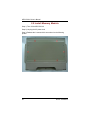
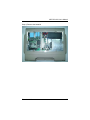
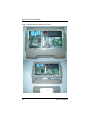
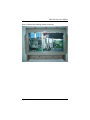
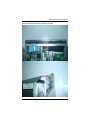
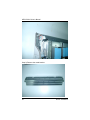
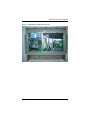
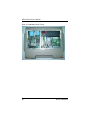
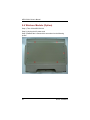
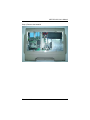
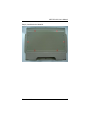
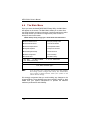
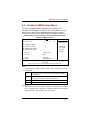
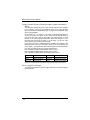
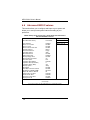
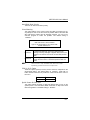
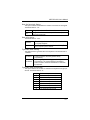
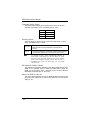
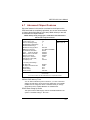
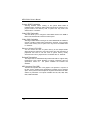
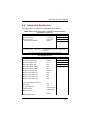
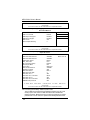
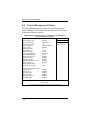
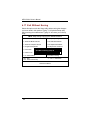
MPC150-810 All-in-One 15” Medical Grade PANEL PC User’s Manual i Disclaimers The information in this manual has been carefully checked and is believed to be accurate. AXIOMTEK Co., Ltd. assumes no responsibility for any infringements of patents or other rights of third parties, which may result from its use. AXIOMTEK assumes no responsibility for any inaccuracies that may be contained in this document. AXIOMTEK makes no commitment to update or to keep current the information contained in this manual. AXIOMTEK reserves the right to make improvements to this document and/or product at any time and without notice. No part of this document may be reproduced, stored in a retrieval system, or transmitted, in any form or by any means, electronic, mechanical, photocopying, recording, or otherwise, without the prior written permission of AXIOMTEK Co., Ltd. ©Copyright 2007 by AXIOMTEK Co., Ltd. All rights reserved. May 2007, Version A2 Printed in Taiwan ii Safety Approvals CE Marking FCC Class B FCC Compliance This equipment has been tested and complies with the limits for a Class A digital device, pursuant to Part 15 of the FCC Rules. These limits are designed to provide reasonable protection against harmful interference in a residential installation. If not installed and used in accordance with proper instructions, this equipment might generate or radiate radio frequency energy and cause harmful interference to radio communications. However, there is no guarantee that interference will not occur in a particular installation. If this equipment does cause harmful interference to radio or television reception, which can be determined by turning the equipment off and on, the user is encouraged to try to correct the interference by one or more of the following measurers: 1. Reorient or relocate the receiving antenna. 2. Increase the separation between the equipment and receiver. 3. Connect the equipment into an outlet on a circuit different from that to which the receiver is connected. 4. Consult the dealer or an experienced radio/TV technician for help. Shielded interface cables must be used in order to comply with emission limits. iii Safety Precautions Before getting started, read the following important cautions. 1. The MPC150-810 does not come equipped with an operating system. An operating system must be loaded first before installing any software into the computer. 2. Be sure to ground yourself to prevent static charge when installing the internal components. Use a grounding wrist strap and place all electronic components in any static-shielded devices. Most electronic components are sensitive to static electrical charge. 3. Disconnect the power cord from the MPC150-810 before making any installation. Be sure both the system and the external devices are turned OFF. Sudden surge of power could ruin sensitive components. Make sure the MPC150-810 is properly grounded. 4. Make sure the voltage of the power source is correct before connecting the equipment to the power outlet. 5. The brightness of the flat panel display decreases with usage. However, hours of use vary depending on the application environment. 6. Turn OFF the system power before cleaning. Clean the system using a cloth only. Do not spray any liquid cleaner directly onto the screen. The MPC150-810 may come with or w/o a touchscreen. Although the touchscreen is chemical resistant, it is recommended that you spray the liquid cleaner on a cloth first before wiping the screen. In case your system comes without the touchscreen, you must follow the same procedure and not spray any cleaner on the flat panel directly. 7. Avoid using sharp objects to operate the touchscreen. Scratches on the touchscreen may cause malfunction or internal failure to the touchscreen. 8. The flat panel display is not susceptible to shock or vibration. When assembling the MPC150-810, make sure it is securely installed. 9. Do not leave this equipment in an uncontrolled environment where the storage temperature is below -20℃ or above 60℃. It may damage the equipment. 10. External equipment intended for connection to signal input/out or other connectors, shall comply with relevant UL/IEC iv standard (e.g. UL 60950 for IT equipment and UL 60601-1/IEC 60601 series for medical electrical equipment). In addition, all such combinations shall comply with the standard IEC 60601-1-1, safety requirements for medical electrical systems. Equipment not complying with UL 60601-1 shall be kept outside the patient environment, as defined in the standard. 11. Do not open the system’s back cover. If opening the cover for maintenance is a must, only a trained technician is allowed to do so. Integrated circuits on computer boards are sensitive to static electricity. To avoid damaging chips from electrostatic discharge, observe the following precautions: z Before handling a board or integrated circuit, touch an unpainted portion of the system unit chassis for a few seconds. This will help to discharge any static electricity on your body. z When handling boards and components, wear a wrist-grounding strap, available from most electronic component stores. v Classification 1. 2. 3. 4. 5. vi Degree of production against electric shock: not classified Degree of protection against the ingress of water: IPX1 Equipment not suitable for use in the presence of a flammable anesthetic mixture with air or with oxygen or nitrous oxide. Mode of operation: Continuous Type of protection against electric shock: Class I equipment General Cleaning Tips You may need the following precautions before you begin to clean the computer. When you clean any single part or component for the computer, please read and understand the details below fully. 1. 2. 3. 4. 5. 6. When you need to clean the device, please rub it with a piece of dry cloth. Be cautious of the tiny removable components when you use a vacuum cleaner to absorb the dirt on the floor. Turn the system off before you start to clean up the component or computer. Never drop the components inside the computer or get circuit board damp or wet. Be cautious of all kinds of cleaning solvents or chemicals when you use it for the sake of cleaning. Some individuals may be allergic to the ingredients. Try not to put any food, drink or cigarette around the computer. Cleaning Tools: Although many companies have created products to help improve the process of cleaning your computer and peripherals users can also use household items to clean their computers and peripherals. Below is a listing of items you may need or want to use while cleaning your computer or computer peripherals. Keep in mind that some components in your computer may only be able to be cleaned using a product designed for cleaning that component, if this is the case it will be mentioned in the cleaning. z Cloth: A piece of cloth is the best tool to use when rubbing up a component. Although paper towels or tissues can be used on most hardware as well, we still recommend you to rub it with a piece of cloth. z Water or rubbing alcohol: You may moisten a piece of cloth a bit with some water or rubbing alcohol and rub it on the computer. Unknown solvents may be harmful to the plastics parts. z Vacuum cleaner: Absorb the dust, dirt, hair, cigarette vii z z particles, and other particles out of a computer can be one of the best methods of cleaning a computer. Over time these items can restrict the airflow in a computer and cause circuitry to corrode. Cotton swabs: Cotton swaps moistened with rubbing alcohol or water are excellent tools for wiping hard to reach areas in your keyboard, mouse, and other locations. Foam swabs: Whenever possible it is better to use lint free swabs such as foam swabs. Note: We strongly recommended that you should shut down the system before you start to clean any single components. Please follow the steps below. 1. 2. 3. 4. 5. viii Close all application programs Close operating software Turn off power switch Remove all device Pull out power cable Scrap Computer Recycling If the computer equipments need the maintenance or are beyond repair, we strongly recommended that you should inform us as soon as possible for the suitable solution. For the computers that are no longer useful or no longer work well, please contact us for recycling and we will make the proper arrangement. ix Trademarks Acknowledgments AXIOMTEK is a trademark of AXIOMTEK Co., Ltd. IBM, PC/AT, PS/2, VGA are trademarks of International Business Machines Corporation. Intel and Pentium are trademarks of Intel Corporation. MS-DOS, Microsoft C and Quick BASIC are trademarks of Microsoft Corporation. VIA is a trademark of VIA Technologies, Inc. SST is a trademark of Silicon Storage Technology, Inc. UMC is a trademark of United Microelectronics Corporation. Other brand names and trademarks are the properties of their respective owners. x FCC Safety This device complies with Part 15 FCC Rules. Operation is subject to the following two conditions: (1) this device may not cause harmful interference, and (2) this device must accept any interference received including interference that may cause undesired operation. xi UL Module Description MPC150-810 AC module is developed to suitable for the Classification Mark requirement. xii Safety Symbol Description Medical equipment with respect to electric shock, fire and mechanical hazards only in accordance with UL 60601-1, and CAN/CSA C22.2 NO. 601.1 Danger of explosion if the system is on running. Ground wire Protective Ground wire. xiii This page does not contain any information. xiv Table of Contents Disclaimers........................................................................... ii Safety Approvals................................................................iii Safety Precautions ............................................................. iv Classification ...................................................................... vi General Cleaning Tips.....................................................vii Scrap Computer Recycling............................................... ix FCC Safety........................................................................... xi UL Module Description................................................... xii Safety Symbol Description ............................................xiii C h a p t e r 1 .....................................................................1 Introduction ..........................................................................1 1.1 General Description ................................................1 1.2 Specifications ..........................................................2 1.2.1 1.2.2 1.2.3 Main CPU Board ...................................................... 2 I/O System ............................................................... 2 System Specification .............................................. 3 1.3 Dimensions ..............................................................4 1.4 I/O Outlets ................................................................5 1.5 Package List ............................................................7 1.6 Power Switch ...........................................................8 C h a p t e r 2 .....................................................................9 Hardware Installation.........................................................9 2.1 HDD Installation ......................................................9 2.2 Add-On Card Installation ......................................16 2.3 Mountings: Wallmount / VESA.............................23 2.4 Desktop Stand (Option) ........................................24 2.5 Install Memory Module .........................................30 Table of Contents xv 2.6 Wireless Module (Option).....................................42 C h a p t e r 3 ......................................................................46 Driver Installation .............................................................46 3.1 System ...................................................................46 3.2 Touch Screen ........................................................47 3.2.1 3.2.2 Specification........................................................ 47 Driver Installation- Windows 98/2000/XP/CE.NET/XP-Embedded................... 48 A p p e n d i x A ..............................................................51 Award BIOS Utility...........................................................51 4.1 4.2 4.3 4.4 4.5 4.6 4.7 4.8 4.9 4.10 4.11 4.12 4.13 4.14 4.15 4.16 4.17 xvi Entering Setup.......................................................51 Control Keys ..........................................................52 Getting Help ...........................................................53 The Main Menu ......................................................54 Standard CMOS Setup Menu................................55 Advanced BIOS Features .....................................58 Advanced Chipset Features .................................63 Integrated Peripherals ..........................................65 Power Management Setup....................................70 PnP/PCI Configuration Setup...............................75 PC Health Status ...................................................77 Frequency/Voltage Control ..................................78 Load Fail-Safe Defaults.........................................79 Load Optimized Defaults ......................................80 Set Supervisor/User Password ............................81 Save & Exit Setup..................................................83 Exit Without Saving...............................................84 Table of Contents MPC150-810 User’s Manual Chapter 1 Introduction This chapter contains the general information and the detail specifications of the MPC150-810. Chapter 1 includes the following sections: 1.1 General Description System Specification Dimensions I/O Outlets Utilities Supported Package List General Description The MPC150-810 is a medical grade and fanless touch panel computer, and is equipped with a 15" TFT LCD display and low power consumption CPU, the LV Intel® Pentium® M or ULV Intel® Celeron® M. The MPC150-810 supports Windows® 2000/XP, Windows® XP embedded, and Linux. The panel is also designed with IPX1 water resistant and able to install a mini-PCI wireless module for wireless communication. Reliable and Stable Design The MPC150-810 adopts the fanless cooling system and the anti-vibration hard-drive bay, which makes it especially suitable for vibration environments, best for POC (Point of Care) application. Flexibility- a PCI Slot The MPC150-810 offers a PCI slot which allows for extended communication, control or capture card, which can be used for different medical application requirements. Embedded O.S. Supported The MPC150-810 not only supports Windows® 2000/XP, but also supports embedded OS, such as Windows® XP embedded and Linux. For storage device, the MPC150-810 supports 2.5" HDD or CompactFlash™ card. Medical-grade Product Design The MPC150-810 has an incredible design that can be used in different medical environments. Introduction 1 MPC150-810 User’s Manual Certify with Medical Certification Whole Unit IPX1 Water Resistant Whole Unit Fanless Design Compact with PCI Expansion Design Excellent ID and User-Friendly Design z z z z z 1.2 1.2.1 Specifications Main CPU Board CPU: LV Intel Pentium M 1.4GHz or ULV Intel Celeron M 800MHz. System Chipset: Intel 855GME/852GM + 6300ESB BIOS: Phoenix-Award BIOS, 4Mbit with RPL/PXE LAN Boot ROM, SmartView and Customer CMOS Backup. System Memory: 1 x 184-pin DDR DIMM max. up to 1GB(ECC & DDR333 supported by 855GME only) 1.2.2 I/O System Standard I/O: − 3 x serial ports with power; 2 x RS-232, 1 x RS-232/422/485 jumper selectable − 4 x USB Ports 2.0 compliant. − 1 x Parallel Port − 1 x PS/2 mouse and keyboard − 1 x Mic-in, 1 x Line-out − 1 x VGA out (supports DualView) − 1 x Compact Flash 2 Introduction MPC150-810 User’s Manual Ethernet: - Realtek RTL 8100C Fast Ethernet Expansion Slot: - 1 x PCI Slot for 32-bit/66MHz 1.2.3 System Specification 15” XGA TFT LCD - Brightness: 350 nits - Resolution: 1024 x 768 Disk Drive: 1 x 2.5” HDD Power Supply: Medical Grade 100W AC Power Supply Power Input: 100~240VAC, 50/60Hz, Max. 2A Fuse Rating: Fuse 3.15A/250V Slow Blow 5φ *20mm Glass Body Optical Drive: 8X CD-ROM or Optional 8X/24X Combo Drive Expansion Slot: 1 x PCI Slot Net Weight: 7.5kg (16.5lb) Dimension: 396mm(W) x 312mm(H) x 92mm (D) Operation Temperature: 0℃ -40℃; Relative Humidity: 10%-95% Driver Installation 3 MPC150-810 User’s Manual 1.3 Dimensions The following diagrams show the dimensions and outlines of MPC150-810. 4 Driver Installation MPC150-810 User’s Manual 1.4 I/O Outlets The following figure shows the I/O locations of the MPC150-810. Driver Installation 5 MPC150-810 User’s Manual 6 1: Brightness Adjust 10: USB v2.0 x 4 2: Volume Adjust 11: VGA Port 3: Power LED 12: PS/2 for K/B & M/S 4: Parallel Port 13: Mic-in & Line-out 5: COM 2 14: Ethernet Port 6: COM 3 15: AC Inlet 7: PCI Slot 16: Power Switch 8: Speaker-R 17: Speaker-L 9: COM1 Driver Installation MPC150-810 User’s Manual 1.5 Package List When you receive the MPC150-810 there are following items in the package. If you can not find it, please contact AXIOMTEK distributors. 1. MPC150-810 Unit x 1 2. Power Cord x 1 3. CD x 1 (For Driver and User Manual) 4. Quick Manual x 1 5. CD-ROM Cover x 2 6. IDE cable x 1 7. Y Cable for PS/2 Keyboard & Mouse x 1 8. Wallmount/VISA Bracket x 1 9. Cable Management Kit x 2 10. M4x12 Screws x 4 (For Wallmount/VESA Bracket) 11. M4x8 Screws x 4 (For VESA Mounting) 12. M3x5 Screws x 2 (For Cable Management Kit) Driver Installation 7 MPC150-810 User’s Manual 1.6 Power Switch Use the following power switch for system power-on or power-off. I Power On O Power Off 8 Driver Installation MPC150-810 User’s Manual Chapter 2 Hardware Installation The MPC150-810 provides lots of flexible ways for you to select different configuration such as HDD, CF card and more. The chapter will show you how to install the hardware. It includes: 2.1 HDD Installation The MPC150-810 offers a convenient drive bay module for users to install HDD. The MPC150-810 offers one 2.5” HDD drive for users to install. Please follow the steps: Step 1) Turn-off the MPC150-810 Step 2) Un-plug the AC power-cord Step 3) Release the 6 screws which are marked on the following picture. Driver Installation 9 MPC150-810 User’s Manual Step 4) Remove the heatsink 10 Driver Installation MPC150-810 User’s Manual Step 5) Prepare HDD Assembly Parts Driver Installation - HDD Bracket x 1 - 2.5inch HDD (Parallel ATA I/F) - Screws x 4 11 MPC150-810 User’s Manual Step 6) Assembly the HDD with HDD bracket 12 Driver Installation MPC150-810 User’s Manual Step 7) Assembly the HDD assembly into MPC150 by following screws Driver Installation 13 MPC150-810 User’s Manual Step 8) Plug-in the IDE Cable to HDD 14 Driver Installation MPC150-810 User’s Manual Step 9) Assembly back the Heatsink. Driver Installation 15 MPC150-810 User’s Manual 2.2 Add-On Card Installation If you need to install the Add-On card, please follow the procedure for Add-On card installation. Step 1) Turn-off the MPC150-810 Step 2) Un-plug the AC power-cord Step 3) Release the 6 screws which are marked on the following picture. 16 Driver Installation MPC150-810 User’s Manual Step 4) Remove the heatsink Driver Installation 17 MPC150-810 User’s Manual Step 5) Remove the two screws of IO Cover. 18 Driver Installation MPC150-810 User’s Manual Step 6) Release the PCI Holder and Dummy Plate. Driver Installation 19 MPC150-810 User’s Manual Step 7) Install the Add-On Card 20 Driver Installation MPC150-810 User’s Manual Step 8) Screw back the PCI Holder Driver Installation 21 MPC150-810 User’s Manual Step 9) Install back the IO Cover & Heatsink 22 Driver Installation MPC150-810 User’s Manual 2.3 Mountings: Wallmount / VESA The MPC150-810 provides mounting for Wallmount and VESA-Arm by applying Wallmount/VESA Bracket as below, Driver Installation 23 MPC150-810 User’s Manual 2.4 Desktop Stand (Option) The MPC150-810 provides Desktop Stand (Option) that customer can install as below. Step 1) Prepare the parts of Desktop Stand 24 Driver Installation MPC150-810 User’s Manual Screw A Screw B Screw C Screw D Driver Installation 25 MPC150-810 User’s Manual Step 2) Assembly the Desktop Stand Step 2-1) Assembly the Backplane (Use Screw C) 26 Driver Installation MPC150-810 User’s Manual Step 2-2) Assembly the Hinge Cover (Use Screw A) Driver Installation 27 MPC150-810 User’s Manual Step 2-3) Assembly the Base (Use Screw D) 28 Driver Installation MPC150-810 User’s Manual Step 3) Assembly the Desktop Stand onto MPC150-810 (Use Screw B) Driver Installation 29 MPC150-810 User’s Manual 2.5 Install Memory Module Step 1) Turn-off the MPC150-810 Step 2) Un-plug the AC power-cord Step 3) Release the 6 screws which are marked on the following picture. 30 Driver Installation MPC150-810 User’s Manual Step 4) Remove the heatsink Driver Installation 31 MPC150-810 User’s Manual Step 5) Remove the two screws of IO Cover. 32 Driver Installation MPC150-810 User’s Manual Step 6) Release the following marked 18 screws. Driver Installation 33 MPC150-810 User’s Manual Step 7) Remove the plastic back cover. 34 Driver Installation MPC150-810 User’s Manual Step 8) Release the following marked 9 screws. Driver Installation 35 MPC150-810 User’s Manual Step 9) Remove the metal bracket. 36 Driver Installation MPC150-810 User’s Manual Step 10) Install the memory module. Driver Installation 37 MPC150-810 User’s Manual Step 11) Install back the metal bracket. 38 Driver Installation MPC150-810 User’s Manual Step 12) Install back the plastic back cover Driver Installation 39 MPC150-810 User’s Manual Step 13) Install back the IO Cover. 40 Driver Installation MPC150-810 User’s Manual Step 14) Install back the Heatsink. Driver Installation 41 MPC150-810 User’s Manual 2.6 Wireless Module (Option) Step 1) Turn-off the MPC150-810 Step 2) Un-plug the AC power-cord Step 3) Release the 6 screws which are marked on the following picture. 42 Driver Installation MPC150-810 User’s Manual Step 4) Remove the heatsink Driver Installation 43 MPC150-810 User’s Manual Step 5) Install Wireless Module & Plug-In the Antenna. 44 Driver Installation MPC150-810 User’s Manual Step 6) Install back the Heatsink. Driver Installation 45 MPC150-810 User’s Manual Chapter3 Driver Installation 3.1 System MPC150-810 could support with Windows 2000/XP. To facilitate installation system driver, you should read the instructions in this chapter carefully before you attempt installation. 1. Insert Driver CD and select the \MPC150-810\Driver\.. 2. Follow Step 1 to Step 5 for motherboard’s driver installation. 46 Driver Installation MPC150-810 User’s Manual 3.2 Touch Screen 3.2.1 Specification Touch Screen: For 8-wire analog resistive type Touch Screen Controller: DMC9000 Communications: RS-232 Baud Rate: 19200 baud rate fixed Resolution: 1024 x 1024 (10-bit A/D converter inside) Power Input: 5V to 12V DC Power Consumption: 12V: 27mA+ i where (i = v/touch screen sheet R) 5V: 23mA+ i where (i = v/touch screen sheet R) Board Size: 6.0 x 2.0 cm Portrait: Support 90o to 270o screen rotation Static Protection: ESD device option Others: Touch activate indication LED on board Driver Installation 47 MPC150-810 User’s Manual 3.2.2 Driver Installation- Windows 98/2000/XP/CE.NET/XP-Embedded The touch screen of MPC150-810 provides a driver for use with Windows 2000/XP. To facilitate installation of the touch screen driver, you should read the instructions in this chapter carefully before you attempt installation. 1. Insert Driver CD and select the D:\MPC150-810\Driver\Step6 Touch\Driver\Win2000-XP\setup.exe 2. Follow the install procedure and press OK. 3. Click Start menu and select “PenMount Utilities”. You can see PenMount Control Panel 4. Select the “Standard Calibrate” tab 48 Driver Installation MPC150-810 User’s Manual 5. Calibration: To adjust the display with touch panel, click “Calibration” and follow the calibrate point to do calibration; there are five points on screen for calibration. 6. Press OK. Driver Installation 49 MPC150-810 User’s Manual This page does not contain any information. 50 Driver Installation MPC150-810 User’s Manual Appendix A Award BIOS Utility The Phoenix-Award BIOS has a built-in Setup program that allows users to modify the basic system configuration. This type of information is stored in a battery-backed RAM (CMOS RAM) that retains the Setup information each time the power is turned off. 4.1 Entering Setup There are two ways to enter the Setup program. You may either turn ON the computer and press <Del> immediately, or press the <Del> and/or <Ctrl>, <Alt>, and <Esc> keys simultaneously when the following message appears at the bottom of the screen during POST (Power on Self Test). TO ENTER SETUP PRESS DEL KEY If the message disappears before you respond and you still wish to enter Setup, restart the system and try again. This is possible by turning the system power to OFF then to ON, pressing the "RESET" button on the system case, or by simultaneously pressing <Ctrl>, <Alt>, and <Del> keys. If you do not press the keys at the correct time and the system does not boot, an error message will be displayed and you will be prompted with the following: PRESS <F1> TO CONTINUE, <CTRL-ALT-ESC> OR <DEL> TO ENTER SETUP 51 MPC150-810 User’s Manual 4.2 Control Keys Up arrow Down arrow Left arrow Right arrow Esc key PgUp/“+” key PgDn/“−“ key F1 key (Shift) F2 key F3 key F4 key F5 key F6 key F7 key F8 key F9 key F10 key 52 Moves cursor to the previous item Moves cursor to the next item Moves cursor to the item on the left hand Move to the item in the right hand Main Menu -- Quits and deletes changes into CMOS Status Page Setup Menu and Option Page Setup Menu -- Exits current page and returns to Main Menu Increases the numeric value or makes changes Decreases the numeric value or makes changes General help, only for Status Page Setup Menu and Option Page Setup Menu Change color from total 16 colors. F2 to select color forward, (Shift) F2 to select color backward Reserved Reserved Restores the previous CMOS value from CMOS, only for Option Page Setup Menu Loads the default CMOS value from BIOS default table, only for Option Page Setup Menu Loads the Setup default, only for Option Page Setup Menu Reserved Reserved Saves all the CMOS changes, only for Main Menu MPC150-810 User’s Manual 4.3 Getting Help Main Menu The on-line description of the highlighted setup function is displayed at the bottom of the screen. Status Page Setup Menu/Option Page Setup Menu Press <F1> to pop up a small help window that describes the appropriate keys to use and the possible selections for the highlighted item. To exit the Help Window press <F1> or <Esc>. 53 MPC150-810 User’s Manual 4.4 The Main Menu Once you enter the Award BIOS CMOS Setup Utility, the Main Menu will appear on the screen. The Main Menu allows you to select from ten setup functions and two exit choices. Use the arrow keys to select the setup function you intend to configure then press <Enter> to accept or enter its sub-menu. CMOS Setup Utility-Copyright © 2000-2004 Award Software ►Standard CMOS Features ►Frequency/Voltage Control ►Advanced BIOS Features Load Fail-Safe Defaults ►Advanced Chipset Features Load Optimized Defaults ►Integrated Peripherals Set Supervisor Password ►Power Management Setup Set User Password ►PnP/PCI Configurations Save & Exit Setup ►PC Health Status Exit Without Saving Esc : Quit F9: Menu in BIOS F10 : Save & Exit Setup F6 : SAVE CMOS TO BIOS Ç È Æ Å : Select Item F7: LOAD CMOS FROM BIOS Time, Date, Hard Disk Type… NOTE: If you find that your computer cannot boot after making and saving system changes with Setup, the Award BIOS, via its built-in override feature, resets your system to the CMOS default settings. We strongly recommend that you avoid making any changes to the chipset defaults. These defaults have been carefully chosen by both Award and your system manufacturer to provide the absolute maximum performance and reliability. 54 MPC150-810 User’s Manual 4.5 Standard CMOS Setup Menu The items in Standard CMOS Setup Menu are divided into 10 categories. Each category includes no, one or more than one setup items. Use the arrow keys to highlight the item and then use the <PgUp> or <PgDn> keys to select the value you want in each item. CMOS Setup Utility-Copyright © 2000-2004 Award Software Standard CMOS Features Date (mm:dd:yy) Time (hh:mm:ss) Thu, Jan 10 2002 2 : 31 : 24 f IDE Primary Master f IDE Primary Slave f IDE Secondary Master f IDE Secondary Slave Drive A Drive B 1.44M, 3.5 in. None Video Halt On EGA/VGA All, But Keyboard ÇÈÆÅ : Move Item Help Menu Level f Change the Day, month, Year and Century Enter: Select +/-/PU/PD: Value F10: Save ESC: Exit F1: General Help F5: Previous Values F6: Fail-Safe Defaults F7: Optimized Defaults Date The date format is <day>, <date> <month> <year>. Press <F3> to show the calendar. day The day of week, from Sun to Sat, determined by the BIOS, is read only date The date, from 1 to 31 (or the maximum allowed in the month), can key in the numerical / function key month The month, Jan through Dec. year The year, depends on the year of BIOS Time The time format is <hour> <minute> <second> accepting either functions key or numerical key. The time is calculated based on the 24-hour military-time clock. For example, 1 p.m. is 13:00:00. 55 MPC150-810 User’s Manual Primary Master/Primary Slave/Secondary Master/Secondary Slave The categories identify the types of one channel that have been installed in the computer. There are 45 predefined types and 2 users definable types are for Enhanced IDE BIOS. Type 1 to Type 45 is predefined. Type User is user-definable. Press <PgUp>/<+> or <PgDn>/<−> to select a numbered hard disk type or type the number and press <Enter>. Note that the specifications of your drive must match with the drive table. The hard disk will not work properly if you enter improper information within this category. If your hard disk drive type does not match or is not listed, you can use Type User to define your own drive type manually. If you select Type User, related information is asked to be entered to the following items. Enter the information directly from the keyboard and press <Enter>. This information should be provided in the documentation from your hard disk vendor or the system manufacturer. If the controller of HDD interface is ESDI, select “Type 1”. If the controller of HDD interface is SCSI, select “None”. If the controller of HDD interface is CD-ROM, select “None”. CYLS. HEADS PRECOMP number of cylinders LANDZONE number of heads SECTORS write precom MODE landing zone number of sectors HDD access mode If there is no hard disk drive installed, select NONE and press <Enter>. Drive A type/Drive B type The category identifies the types of floppy disk drive A or drive B installed in the computer. 56 MPC150-810 User’s Manual None 360K, 5.25 in 1.2M, 5.25 in 720K, 3.5 in 1.44M, 3.5 in 2.88M, 3.5 in No floppy drive installed 5.25 inch PC-type standard drive; 360Kb capacity 5.25 inch AT-type high-density drive; 1.2MB capacity 3.5 inch double-sided drive; 720Kb capacity 3.5 inch double-sided drive; 1.44MB capacity 3.5 inch double-sided drive; 2.88MB capacity Halt On This field determines whether the system will halt if an error is detected during power up. No errors All errors All, But Keyboard All, But Diskette All, But Disk/Key The system boot will halt on any error detected. (default) Whenever the BIOS detect a non-fatal error, the system will stop and you will be prompted. The system boot will not stop for a keyboard error; it will stop for all other errors. The system boot will not stop for a disk error; it will stop for all other errors. The system boot will not stop for a keyboard or disk error; it will stop for all other errors. 57 MPC150-810 User’s Manual 4.6 Advanced BIOS Features This section allows you to configure and improve your system and allows you to set up some system features according to your preference. CMOS Setup Utility-Copyright © 2000-2004 Award Software Advanced BIOS Features CPU Feature Hard Disk Boot Priority Virus Warning CPU L1 & L2 Cache CPU L2 Cache Quick Power On Self Test First Boot Device Second Boot Device Third Boot Device Boot Other Device Swap Floppy Drive Boot Up Floppy Seek Boot Up NumLock Status Gate A20 Option Typematic Rate Setting Typematic Rate (Chars/Sec) Typematic Delay (Msec) Security Option APIC Mode PS/2 Mouse Function Control OS Select for DRAM >64MB Report No FDD For WIN 95 Full Screen Logo Show Small Screen Show Summary Screen Show Display board ID ÇÈÆÅ : Move Item Help Menu Level f +/-/PU/PD: Value F10: Save ESC: Exit F1: General Help F5: Previous Values F6: Fail-Safe Defaults F7: Optimized Defaults 58 Enter: Select Press Enter Press Enter Disabled Enabled Enabled Enabled HDD-0 Floppy SCSI Enabled Disabled Enabled On Fast Disabled 6 250 Setup Enabled Enabled Non-OS2 No Disabled Disabled Enabled Disabled MPC150-810 User’s Manual Hard Disk Boot Priority This item can select boot device priority. Virus Warning This option flashes on the screen. During and after the system boot up, any attempt to write to the boot sector or partition table of the hard disk drive will halt the system with the following message. You can run an anti-virus program to locate the problem. The default setting is “Disabled”. ! WARNING ! Disk boot sector is to be modified Type “Y” to accept write or “N” to abort write Award Software, Inc. Enabled Disabled NOTE: Activates automatically when the system boots up causing a warning message to appear when there is an attempt to access the boot sector or hard disk partition table. No warning message will appear when attempts to access the boot sector or hard disk partition table are made. This function is only available with DOS and other operating systems that do not trap INT13. CPU L1 & L2 Cache These two options speed up memory access. However, it depends on the CPU/chipset design. The default setting is “Enabled”. CPUs with no built-in internal cache will not provide the “CPU Internal Cache” item on the menu. Enabled Disabled Enable cache Disable cache Quick Power On Self Test This option speeds up Power on Self Test (POST) after you turn on the system power. If set as Enabled, BIOS will shorten or skip some check items during POST. The default setting is “Enabled”. 59 MPC150-810 User’s Manual Enabled Disabled Enable Quick POST Normal POST First/Second/Third Boot Device These items allow the selection of the 1st, 2nd, and 3rd devices that the system will search for during its boot-up sequence. The wide range of selection includes Floppy, LS120, ZIP100, HDD0~3, SCSI, and CDROM. Boot Other Device This item allows the user to enable/disable the boot device not listed on the First/Second/Third boot devices option above. The default setting is Enabled. Swap Floppy Drive This allows you to determine whether to enable Swap Floppy Drive or not. When enabled, the BIOS swap floppy drive assignments so that Drive A becomes Drive B, and Drive B become Drive A. By default, this field is set to Disabled. Boot Up Floppy Seek During POST, BIOS will determine the floppy disk drive type, 40 or 80 tracks, installed in the system. 360Kb type is 40 tracks while 720Kb, 1.2MB and 1.44MB are all 80 tracks. The default value is “Enabled”. Enabled Disabled 60 BIOS searches for floppy disk drive to determine if it is 40 or 80 tracks. Note that BIOS can not tell from 720K, 1.2M or 1.44M drives type as they are all 80 tracks. BIOS will not search for the type of floppy disk drive by track number. There will be no warning message displayed if the drive installed is 360K. MPC150-810 User’s Manual Boot Up NumLock Status This option enables and disables the number lock function of the keypad. The default value is “On”. On Off Keypad functions confine with numbers Keypad functions convert to special functions (i.e., left/right arrow keys) Gate A20 Option The default value is “Fast”. Normal Fast The A20 signal is controlled by keyboard controller or chipset hardware. Default: Fast. The A20 signal is controlled by Port 92 or chipset specific method. Typematic Rate Setting This determines the typematic rate of the keyboard. The default value is “Disabled”. Enabled Disabled Enable typematic rate and typematic delay programming Disable typematic rate and typematic delay programming. The system BIOS will use default value of these 2 items and the default is controlled by keyboard. Typematic Rate (Chars/Sec) This option refers to the number of characters the keyboard can type per second. The default value is “6”. 6 8 10 12 15 20 24 30 6 characters per second 8 characters per second 10 characters per second 12 characters per second 15 characters per second 20 characters per second 24 characters per second 30 characters per second 61 MPC150-810 User’s Manual Typematic Delay (Msec) This option sets the display time interval from the first to the second character when holding a key. The default value is “250”. 250 250 msec 500 500 msec 750 750 msec 1000 1000 msec Security Option This item allows you to limit access to the system and Setup, or just to Setup. The default value is “Setup”. System Setup NOTE: The system will not boot and access to Setup will be denied if the incorrect password is entered at the prompt. The system will boot, but access to Setup will be denied if the correct password is not entered at the prompt. To disable security, select PASSWORD SETTING at Main Menu and then you will be asked to enter password. Do not type anything, just press <Enter> and it will disable security. Once the security is disabled, the system will boot and you can enter Setup freely. OS Select for DRAM >64MB This segment is specifically created for OS/2 when DRAM is larger than 64MB. If your operating system is OS/2 and DRAM used is larger the 64MB, you have to select “OS 2”, otherwise (under non-OS2), default is NON-OS2. The default value is “Non-OS2”. Report No FDD For Win 95 This option allows Windows 95 to share IRQ6 (assigned to a floppy disk drive) with other peripherals in case the drive does not exist. The default setting is “No”. 62 MPC150-810 User’s Manual 4.7 Advanced Chipset Features Since the features in this section are related to the chipset on the CPU board and are completely optimized, you are not recommended to change the default settings in this setup table unless you are well oriented with the chipset features. CMOS Setup Utility-Copyright © 1984-2001 Award Software Advanced Chipset Features DRAM Timing CASs Latency Time Active to Recharge Delay DRAM RAS# to CAS# Delay DRAM RAS# Recharge DRAM Data Integrity Mode MGM Core Frequency System BIOS Cacheable Video BIOS Cacheable Memory Hole At 15M-16M Delayed Transaction Delay Prior to Thermal AGP Aperture Size (MB) Init Display First By SPD 2.5 7 3 3 Non-ECC Auto Max 400/333MHz Enable Disabled Disabled Disabled 16 Min 64 Onboard ** On-Chip VGA Setting ** On-Chip VGA On-Chip Frame Buffer Size Boot Display Panel Scaling Panel Number Enabled 32MB Auto Auto 640 x480 ÇÈÆÅ : Move Item Help Menu Level f Enter: Select +/-/PU/PD: Value F10: Save ESC: Exit F1: General Help F5: Previous Values F6: Fail-Safe Defaults F7: Optimized Defaults SDRAM CAS latency Time You can select CAS latency time in HCLKs 2, 3, or Auto. The board designer should set the values in this field, depending on the DRAM installed. Do not change the values in this field unless you change specifications of the installed DRAM or the installed CPU. DRAM Data Integrity Mode This option sets the data integrity mode of the DRAM installed in the system. The default setting is “Non-ECC”. 63 MPC150-810 User’s Manual System BIOS Cacheable Selecting Enabled allows caching of the system BIOS ROM at F0000h-FFFFFh, resulting in better system performance. However, if any program writes to this memory area, a system error may result. The default value is “Disabled”. Video BIOS Cacheable This item allows you to change the Video BIOS location from ROM to RAM. Video Shadow will increase the video speed. Video RAM Cacheable Selecting Enabled allows caching of the video BIOS ROM at C0000h to C7FFFh, resulting in better video performance. However, if any program writes to this memory area, a system error may result. The default value is “Disabled”. Memory Hole at 15M-16M You can reserve this area of system memory for ISA adapter ROM. When this area is reserved, it cannot be cached. The user information of peripherals that need to use this area of system memory usually discusses their memory requirements. The default value is “Disabled”. Delayed Transaction The chipset has an embedded 32-bit posted write buffer to support delay transactions cycles. Select Enabled to support compliance with PCI specification version 2.1. The options available are Enabled and Disabled. AGP Aperture Size (MB) The field sets aperture size of the graphics. The aperture is a portion of the PCI memory address range dedicated for graphics memory address space. Host cycles that hit the aperture range are forwarded to the AGP without any translation. The options available are 4M, 8M, 16M, 32M, 64M, 128M and 256M. 64 MPC150-810 User’s Manual 4.8 Integrated Peripherals This option sets your hard disk configuration, mode and port. CMOS Setup Utility-Copyright © 1984-2001 Award Software Integrated Peripherals ►On Chip IDE Device ►On Board Device ►Superior Device Onboard LAN boot ROM ÇÈÆÅ : Move Press Enter Press Enter Press Enter Disable Menu Level f Enter: Select +/-/PU/PD: Value F10: Save ESC: Exit F1: General Help F5: Previous Values F6: Fail-Safe Defaults F7: Optimized Defaults CMOS Setup Utility-Copyright © 1984-2001 Award Software On Chip IDE Device IDE DMA transfer Access On-Chip Primary PCI IDE IDE Primary Master PIO IDE Primary Master PIO IDE Primary Master UDMA IDE Primary Master UDMA On-Chip Primary PCI IDE IDE Secondary Master PIO IDE Secondary Master PIO IDE Secondary Master PIO IDE Secondary Master PIO Enabled Enabled Auto Auto Auto Auto Enabled Auto Auto Auto Auto ** On-Chip Serial ATA Setting ** SATA Mode On-Chip Serial ATA Serial ATA Port0 Serial ATA Port1 IDE Auto Primary Master Primary Master IDE HDD Block Mode Enabled Menu Level f 65 MPC150-810 User’s Manual ÇÈÆÅ : Move Enter: Select +/-/PU/PD: Value F10: Save ESC: Exit F1: General Help F5: Previous Values F6: Fail-Safe Defaults F7: Optimized Defaults CMOS Setup Utility-Copyright © 1984-2001 Award Software On board Device USB Controller USB 2.0 Controller USB Keyboard Support USB Mouse Support AC97 Audio Hance Rapid Watchdog ÇÈÆÅ : Move Enable Enabled Disabled Disabled Auto 0 Menu Level f Enter: Select +/-/PU/PD: Value F10: Save ESC: Exit F1: General Help F5: Previous Values F6: Fail-Safe Defaults F7: Optimized Defaults BIOS Setup Utility-Copyright © 1984-2001 Award Software Super IO Device Onboard FDC Controller Onboard Serial Port 1 Onboard Serial Port 1 UART Mode Select Red, TxD Active IR Transmission Delay UR2 Duplex Mode Use IR Pins Onboard Parallel Port Parallel Port Mode EPP Mode Select ECP Mode Use DMA ICH Serial Port 1 ICH Serial Port 1 Use IRQ ICH Serial Port 2 ICH Serial Port 2 Use IRQ PWRON after power fail ÇÈÆÅ : Move Enabled 3F8/IRQ4 2F8/IRQ3 Normal Hi,Lo Enabled Half IR-Rx2Tx2 378/IRQ7 SPP EEP1.7 3 3E8 IRQ10 2E8 IRQ11 OFF Menu Level f Enter: Select +/-/PU/PD: Value F10: Save ESC: Exit F1: General Help F5: Previous Values F6: Fail-Safe Defaults F7: Optimized Defaults IDE Primary/Secondary Master/Slave PIO The four IDE PIO (Programmed Input/Output) fields let you set a PIO mode (0-4) for each of the four IDE devices that the onboard IDE interface supports. Modes 0 through 4 provide successively increased performance. In Auto mode, the system automatically determines the 66 MPC150-810 User’s Manual best mode for each device. The options available are Auto, Mode 0, Mode 1, Mode 2, Mode 3, and Mode 4. IDE Primary/Secondary Master/Slave UDMA Ultra DMA 66/100 implementation is possible only if your IDE hard drive supports it and the operating environment includes a DMA driver (Windows 95 OSR2 or a third-party IDE bus master driver). If your hard drive and your system software support Ultra DMA 33/66/100, select Auto to enable BIOS support. The options available are Auto, Mode 0, Mode 1, and Mode 2. On-Chip Primary/Secondary PCI IDE The integrated peripheral controller contains an IDE interface with support for two IDE channels. Select Enabled to activate each channel separately. The default value is “Enabled”. NOTE: Choosing Disabled for these options will automatically remove the IDE Primary Master/Slave PIO and/or IDE Secondary Master/Slave PIO items on the menu. USB Keyboard Support Select Enabled if your system contains a Universal Serial Bus (USB) controller and you have a USB keyboard. Init Display First This item allows you to decide to active whether PCI Slot or AGP first. The options available are PCI Slot, AGP. IDE HDD Block Mode This field allows your hard disk controller to use the fast block mode to transfer data to and from your hard disk drive. POWER ON Function This option allows users to select the type of power ON sequence for the system to follow. The default value is “Button-Only”. 67 MPC150-810 User’s Manual BUTTON-ONLY Password Hot KEY Follows the conventional way of turning OFF system power (via power button). Upon selecting this option, the KB POWER ON Password line appears. Press <Enter> and you’ll be prompted to enter and confirm a password of your choice. After setting the password, succeeding attempts to power ON the system will result to null. For system to activate, user must input the password via keyboard then press <Enter>. This option is very similar with that of Password. Hot-key combinations range from Ctrl-F1 to Ctrl-F12. User may define this combination from the Hot key Power ON option. Onboard FDC Controller Select Enabled if your system has a floppy disk controller (FDC) installed on the system board and you wish to use it. If you install and-in FDC or the system has no floppy drive, select Disabled in this field. The options available are Enabled, Disabled. Onboard Serial Port 1/Port 2 Select an address and corresponding interrupt for the first and second serial ports. The options available are 3F8/IRQ4, 2E8/IRQ3, 3E8/IRQ4, 2F8/IRQ3, Disabled, Auto. UART2 Duplex Mode The second serial port offers these infrared interface modes: 9 9 9 NOTE: IrDA ASKIR IrDA-compliant serial infrared port Normal (default value) The UART Mode Select will not appear on the menu once you disable the setting of Onboard Serial Port 2. When UART Mode Select is set as ASKIR or IrDA, the options RxD, TxD Active and IR Transmittion delay will appear. 68 MPC150-810 User’s Manual Parallel Port Mode Select an operating mode for the onboard parallel (printer) port. Select Normal unless your hardware and software require one of the other modes offered in this field. The options available are EPP1.9, ECP, SPP, ECPEPP1.7, and EPP1.7. ECP Mode Use DMA Select a DMA channel for the parallel port for use during ECP mode. 69 MPC150-810 User’s Manual 4.9 Power Management Setup The Power Management Setup allows you to save energy of your system effectively. It will shut down the hard disk and turn OFF video display after a period of inactivity. CMOS Setup Utility-Copyright © 1984-2001 Award Software Power Management Setup ACPI function ACPI Suspend Type Power Management PM Control by APM Video Off Method Video off After MODEM Use IRQ Suspend Mode HDD Power Down Soft-Off by PWR-BTTN CPU THRM-Throttling Wake-up by PCI card PowerOn by Ring Wake UP On LAN USB KB Wake-Up From S3 Resume by Alarm Date (of Month) Alarm Time (hh:mm:ss) Alarm Enabled S1(POS) Min Saving Yes V/H SYNC+Blank Standby 3 1 Hour 15 Min Instant-Off 50.0% Enabled Enabled Enabled Disabled Disabled 0 0:0:0 Item Help Menu Level f ** Reload Global Timer Events ** Primary IDE 0 Disabled Primary IDE 1 Disabled Secondary IDE 0 Disabled Secondary IDE 1 Disabled FDD,COM,LPT Port Disabled PCI PIRQ[A-D]# Disabled ÇÈÆÅ : Move +/-/PU/PD: Value F10: Save ESC: Exit F1: General Help F5: Previous Values F6: Fail-Safe Defaults F7: Optimized Defaults 70 Enter: Select MPC150-810 User’s Manual ACPI Function This item allows you to enable/disable the Advanced Configuration and Power Management (ACPI). The options available are Enabled, Disabled. Power Management This option allows you to select the type (or degree) of power saving for Doze, Standby, and Suspend modes. The table below describes each power management mode: Max Saving User Define Min Saving Disabled Maximum power savings. Only Available for SL CPUs. Inactivity period is 1 minute in each mode. Sets each mode individually. Select time-out periods in the PM Timers section, following. Minimum power savings. Inactivity period is 1 hour in each mode (except the hard drive). Default value PM Control by APM If Advanced Power Management (APM) is installed on your system, selecting Yes gives better power savings. The default value is “Yes”. No Yes NOTE: System BIOS will ignore APM when power managing the system System BIOS will wait for APM’s prompt before it enters any PM mode (i.e., DOZE, STANDBY or SUSPEND). Note: If APM is installed or if there is a task running, even when the timer has timed out, the APM will not prompt the BIOS to put the system into any power saving mode! If APM is not installed, this option has no effect. 71 MPC150-810 User’s Manual Video Off Method Determines the manner in which the monitor is blanked. V/H SYNC+Blank Turns OFF vertical and horizontal synchronization ports and writes blanks to the video buffer Select this option if your monitor supports the Display Power Management Signaling (DPMS) standard of the Video Electronics Standards DPMS Association (VESA). Use the software supplied for your video subsystem to select video power management values. Blank Screen System only writes blanks to the video buffer. Video Off After As the system moves from lesser to greater power-saving modes, select the mode in which you want the monitor to blank off. The default value is “Standby”. NA Suspend Standby Doze NOTE: System BIOS will never turn off the screen Screen off when system is in SUSPEND mode Screen off when system is in STANDBY mode Screen off when system is in DOZE mode Green monitors detect the V/H SYNC signals to turn off its electron gun Modem Use IRQ 3, 4, 5, 7, 9, 10, 11, NA For external modem, 3 or 4 will be used for card type modem. It is up to card definition. Default is 3. Doze Mode After the selected period of system inactivity (1 minute to 1 hour), the CPU clock runs at slower speed while all other devices still operate at full speed. The default value is “Disabled”. Disabled 1/2/4/6/8/10/20/30/4 0 Min/1 Hr 72 System will never enter doze mode Defines the continuous idle time before the system entering DOZE mode. MPC150-810 User’s Manual Standby Mode After the selected period of system inactivity (1 minute to 1 hour), the fixed disk drive and the video shut off while all other devices still operate at full speed. The default value is “Disabled”. Disabled 1/2/4/6/8/10/20/ 30/40 Min/1 Hr System will never enter STANDBY mode Defines the continuous idle time before the system entering STANDBY mode. If any item defined in (J) is enabled & active, STANDBY timer will be reloaded Suspend Mode After the selected period of system inactivity (1 minute to 1 hour), all devices except the CPU shut off. The default value is “Disabled”. Disabled 1/2/4/6/8/10/20/ 30/40 Min/1 Hr System will never enter SUSPEND mode Defines the continuous idle time before the system entering SUSPEND mode. If any item defined in (J) is enabled & active, SUSPEND timer will be reloaded HDD Power Down After the selected period of drive inactivity (1 to 15 minutes), the hard disk drive powers down while all other devices remain active. The default value is “Disabled”. Disabled 1/2/3/4/5/6/7/8/ 9/10/11/12/13/1 4/15 Min HDD’s motor will not power OFF. Defines the continuous HDD idle time before the HDD enters power saving mode (motor OFF) Throttle Duty Cycle When the system enters Doze mode, the CPU clock runs only part of the time. You may select the percent of time that the clock runs. The default value is “62.5%”. VGA Active Monitor When Enabled, any video activity restarts the global timer for Standby mode. The default value is “Enabled”. 73 MPC150-810 User’s Manual Soft-Off by PWR-BTTN This option only works with systems using an ATX power supply. It also allows the user to define which type of soft power OFF sequence the system will follow. The default value is “Instant-Off”. Instant-Off Delay 4 Sec. This option follows the conventional manner systems perform when power is turned OFF. Instant-Off is a soft power OFF sequence requiring only the switching of the power supply button to OFF Upon turning OFF system from the power switch, this option will delay the complete system power OFF sequence by approximately 4 seconds. Within this delay period, system will temporarily enter into Suspend Mode enabling you to restart the system at once. Power On by Ring This option allows the system to resume or wake up upon detecting any ring signals coming from an installed modem. The default value is “Enabled”. IRQ 8 Break Suspend You can turn on or off monitoring of IRQ8 (the Real Time Clock) so it does not awaken the system from Suspend mode. The default value is “Disabled”. Reload Global Timer Events When Enabled, an event occurring on each device listed below restarts the global time for Standby mode. 74 MPC150-810 User’s Manual 4.10 PnP/PCI Configuration Setup This section describes configuring the PCI bus system. PCI, or Personal Computer Interconnect, is a system which allows I/O devices to operate at speeds nearing the speed the CPU itself uses when communicating with its own special components. This section covers some very technical items and it is strongly recommended that only experienced users should make any changes to the default settings. CMOS Setup Utility-Copyright © 1984-2001 Award Software PnP/PCI Configurations Reset Configuration Data Disabled Item Help Resources Controlled By ►IRQ Resources Auto (ESCD) Press Enter PCI/VGA Palette Snoop Disabled ÇÈÆÅ : Move Menu Level f Select Yes if you are using a Plug and play capable operating system select No if you need the BIOS to configure non-boot devices Enter: Select +/-/PU/PD: Value F10: Save ESC: Exit F1: General Help F5: Previous Values F6: Fail-Safe Defaults F7: Optimized Defaults PNP OS Installed Select Yes if the system operating environment is Plug-and-Play aware (e.g., Windows 95). The default value is “No”. Reset Configuration Data Normally, you leave this field Disabled. Select Enabled to reset Extended System Configuration Data (ESCD) when you exit Setup or if you have installed a new add-on and the system reconfiguration has caused such a serious conflict that the operating system can not boot. The options available are Enabled and Disabled. 75 MPC150-810 User’s Manual Resources Controlled By The Award Plug and Play BIOS can automatically configure all the boot and Plug and Play-compatible devices. If you select Auto, all the interrupt request (IRQ), DMA assignment, and Used DMA fields disappear, as the BIOS automatically assigns them. The default value is “Manual”. IRQ Resources When resources are controlled manually, assign each system interrupt as one of the following types, depending on the type of device using the interrupt: 1. Legacy ISA Devices compliant with the original PC AT bus specification, requiring a specific interrupt (such as IRQ4 for serial port 1). 2. PCI/ISA PnP Devices compliant with the Plug and Play standard, whether designed for PCI or ISA bus architecture. The default value is “PCI/ISA PnP”. DMA Resources When resources are controlled manually, assign each system DMA channel as one of the following types, depending on the type of device using the interrupt: 1. 2. Legacy ISA Devices compliant with the original PC AT bus specification, requiring a specific DMA channel. PCI/ISA PnP Devices compliant with the Plug and Play standard, whether designed for PCI or ISA bus architecture. The default value is “PCI/ISA PnP”. Memory Resources This sub menu can let you control the memory resource. PCI/VGA Palette Snoop Some non-standard VGA display cards may not show colors properly. This field allows you to set whether MPEG ISA/VESA VGA Cards can work with PCI/VGA or not. When enabled, a PCI/VGA can work with a MPEG ISA/VESA VGA card. When disabled, a PCI/VGA cannot work with a MPEG ISA/VESA Card. 76 MPC150-810 User’s Manual Assign IRQ For USB/VGA Enable/Disable to assign IRQ for USB/VGA. 4.11 PC Health Status This option configures the PCI bus system. All PCI bus systems on the system use INT#, thus all installed PCI cards must be set to this value. CMOS Setup Utility-Copyright © 1984-2001 Award Software PC Health Status CPU Warning Temperature Current GMCH Temperature Current CPU Temp. Current System Temp. Current FAN1 Speed Current FAN2 Speed Vcore VTT +3.3V +5V +12V -12V -5V VBAT (V) 5VSB (V) Shutdown Temperature ÇÈÆÅ : Move Disabled Item Help Menu Level f Disabled Enter: Select +/-/PU/PD: Value F10: Save ESC: Exit F1: General Help F5: Previous Values F6: Fail-Safe Defaults F7: Optimized Defaults Current CPU Temperature These read-only fields reflect the functions of the hardware thermal sensor that monitors the chip blocks and system temperatures to ensure the system is stable. Current FAN1/FAN2 Speed These optional and read-only fields show the current speeds in RPM (revolution per minute) for the CPU fan and chassis fan as monitored by the hardware monitoring IC. 77 MPC150-810 User’s Manual 4.12 Frequency/Voltage Control This option configures the PCI bus system. All PCI bus systems on the system use INT#, thus all installed PCI cards must be set to this value. CMOS Setup Utility-Copyright © 1984-2001 Award Software Frequency/Voltage Control Auto Detect DIMM/PCI Clk Spread Spectrum ÇÈÆÅ : Move Enter: Select Enabled [Disabled] +/-/PU/PD: Value General Help Item Help Menu Level f F10: Save ESC: Exit F1: F5: Previous Values F6: Fail-Safe Defaults F7: Optimized Defaults Auto Detect DIMM/PCI Clk This item automatically detects the clock speeds of the system memory installed as well as the PCI interface. The options available are Enabled and Disabled. The default setting is Enabled. Speed Spectrum This item directly relates to the EMI performance of the whole system. When enabled, all system clocks run at slower speeds thereby decreasing the electromagnetic interference to the surrounding environment. Disabling this item improves the system performance but simultaneously increase the EMI. The default setting is Disabled. 78 MPC150-810 User’s Manual 4.13 Load Fail-Safe Defaults This option allows you to load the troubleshooting default values permanently stored in the BIOS ROM. These default settings are non-optimal and disable all high-performance features. CMOS Setup Utility-Copyright © Award Software ` Standard CMOS Features ` Advanced BIOS Features Load Fail-Safe Defaults ` Advanced Chipset Features Load Optimized Defaults ` Integrated Peripherals Set Supervisor Password ` Power Ma ` PnP/PCI C ` ` Frequency/Voltage Control Load Fail-Safe Defaults (Y/N)? N PC Health Status Esc : Quit F10 : Save & Exit Setup Exit Without Saving Ç È Æ Å : Select Item Load Fail-Safe Defaults To load BIOS defaults value to CMOS SRAM, enter “Y”. If not, enter “N”. 79 MPC150-810 User’s Manual 4.14 Load Optimized Defaults This option allows you to load the default values to your system configuration. These default settings are optimal and enable all high performance features. CMOS Setup Utility-Copyright © Award Software ` Standard CMOS Features ` Advanced BIOS Features Load Fail-Safe Defaults ` Advanced Chipset Features Load Optimized Defaults ` Integrated Peripherals Set Supervisor Password ` Power Man ` PnP/PCI Co ` PC Health Status ` Frequency/Voltage Control Load Optimized Defaults (Y/N)? N Esc : Quit F10 : Save & Exit Setup Exit Without Saving Ç È Æ Å : Select Item Load Optimized Defaults To load SETUP defaults value to CMOS SRAM, enter “Y”. If not, enter “N”. 80 MPC150-810 User’s Manual 4.15 Set Supervisor/User Password You can set either supervisor or user password, or both of then. The differences between are: 1. 2. Supervisor password: can enter and change the options of the setup menus. User password: just can enter but do not have the right to change the options of the setup menus. When you select this function, the following message will appear at the center of the screen to assist you in creating a password. ENTER PASSWORD: Type the password with eight characters at most, and press <Enter>. The password typed will now clear any previously entered password from CMOS memory. You will be asked to confirm the password. Type the password again and press <Enter>. You may also press <Esc> to abort the selection and not enter a password. To disable password, just press <Enter> when you are prompted to enter password. A message will confirm the password being disabled. Once the password is disabled, the system will boot and you can enter Setup freely. PASSWORD DISABLED. When a password is enabled, you have to type it every time you enter Setup. This prevents any unauthorized person from changing your 81 MPC150-810 User’s Manual system configuration. Additionally when a password is enabled, you can also require the BIOS to request a password every time the system reboots. This would prevent unauthorized use of your computer. You determine when the password is required within the BIOS Features Setup Menu and its Security option. If the Security option is set to “System”, the password is required during boot up and entry into Setup. If set as “Setup”, prompting will only occur prior to entering Setup. 82 MPC150-810 User’s Manual 4.16 Save & Exit Setup This allows you to determine whether or not to accept the modifications. Typing “Y” quits the setup utility and saves all changes into the CMOS memory. Typing “N” brigs you back to Setup utility. CMOS Setup Utility-Copyright © Award Software ` Standard CMOS Features ` Advanced BIOS Features Load Fail-Safe Defaults ` Advanced Chipset Features Load Optimized Defaults ` Integrated Peripherals Set Supervisor Password ` Power Man ` PnP/PCI Con ` PC Health Status ` Frequency/Voltage Control SAVE to CMOS and EXIT (Y/N)? Y Esc : Quit F10 : Save & Exit Setup Exit Without Saving Ç È Æ Å : Select Item Save Data to CMOS 83 MPC150-810 User’s Manual 4.17 Exit Without Saving Select this option to exit the Setup utility without saving the changes you have made in this session. Typing “Y” will quit the Setup utility without saving the modifications. Typing “N” will return you to Setup utility. CMOS Setup Utility-Copyright © Award Software ` Standard CMOS Features ` Advanced BIOS Features Load Fail-Safe Defaults ` Advanced Chipset Features Load Optimized Defaults ` Integrated Peripherals Set Supervisor Password ` Power Man ` PnP/PCI Con ` PC Health Status ` Frequency/Voltage Control Quit Without Saving (Y/N)? N Esc : Quit F10 : Save & Exit Setup Exit Without Saving Ç È Æ Å : Select Item Abandon all Data’s 84 MPC150-810 User’s Manual This page does not contain any information. 85