1
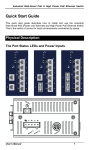
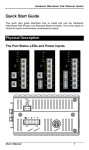
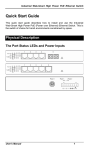
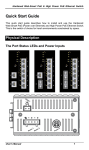
XSNet 3200MC PoE+ Manual Important: Note that XSNet Series manuals may cover multiple models. To establish if a particular feature or specification in this manual applies to the unit at hand, consult the datasheet of the given model. Quick Start Guide This quick start guide describes how to install and use the Industrial PoE Media Converter. This is the Media Converter of choice for harsh environments constrained by space. Physical Description The Terminal Block and Power inputs 1 XSNet 3200MC PoE+ Power Input Assignment + 48~57VDC Power 1 Power 48~57VDC - Ground Power 1 + RTN -(48~57)VDC - -(48~57)VDC Terminal Block Earth Ground Power 2 48~57VDC DC Jack DC Power Inputs: There are two power inputs that can be used to power up this Industrial PoE Media Converter. Redundant power supplies function is supported. The DIP Switch DIP Switch 1 2 3 4 On Off Enable forced mode for TX port TX port forced to 10Mbps TX port forced to half duplex mode Enable Link-Fault-Pass-Through Enable auto negotiation for TX port TX port forced to 100Mbps TX port forced to full duplex mode Disable Link-Fault-Pass-Through The 10/100Base-TX and 100Base-FX/BX Connectors 1. The 10/100Base-TX Connections The following lists the pinouts of 10/100Base-TX ports. 2 XSNet 3200MC PoE+ Pin Regular Ports Uplink Port 1 Output Transmit Data + Input Receive Data + 2 Output Transmit Data - Input Receive Data - 3 Input Receive Data + Output Transmit Data + 4 NC NC 5 NC NC 6 Input Receive Data - Output Transmit Data - 7 NC NC 8 NC NC 2. The 100Base-FX Connections The fiber port pinouts: The Tx (transmit) port of device I is connected to the Rx (receive) port of device II, and the Rx (receive) port of device I to the Tx (transmit) port of device II. 3. The WDM 100Base-BX Connections The fiber port pinouts: Only one single-mode optical fiber is required to transmit and receive data. 3 XSNet 3200MC PoE+ The Port Status LEDs LED State Indication Power over Ethernet (PoE) PoE Steady Power Device (PD) is connected. Off Power Device (PD) is disconnected. 10/100Base-TX, 100Base-FX/BX Link/ACT Steady A valid network connection established. Flashing Transmitting or receiving data. ACT stands for ACTIVITY. 4 XSNet 3200MC PoE+ DIN-Rail Kits, Optional Wall Mounting Kits KP-AA51 KD-AA5100 Functional Description Meets EN61000-6-2 & EN61000-6-4 EMC Generic Standard Immunity for industrial environment. Supports IEEE802.3at Power over Ethernet (PoE) Power Sourcing Equipment (PSE). DIP Switch configuration for “Link-Fault-Pass-Through”, speed, duplex mode. Supports IEEE802.3/802.3u/802.3x. Auto-negotiation: 10/100Mbps, Full/Half-duplex, Auto-Negotiation, Auto MDI/MDIX. 100Base-FX: Multi/Single mode SC type, 100Base-BX: WDM Multi/Single mode SC type. Power Supplies: Redundant ±(48~57)VDC Terminal Block and 48~57V DC JACK power input 5 XSNet 3200MC PoE+ Power consumption: 3.6W max.(media converter only). PoE power budget: 30W. -10°C to 60°C (14°F to 140°F) operating temperature range. Supports DIN-Rail, Panel, or Wall Mounting installation. Assembly, Startup, and Dismantling Assembly: Place the Media Converter on the DIN rail from above using the slot. Push the front of the Media Converter toward the mounting surface until it audibly snaps into place. Startup: Connect the supply voltage to start up the Media Converter via the terminal block (or DC JACK). Dismantling: Pull out the lower edge and then remove the Media Converter from the DIN rail. 6 XSNet 3200MC PoE+ Preface A member of the growing family of Industrial Media Converters, this Industrial PoE Media Converter addresses a need for a Power over Ethernet (PoE) Media Converter. Capable of operating at temperature extremes of -10°C to +60°C, this is the Media Converter of choice for harsh environments. The 10/100Base-TX port on this Media Converter supports IEEE802.3at Power over Ethernet (PoE) Power Sourcing Equipment (PSE) and can detect an IEEE802.3af/at compliant Powered Device (PD). Using external 48~57VDC power inputs through Terminal Block or Power Jack, data and power can be transmitted to a Powered Device (PD) over the same twisted-pair Ethernet cable through 10/100Base-TX port on the Media Converter. This manual describes how to install and use the Industrial PoE Media Converter. This Media Converter integrates full wire speed switching technology. And this Media Converter brings the answer to complicated hardened networking environments. To get the most out of this manual, you should have an understanding of Ethernet networking concepts. In this manual, you will find: Features on the Media Converter Illustrative LED functions Installation instructions Specifications 7 XSNet 3200MC PoE+ Table of Contents 1 QUICK START GUIDE PHYSICAL DESCRIPTION The Terminal Block and Power inputs The DIP Switch The 10/100Base-TX and 100Base-FX/BX Connectors The Port Status LEDs DIN-Rail Kits, Optional Wall Mounting Kits FUNCTIONAL DESCRIPTION ASSEMBLY, STARTUP, AND DISMANTLING 1 1 2 2 4 5 5 6 PREFACE 7 TABLE OF CONTENTS 8 PRODUCT OVERVIEW 9 INDUSTRIAL POE MEDIA CONVERTER PACKAGE CONTENTS PRODUCT HIGHLIGHTS Basic Features FRONT PANEL DISPLAY PHYSICAL PORTS 9 9 10 10 11 12 13 INSTALLATION SELECTING A SITE FOR THE MEDIA CONVERTER DIN RAIL MOUNTING WALL MOUNTING CONNECTING TO POWER DC Terminal Block Power Input DC Jack DIP SWITCH CONNECTING TO YOUR NETWORK Cable Type & Length Cabling 13 14 15 15 16 16 18 18 18 19 20 SPECIFICATIONS 8 XSNet 3200MC PoE+ Product Overview Industrial PoE Media Converter Package Contents When you unpack the product package, you shall find the items listed below. Please inspect the contents, and report any apparent damage or missing items immediately to your authorized reseller. This Media Converter User’s Manual 9 XSNet 3200MC PoE+ Product Highlights Basic Features Meets EN61000-6-2 & EN61000-6-4 EMC Generic Standard Immunity for industrial environment. Supports IEEE802.3at Power over Ethernet (PoE) Power Sourcing Equipment (PSE). DIP Switch configuration for “Link-Fault-Pass-Through”, speed, duplex mode. Supports IEEE802.3/802.3u/802.3x. Auto-negotiation: 10/100Mbps, Full/Half-duplex, Auto-Negotiation, Auto MDI/MDIX. 100Base-FX: Multi/Single mode SC type, 100Base-BX: WDM Multi/Single mode SC type. Power Supplies: Redundant 48~57VDC or –(48~57)VDC Terminal Block and 48~57VDC DC JACK power input. Power consumption: 3.6W max. (media converter only). PoE power budget: 30W. -10°C to 60°C (14°F to 140°F) operating temperature range. Supports DIN-Rail, Panel, or Wall Mounting installation. 10 XSNet 3200MC PoE+ Front Panel Display Status LEDs LED State Indication Power over Ethernet (PoE) PoE Steady Power Device (PD) is connected. Off Power Device (PD) is disconnected. 10/100Base-TX, 100Base-FX/BX Link/ACT Steady A valid network connection established. Flashing Transmitting or receiving data. ACT stands for ACTIVITY. 11 XSNet 3200MC PoE+ Physical Ports This Media Converter provides: One 10/100Base-TX port + one 100Base-FX/BX port CONNECTIVITY RJ-45 connectors SC connector on 100Base-FX fiber port. SC connector on 100Base-BX fiber port. 12 XSNet 3200MC PoE+ Installation This chapter gives step-by-step instructions about how to install the Media Converter: Selecting a Site for the Media Converter As with any electric device, you should place the Media Converter where it will not be subjected to extreme temperatures, humidity, or electromagnetic interference. Specifically, the site you select should meet the following requirements: The ambient temperature should be between -10 to 60 degrees Celsius. The relative humidity should be less than 95 percent, non-condensing. Surrounding electrical devices should not exceed the electromagnetic field (RFC) standards. Make sure that the Media Converter receives adequate ventilation. Do not block the ventilation holes on each side of the Media Converter. The power outlet should be within 1.8 meters of the Media Converter. 13 XSNet 3200MC PoE+ DIN Rail Mounting Fix the DIN rail attachment plate to the back panel of the Media Converter. Installation: Place the Media Converter on the DIN rail from above using the slot. Push the front of the Media Converter toward the mounting surface until it audibly snaps into place. Removal: Pull out the lower edge and then remove the Media Converter from the DIN rail. 14 XSNet 3200MC PoE+ Wall Mounting Attach the Panel Mounting Kits to back side of the Media Converter. Fasten the Panel Mounting Kits to back side of the Media Converter by using M3x6 Flathead Screws. Connecting to Power Redundant DC Terminal Block Power Input and DC Jack: 15 XSNet 3200MC PoE+ DC Terminal Block Power Input Step 1: Connect the DC power cord to the plug-able terminal block on the Media Converter, and then plug it into a standard DC outlet. Step 2: Disconnect the power cord if you want to shut down the Media Converter. DC Jack Step 1: Connect the supplied AC to DC power adapter to the receptacle on the Media Converter. Step 2: Connect the power cord to the AC to DC power adapter and attach the plug into a standard AC outlet with the appropriate AC voltage. 16 XSNet 3200MC PoE+ Power Input Assignment Power 1 + 48~57VDC - Power 1 + -(48~57)VDC - 48~57VDC Power Ground RTN -(48~57)VDC Terminal Block Earth Ground Power 2 48~57VDC 17 DC Jack XSNet 3200MC PoE+ DIP Switch There are four pins on the DIP switch for port settings. Refer to the table below for more details. DIP Switch 1 2 3 4 On Off Enable forced mode for TX port TX port forced to 10Mbps TX port forced to half duplex mode Enable Link-Fault-Pass-Through Enable auto negotiation for TX port TX port forced to 100Mbps TX port forced to full duplex mode Disable Link-Fault-Pass-Through Connecting to Your Network Cable Type & Length It is necessary to follow the cable specifications below when connecting the Media Converter to your network. Use appropriate cables that meet your speed and cabling requirements. Cable Specifications Speed Connector Port Speed Half/Full Duplex Cable Max. Distance 2-pair UTP/STP Cat. 3, 4, 5 2-pair UTP/STP Cat. 5 MMF (50 62.5μm) SMF (9 10μm) MMF (50 62.5μm) SMF (9 10μm) 100 m 10Base-T RJ-45 10/20 Mbps 100Base-TX RJ-45 100/200 Mbps 100Base-FX SC 200 Mbps 100Base-FX SC 200 Mbps 100Base-BX SC 200 Mbps 100Base-FX SC 200 Mbps 18 100 m or 2 km or or 20, 40, or 75 km 2 or 5 km or 20 or 40 km XSNet 3200MC PoE+ Cabling Step 1: <Note> First, ensure the power of the Media Converter and end devices are turned off. Always ensure that the power is off before any installation. Step 2: Prepare cable with corresponding connectors for each type of port in use. Step 3: Consult the previous section for cabling requirements based on connectors and speed. Step 4: Connect one end of the cable to the Media Converter and the other end to a desired device. Step 5: Once the connections between two end devices are made successfully, turn on the power and the Media Converter is operational. 19 XSNet 3200MC PoE+ Specifications Industrial PoE Media Converter Applicable Standards Switching Method Forwarding Rate 10Base-T: 100Base-TX: 100Base-FX/BX: Performance Cable 10Base-T: 100Base-TX: 100Base-FX/BX: LED Indicators Dimensions Net Weight Power Power Consumption Operating Temperature Storage Temperature Humidity 10/100Base-TX auto-negotiating port with RJ-45 connector, 100Base-FX/BX fiber port IEEE 802.3 10Base-T IEEE 802.3u 100Base-TX/FX Store-and-Forward 10 / 20Mbps half / full-duplex 100 / 200Mbps half / full-duplex 200Mbps full-duplex 14,880pps for 10Mbps 148,810pps for 100Mbps 4-pair UTP/STP Cat. 3, 4, 5 4-pair UTP/STP Cat. 5 Up to 100m (328ft) MMF (50 or 62.5μm), SMF (9 or 10μm) Per unit – Power status (Power 1, Power 2) PoE status (PoE) Per port – 10/100TX or 100FX/BX - Link/ACT 70mm (W) × 110mm (D) × 30mm (H) (2.76” (W) × 4.33” (D) × 1.18” (H)) 0.25Kg (0.55lb.) Terminal Block: ±(48~57)VDC DC Jack: 48~57VDC Device: 3.6W Max. PoE power budget: 30W -10°C to 60°C (14°F to 140°F) -40°C to 85°C (-40°F to 185°F) 5%-95% non-condensing EMI FCC Part 15, Class A VCCI Class A EN61000-6-4: EN55022 EN61000-3-2 EN61000-3-3 20 XSNet 3200MC PoE+ EMS EN61000-6-2: EN61000-4-2 (ESD Standard) EN61000-4-3 (Radiated FRI Standards) EN61000-4-4 (Burst Standards) EN61000-4-5 (Surge Standards) EN61000-4-6 (Induced RFI Standards) EN61000-4-8 (Magnetic Field Standards) Environmental Test Compliance IEC60068-2-6 Fc (Vibration Resistance) IEC60068-2-27 Ea (Shock) IEC60068-2-32 Ed (Free Fall) 21