1
CALIBRATIONS 17
Calibration display
Calibration display
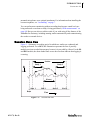
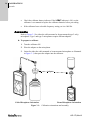
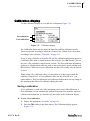
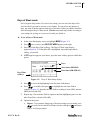
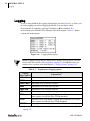
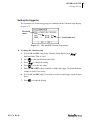
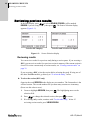
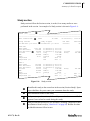
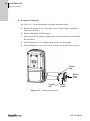
Use the Calibration display to view and save calibrations (Figure 3–2).
Pre-calibration
Post-calibration
Figure 3–2:
Calibration display
The Calibration display always shows the latest Pre-and Post-calibration results.
Times are reported according to either the 12-hour or the 24-hour clock convention,
according to your selection (“Time-Date” on page 25).
If you’re using a NoisePro or NoisePro DL, the Pre-calibration information applies to
a calibration done with a cleared memory (after a Reset). For a DLX model, you can
also save a Pre-calibration value between sessions. The Post-calibration information
applies to a calibration done after any study in the session and is stored with the study
that it follows. When two or more calibrations are done after a study, only the last one
is saved.
When saving a Pre-calibration value, you may adjust it so that it agrees with the
calibrator’s output level. A Post-calibration value can only be saved as is—you
cannot adjust it. The Post-calibration value indicates whether there was any change in
the instrument that affected its calibration during the study.
Saving a calibration
A Pre-calibration is saved only if the instrument passes a test of the calibration. A
Post-calibration is saved automatically without being tested. For both Pre- and Postcalibration measurements, you should verify the results in the Calibration display.
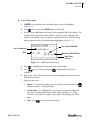
➤ To save a Pre-calibration
053-379, Rev D
1.
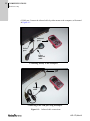
Prepare the equipment (“Assemble” on page 16).
2.
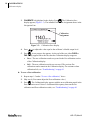
Press the CAL softkey in the Start display. The Calibration display appears
(Figure 3–2).