1
User’s Guide
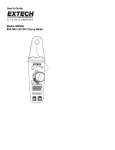
DCA/ACA CLAMP-ON MULTIMETER ADAPTOR
Model 380946
Introduction
Congratulations on your purchase of Extech's 30 Amp AC/DC Clamp-On MultiMeter
Adaptor. There is no need to break circuits when measuring current with a clamp device,
simply open the meter jaw and clamp around the conductor under test. Current is displayed
on the external DMM that is connected to the Adaptor.
Test Equipment Depot - 800.517.8431 - 99 Washington Street Melrose, MA 02176
FAX 781.665.0780 - TestEquipmentDepot.com
Specifications
DC Ranges
400mA DC
4A DC
30A DC
Output
1mV/mA DC
100mV/A
10mV/A
400mA AC
1mV/mA AC
AC Ranges
Accuracy
1
Not specified
±(2.0%+3mA)
±(2.0%+30mA)
50/60Hz
40 to 100Hz
±(2.0%+0.5mA)
±(2.5%+0.5mA)
50/60Hz
40 to 400Hz
±(2.5%+8mA)
±(3.0%+8mA)
±(2.5%+3mA)
±(3.0%+6mA)
±(2.0%+30mA)
±(2.5%+30mA)
4A AC (0 to 400mA)
100mV/A AC
4A AC (400 to 4A)
100mV/A AC
30A AC
10mV/A AC
o
o
Notes: Accuracy stated at 23 C ±5 C
1
The 400mA range is specified for AC measurements only. For DC measurements on this
range the typical accuracy is ±(2.5%+1mA) and the last digit may drift ± 4 counts.
Range
400mA
4A
30A
Jaw size
Power
Low Battery indication
Power consumption
Operating Temperature:
Storage Temperature:
Relative Humidity:
Altitude:
Dimensions:
Weight:
DMM display
0.1mV / 0.1mA (400mA = 40.0mV)
0.1mV / 1mA (4A = 400mV)
0.1mV / 10mA (30A = 300mV)
0.9” (23mm) max
2 1.5V AA batteries
Red LED
10mA (approximately)
o
14° to 122°F (-10 to 50 C), <85% R.H.
o
-4° to 140°F (-20 to 60 C), <75% R.H.
o
o
80% to 88°F (31 C), decreasing linearly to 50% at 104°F (40 C)
Operating below 2000 meters
7.2 x 2.5 x 1.4” (183 x 61.3 x 35.6mm)
6.7oz (190g)
Safety
Safety Symbols
This symbol, adjacent to another symbol or terminal, indicates the user must
refer to the manual for further information.
This symbol, adjacent to a terminal, indicates that, under normal use,
hazardous voltages may be present
WARNING:
This indicates that a potentially hazardous condition which, if not avoided,
could result in death or serious injury.
CAUTION: This indicates that a potentially hazardous condition which, if not avoided,
could result in injury or damage to the meter.
Safety Precautions
1. WARNING: Improper use of this meter can cause damage, shock, injury or death.
Read and understand this user's manual before operating the meter.
2. Make sure any covers or battery doors are properly closed and secured.
3. Use great care when making measurements if the voltages are greater than
25VAC rms or 35VDC. These voltages are considered a shock hazard.
4. Remove the battery if the adaptor is to be stored for long periods.
380946
4/01 Rev. 1.0
Panel Description
1
1
2
3
4
5
6
7
2
3 4 56
7
Transformer jaw
Jaw trigger
On/Off and range selection switch
Zero button
Power-On LED
Low battery LED
Output terminals
Current Measurements
1.
2.
3.
4.
5.
6.
.
Set the DMM to the mV or low voltage range (ACV for AC measurements or DCV
for DC measurements).
Determine the highest anticipated reading and set the range accordingly. Start
with the 30A range if unsure.
Connect the RED connector lead to the multimeter’s '+' Voltage
terminal and the BLACK lead to the '-' Common terminal.
Yes
For DC measurements, hold the adaptor in the same
orientation as it will be held during the measurement and press
the Zero button (No conductor in the jaw).
Press the Jaw Trigger to open the jaw and clamp around a
single conductor.
No
Read the Current on the DMM display.
380946
4/01 Rev. 1.0
Test Equipment Depot - 800.517.8431 - 99 Washington Street Melrose, MA 02176
FAX 781.665.0780 - TestEquipmentDepot.com