1
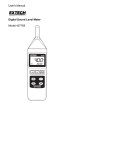
Meter Description
1.
Microphone
2.
4-digit LCD Display
3.
ON-OFF button
4.
LCD Backlight button
5.
Frequency weighting selection button
6.
Response time selection button
7.
Range selector button
8.
Max Hold / Data Hold selector button
9.
Battery compartment on rear
10. Calibration pots in battery compartment
11. Windscreen
Measurement Considerations
1.
Wind blowing across the microphone increases the noise measurement. Use the
supplied windscreen to cover the microphone when applicable.
2.
Calibrate the instrument before each use if possible. Especially if the meter has not
been used for a long period of time.
3.
Do not store or operate the instrument in areas of high temperature or humidity.
4.
Keep meter and microphone dry.
5.
Avoid severe vibration.
6.
Remove the battery when the meter is to be stored for long periods of time.
4
Model 407732 Version 1.4 June 2004