1
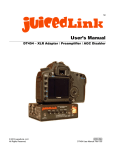
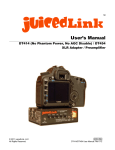
Riggy-Micro User Manual made in USA What’s Included • Riggy-Micro low-noise preamp • Stereo mini-jack cable (9” stereo 3.5mm male to 3.5mm male). Some cameras have a 2.5mm minijack input, and a 9” stereo 3.5mm male to 2.5mm male cable can be purchased separately. • 1/8” hex key for rotating the camera mounting screw and mounting the preamp on the bottom of a camera. • Cork strip, for no particular reason other than it can be a handy thing to have sometimes. Quick Start for Single Microphone • MOUNT TO BOTTOM OF CAMERA: Use the included 1/8” hex key to rotate/ tighten the preamp camera mounting screw into the camera’s threaded tripod mounting hole. Set the ENC GND switch to NORM. Read the Mounting the Preamp section below for more tips on setting the ENC GND switch for other mounting locations. • POWER: Insert a fresh 9V alkaline battery into the battery tray in the correct orientation. Set LiPoly/ALK to ALK. Turn L2/R PWR to the OFF position since we will not be using the L2 or R XLR inputs for a single mic, extending battery life. • AUDIO CONNECTION TO CAMERA: Connect the included stereo minijack cable from the preamp’s MIC OUT into the camera’s MIC IN. Some cameras have a 2.5mm minijack input, and a 9” stereo 3.5mm male to 2.5mm male cable can be purchased separately. • MIC SNR AND MIC PLACEMENT: Low noise preamps are effective at improving poor signal-to-noise of downstream components, like noisy cameras and recorders. However, low-noise preamps can not improve poor signal-to-noise in upstream components. This is to say, garbage-in, garbage-out. You will need to use a microphone with decent signal-to-noise characteristics. Additionally, the microphone needs to be placed close to the person speaking (no more than a foot and a half away) for capture of high quality dialogue. • CONNECT BALANCED MIC: Connect a balanced XLR microphone into the L1 XLR input. For simple dialog, set MIC/LINE to MIC and GAIN on HI for the L1 channel. Apply Phantom Power to the L1 channel if necessary. See the WARNINGS - Phantom Power section at the end of this document. • UNBALANCED MIC: For minijack mics which are unbalanced, use a Rode VXLR adapter to connect to the balanced XLR inputs of the preamp. See the WARNINGS - Phantom Power section at the end of this document. made in USA • SIGNAL ROUTING TO OUTPUT: Since this setup only uses one mic, set MONO/ STEREO to MONO. This will mix all of the mic inputs together, and route them all to both the right and left outputs. If you wish to have channel separation when you are using more than one mic, then set to STEREO, and L1 and L2 will be routed to the left output channel, and R will be routed to the right. • CAMERA OVERLOAD PROTECTION: You may wish to use Audio Bracketing for camera overload protection, indicated by the GREEN switch settings. This mixes all of the microphones together (MONO), and attenuates the right output by about 16dB (R OUT -16dB PAD - ON). So, if you blow out your main channel (left) you have a backup recording on the right at a safe lower level that you can pull from in post. This approach has advantages over other types of overload protection, such as limiters. First, Audio Output Bracketing consumes no power from the battery, and also adds no noise or distortion to your audio. Second, every camera gain setting (and, every different camera) will have a unique signal level at which clipping will start to occur. So, if you were to attempt to use a limiter approach, you would need to re-calibrate the point at which the limiter would kick in for each different gain setting of the camera (and, each different camera). • CAMERA SETTING FOR SIGNAL-TO-NOISE: The way to improve the signal-tonoise performance of noisy cameras is to throttle back the noisy amps in the camera, and replace the noisy gain with clean gain from the juicedLink low-noise preamp. Cameras have different ways of throttling back their mic gain. Here are some examples with some popular cameras: • o 800/5DMKIII: In the audio setup menu, set the camera to MANUAL, and turn down the mic gain to 1 click above off. If you need to boost up the gain a few more clicks for less sensitive mics, then that will be fine. o Canon DSLR running MagicLantern 3rd party firmware: This firmware is not from Canon, so you use it at your own risk. But, it adds a lot of nice features for filmmakers, including meters (visible while recording), manual audio control, and headphones from the camera (may not be available for all camera, so you need to verify). You will want to set the MagicLantern firmware AGC off, digital gain to zero, and you will likely need a pinch of analog gain (10dB). o Canon Vixia camera: Take mic off of automatic and set to manual. Throttle back the gain to about 1/3 full gain. o Some other cameras have mic sensitivity settings like ‘high’, ‘med’, ‘low’. Use the lowest mic sensitivity setting. SIGNAL LEVEL ADJUSTMENT: Adjust the front panel potentiometer volume control for XLR-L so the audio peaks splash up to -12dB on the meter of the camera. made in USA • HEADPHONES: Plug headphones the camera’s headphone output • MOUNT ACCESSORIES TO YOUR PREAMP: Affix the RB401 Riggy Accessory Mounting Bracket to the preamp or use the RB200 Hot-Shoe Mounting Kit, enabling you to mount accessories such as microphones, wireless mic receivers, etc. More Details • • Explanation of Switches o NC GND - NORM/LIFT: The NORM position connects analog ground to E the enclosure. The LIFT position disconnects the enclosure from analog ground. See the “Mounting, Grounding, Ground Loops, and the ENC GND Switch” section below for more details. o MIC/LINE: LINE inserts a 40dB pad at the XLR input before the preamp circuit. o GAIN - HI/LO: The preamp is typically used in the HI gain position. LO gain is used when in a high signal level environment, like a rock concert or the tarmac of an airport. o PHANTOM - OFF/12V/48V: This controls the switching power supply of the phantom voltage generating circuit. o PHANTOM - XX > ON: The ON position routes the voltage from the phantom voltage generating circuit to the corresponding XX XLR input. See the WARNINGS - Phantom Power section of this document. o L2/R PWR - ON/OFF: Powers on/off the preamps for the L2 and R XLR inputs. o STEREO/MONO: MONO mixes all XLR inputs together, and presents them all to both the right and left outputs. STEREO routes XLR-R to the right output, and XLR-L1 and XLR-L2 to the left output. o R OUT -16dB PAD - ON/OFF: This engages an approximately 16dB attenuator in the right output channel. It is used in conjunction with the MONO setting (the GREEN switch settings) to achieve Audio Output Bracketing for camera overload protection. o LiPoly/ALK: ALK sets the low battery threshold suitable for alkaline batteries. LiPoly sets the low battery threshold suitable for LithiumPolymer batteries. Mounting the Preamp o Mounting, Grounding, Ground Loops, and the ENC GND Switch made in USA Ground Loops can result in a hum/buzz in your audio, and are created when multiple ground paths between pieces of equipment exist. You will always have one ground connection between the preamp and your camera, and that is via the shield in the stereo minijack cable that goes from the MIC OUT of the preamp into the MIC IN of the camera. However, depending on how/where you mount the preamp, a second ground connection can be created between the preamp enclosure and camera enclosure. T he preamp enclosure is black anodized, which is non conductive. So, any elements in contact with the black anodized portion of the enclosure are not in contact with the enclosure ground Any silver parts of the enclosure, such as the female 1/420 tripod mounting hole, are electrically connected to the enclosure. So, any components in contact with these elements are also in contact with the enclosure ground. The camera mounting screw that goes through the preamp is suspended by nylon shoulder washers, so it is not in contact with the enclosure ground In the NORM position of the ENC GND switch, the enclosure ground is connected to the ground of the circuitry inside the preamp. So, if the camera enclosure finds a path to the preamp enclosure, you will have a ground loop. The NORM switch position is what is typically used when the preamp is mounted to the bottom of the camera, and there is only one ground connection between the preamp and the camera via the shield of the stereo minijack cable. There is no ground connection between the enclosure of the preamp to the enclosure of the camera, since the camera mounting screw that goes through the preamp and is in contact with enclosure of the camera, but the camera mounting screw that goes through the preamp is electrically isolated from the preamp enclosure via the nylon shoulder washers. In the LIFT position of the ENC GND switch, the circuitry inside the preamp is electrically isolated from the ground of the enclosure. S o, if the camera enclosure finds a path to the preamp enclosure, you will LIFT the ground to the preamp enclosure to eliminate the ground loop. A potential made in USA path could be where your camera is mounted to a rig, and the preamp is mounted to the same rig via the silver female 1/4-20 tripod mounting hole on the bottom of the preamp. o o Mounting to the bottom of your camera Align the male 1/4-20 camera mounting screw of the preamp with the female 1/4-20 tripod hole of the camera. Use the included 1/8” hex key to rotate the screw into the hole. Set the ENC GND switch to the NORM position. You will retain access to the camera’s battery compartment (for most popular camera) while the preamp is mounted to the bottom of the camera. Mounting to your camera hot shoe using the RB200 Kit or other hot shoe adapters. o However, if you LIFT the enclosure ground from the circuitry of the preamp when there is no ground connection between the camera enclosure and the preamp enclosure, then you will be disabling phantom power. This is because the XLR connector pulls its ground from the preamp enclosure, so the XLR connector needs to get the ground reference from the enclosure of the camera when in the LIFT position. Additionally, if you disconnect the stereo minijack cable between the MIC OUT of the preamp to the MIC IN of the camera, you will also be disabling the phantom when in the LIFT position. In this configuration, there is a potential ground path between the preamp enclosure and camera ground on the hot shoe via the hot shoe adapter. It depends on if the plating of the hot shoe adapter is electrically conductive or not. Unfortunately, suppliers are not consistent in their application of plating. So to start, set ENC GND to NORM (with the assumption that the plating is not electrically conductive) and run a quick test recording in the camera to make sure it sounds OK. Change ENC GND to LIFT as needed. Note that plating can get scratched off with wear. So, if your plating is non conductive but has some scratches on the base of the adapter going into the camera hot shoe, you can wrap the base in some masking tape to ensure that a scratch won’t create a conductive path when you are using the NORM position. Mounting to some other place on your rig Please see the Mounting, Grounding, Ground Loops, and ENC GND section above. Your grounding scheme will dictate what made in USA position to use for the ENC GND switch. o Mounting on top of a Tripod • Mounting Accessories - IT‘S RIGGY!!! o • • Screw your tripod plate into the female 1/4-20 on the bottom of the preamp. Affix the RB401 Riggy Accessory Mounting Bracket to the preamp use the RB200 Hot-Shoe Mounting Kit, enabling you to mount accessories such as microphones, wireless mic receivers, etc. Audio Connection Between Preamp and Camera o Connect the included 9” stereo 3.5mm male to 3.5mm male from the preamp’s MIC OUT into the camera’s MIC IN. o Some cameras have a 2.5mm minijack input, and a 9” stereo 3.5mm male to 2.5mm male cable can be purchased separately. o Note, if you have an electrical connection between the camera enclosure ground and the preamp enclosure ground, and you have enabled the LIFT switch to avoid a ground loop, then you must have the cable connected between the preamp and the camera for phantom power to work, because the XLR connector gets its ground reference from the enclosure, and the phantom circuitry will not pass its ground reference to the XLR connector without the cable connection to the camera. Powering o A 9V battery must be placed in the battery tray in accordance with the polarity markings found at the bottom of the battery tray. o Different battery chemistries will have different drop out voltages. The low battery threshold indicator is calibrated for both alkaline and lithiumpolymer (rechargable) batteries. Select the appropriate switch setting for ALK/LiPoly for the battery type used. o Preamps are high-current devices, unlike other things like smoke detectors, etc. So, they require that the batteries used are fresh. Please note that it is possible to get bad packs of batteries from the store. Weakened batteries have a buildup of their internal resistance. The larger this resistance becomes, the more of a voltage drop that will occur when supplying large currents, thus triggering the low battery indicator. o Maximizing power efficiency: Phantom power sucks a lot of current from the battery. Whenever made in USA it is not needed, make sure that phantom power is off. Whenever you have the option to run a mic from its own battery or phantom power, run it from its own battery and keep phantom power off (or, do not route phantom power to that mic, if you are required to have phantom power on to power another mic that is connected). It is often desirable to use a mic that works from phantom power only, since that mic can be much smaller and lighter without the battery compartment. When you are in the market for a new mic, many modern mics will work down to 12V phantom, so consider one of those mics. It consumes much less power to run from 12V instead of 48V. • The preamp has the ability to power down unused XLR inputs, via the L2/R PWR switch. Power off when those inputs are not in use, and this will extend battery life considerably. Connecting to the Preamp Inputs o The preamp inputs are balanced XLR, where pin-2 is HOT, pin-3 is COLD, and pin-1 is GND. So, balanced XLR microphones will directly interface using the MIC setting. The output of balanced mixers will interface directly as well, and you may need to engage the 40dB attenuator at the input by using the LINE setting. o Unbalanced sources (minijack mics, wireless mics) can interface to balanced inputs. You will need to use a connector that connects pin-3 COLD to pin-1 GND. For example, the Rode VXLR connector provides such functionality going from minijack to XLR. Never apply phantom power to unbalanced sources. See the WARNINGS - Phantom Power section at the end of this document. o Phantom Power Condenser-type microphones require power. Some microphones can be powered by their own internal battery. Other microphones require power to be sourced by the equipment that the mic is being plugged into, and transmitted up the mic cable from the mixer to the mic. This is known as phantom power. The PHANTOM - OFF/12V/48V: This controls the switching power supply of the phantom voltage generating circuit. Check your microphone user manual for its powering requirements. Select the lowest phantom setting that is required by all mics being used. PHANTOM - XX > ON: The ON position routes the voltage from the phantom voltage generating circuit to the corresponding XX XLR input. IMPORTANT. See the WARNINGS - Phantom Power section at made in USA the end of this document. • • Signal Level Controls for each XLR Channel o Each XLR channel has a MIC/LINE switch, GAIN switch, and volume control potentiometer (on the front panel. For typical use with a microphone recording simple dialogue, you will have MIC/LINE set to MIC, GAIN set to HI, and you will adjust the volume control potentiometer so the peaks splash just splash up to the -12dB on the meter of the camera. o The LO GAIN setting is used for very high signal level environments, like a rock concert or the tarmac of an airport, to provide more headroom in the preamp. Routing Preamp Intputs to Camera o • hantom power sucks a lot of current from the battery. Whenever P it is not needed, make sure that phantom power is off. Whenever you have the option to run a mic from its own battery or phantom power, run it from its own battery and keep phantom power off (or, do not route phantom power to that mic, if you are required to have phantom power on to power another mic that is connected). It is often desirable to use a mic that works from phantom power only, since that mic can be much smaller and lighter without the battery compartment. When you are in the market for a new mic, many modern mics will work down to 12V phantom, so consider one of those mics. It consumes much less power to run from 12V instead of 48V. MONO mixes all XLR inputs together, and presents them all to both the right and left outputs. STEREO routes XLR-R to the right output, and XLR-L1 and XLR-L2 to the left output. Achieving the Best Signal-to-Noise o The way to improve the signal-to-noise performance of noisy cameras is to throttle back the noisy amps in the camera, and replace the noisy gain with clean gain from the juicedLink low-noise preamp. Cameras have different ways of throttling back their mic gain. Here are some examples with some popular cameras: 800/5DMKIII: In the audio setup menu, set the camera to MANUAL, and turn down the mic gain to 1 click above off. If you need to boost up the gain a few more clicks for less sensitive mics, then that will be fine. Canon Vixia camera: Take mic off of automatic and set to manual. Throttle back the gain to about 1/3 full gain. made in USA • Some other cameras have mic sensitivity settings like ‘high’, ‘med’, ‘low’. Use the lowest mic sensitivity setting. o Turn down the potentiometer volume controls all of the way for any unused XLR input. o Limitations in Signal-to-Noise: Low noise preamps are effective at improving poor signal-to-noise of downstream components, like noisy cameras and recorders. However, low-noise preamps can not improve poor signal-to-noise in upstream components. This is to say, garbage-in, garbage-out. You will need to use a microphone with decent signal-tonoise characteristics. Additionally, the microphone needs to be placed close to the person speaking (no more than a foot and a half away) for capture of high quality dialogue. Achieving the Widest Dynamic Range o o Camera Settings Before, when we wanted to get the best signal-to-noise performance, we switched the camera out of AUTO to MANUAL, throttled back the noisy gain in the camera, and let the juicedLink low-noise preamp do the heavy lifting of the gain. This is the kind of setup you want to use when you are recording simple dialogue in a quiet room. But, in the situations when you may be concerned about the camera clipping because you are in an unpredictable signal environment (out on the street, birthday party, etc), you often are in a signal environment where the ambient sounds (traffic, kids) are high enough to begin with where the noisy amps in the camera are no longer a problem (as the camera noise is lower and masked by the ambient noise). Here, it is perfectly fine to run the camera in its AUTO mode, and let the camera’s algorithm ‘ride the gain’ for you, providing you with extended dynamic range coverage. Audio Output Bracketing You may wish to use Audio Bracketing for camera overload protection, indicated by the GREEN switch settings. This mixes all of the microphones together (MONO SETTING), and attenuates the right output by about 16dB (R OUT -16dB PAD ON setting). So, if you blow out your main channel (left) you have a backup recording on the right at a safe lower level that you can pull from in post. This can be used with any camera. You can change gain settings in the camera with no problem. You can even made in USA combine it with the camera’s AUTO setting for even further extended dynamic range • This approach has advantages over other types of overload protection, such as limiters in preamps. First, Audio Output Bracketing consumes no power from the battery, and also adds no noise or distortion to your audio. Second, every camera gain setting (and, every different camera) will have a unique signal level at which clipping will start to occur. So, if you were to attempt to use a limiter approach, you would need to re-calibrate the point at which the limiter would kick in for each different gain setting of the camera (and, each different camera). WARNINGS: o hantom Power: NEVER apply phantom power to anything other than a P mic which requires it, otherwise you are basically shorting 48V to ground and risk damaging your equipment. Check your microphone user manual for its requirements. When the phantom power gets shorted, it sucks a huge amount of current from the battery (so, your battery life will be awful). Plus, the phantom power IC will get extremely hot. After a period of time, it may not be able to handle it and burn out. Plus, whatever you are applying phantom power to can get damaged (such as mixers and ribbon mics). Never apply phantom power to: 1) wireless mic receivers, 2) any unbalanced mic, 3) ribbon mics, 4) dynamic mics, 5) mixers, 6) condenser mics already being powered by their own internal battery. o Risk of Hearing Loss: During production, you will be using headphones for monitoring audio. Headphone amplifiers are capable of driving signal levels which are damaging to hearing. Protect your hearing. Start with the volume at a low level, and use at the lowest practical signal level. Don’t wear headphones when plugging headphones into headphone amps, when powering on/off your equipment, when plugging external equipment into your mixer (mics, mixers), when powering on phantom power. o Risk of Electric Shock: The enclosure is electrically conductive and electrically connected to the shields of the mic cables plugged into the mixer. Avoid electrocution and observe caution with cable runs in areas where high voltages and/or currents exist.