1
Doing more with your camera
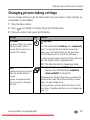
Changing picture-taking settings
You can change settings to get the best results from your camera. (Some settings are
unavailable in some modes.)
1 Press the Menu button.
2 Press
to highlight a setting, then press the OK button.
3 Choose an option, then press the OK button.
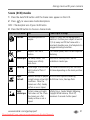
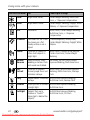
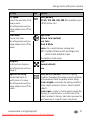
Setting
Icon
Self-timer
A picture is taken 10 seconds
after the Shutter button is
pressed. (Place camera on a
tripod or flat surface.)
Burst
Camera takes up to 5 pictures
while the Shutter button is
pressed.
Capture an expected event,
such as a person swinging a
golf club.
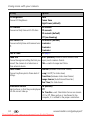
Options
Off (default)
On
Press the Shutter button halfway, then completely
down. To stop the Self-timer before the picture is
taken, press the Shutter button all the way down.
(Use the Menu button to cancel the Self-timer.)
Use the same procedure to take a self-timer video, but
press the Shutter button completely down.
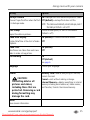
NOTE: The video stops when no storage space remains.
NOTE: Press the Shutter button halfway to focus and set
exposure. Press the Shutter button completely
down and hold it to take pictures.
The camera stops taking pictures when you release the
Shutter button, when the pictures are taken, or when
there is no more storage space.
During quickview, you can delete all pictures in the
burst series. To delete selectively, do so in Review (see
page 11).
www.kodak.com/go/support
Downloaded From camera-usermanual.com Kodak Manuals
29