1
Using Your LiteGait®
LiteGait® is equipped with a 24 volt battery pack that needs to be charged at least once per week overnight. It is important to
follow a weekly charging schedule to maximize the lifetime of the battery.
Charging Battery Using Charging Cord
Disconnect LiteGait® Smart PowerTM Battery from LiteGait® Base
Connect standard plug from LiteGait® Smart PowerTM- Charger into
LiteGait® Smart PowerTM- Battery
Connect LiteGait® Smart PowerTM- Charger to an appropriate 110 volt or
220 volt power outlet outlet. While the battery is charging, the LiteGait®
Smart PowerTM- Charger LED should be RED
Leave battery on charger for 6-8 hours or overnight at least once per
week. The time it takes to recharge the battery pack depends upon the
health of the battery pack and how low the battery pack was before
charging began.
LiteGait® Smart PowerTM- Charger will indicate a completed charge when
the RED LED changes to GREEN
Upon Completion of charging, reconnect battery into LiteGait® and
disconnect LiteGait® Smart PowerTM- Charger from power outlet.
Using Your LiteGait®
Charging Using Wall Mounted Charging Station
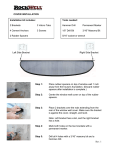
1. Confirm you have all the required parts. See Figure 1
Charging
Station
Mounting
Screws
Charge
Figure 1 – Required parts
2. Locate a power outlet close to where your LiteGait will be
positioned.
Locate a Stud location just next to the power outlet. Charging
station should be installed directly into a stud unless the
building is masonry construction. For masonry construction
utilize the supplied concrete anchors supplied.
Plug the charger into the charging station. (see Figure 2)
Figure 2: Plug charger into Charging station
Screw the Charging Station into the stud. See Figure 3
Figure 3 – Charging Station mounted to stud
Follow Charging instructions from you LiteGait User Manual.