1
IPOD OPERATIONS
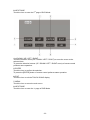
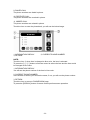
Touch the icon “IPOD” to enter the IPOD Mode if iPod connected.
The unit will switch to IPOD Mode automatically if connecting iPod.
The unit will switch to RADIO Mode automatically if disconnecting iPod.
NOTE:
It is available for iPod operations with an additional iPod cable which is
optional accessory.
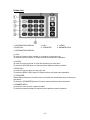
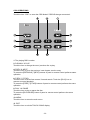
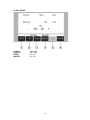
Music Operation
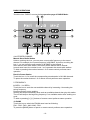
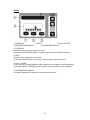
1. The Number of Playing Song
2. The Total Songs in Play List
3. The Playing Time
4. The Name of Playing Song
5. The Name of Artist
6. The Name of Album
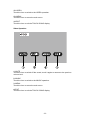
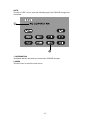
7. PREV / 8. NEXT
Touch the icon to go to the pervious / next chapter, track or song.
To press the [PREVIOUS] / [NEXT] buttons of panel or remote control performs same
operation.
9. F.REV / 10. F.FWD
Touch the icon to select fast reverse / forward search. Touch the [PLAY] to resume to
normal playback.
To press the [F.REV] / [F.FWD] buttons of remote control performs the same
operation.
11. PLAY / PAUSE
Touch the icon to play or pause the disc.
To press the [PLAY/PAUSE] button of panel or remote control performs the same
operation.
- 32 -