1
2014v1 Manual LedSBmanager 2012e
3.3.8 Font Display Test
Because a LED scoreboard works with a matrix of LED's, it's resolution is limited. As a result, fonts need to be specially
adapted to displaying characters using a minimal amount of pixels. Use the FONT display test to try out how different
fonts look on the board.
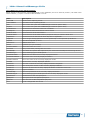
Options:
Option
Description
Font
Select a font to use the test with. Currently, 15 different fonts are available.
Xpos
Start generating the test text on this x position. See 4.1.8 Position (Xpos and Ypos).
Ypos
Start generating the test text on this y position. See 4.1.8 Position (Xpos and Ypos).
Color
Selects a color in which to display the font in (default: red).
Currently, only red, green and yellow are available.
Start char
Starting character ASCII value (default: 64, meaning '@').
End char
Ending character ASCII value (default: 100, meaning 'd').
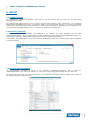
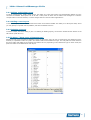
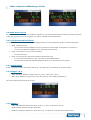
The result of the standard settings font display test:
3.4 File Menu: “Show list of Layouts”
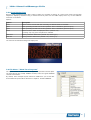
The Layouts section is where most of the application operation will take place.
The listed layouts are actually database records, hence the typical database
controls at the bottom.
By default, some example layouts should be installed for you to test with.
Some advanced layouts will be discussed in chapter 4. LAYOUT CONTROL.
10