1
Please read the Operational Manual
before attempting to use this product.
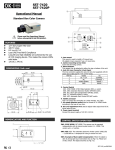
ESM-N520-OSD
ESM-N520-OSDP
Covert Mirror Camera
Security Camera Hidden Behind the Mirror
z
z
z
z
z
z
z
1/3” Sony Super HAD Hi-Res. CCD
520 TV Lines
3.7mm Board Lens
0.1 Lux
Day & Night Switching via Remote Controller and OSD Display
11.02”(W) x 9.06”(H) x 2.36”(D)
12V DC, 100mA
P = PAL Version
1
ESM-N520-OSD_rev10162008
OSD Hierarchy
P = PAL Version
2
ESM-N520-OSD_rev10162008
OSD Setup
Press "ENTER" to see OSD Setup Main Menu
Top to Down:
1. LENS᧶
Setup Lens
2. SHUTTER᧶
Adjust Shutter Speed
3. BLC᧶
Back Light Compensation On / Off
4. AGC᧶
Auto Gain Control
5. WHITE BAL᧶
White Balance
6. MIRROR᧶
Mirrow Function On᧫Off
7. ADJUST᧶
Adjust Camera Image Quality On/Off
8. FUNCTION᧶
Others
9. LANGUAGE᧶
OSD Languages
10. CAMERA ID᧶
CAMERA ID On᧫Off
11. EXIT᧶
Exit OSD Setup Menu
1. LENS
Lens: Setup lens on the camera.
There are 3 LENS Modes: Manual, Video , and DC.
a. MANUAL: Use Fixed IRIS & Focal Length.
b. VIDEO: Use VIDEO Driver Auto IRIS & Focal Length
c. DC: Use DC Driver Auto IRIS & Focal Length
Under DC᧨press "ENTER" to adjust screen brightness.
* Select "RETURN" and press "ENTER" to go back to Main Menu.
2. SHUTTER
There are 4 Shutter Modes: AUTO, FLK, FIXED, and MANUAL.
a. AUTO: Auto Shutter.
Press "ENTER" to adjust screen brightness.
b. FLK: Single Fixed Shutter (NTSC 1/100᧨PAL 1/120).
c. FIXED: Fixed Shutter Speed (8 Speeds) .
1/60(PAL 1/50), 1/100(PAL 1/120), 1/250, 1/500, 1/2000, 1/5000,
1/10000, and 1/100000.
d. MANUAL: Manual Fine Tuning Shutter Speed.
Press "ENTER" to adjust shutter speed.
Use "LEFT" or "RIGHT " Arrow to adjust shutter speed from 0~255.
*Press "ENTER" to go back to Main Menu.
P = PAL Version
3
ESM-N520-OSD_rev10162008
3. BLC
Back Light Compensation: On / Off
a. Off : Turn off Back Light Compensation.
b. On: Press "ENTER" to adjust Back Light Compensation.
BLC AREA: Setup back light compensation area.
BLC RATIO: Setup BL area brightness.
(Number goes bigger, screen becomes brighter).
*Press "ENTER" to go back to Main Menu.
c. Select BLC AREA, then press "ENTER" to setup BLC area.
Use "ĹĸĻĺ" button to select 8X8 area. Then press "ENTER".
After setup hold "ENTER" to leave this sub-menu.
ALL CLEAR: clear all setup area.
ALL SET: select all setup area.
RETURN: back to 8X8 area to choose other areas.
EXIT: leave BLC AREA men
4. AGC
Auto Gain Control: Improve screen brightness under darkness.
a. Off: Turn off AGC.
b. On: Press "ENTER", and use "൸ or ൺ" button to set AGC value.
*Press "ENTER" to go back to Main Menu.
P = PAL Version
4
ESM-N520-OSD_rev10162008
5. WHITE BAL
Setup Camera White Balance and the Range of Color Temperature.
There are 4 WHITE BAL modes: ATW, AWB, FIXED, and MANUAL.
a. AWB᧶AWB is performed within the range of color temperature created by Camera default value.
b. ATW᧶ ATW operates in a similar way to AWB in the range of color temperature that is set by Camera default value. The
difference between ATW and AWB mode is that in the ATW mode, the color can be tracked even though it is outside the
range of color temperature set.
c. FIXED: 4 presets of color temperature.
d. MANUAL: Use "൸ or ൺ" button to adjust color Red/ Blue perfromance.
* Select "Return" and press "ENTER" to go back to Main Menu.
6. MIRROR
Off: Turn off MIRROR function.
On: Turn on MIRROR function. Everything will be shown reversed.
7. ADJUST
There are 4 modes: Contrast, Sharpness, CB_Gain, and CR_Gain.
a. CONTRAST᧶ Adjust Black/ White Ratio.
b. SHARPNESS᧶Adjust Sharpness.
c. CB_GAIN᧶Adjust color Blue performance.
d. CR_GAIN᧶Adjust color Red performance.
* Select "Return" and press "ENTER" to go back to Main Menu.
P = PAL Version
5
ESM-N520-OSD_rev10162008
8. FUNCTION
All other fuctions: Reset, Day Night, Motion, Privacy, and Gamma.
Press "ENTER" to see the Sub-Menu.
a. RESET᧶ Reset to the original setting.
b. DAY NIGHT᧶While in low illumination, screen will trun to Black/White.
There are 3 modes: Auto, Color, B/W
i. AUTO: Press "ENTER" to adjust the sensitivity of changing color to B/W.
- DELAY: Setup the speed of changing color.
- START LEVELL: Setup the starting color performance.
- END LEVEL: Setup the ending color performance.
* Select "Return" and press "ENTER" to go back to Sub-Menu.
ii. COLOR: Camera Default controls the changes from color to B/W.
iii. B/W: Press "ENTER" to setup COLOR BURST signal.
If choose "On", the screen is B/W.
c. MOTION
Motion On/Off: 8X8 area of motion detection.
Off㧦Turn off motion detection
On: press " ENTER" to see the Sub-Menu.
d. PRIVACY
Privacy On/Off: Setup mask area(s).
Off: Turn off privacy function.
On: press "ENTER" to see the Sub-Menu.
P = PAL Version
6
ESM-N520-OSD_rev10162008
e. GAMMA
Use "ĸ or ĺ" button to setup gamma value from 0.05, 0.10, 0.15 ~ 1.0.
And one preset USER value.
9. LANGUAGE
Setup OSD language: English, Korean, Chinese Simplified,
Traditional Chinese, and Japanese.
10. CAMERA ID
Setup camera ID and location.
Off: Turn off Camera ID.
On: Press "ENTER" to see Sub-Menu.
Then use "ĸ or ĺ" button to select characters.
Finally move cursor to "
", then press "ENTER" to confirm.
To erase camera ID, move cursor to "C". Then press "ENTER" to erase.
SPECIFICATIONS
Model
TV System
Image Pick-up Device
Effective Picture Elements
Resolution
Minimum Illumination
Day & Night Switching (via
Remote Controller & OSD
Display)
Synchronization
Video Output
Electronic Shutter Speed
SN Ratio
Auto Electronic Shutter
Back Light Compensation
Flickerless
Auto Gain Control
Lens
ESM-N520-OSD
NTSC
ESM-N520-OSDP
PAL
1/3” Sony Super HAD Hi-Res. CCD
768(H) x 492(V)
752(H) x 582(V)
520 TV Lines
0.1 Lux
1. B/W
1/60~1/100,000sec.
1/50~1/100,000sec.
More than 50dB (AGC Off)
Auto & Manual
Auto & Manual
Auto & Manual
Auto & Manual
4.3mm Lens
M12
Lead Free
Yes
Power Supply
12V DC
Power Consumption
100mA
Operation Temperature
14°F ~ 122°F / -10°C ~ 50°C
Storage Humidity
RH 85% or less
Storage Temperature
Weight
3. Day & Night
Internal
1.0 Vp-p Composite, 75 Ohms
Lens Mount
Dimension
2. Color
-4°F ~ 140°F / -20°C ~ 60°C
11.02”(W) x 9.06”(H) x 2.36”(D) / 280(W) x 230(H) x 60(D)mm
1.98 lbs / 900g (without bracket)
*Specifications are subject to change without notice
P = PAL Version
7
ESM-N520-OSD_rev10162008
LIST OF COMPONENTS
z
z
z
One (1) ESM-N520-OSD/ESM-N520-OSDP with video/power cable
One (1) Remote Control
One (1) Operational Manual
* For any returns, please include all components listed above with original packaging in Resalable Condition. Absolutely No Returns will
be accepted if any component is missing/damaged.
CAUTION
1. Never point the camera toward the sun
Do not expose the lens directly to the sun or to strong light as this may damage the pick-up device.
2. Handle this camera with care
Avoid any shock or bumping of the camera. Improper handling could damage the camera.
3. Requires a proper operating environment
This camera is designed for outdoor or indoor use. The allowable temperature range for operation of this camera is between 14°F ~ 122°F / -10°C ~ 50°C and
the allowable humidity is 85%RH maximum.
4. Clean the front face to the pick-up device
It is recommended that the pick-up device surface be cleaned before lens installation or whenever the lens is changed. Cleaning should be done by using a
chamois, a very fine soft cloth, lens tissue, or cotton tipped applicator and ethanol to carefully remove any fingerprint or dust.
5. Check the power source voltage
The power source voltage should be within the specified range. (Camera must meet the specifications). Camera must be connected to a surge protector at all
times.
6. Objects and liquid entry
Never push objects of any kind into this camera as this may touch dangerous voltage points of short out parts that could result in a fire or electric shock.
Never spill any kind of liquid on the video product.
7. Servicing
Do not attempt to service this video product by yourself as opening or removing covers may expose you to dangerous voltage or other hazards. Refer all
service to qualified servicing personnel.
8. Damage requiring service
Unplug this video product from the wall outlet and refer service to qualified servicing personnel under the following conditions:
a. When the power supply cord or plug is damaged.
b. If liquid has been spilled, or objects have fallen into the video product.
c. If the video product has been dropped or the cabinet has been damaged.
d. When the video product exhibits a distinct change in performance.
9. Please follow your local privacy laws and regulations when
using this camera in a public setting. Seller is not responsible for any improper usage of this camera.
WARRANTY
This product is covered under warranty for one year from the date of purchase. The warranty will automatically be voided if any of the following occurs:
1. Camera sticker is removed
If the camera sticker is removed, we will not be able to confirm any information regarding when and where the product was purchased. We have no other way
to verify the purchase record without the serial number on the camera sticker; therefore, it should not be removed.
2. Camera is modified in any way
If the camera is scratched, damaged, or modified in a manner not described in this manual, the warranty will be voided immediately. It is the customer’s
responsibility to keep the camera in good condition.
3. Video or power cable is cut
The video cable and the power cable should not be tampered with. Cutting or modifying of the cables will result in termination of the warranty.
P = PAL Version
8
ESM-N520-OSD_rev10162008