1
which can significantly reduce design/analysis cycle time. As the design becomes more refined, we can
switch to parabolic elements and mesh refinements to target more subtle and localized changes while
achieving the required accuracy. Caveat: the simpler and smaller your designs, the less this is true, i.e.
the speed advantage of linear elements is more pronounced with larger and more complex designs.
For thermal-only analysis, use linear elements: If you are calculating thermal results, a linear mesh can
be considered as accurate as a parabolic mesh because the math involved in the thermal solution can be
modeled quite accurately by linear elements, as opposed to stress, which is mathematically one level of
differentiation more complex than temperature or displacement. So there is an accuracy advantage
with higher order elements for stress calculations. Caveat: if you will be using your thermal results to
calculate mechanical stress due to thermal expansion/contraction, parabolic elements should be used for
thermal results because the same mesh must be used for both the thermal and the stress calculations.
Tips for Creating “Good” Meshes
With FEA, there is always a trade-off between speed and accuracy. The goal is to arrive as quickly as
possible at a solution that meets accuracy requirements. We have examined some ways to do this
above, i.e. refining the mesh locally to get accuracy in areas that are more important, while leaving the
mesh more coarse in areas that are less important, and using linear elements where appropriate.
Meshing Challenges
While FEMdesigner AD’s automated meshing is generally very good at creating meshes that produce
highly accurate results with a mesh that is optimized for shortest calculation times, there are situations
that can pose problems for a mesher that uses only tetrahedral elements. Generally these are parts
with a high aspect ratios (long, thin parts), or more commonly, large, thin-walled parts.
If we take, for example, a length of large-diameter pipe, or perhaps a storage tank where the wall
thickness of the pipe or tank is much smaller than the diameter or length, the default meshing
parameters will sometimes not produce a “good” mesh. In fact in certain cases, the default parameters
can result in a failed mesh attempt. These are rare cases, and the fix is relatively simple: we simply
adjust the meshing parameters to accommodate the type of part we are meshing.
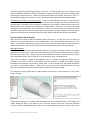
Let’s examine a length of pipe with an inside diameter of 48 inches, a wall thickness of ½ inch, and a
length of 10 feet:
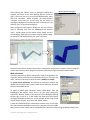
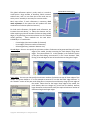
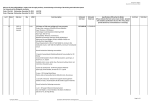
Using default parameters, the mesher fails and displays the error messages shown in the image of the
mesher dialog box above. The reason for this is that the mesher starts with a maximum allowable
element size that is calculated based on the size of the bounding box of the part, which in this case is
Copyright © 2014 FEMdesigner Ltd. All Rights Reserved