1
USER MANUAL
04/08/16 CHANNELS
DIGITAL VIDEO RECORDER
INSTRUCTION MANUAL
To obtain the best performance and ensure device function correctly, please read this instruction
manual carefully and completely.
INSTRUCTION MANUAL
To obtain the best performance and ensure device function correctly, please read this instruction manual carefully and
completely.
FCC Compliance
USER-INSTALLER CAUTION: YOUR AUTHORITY TO OPERATE THIS FCC VERIFIED EQUIPMENT
COULD BE VOIDED IF YOU MAKE CHANGES OR MODIFICATIONS NOT EXPRESSLY APPROVED BY THE
PARTY RESPONSIBLE FOR COMPLIANCE TO PART 15 OF THE FCC RULES.
NOTE: THIS EQUIPMENT HAS BEEN TESTED AND FOUND TO COMPLY WITH THE LIMITS FOR A
CLASS A DIGITAL DEVICE, PURSUANT TO PART 15 OF THE FCC RULES. THESE LIMITS ARE
DESIGNED TO PROVIDE REASONABLE PROTECTION AGAINST HARMFUL INTERFERENCE WHEN THE
EQUIPMENT IS OPERATED IN A COMMERCIAL ENVIRONMENT. THIS EQUIPMENT GENERATES, USES,
AND CAN RADIATE RADIO FREQUENCY ENERGY AND IF NOT INSTALLED AND USED IN
ACCORDANCE WITH THE INSTRUCTION MANUAL, MAY CAUSE HARMFUL INTERFERENCE TO RADIO
COMMUNICATIONS.
OPERATION OF THIS EQUIPMENT IN A RESIDENTIAL AREA IS LIKELY TO CAUSE HARMFUL
INTERFERENCE IN WHICH CASE THE USER WILL BE REQUIRED TO CORRECT THE INTERFERENCE AT
HIS OWN EXPENSE.
THIS CLASS A DIGITAL APPARATUS MEETS ALL REQUIREMENTS OF THE CANADIAN
INTERFERENCE-CAUSING EQUIPMENT REGULATIONS.
WARNINGS, CAUTIONS & COPYRIGHT
WARINGS
TO REDUCE THE RISK OF FIRE OR ELECTRIC SHOCK, DO NOT EXPOSE THIS PRODUCT TO RAIN OR
MISTURE.
DO NOT INSERT ANY METALLIC OBJECT THROUGH VENTILATION GRILLS.
CAUTION
CAUTION
RISK OF ELECTRIC SHOCK
DO NOT OPEN
CAUTION: TO REDUCE THE RISK OF ELECTRIC SHOCK.
DO NOT REMOVE COVER (OR BACK).
NO USER-SERVICEABLE PARTS INSIDE.
REFER SERVICING TO QUALIFIED SERVICE PERSONNEL.
Explanation of Graphical Symbols
The lightning flash with arrowhead symbol, within an equilateral triangle, is intended to alert the
user to the presence of insinuated "dangerous voltage" within the products enclosure that may be of
sufficient magnitude to constitute a risk of electric shock to persons.
The exclamation point within an equilateral rhombus is intended to alert the user to the presence of
important operating and maintenance (servicing) instruction in the literature accompanying the
product.
USERS OF THE SYSTEM ARE RESPONSIBLE FOR CHECKING AND COMPLYING WITH ALL FEDERAL,
STATE, AND LOCAL LAWS AND STATUTES COIPCERNING THE MONITORING AND RECORDING OF
VIDEO AND AUDIO SIGNALS. ULTRAK SHALL NOT BE HELD RESPONSIBLE FOR THE USE OF THIS
SYSTEM IN VIOLATION OF CURRENT LAWS AND STATUTES.
COPYRIGHT
THE TRADEMARKS MENTIONED IN THE MANUAL ARE LEGALLY REGISTERED TO THEIR RESPECTIVE
COMPANIES.
2
TABLE OF CONTENTS
1
2
INTRODUCTION...................................................................................................................... 5
1.1
FEATURE.......................................................................................................................5
1.2
SPECIFICATION..........................................................................................................5
HARDWARE OVERVIEW...................................................................................................... 8
2.1
2.2
FRONT PANEL .............................................................................................................8
BACK PANEL..............................................................................................................10
2.3
ADVANCED AUTO SWITCH, ZOOM, PTZ, COPY KEY CONTROL & USB
INFORMATION ......................................................................................................................12
3
4
5
2.4
EXTERAL ALARM.....................................................................................................12
2.5
IR REMOTE CONTROL ...........................................................................................14
SYSTEM SETUP ..................................................................................................................... 15
3.1
MENU SETUP INTERFACE(GUI)...........................................................................15
3.2
3.3
3.4
LIVE VIEWING AND POP-UP MENU....................................................................17
CAMERA SETUP ........................................................................................................19
MOTION SETUP.........................................................................................................21
3.5
3.6
3.7
3.8
RECORD SETUP ........................................................................................................23
ALARM SETUP...........................................................................................................27
NETWORK SETUP ....................................................................................................27
SYSTEM SETUP .........................................................................................................30
3.9
HARD DISK SETUP ...................................................................................................33
3.10 BACKUP SETUP .........................................................................................................34
DVR PLAYBACK.................................................................................................................... 36
4.1
TIME SEARCH ...........................................................................................................37
4.2
EVENT SEARCH ........................................................................................................38
BACKUP PLAYBACK ........................................................................................................... 39
5.1
5.2
6
MAIN SCREEN SETTING.........................................................................................39
CD/DVD BACKUP PLAYBACK ...............................................................................44
5.3
USB & LOCAL BACKUP FILE PLAYBACK .........................................................45
5.4
BACKUP FILE TO AVI ..............................................................................................47
NETWORK VIEWING & PLAYBACK............................................................................... 48
6.1
IP ADDRESS SETUP ON PC SITE...........................................................................48
6.2
OPTIONAL MICROSOFT INTERNET EXPLORER SETUP..............................49
6.3
6.4
6.5
LOGIN ..........................................................................................................................52
REMOTE CONTROL.................................................................................................53
CONFIGURE ...............................................................................................................58
7
3GPP APPLICATION & SETTING...................................................................................... 66
APPENDIX A: RECORDING TIME LAPSE (HOURS)............................................................. 68
FULL D1- 720x480........................................................................................................................... 68
3
HALF D1- 720x240 .......................................................................................................................... 70
CIF-360x240 ..................................................................................................................................... 73
APPENDIX B: HDD COMPATIBLE TABLE .............................................................................. 76
APPENDIX C: ERROR MESSAGE LIST.................................................................................... 77
4
1
INTRODUCTION
1.1 FEATURE
H.264 video compression.
120 PPS
Recording quality/ rate adjustment per channel available.
Support CMS (Central Management System)/ 3GPP.
Audio Backup / Audio Streaming.
Graphic User Interface (GUI).
Support time-point backup function under Ethernet remote control mode. User can
select any time period to process backup from remote side.
Support time-search & event-search function under Ethernet remote control mode.
Up to four online clients for independent remote control; individual live-time, play-back
& time-search function available.
Support PPPoE/ Static/ DHCP IP & DDNS.
Real Triplex, recording/ live-time & playback operation at the same time available.
ID function supplied from IR remote controller. User can control different DVRs at the
same time by using one IR remote controller.
1.2
SPECIFICATION
VIDEO
MODEL NO.
DVR204
DVR208
DVR216
Triplex
MODE
LIVE-TIME RESOLUTION
NTSC: 720x480
PAL: 720×576
NTSC: 720x480
PAL: 720×576
NTSC: 720x480
PAL: 720×576
LIVE-TIME DISPLAY RATE
(ANALOG MODE)/ (Frame / Sec)
NTSC: 4 x 30
PAL: 4 × 25
NTSC: 4 x 30
PAL: 4 × 25
NTSC: 4 x 30
PAL: 4 × 25
SPLIT SCREEN
1, 4
1, 4, 9
1, 4, 9, 13, 16
VIDEO INPUT
BNC × 4
BNC x 8
BNC x 16
VIDEO OUTPUT (BNC)
BNC × 1
BNC x 2
BNC x 1
VIDEO OUTPUT (SPOT MONITOR)
NO
NO
BNC x 1
VIDEO OUTPUT (S-VIDEO)
NO
1
NO
VIDEO OUTPUT (VGA)
Yes
Yes
Yes
AUDIO
AUDIO INPUT
RCA × 1
AUDIO OUTPUT
RCA × 1
AUDIO BACKUP
Yes
5
AUDIO STREAMING
Yes
RECORDING
COMPRESSION TYPE
H.264
RECORDING RESOLUTION
NTSC: 720 x 480/ PAL: 720 x 576
NTSC:720 x 240/ PAL: 720 x 288
NTSC: 360 x 240/ PAL: 360 x 288
RECORDING RATE (FULL D1)
NTSC: 720 x 480
up to 30 PPS
NTSC: 720 x 480 up to 60 PPS
PAL: 720 x 576 up PAL: 720 x 576 up to 50 PPS
to 25 PPS
RECORDING RATE (HALF D1)
NTSC: 720 x 240
up to 60 PPS
NTSC: 720 x 240 up to 120 PPS
PAL: 720 x 288 up PAL: 720 x 288 up to 100 PPS
to 50 PPS
RECORDING RATE (CIF)
NTSC: 360 x 240
up to 120 PPS
NTSC: 360 x 240 up to 240 PPS
PAL: 360 x 288 up PAL: 360 x 288 up to 200 PPS
to 100 PPS
RECORDING MODE
Manual / Schedule / Alarm
PLAYBACK & SEARCH
Fast Forward
X2 X4 X8
Fast Backward
X2 X4 X8
field by field Playback
Pause
PLAYBACK SPEED
TIME SEARCH
Yes
EVENT SEARCH
Yes
EVENT LIST
3000 records per H.D.D (Maximum)
OSD & CONTROL INTERFACE
TITLE
8 Characters
ON SCREEN DISPLAY & SETUP
Time / Date / Setup Menu
GRAPHIC USER INTERFACE (GUI)
Yes
DVR CONTROL PANEL
Yes
MOUSE
Yes
IR REMOTE CONTROLLER
Yes
IE BROWSER
Yes
PLAYER
Yes
STORAGE & BACKUP DEVICE
INTERNAL HDD SUPPORT
SATA HDD x 1
USB PAN DRIVE BACKUP
Yes
CD/ DVD RW BACKUP
No
6
SATA HDD x 2
NETWORK
ETHERNET
Yes
ETHERNET COMPRESSION
FORMAT
H.264
DDNS
Yes
E-MAIL & FTP
Yes
NETWORK IP
Static/ Dynamic/ PPPoE
MULTI-REMOTE CLIENT
Yes ( 4 Clients at the same time available)
PDA/ CELL PHONE SUPPORT
3GPP
Yes ( MPEG4 )
Yes ( MPEG4 )
ALARM
ALARM INPUT
4 In (NO/ NC)
ALARM OUTPUT
1 Out (NO/ NC)
MOTION DETECTION
Yes
VIDEO LOSS DETECTION
Yes
ALARM RECORDING
Yes
BUZZER
Yes
SETUP & OTHER FUNCTIONS
DAYLIGHT SAVING TIME
Yes
PTZ CONTROL
Yes
RS-232
No
RS-485
Yes
DIGITAL ZOOM
Yes
PASSWORD CONTROL
Two levels, one for system and the other for HDD format
KEY-LOCK
Yes
MULTI-LANGUAGE
Yes
FIRMWARE UPDATE
USB Host & Update on line
OTHERS
POWER INPUT
DC 12V
POWER CONSUMPTION
12W (without HDD)
16W (without
HDD)
DIMENSIONS (W x H x D)
230mm x 44mm x
215mm
360mm x 60mm x 308mm
WEIGHT (kg)
1.4(without HDD)
3.0(without HDD)
0 - 40 ℃
OPERATION TEMPERATURE
* SPECIFICATIONS ARE SUBJECT TO CHANGE WITHOUT NOTICE
7
22W (without
HDD)
2
HARDWARE OVERVIEW
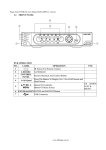
2.1 FRONT PANEL
DVR204
DVR OPERATION
LABEL
OPERATION
PTZ
NO.
Led Indicator
1
LED REC
○
IR Sensor For Remote Control.
2
Press The Button To Display No.1~No.4 Full Screen and
3
1-4 & Quad Quad Screen
CONTROL
Record, Playback And other control buttons.
4
PANEL
▲▼◄► & Button Of Controller.
UP, DOWN,
Button Of Menu Screen
LEFT &
5
MENU &
Button Of Enter key
RIGHT
ENTER
USB Connector.
6
8
DVR208
NO.
LABEL
1
POWER LED
1-8 (DVR208)
1-2, 3-4, 5-6,
2 7-8, 9-10, 11-12,
13-14, 15-16
(DVR216)
3
PLAY LED
FUNCTION
4
PANEL
5
6
7
8
9
10
11
OPERATION
Power Led Indicator
Press The Button To Display No.1~No.8
DVR216
PTZ
Press The Button To Display No.1~No.16
Play Led Indicator
SEQ, Zoom and PTZ buttons
UP, DOWN,
LEFT &
RIGHT
▲▼◄► &
ENTER
Button Of Controller.
Button Of Enter key
○
REC LED
CONTROL
PANEL
HDD LED
FUNCTION
PANEL
/
IR Sensor For Remote Control
Recording Led Indicator
F.FWD, STOP, PLAY and FORWARD control buttons.
HDD Led Indicator
REC, BACKUP and MENU buttons
USB and Mouse (Only by supplied mouse) Connectors.
9
2.2 BACK PANEL
DVR204
NO.
LABEL
OPERATION
USB Mouse Connector (Only by supplied mouse).
1
2
VIDEO INPUT
Video input with BNC connector.
3
MONITOR OUT
Video output with BNC connector.
4
AUDIO OUT/ IN
Audio output/ input.
5
7
ETHERNET
RS-485/ ALARM/
RELAY
VGA D-SUB OUT
RJ-45 connector for network.
4 pin connector for external control unit, 5 pin connector for
Alarm input and 3 pin connector for relay
Connect to CRT or LCD monitor.
8
POWER
Power switcher: DC 12V 5A / 50-60 Hz input.
6
NOTE: Please plug in the supplied mouse to DVR mouse connector before turn on the
DVR. DO NOT REMOVE and PLUG IN the supplied mouse while DVR is
operating.
10
DVR208
NO.
LABEL
OPERATION
1
VIDEO INPUT
Video input with BNC connector
2
MONITOR OUT
Video output with BNC connector
3
AUDIO OUT
Audio output
4
AUDIO IN
Audio input.
5
VGA D-SUB OUT
Connect to CRT or LCD monitor.
6
8
ETHERNET
RS-485/ ALARM/
RELAY
FAN
RJ-45 connector for network.
4 pin connector for external control unit, 5 pin connector for
Alarm input and 3 pin connector for relay
Fan
9
POWER
Power switcher: DC 12V 5A / 50-60 Hz input.
7
DVR216
NO.
LABEL
OPERATION
1
POWER
Power switcher: DC 12V 5A input.
2
FAN
Fan
3
VIDEO INPUT
Video input with BNC connector
4
SPOT
SPOT video output.
5
AUDIO IN
Audio input.
6
AUDIO OUT
Audio output
7
VGA D-SUB OUT
Connect to CRT or LCD monitor.
8
MONITOR OUT
Video output with BNC connector
9
ETHERNET
RJ-45 connector for network.
10
RS-485/ ALARM/ 2 pin connector for external control unit, 10 pin connector
for Alarm input and 3 pin connector for relay
RELAY
11
2.3
ADVANCED AUTO SWITCH, ZOOM, PTZ, COPY KEY CONTROL & USB
INFORMATION
AUTO SWITCH : In the split screen mode, use the “F.FWD SEARCH” keys in the front
panel to enable auto switch function. Moreover, press “QUAD” key
again to disable it. (In DVR204 Module); moreover, use “SEQ”
button can also enable auto switch function. Press “SEQ” button again
can terminate auto switch function. (In DVR208/ DVR216 Module.)
PTZ : When camera supported PTZ function, user can use “F.FWD SEARCH” button on
the front panel to perform PTZ function. Press ▲▼◄► to select and change
setup value. Press “F.FWD SEARCH” again to disable PTZ function (In DVR204
Module). In DVR208/ DVR216 module, use “PTZ” button on the front panel can
enable PTZ function and then press “PTZ” button again to disable PTZ function.
COPY : Within the playback mode, press “ PLAY COPY ” button to start backup record
and press “ PLAY COPY ” again to end backup(DVR204 Module). The user
can see the backup image approx. 3 ~5 sec. In DVR208/DVR216 Module, press
“Backup” button to start backup and then press it again to end backup function.
2.4 EXTERAL ALARM
There are three types of alarms that the system can be configured to handle. They are
Motion detection Alarm, External Alarm and Video Loss Alarm.
A. Motion detection Alarm and External Alarm:
When motion detection or External Alarm was triggered, there are 5 possible actions
will be taken.
a. Changes recording speed as alarm recording speed.
b. Monitor will display corresponding full screen alarm channel, it will switch
automatic mode to manual mode if buttons pressing activity occurred in 5 seconds.
c. Relays can be activated by motion detection or external alarm when turning on.
d. The camera title will be transformed into color of yellow when motion is happening,
“ALARM” text will show up when external alarm is triggered.
B. Video Loss Alarm:
The default setting of Video Loss alarm is enabled.
12
Terminal Connectors:
(DVR204/ DVR208)
D+
RS-485 sends +/ receives +
D-
RS-485 sends -/ receives -
D+
RS-485 sends +/ receives +
D-
RS-485 sends -/ receives -
ALARM1-4
Camera alarm input.
GND
GND.
N.C
Relay N.C.
COM
Relay COM
N.O
Relay N.O.
(DVR216)
EXAMPLE 1:Connect Alarm In One with PIR (Passive Infrared).
EXAMPLE 2:Connect with Alarm Siren at Relay N.O.
13
2.5
IR REMOTE CONTROL
ITEM
REC
AUTO
1-4
1-16
(DVR204)
Press REC to start recording and press twice to stop.
Press AUTO to activate sequence display of channels
(DVR208/DVR216 USE ONLY)
Select channel 1-4 with full screen. (DVR204 USE
ONLY)
Select channel 1-16 with full screen. (DVR208/
DVR216 USE ONLY)
QUAD
Fast backward. (DVR204 USE ONLY)
MODE
Split Screen Switch (DVR208/ DVR216 USE ONLY)
SEL
Press this button to select the different assembled of
camera formats or perform PTZ functions. Moreover,
under the 16 split screen and full screen modes, press
this button for switching Audio ON/ OFF. (DVR208/
DVR216 USE ONLY)
Picture by picture backward.
Picture by picture forward.
Fast Forward.
Play video forward.
COPY
(DVR208/DVR216)
Switch channel format. (DVR204 USE ONLY)
▲
Move upward or increase the number.
►
Move rightward or increase the number.
▼
Move downward or decrease the number.
◄
Move leftward or decrease the number.
Enter selected items.
MENU
Enter or Exit Main Menu.
STOP
Stop the playback.
14
3
SYSTEM SETUP
3.1 MENU SETUP INTERFACE(GUI)
A.
CAMERA SET
B.
MOTION SETUP
C.
RECORD SETUP
D.
ALARM SETUP
E.
NETWORK SETUP
F.
15
SYSTEM SETUP
G.
HARD DISK SETUP
H.
16
BACKUP SETUP
3.2 LIVE VIEWING AND POP-UP MENU
NOTE:
:All of the images and icons are presented by DVR204 Module.
NOTE:
:The pop-up menu can be activated by moving the mouse cruise to the bottom
of the live viewing screen.
A.
GUI MENU BAR
With live viewing mode, press this button to get into the GUI menu.
B.
DISK INFORMATION
With live viewing mode, press this button to display disk information.
C.
DIGITAL ZOOM
In the full screen mode, left-click the button of the mouse to pull a range to zoom in or
zoom out the image. User can right-click the button of the mouse to disable this
function. (NOTE: Using the mouse to operate digital zoom can zoom in to max. 16
times.) Moreover, user can also use compound key on the front panel to perform this
function. (First, click ENTER/COPY Key and then click ▲▼◄► key to select zoom
in or zoom out position. Finally, click ENTER/COPY key again to complete the setting.
Moreover, click MENU Key to disable digital zoom function. Using the panel key to
perform zoom in function is fixed at 2 times.)
D.
PTZ CONTROLLER
Within live-viewing mode, Clicks this button to get into the PTZ setup menu. User
can also use PTZ key on the front panel to perform this function. Moreover, user can
right-click the button of the mouse or press the PTZ key on the front panel again to
exit PTZ Setup.
: Only for the camera supported PTZ function.
NOTE:
17
PTZ CONTROL
Under PTZ control mode, press
Press
into PTZ setup menu.
User can also press the “MENU”
key on the DVR front panel to get
into PTZ setup menu.
to process Preset Point
setup and press “■
■” to exit setup
To process AUTO function.
“”
/
/
/
/
/
/
/
Direction key
Zoom In/ Zoom Out
PTZ Preset
Press
button to entry PTZ preset point menu.
SAVE PRESET NUMBER: Press SET to save preset point number and its
position.
GO TO PRESET NUMBER: Press SET to go to the setup preset point number
position.
18
PTZ SETUP MENU
ID : Use the mouse wheel to setup the PTZ camera ID number.
PAN SPEED: Use the mouse wheel to change the left-right speed.
TILT SPEED: Use the mouse wheel to change the up-down speed.
AUTO SPEED: Use the mouse wheel to change the auto patrol speed.
BAUD RATE: Use the mouse wheel to change the BAUD rate.
PROTOCOL: Use the mouse wheel to change the connection protocol.
3.3
E.
AUDIO CONTROL
Press this button to turn the audio on or off.
F.
DISPLAY CONTROL
Within live-viewing or playback mode, use display control to switch the camera
channel.
G.
RECORD AND PLAYBACK CONTROL
Same as front panel controller and remote controller.
CAMERA SETUP
Press ▲ or ▼ to select items.
Press ◄ or ► to change values.
Press SET to see more options.
A. CAMERA
Press ◄ or ►/ mouse wheel to switch channels.
19
B. VIDEO ADJUST
B-1. CONTRAST
Press ◄ or ►/ mouse wheel to change contrast level.
B-2. BRIGHTNESS
Press ◄ or ►/ mouse wheel to change brightness level.
B-3. HUE
Press ◄ or ►/ mouse wheel to change HUE level.
B-4. COLOR
Press ◄ or ►/ mouse wheel to change color level.
B-5. SHAPRNESS
Press ◄ or ►/ mouse wheel to change sharpness level.
C. CAMERA TITLE
Use mouse to select and change character.
D. DISPLAY
Press ◄ or ► to/ mouse wheel change value for the corresponding camera would be
displayed on the screen or not.
E. DWELL TIME
Press ◄ or ►/ mouse wheel to ON/OFF auto switch and the switch sec..
20
F. PTZ SETUP
ID : Use the mouse wheel to setup the PTZ camera ID number.
PAN SPEED: Use the mouse wheel to change the left-right speed.
TILT SPEED: Use the mouse wheel to change the up-down speed.
AUTO SPEED: Use the mouse wheel to change the auto patrol speed.
BAUD RATE: Use the mouse wheel to change the BAUD rate.
PROTOCOL: Use the mouse wheel to change the connection protocol.
3.4
MOTION SETUP
Press ▲ or ▼ to select items.
Press ◄ or ► to change values.
Press SET to see more options.
A. CAMERA
Press ◄ or ►/ mouse wheel to switch channels.
B. MOTION DETECT
Press ◄ or ►/ mouse wheel to change value for motion detect function.
C. BUZZER
Press ◄ or ►/ mouse wheel to change value for buzzer while motion detected.
D. SENSITIVITY
Press ◄ or ►/ mouse wheel to change sensitivity value from 001 (minimum) to 100
(maximum).
E. MOTION AREA SETUP
1. Press SET to enter Motion Area Setting. (Note: The default setting of all area is
“MOTION ON”.)
21
2. Use the mouse to select which block is needed.
The green area shows the area
without motion detection.
3. Left-Click the mouse to see more options or exit the setup.
SELECT: Cancel the selected
area.
CLEAR: Select the area without
motion detection.
EXIT: Exit the motion detection
setup.
22
3.5
RECORD SETUP
Press ▲ or ▼ to select items.
Press ◄ or ► to change
values.
Press SET to see more options.
A. RESOULTION
Press ◄ or ►/ mouse wheel to switch record resolution.
FULL D1: 720 x 480 (NTSC)/ 720 x 576 (PAL)
HALF D1: 720 x 240 (NTSC)/ 720 x 288 (PAL).
CIF: 360 x 240 (NTSC)/ 360 x 288 (PAL).
NOTE: If record resolution is altered in here, DVR will reboot automatically.
B. NORMAL RECORD PPS
Press SET to change the PPS in normal recording. User can click “AVERAGE” to set
PPS automatically by system or change the PPS for each channel manually.
Record Resolution:
FULL D1: 720 x 480 (NTSC)/ 720 x 576 (PAL)
HALF D1: 720 × 240 ( NTSC ) / 720 × 288 ( PAL )
Record Resolution: CIF: 360 × 240 ( NTSC ) / 360 × 288 ( PAL )
23
C. ALARM RECORD PPS
Press SET to change the PPS in alarm recording. User can click “AVERAGE” to set
PPS automatically by system or change the PPS for each channel manually.
Record Resolution:
FULL D1: 720 x 480 (NTSC)/ 720 x 576 (PAL)
HALF D1: 720 × 240 ( NTSC ) / 720 × 288 ( PAL )
Record Resolution: CIF: 360 × 240 ( NTSC ) / 360 × 288 ( PAL )
D. ALARM RECORD DURATION
Press ◄ or ► to set dwell time of alarm recording.
E. RECORD QUALITY
Press SET to entry to the record quality setup. There are NORMAL RECORD
QUALITY and ALARM RECORD QUALITY two items can be set.
E-1. NORMAL RECORD QUALITY
Press SET to switch normal record quality of each channel (FULL D1: 720 × 480
( NTSC ) / 720 × 576 ( PAL ), HALF D1: 720 × 240 ( NTSC ) / 720 × 288 ( PAL )) or
each two channels (360 × 240 ( NTSC ) / 360 × 288 ( PAL )). User can use mouse
wheel to change the image quality of each single channel: LOW/ MEDIUM/ HIGH/
BEST, or use “ALL” to switch the image quality of all channels at once.
24
Record Resolution:
FULL D1: 720 x 480 (NTSC)/ 720 x 576 (PAL)
HALF D1: 720 × 240 ( NTSC ) / 720 × 288 ( PAL )
Record Resolution: CIF: 360 × 240 ( NTSC ) / 360 × 288 ( PAL )
E-2. ALARM RECORD QUALITY
Press SET to switch alarm record quality of each channel (FULL D1: 720 × 480
( NTSC ) / 720 × 576 ( PAL ), 720 × 240 ( NTSC ) / 720 × 288 ( PAL )) or each two
channels (360 × 240 ( NTSC ) / 360 × 288 ( PAL )). User can use mouse wheel to
change the image quality of each single channel: LOW/ MEDIUM/ HIGH/ BEST, or
use “ALL” to switch the image quality of all channels at once.
Record Resolution: FULL D1: 720 x 480 (NTSC)/ 720 x 576 (PAL)
HALF D1: 720 × 240 ( NTSC ) / 720 × 288 ( PAL )
Record Resolution: CIF: 360 × 240 ( NTSC ) / 360 × 288 ( PAL )
25
F. RECORD MODE
Press ◄ or ► to switch record mode to MANUAL/ SCHEDULE 1 / SCHEDULE 2/
SCHEDULE 3/ SCHEDULE 4/ SCHEDULE 5
G. AUDIO RECORD
Press ◄ or ► to switch AUDIO RECORD ON or OFF.
H. SCHEDULE SETUP
Press SET to get into schedule setup menu。
1. Use mouse to select schedule day/ time/ mode.
to save change and exit.
2. Click
26
3.6
ALARM SETUP
Press ▲ or ▼ to select items.
Press ◄ or ► to change values.
Press SET to see more options.
A. EXT. ALARM MODE
Select N.C for “normal close” alarm input, or select N.O for “normal open” alarm
input.
B. ALARM DISPLAY MODE
Press ◄ or ►/ mouse wheel to change value for ALARM DISPLAY MODE with full
screen.
C. VIDEO LOSS DETECT
Press ◄ or ►/ mouse wheel to switch VIDEO LOSS ALARM ON or OFF.
D. EVENT LOG SETUP
Press SET to change value for MOTION EVENT / VIDEO LOSS EVENT to ON /
OFF.
E. BUZZER TIME SETUP
Press SET to set dwell time of BUZZER/ ALARM.
F. RELAY TIME SETUP
Press SET to set dwell time of RELAY.
3.7
NETWORK SETUP
Press ▲ or ▼ to select items.
Press ◄ or ► to change values.
Press SET to see more options.
A. IP MODE
Press ▲ or ▼ to select items and ◄ or ►/ mouse wheel to change to STATIC IP or
DHCP.
27
B. HTTP PORT
Press ▲ or ▼ to select items and ◄ or ►/ mouse wheel to change WEB PAGE
PORT.
C. IP ADDR
Press ▲ or ▼ to select items and SET to change IP ADDRESS.
D. NETMASK
Press ▲ or ▼ to select items and SET to change SUBNET MASK.
E. GATEWAY
Press ▲ or ▼ to select items and SET to change Default GATEWAY.
F. DNS1
Press ▲ or ▼ to select items and SET to change DNS.
G. DNS2
Press ▲ or ▼ to select items and SET to change OTHER DNS.
H. PPPoE
H-1. PPPoE SETTING
Press◄ or ►/ mouse wheel to ENABLE / DISABLE PPPoE.
H-2. USER NAME
Use mouse to setup user name for ADSL account.
H-3. PASSWORD
Use mouse to setup password for ADSL account.
H-4. STATE
Press SET to display status of PPPoE。
I. DDNS SETUP
28
I-1. DDNS SETTING:
:Press◄ or ►/ mouse wheel to set DDNS ENABLE /
DISABLE.
I-2. PROVIDER:
:Press◄ or ►/ mouse wheel to select DDNS provider.
I-3. USER NAME:
:Press SET to setup user name.
I-4. UPDATE SCHEDULE:
: Use SET to dwell time of updating schedule.
I-5. STATE:
:Press SET to display status of DDNS.
J. RTSP SETUP
J-1. RTSP PORT: Press SET to setup RTSP port. The default value is 554.
J-2. RTP START PORT: Press SET to setup RTP start port.
J-3. RTP END PORT: Press SET to setup RTP end port.
J-4. VIDEO QUALITY: Press◄ or ►/ mouse wheel to select video quality. There are
BEST, HIGH, STANDARD, MEDIUM & LOW five options.
29
3.8
SYSTEM SETUP
Press ▲ or ▼ to select items.
Press ◄ or ► to change values.
Press SET to see more options.
A. DATE / TIME SETUP
Press SET to set DATE / TIME.
A-1. TIME
Use mouse wheel to change DATE/ TIME.
A-2. DATE FORMAT
Use mouse wheel to change DATE. There are DD/MM/YYYY, YYYY/MM/DD
and MM/DD/YYYY three modes.
A-3. NTP MODE
Use mouse wheel to change NTP. When NTP is enable, use SET to change
SERVER IP and use ◄ or ►/ mouse wheel to change GMP and UPDATE
TIME.
B. SYSTEM TYPE
Press ◄ or ►/ mouse wheel to change the system type. Moreover, DVR will reboot
while changing the system type.
C. KEYBOARD LOCK
Press ◄ or ►/ mouse wheel to switch ON/ OFF. There are OFF, TYPE 1 and TYPE 2
three options.
OFF:UNLOCK.
TYPE 1: Only can switch split screen and full screen. The user can operate AUTO
and MENU functions as well. However, the password has to be filled in to
implement playback mode.
30
TYPE 2: LOCK (Except MENU button). The password has to be filled in to
implement playback mode.
After KEYBOARD LOCK mode setup, please set up PASSWORD
Without password, un-authorized users could access into SYSTEM SETUP and make
changes of settings easily.
D. DVR ID NUMBER
Press ◄ or ►/ mouse wheel to change values.
ID NUMBER is required to make difference of each DVR.
E. DISPLAY SETUP
Press SET to ENABLE or DISABLE display of CAMERA TITLE / DVR STATUS /
DATE / TIME.
F. LANGUAGE
Press ◄ or ► to change on-screen-display (OSD) language.
G. SYSTEM PASSWORD
Press ▲ or ▼ to select items and ◄ or ► to change values.
Default password: 1111.
H. FIRMWARE UPDATE
Press YES to start firmware update. After updated, the DVR will reboot automatically.
At this moment, please do not turn off the DVR manually.
NOTE: 1. Please format USB flash memory with FAT32.
2. For function stability, we suggest user to STOP recording function
before processing firmware update function.
I. LOAD DEFAULT
Press SET button to entry CONFIGURE SET screen. There are LOAD SETUP FROM
DEFAULT, LOAD SETUP FROM USB and BACKUP SETUP TO USB three parts.
I-1. LOAD SETUP FROM DEFAULT: Press SET button to load the setting back to
factory default.
I-2. LOAD SETUP FROM USB: Press SET button to load the pen drive setting to
the current DVR.
I-3. BACKUP SETUP TO USB: Press SET button to backup the current DVR setting
into pen drive.
31
J. DAYLIGHT SAVING TIME SETUP
Press ◄ or ►/ mouse wheel to change the DAYLIGHT MODE option: Disable,
Manual and Auto.
J-1. MANUAL MODE
Use SET
to change the Day Light Saving start and end time.
Press ◄ or ►/ mouse wheel to change DELAY TIME
J-2. AUTO MODE
Press ◄ or ►/ mouse wheel to change CITY option. Different CITY will have
different START, END and DELAY TIME.
32
3.9
HARD DISK SETUP
A. OVERWRITE MODE
Press ◄ or ► to change value OVERWRITE MODE ON or OFF.
B. CAPACITY WARNING (When Overwrite Mode is OFF, Capacity Warning will
enable)
Press ◄ or ► to change value to 20/ 15/ 10 or 5% with non-overwrite mode. When
LEFT RATIO is below the setting, it will enable AUDIBLE ALARM (If AUDIBLE
ALARM of BUZZER of ALARM SETUP is ON).
C. HDD INFORMATION
Press SET to display HDD information.
D. HDD FORMAT SETUP
D-1. HDD PASSWORD PROTECT
Press ◄ or ►/ mouse wheel to change value for hard disk format password
protection.
D-2. HDD PASSWORD
Press SET then use mouse to change password.
Default password: 1111
D-3. HDD FORMAT
Press SET to get into FORMAT setup.
Press YES or NO to execute.
33
3.10
BACKUP SETUP
Press ▲ or ▼ to select items.
Press ◄ or ► to change values.
Press SET to see more options.
NOTE: *For function stability, Ethernet remote control function (IE) will be
stopped when processing backup function.
*USB DEVICE BACKUP : 3.2MB/ per sec.
A. USB BACKUP
Due to each USB device with different USB driver ICs, their compatibilities differ, too.
This system is compatible with most of USB flash memory. If there is compatible
issue, please refer to APPENDIX B. In addition, please format USB flash memory
with FAT32.
BEFORE BACKUP
A. In live viewing mode, insert USB device into a USB port of the DVR.
B. Get into playback mode by PLAY TIME SEARCH or EVENT LIST SEARCH and
play back videos that are going to be as backup.
VIDEO BACKUP
to start backup and press
In multiplexer or full screen mode, press
backup. The system will backup automatically.
to end
PICTURE BACKUP
In multiplexer or full screen mode, press ► and press
backup picture by picture.
34
. The system will start
USB BACKUP MENU
User can use the mouse wheel to change the backup Start/ End time。
Click
to start backup, the total process will be shown on screen.
BACKUP FILE NAME
Each backup file will be named as START TIME.
EXAMPLE: 174624.264 is 17:46:24
AFTER BACKUP
After backup, the system will copy “R6VIEWER.EXE” automatically on USB device
for the user to play back backup file.
35
4
DVR PLAYBACK
Click the playback button on the pop-up
menu.
Note: the pop-up menu can be activated
by moving the mouse cruise to the
bottom of the live viewing screen.
A.
DISK INFORMATION
With playback mode, press this button to display disk and pen drive information.
B.
RECORD BACKUP
With playback mode, press this button to backup record (.264 video backup) and press this
button again to finish backup. For performing the single image backup (.Y42 single image
backup), press
first and then click this button to backup the necessary image.
C.
AUDIO CONTROL
Press this button to turn the audio on or off
D.
DISPLAY CONTROL
Within playback mode, use display control to switch the camera channel.
E.
RECORD AND PLAYBACK CONTROL
Same as front panel controller and remote controller.
36
4.1
TIME SEARCH
Double click Left button of mouse to trigger play time search.
Please set the start and end time to search.
37
4.2
EVENT SEARCH
Double click Left button of mouse to trigger event search.
Please select the event to playback.
NOTE: Display the type of the event as follows.
POWER
V.LOSS
If the DVR got power loss, it will record the date and time of
rebooting.
If REC. button has been pressed, it will record the date and time in the
event list.
When a camera signal is lost, it will record the date, time, and
ALARM
corresponding channel. Moreover, the
icon will display on the
corresponding channel.
When ALARM is triggered, it will record the date, time, and
RECORD
MOTION
corresponding channel. Moreover, the
icon will display on the
corresponding channel.
When MOTION is detected, it will record the date, time, and
corresponding channel. Moreover, the
icon will display on the
corresponding channel.
38
5
BACKUP PLAYBACK
SYSTEM REQUIREMENT
CPU: Intel Celeron 1.6G
MEMORY: 256MB.
VGA: 32MB
VGA RESOLUTION: 1024 x 768.
OS: Windows XP / 2000
SUGGESTED REQUIREMENT
CPU:Intel P4 2.8G
MEMORY:512MB or above
VGA:64MB or above
VGA RESOLUTION:1024 x 768
OS: Windows XP / 2000
5.1
MAIN SCREEN SETTING
A. MAIN SCREEN
Control Panel
Open File
Channel Selected
Save as AVI
Time & Event Search
Single, 4, 9, 16 Split Screen
39
B. HDD PLAY
Play about all the data from the Hard disk of DVR or perform the specific Time and
Event Search to play.
Note: Remove the DVR HDD and connect to the PC first. Then, use DVR
player
(R6Viewer.exe) to play the data of HDD. DVR player
(R6Viewer.exe) can be attained from the attached CD or via the Internet;
moreover, while performing USB backup and DVD-RW backup, the software
will be built automatically as well.
B-1. TIME SEARCH
Insert search Date and Time and then click
film.
40
to play all the searched
B-2. EVENT SEARCH
It will display all the events which are reserved within the DVR HDD after
press
(Shown in the following) and double click left button of mouse
to trigger event.
B-3. HDD COPY
Copied and reserved the DVR HDD data to other data storage device.
Press
button, the Copy screen will pop-up.
Then, select the “StartTime” and “EndTime”.
After that, press
button to choose the storage destination and press
to start reserving.
41
Finally, the complete information will pop-up while finished storage.
(R6 Viewer.exe) can play not only DVR H.D.D. but also the *.264
and *.Y42 files which are reserved within the data storage devices. (i.e. CD/DVD
disc, pen drive and the PC H.D.D which the data backup from DVR H.D.D)
C. File (*.264) Play
D. File (*.Y42) Play
42
43
5.2 CD/DVD BACKUP PLAYBACK
A. Insert the CD/DVD disk into CD/DVD ROM, the software will auto pop out, and select
"Open File" and pick up the file.
B. Press the
icon to play the video.
44
5.3
USB & LOCAL BACKUP FILE PLAYBACK
A. Plug the USB disk into PC or check the local backup folder.
If using USB mode, please double click the player.exe from the pop-up diagram. (As
below)
B. The play backup program would appear on the screen, select "Open File".
45
C. Open the USB disk located driver letter. (Example E:) or the local backup folder, and
pick the file to playback.
The backup file will named as the time when backup, as like:
170319.264 will be 17:03:19
D. Press the play icon to play the video or still picture.
46
5.4
BACKUP FILE TO AVI
A. Please select specific channel to backup.
B. During video playback mode please press AVI bottom
C. Make up a filename and path than press
D. Press AVI bottom
to finish backup.
47
to start.
bottom to start AVI backup.
6
NETWORK VIEWING & PLAYBACK
SYSTEM REQUIREMENT
CPU: Intel Celeron 1.6G
MEMORY: 256MB.
VGA: 32MB
VGA RESOLUTION: 1024 x 768.
OS: Windows XP / 2000
SUGGESTED REQUIREMENT
CPU:Intel P4 2.8G
MEMORY:512MB or above
VGA:64MB or above
VGA RESOLUTION:1024 x 768
OS: Windows XP / 2000
6.1 IP ADDRESS SETUP ON PC SITE
Install cameras inside in LAN or use network cable to connect with PC. This is for
IPInstallerEng.exe to set up IP address of cameras. If OS is Windows XP SP2 or above,
the following Windows Security Alert will popup. Then, please click on Unblock.
Then, IPInstallerEng.exe will popup:
DVR default IP address is 192.168.1.220
48
NOTE: Please input correct network parameters without blank spaces.
On Device Lists, it lists all servers. Click on one server and then its IP setting will show
on the right side. After editing the parameters and clicking on Submit, the following
dialogue box will popup. And, it will reboot the device with new parameters.
6.2 OPTIONAL MICROSOFT INTERNET EXPLORER SETUP
OPTION 1: DISABLE ACTIVEX WARNING
A. IE Tools Internet Options Security Custom Level Security Settings Download unsigned ActiveX controls Enable or Prompt (recommend).
B. IE Tools Internet Options Security Custom Level Security Settings Initialize and script ActiveX controls not marked as safe Enable or Prompt
(recommend).
49
1
2
3
4
5
Above three options are all based on select as the prompt.
As indicated in the dialogue box. Please select "YES."
50
OPTION 2: ADD TO TRUSTED SITES
IE Tools Internet Options Security Trusted sites Sites
51
6.3 LOGIN
A. INSTALL ACTIVEX
B.
START INSTALL ACTIVEX
C.
ACCOUNT & PASSWORD LOGIN
After IP setup and connect to network or LAN, type IP address on IE Browser
directly. The following User name & Password Login window will popup.
Default user name: admin
Default password: admin
52
6.4 REMOTE CONTROL
LIVE VIEWING
DVR Configuration
PTZ Control
System Time
Playback
A. DVR Configuration
Get into DVR network menu.
Time-Point
Backup
Screen
Format
REC
Full Screen
B. PTZ Control
PTZ control function panel
Direction Keys
PTZ Zoom in/out
Auto Pan Function
Preset Point
Setup
53
Up to 32 preset points
for operation
C. SYSTEM TIME
Live viewing mode: The current live viewing time.
D. SCREEN FORMAT
Switch screen format and click twice to switch different channels with full screen.
E.
Full Screen. Click again to return.
F.
REC. Videos are saved as AVI file.
G.
Playback
H.
Click
Time-Point Backup
,
and playback window will popup
54
PLAYBACK by TIME SEARCH & EVENT SEARCH
Playback Time
Time Search
HDD Select
Event Search
Playback Time
A. HDD Select
User can select HDD1 or HDD2 for playback
B. Playback Time
User can select the time then press “Time Search” for playback.
C. Time Search
User can select the time then press “Time Search” for playback.
D. Event Search
User can select event item by pressing “Event Search” for playback.
55
Click
to operate Time-Point backup.
TIME-POINT BACKUP
First, select Start and End backup time which have to among the Record Time.
Then, click Save button to select the position on PC where the user is going to backup the data.
After that, press OK button to start the backup.
Finally, double-click the left button of the mouse to open the saved backup file. The backup file
will named as the time when start to backup, such as,
(20080526113258.264) will be 2008/05/26 11:32:58.
56
OTHER FUNCTIONS
User can use other functions by clicking the left of mouse
A. Snapshot:
User can save any single picture from image.
B. Performance:
User can select image quality (high, medium & low).
C. Use Overlay:
User can use Overlay function.
D. Play audio:
User can play audio function by channel.
Note: remote user can receive audio from DVR & the audio will be saved with image
when processing video backup.
57
6.5 CONFIGURE
A. System - System Information
A-1 SYSTEM INFORMATION
SERVER NAME: This name will show on the IP Installer.
LANUGAGE:
:There are English, Traditional Chinese, and Simplified
Chinese.
A-2 NTP Setting
NTP SERVER: Revise the time of DVR via different NTP Server.
Note: Time zone and Interval cannot adjust in here (User can adjust both in
DATE and TIME SETUP option of DVR Menu).
B. SYSTEM – USER MANAGEMENT
User Management provides 3 levels of limits of authority: Administrator (the
highest), User, and Guest.
Administrator: Possessing the highest level of authority to operate full functions
within network.
User: Having Live Image and Video Playback authority. Moreover, PTZ controlled
is included as well.
Guest: Only have Live Image authority.
58
Default administrator account:
Username: admin
Password: admin
B-1. ANONYMOUS USER LOGIN:
YES: Accept anonymous user login without password as guest login.
NO: Anonymous login unacceptable.
B-2. USER MANAGEMENT:
Add: Input Username and Password and then click on Add/Set to save.
Modify: Click on selected User name on User List and the following window
will popup. After inputting Password and Confirm Password, click on
OK.
Remove: Click on selected User name on the user list and click on Remove.
C. SYSTEM / SYSTEM UPDATE
C-1. Firmware Upgrade: Click on the “Browse” button to select the latest firmware
and then press “Upgrade” button to upgrade the firmware.
C-2. Load Default: There are three kinds of Settings. One is Load Setup From
Default, another is Load Setup From and the other is Backup
Setup.
Load Setup From Default: Press “Setting” button to load factory default.
Load Setup From: Click on “Browse…” button to select DVR setting file and
then press “Setting” button to upload the setting file to DVR.
59
Backup Setup: Click on “Download” button to download the DVR setting file
into the specific storage device.
D. NETWORK – IP SETTING
D-1.
IP ASSIGNMENT
DHCP: In Dynamic Host Configuration Protocol (DHCP) mode, DHCP
server will get setting done automatically.
STATIC IP: Please input IP address, Subnet Mask, and Gateway based on
network environment.
D-2.
D-3.
PORT ASSIGNEMENT
With IP Share (Router), the following Ports needed to be adjusted in case of
conflict.
UPnP
If UPnP service is enabled on your computer, the DVR will automatically be
detected and a new icon will be added to “My Network Places”. However, if
UPnP service is disabled, the DVR will not be detected automatically.
Note: UPnP must be enabled on your computer.
E. NETWORK – PPPoE
60
E-1. PPPoE SETTING
Click on Enabled to enable ADSL dial function.
Username: Username for ADSL account.
Password: Password for ADSL account.
After dialed successfully, new IP address will appear.
E-2. SEND MAIL AFTER DIALED
Click on Enabled to enable SEND MAIL AFTER DIALED function.
E-3. SUBJECT
Mail subject.
F. NETWORK / DDNS SETTING
Click on Enabled to enable DDNS function.
61
F-1. DYNDNS.ORG
DDNS SETTING - DYNDNS.ORG
PROVIDER: Select dyndns.org
HOSTNAME: The registered hostname in DYNDNS.ORG.
USERNAME: The registered username in DYNDNS.ORG.
PASSWORD: The registered password in DYNDNS.ORG.
SCHEDULE UPDATE: A period of time to update IP address.
STATE
1. Updating: Information update.
2. Idle: Stop service.
3. DDNS registered successfully, now log by
http://<username>.ddns.camddns.com: Registered successfully.
4. Updating Failed, the name is already registered.
5. Updating Failed, please check your internet connection.
F-2. DDNS.CAMNNDS.COM
62
DDNS SETTING – DDNS.CAMDDNS.COM
PROVIDER: Select ddns.camddns.com
USERNAME: The registered username in DDNS.CAMDDNS.COM.
SCHEDULE UPDATE: A period of time to update IP address.
STATE
1. Updating: Information update.
2. Idle: Stop service.
3. DDNS registered successfully, now log by
http://<username>.ddns.camddns.com: Registered successfully.
4. Updating Failed, the name is already registered.
5. Updating Failed, please check your internet connection.
DDNS Setting Steps:
Press
1
○
“ENABLE” option to enable DDNS function and select
2
○
“ddns.camddns.com” of the provider drop down list which is suggested to use. In
the following, insert
3
○
the username which the user wants to apply
(i.e. DVR_GODDNS in here). After that, click
DDNS domain name.
1.
2.
3.
4.
63
4
○
“Apply” button to apply a
Finally, the DVR domain name○
5 (http://DVR_GODDNS.ddns.camddns.com)
will be shown on the state block.
5.
NOTE: 1. If the user selects another provider which is ddns2.ydsdvr.com, all of the setting
steps are the same with ddns.camddns.com setting.
2. However, if dyndns.org provider is selected, please go to www.dyndns.org website
to register the account first. The user has to fill in the username, password and
hostname for applying the account. After the user applied the account successfully,
the dyndns.org will give the user a complete DDNS domain name.
3. If setting up IP schedule update too frequently, the IP may be blocked. In general,
schedule update every day (1440 minutes) is recommended.
G. NETWORK / Mail & FTP
Click on “Motion” or “Alarm” option to enable Mail Setting and FTP Setting
function.
64
Mail Server: The IP address of Mail Server (i.e. mail.huntelec.com.tw).
Username: The username while log in to the mail server.
Password: The password while log in to the mail server.
Sender’s Mail: The sender’s account when send the mail via this mail server.
Receiver’s Mail: The receiver’s mail address.
Bcc Mail: The receiver’s mail address for Bcc Mail.
Event Subject: The subject of this mail. (Default value is ALARM MAIL)
FTP Server: The IP address of FTP Server.
Username: The username while log in to the ftp server.
Password: The password while log in to the ftp server.
Port: The port number of file transmission. (Default value is 21)
Path: The ftp path where the user wants to reserve the information.
Finally, click on Apply button to reserve the setting.
H. OTHERS / Player Downloaded
User can click “Run” button to download the player to local PC.
I.
OTHERS/ Mobile Viewer
Click the drop down list of connection mode to select the sort of mobile viewer
connection. Then click Apply to reserve the setting. There are JAVA / IPhone and
3GPP (MPEG4) two options. Moreover, the video quality can be setup as well.
J. OTHERS / DVR Setting
DVR setting can be changed via the Internet.
65
7
3GPP APPLICATION & SETTING
3GPP (also known as 3rd Generation Partnership Project) is a corporation which formulate
3rd-generation communication standard specification. Via this wireless communication
protocol, the 3G mobile can perform the remote control. The following example is operated by
Sony Ericsson 3G mobile phone:
1. Press MENU KEY to get into menu.
2. Select Internet services
3. In the Internet services page, press
4. Select Enter address, and press Select
More KEY
KEY
5. Select New address,and press Enter
6. Fill in address rtsp:// <<IP>>/channel
KEY
(rtsp://220.137.65.246/CH03) and press Go
To KEY.
66
8. Success with vivid image
7. “Connected to media server” will
appear
* 1. 3GPP BANDWIDTH: Minimum 30kbit /sec. per channel.
2. CONNECTION NUMBERS: Maximum 16 people per channel.
67
APPENDIX A: RECORDING TIME LAPSE (HOURS)
FULL D1- 720x480
160 GB Hard Disk
Unit: Hour
PICTURE QUALITY(KB)
Recording
Speed
LOW
MEDIUM
(IPS)
simple complex average
simple complex average
HIGH
simple complex
BEST
average
simple
complex
average
0.80
5.63
3.52
4.38
10.38
6.78
3.64
13.43
8.98
5.60
17.06
15.66
60
970
137
553
190
74
132
213
57
135
138
45
91
30
1941
275
1108
380
149
264
426
115
270
277
91
184
15
3883
551
2217
761
299
530
853
231
542
554
182
368
8
7281
1034
4157
1427
560
993
1600
433
1016
1040
341
690
4
14563
2068
8315
2855
1121
1988
3200
867
2033
2080
683
1381
250 GB Hard Disk
Unit: Hour
PICTURE QUALITY(KB)
Recording
Speed
LOW
MEDIUM
(IPS)
simple complex average
simple complex average
HIGH
simple complex
BEST
average
simple
complex
average
0.80
5.63
3.52
4.38
10.38
6.78
3.64
13.43
8.98
5.60
17.06
15.66
60
1517
215
866
297
116
206
333
90
211
216
71
143
30
3034
430
1732
594
233
413
666
180
423
433
142
287
15
6068
861
3464
1189
467
828
1333
361
847
866
284
575
8
11377
1616
6496
2230
876
1553
2500
677
1588
1625
533
1079
4
22755
3232
12993
4461
1753
3107
5001
1355
3178
3250
1067
2158
400 GB Hard Disk
Unit: Hour
PICTURE QUALITY(KB)
Recording
Speed
LOW
MEDIUM
(IPS)
simple complex average
simple complex average
HIGH
simple complex
BEST
average
simple
complex
average
0.80
5.63
3.52
4.38
10.38
6.78
3.64
13.43
8.98
5.60
17.06
15.66
60
2427
344
1385
475
186
330
533
144
338
346
113
229
30
4854
689
2771
951
373
662
1066
289
677
693
227
460
15
9709
1379
5544
1903
747
1325
2133
578
1355
1387
455
921
8
18204
2585
10394
3569
1402
2485
4000
1084
2542
2600
853
1726
4
36408
5171
20789
7138
2804
4971
8001
2168
5084
5201
1707
3454
500 GB Hard Disk
Unit: Hour
PICTURE QUALITY(KB)
Recording
Speed
LOW
MEDIUM
(IPS)
simple complex average
simple complex average
0.80
5.63
3.52
4.38
10.38
HIGH
6.78
68
simple complex
3.64
13.43
BEST
average
simple
complex
average
8.98
5.60
17.06
15.66
60
3034
430
1732
549
233
413
666
180
423
433
142
287
30
6068
861
3464
1189
467
828
1333
361
847
866
284
575
15
12136
1723
6929
2379
934
1656
2667
722
1694
1733
569
1151
8
22755
3232
12993
4461
1753
3107
5001
1355
3178
3250
1067
2158
4
45511
6464
25987
8923
3506
6214
10002
2710
6356
6501
2134
4317
750 GBHard Disk
Unit: Hour
PICTURE QUALITY(KB)
Recording
Speed
LOW
MEDIUM
(IPS)
simple complex average
simple complex average
HIGH
simple complex
BEST
average
simple
complex
average
0.80
5.63
3.52
4.08
10.38
6.78
3.64
13.43
8.98
5.60
17.06
15.66
60
4551
646
2598
892
350
621
1000
271
635
650
213
431
30
9102
1292
5197
1784
701
1242
2000
542
1271
1300
426
863
15
18204
2585
10349
3569
1402
2485
4000
1084
2542
2600
853
1726
8
34133
4848
19490
6692
2629
4660
7501
2032
4766
4876
1601
3238
4
68266
9696
38981
13385
5259
9322
15003
4065
9534
9752
3202
6477
1THard Disk
Unit: Hour
PICTURE QUALITY(KB)
Recording
Speed
LOW
MEDIUM
(IPS)
simple complex average
simple complex average
HIGH
simple complex
BEST
average
simple
complex
average
0.80
5.63
3.52
4.08
10.38
6.78
3.64
13.43
8.98
5.60
17.06
15.66
60
6068
861
3464
1189
467
828
1333
361
847
866
284
575
30
12136
1723
6929
2379
934
1656
2667
722
1694
1733
569
1151
15
24272
3447
13859
4759
1869
3314
5334
1445
3389
3467
1138
2302
8
45511
6464
25987
8923
3506
6214
10002
2710
6356
6501
2134
4317
4
91022
12929
51975
17847
7012
12429
20004
5421
12712
13003
4269
8636
69
HALF D1- 720x240
80 GB Hard Disk
Unit: Hour
PICTURE QUALITY (KB)
Recording
LOW
MEDIUM
HIGH
simple complex average
simple complex average
BEST
Speed
(PPS)
simple complex
average
simple
complex
average
1.00
3.80
2.40
2.00
6.00
4.00
5.00
10.00
7.50
6.00
17.00
11.50
120
194
51
122
97
32
64
38
19
28
32
11
21
60
388
102
245
194
64
129
77
38
57
64
22
43
30
776
204
490
388
129
258
155
77
116
129
45
87
15
1553
408
980
776
258
517
310
155
232
258
91
174
8
2912
766
1839
1456
485
970
582
291
436
485
171
328
4
5825
1533
3679
2912
970
1941
1165
582
873
970
342
656
160 GB Hard Disk
Unit: Hour
PICTURE QUALITY (KB)
Recording
LOW
MEDIUM
HIGH
simple complex average
simple complex average
BEST
Speed
(PPS)
simple complex
average
simple
complex
average
1.00
3.80
2.40
2.00
6.00
4.00
5.00
10.00
7.50
6.00
17.00
11.50
120
388
102
245
194
64
129
77
38
57
64
22
43
60
776
204
490
388
129
258
155
77
116
129
45
87
30
1553
408
980
776
258
517
310
155
232
258
91
174
15
3106
817
1961
1553
517
1035
621
310
465
517
182
349
8
5825
1533
3679
2912
970
1941
1165
582
873
970
342
656
4
11650
3066
7358
5825
1941
3883
2330
1165
1747
1941
685
1313
250 GB Hard Disk
Unit: Hour
PICTURE QUALITY (KB)
Recording
LOW
MEDIUM
HIGH
simple complex average
simple complex average
BEST
Speed
(PPS)
simple complex
average
simple
complex
average
1.00
3.80
2.40
2.00
6.00
4.00
5.00
10.00
7.50
6.00
17.00
11.50
120
606
159
382
303
101
202
121
60
90
101
35
68
60
1213
319
766
606
202
404
242
121
181
202
71
136
30
2427
638
1532
1213
404
808
485
242
363
404
142
273
15
4854
1277
3065
2427
809
1618
970
485
727
809
285
547
8
9102
2395
5748
4551
1517
3034
1820
910
1365
1517
535
1026
4
18204
4790
11497
9102
3034
6068
3640
1820
2730
3034
1070
2052
400 GB Hard Disk
Unit: Hour
PICTURE QUALITY (KB)
LOW
MEDIUM
70
HIGH
BEST
(PPS)
simple complex average
simple complex average
simple complex
average
simple
complex
average
1.00
3.80
2.40
2.00
6.00
4.00
5.00
10.00
7.50
6.00
17.00
11.50
120
970
255
612
485
161
323
194
97
145
161
57
109
60
1941
511
1226
970
323
646
388
194
291
323
114
218
30
3883
1022
2452
1941
647
1294
776
388
582
647
228
437
15
7767
2044
4905
3883
1294
2588
1553
776
1164
1294
456
875
8
14563
3832
9197
7281
2427
4854
2912
1456
2184
2427
856
1641
4
29127
7665
18396
14563
4854
9708
5825
2912
4368
4854
1713
3283
500 GB Hard Disk
Unit: Hour
PICTURE QUALITY (KB)
Recording
LOW
MEDIUM
HIGH
simple complex average
simple complex average
BEST
Speed
(PPS)
simple complex
average
simple
complex
average
1.00
3.80
2.40
2.00
6.00
4.00
5.00
10.00
7.50
6.00
17.00
11.50
120
1213
319
766
606
202
404
242
121
181
202
71
136
60
2427
638
1532
1213
404
808
485
242
363
404
142
273
30
4854
1277
3065
2427
809
1618
970
485
727
809
285
547
15
9709
2555
6132
4854
1618
3236
1941
970
1455
1618
571
1094
8
18204
4790
11497
9102
3034
6068
3640
1820
2730
3034
1070
2052
4
36408
9581
22994
18204
6068
12136
7281
3640
5460
6068
2141
4104
750 GB Hard Disk
Unit: Hour
PICTURE QUALITY (KB)
Recording
LOW
MEDIUM
HIGH
simple complex average
simple complex average
BEST
Speed
(PPS)
simple complex
average
simple
complex
average
1.00
3.80
2.40
2.00
6.00
4.00
5.00
10.00
7.50
6.00
17.00
11.50
120
1820
479
1149
910
303
606
364
182
273
303
107
205
60
3640
958
2299
1820
606
1213
728
364
546
606
214
410
30
7281
1916
4598
3640
1213
2426
1456
728
1092
1213
428
820
15
14563
3832
9197
7281
2427
4854
2912
1456
2184
2427
856
1641
8
27306
7185
17245
13653
4551
9102
5461
2730
4095
4551
1606
3078
4
54613
14371
34492
27306
9102
18204
10922
5461
8191
9102
3212
6157
1T Hard Disk
Unit: Hour
PICTURE QUALITY (KB)
Recording
LOW
MEDIUM
HIGH
simple complex average
simple complex average
BEST
Speed
(PPS)
simple complex
average
simple
complex
average
1.00
3.80
2.40
2.00
6.00
4.00
5.00
10.00
7.50
6.00
17.00
11.50
120
2427
638
1532
1213
404
808
485
242
363
404
142
273
60
4854
1277
3065
2427
809
1618
970
485
727
809
285
547
71
30
9709
2555
6132
4854
1618
3236
1941
970
1455
1618
571
1094
15
19418
5110
12264
9709
3236
6472
3883
1941
2912
3236
1142
2189
8
36408
9581
22994
18204
6068
12136
7281
3640
5460
6068
2141
4104
4
72817
19162
45989
36408
12136
24272
14563
7281
10922
12136
4283
8209
72
CIF-360x240
80 GB Hard Disk
Unit: Hour
PICTURE QUALITY (KB)
Recording
LOW
MEDIUM
HIGH
simple complex average
simple complex average
BEST
Speed
(PPS)
simple complex
average
simple
complex
average
0.50
1.90
1.20
1.00
3.00
2.00
2.50
5.00
3.75
3.00
8.75
5.88
240
194
51
122
97
32
64
38
19
28
32
11
21
120
388
102
245
194
64
129
77
38
57
64
22
43
60
776
204
490
388
129
258
155
77
116
129
44
86
30
1553
408
980
776
258
517
310
155
232
258
88
173
15
3106
817
1961
1553
517
1035
621
310
465
517
177
347
8
5825
1533
3679
2912
970
1941
1165
582
873
970
332
651
4
11650
3066
7358
5825
1941
3883
2330
1165
1747
1941
665
1303
160 GB Hard Disk
Unit: Hour
PICTURE QUALITY (KB)
Recording
LOW
MEDIUM
HIGH
simple complex average
simple complex average
BEST
Speed
(PPS)
simple complex
average
simple
complex
average
0.50
1.90
1.20
1.00
3.00
2.00
2.50
5.00
3.75
3.00
8.75
5.88
240
388
102
245
194
64
129
77
38
57
64
22
43
120
776
204
490
388
129
258
155
77
116
129
44
86
60
1553
408
980
776
258
517
310
155
232
258
88
173
30
3106
817
1961
1553
517
1035
621
310
465
517
177
347
15
6213
1635
3924
3106
1035
2070
1242
621
931
1035
355
695
8
11650
3066
7358
5825
1941
3883
2330
1165
1747
1941
665
1303
4
23301
6132
14716
11650
3883
7766
4660
2330
3495
3883
1331
2607
250 GB Hard Disk
Unit: Hour
PICTURE QUALITY (KB)
Recording
LOW
MEDIUM
HIGH
simple complex average
simple complex average
BEST
Speed
(PPS)
simple complex
average
simple
complex
average
0.50
1.90
1.20
1.00
3.00
2.00
2.50
5.00
3.75
3.00
8.75
5.88
240
606
159
382
303
101
202
121
60
90
101
34
67
120
1213
319
766
606
202
404
242
121
181
202
69
135
60
2427
638
1532
1213
404
808
485
242
363
404
138
271
30
4854
1277
3065
2427
809
1618
970
485
727
809
277
543
15
9709
2555
6132
4854
1618
3236
1941
970
1455
1618
554
1086
8
18204
4790
11497
9102
3034
6068
3640
1820
2730
3034
1040
2037
4
36408
9581
22994
18204
6068
12136
7281
3640
5460
6068
2080
4074
400 GB Hard Disk
73
Unit: Hour
PICTURE QUALITY (KB)
Recording
LOW
MEDIUM
HIGH
simple complex average
simple complex average
BEST
Speed
(PPS)
simple complex
average
simple
complex
average
0.50
1.90
1.20
1.00
3.00
2.00
2.50
5.00
3.75
3.00
8.75
5.88
240
970
255
612
485
161
323
194
97
145
161
55
108
120
1941
511
1226
970
323
646
388
194
291
323
110
216
60
3883
1022
2452
1941
647
1294
776
388
582
647
221
434
30
7767
2044
4905
3883
1294
2588
1553
776
1164
1294
443
868
15
15534
4088
9811
7767
2589
5178
3106
1553
2329
2589
887
1738
8
29127
7665
18396
14563
4854
9708
5825
2912
4368
4854
1664
3259
4
58254
15330
36792
29127
9709
19418
11650
5825
8737
9709
3328
6518
500 GB Hard Disk
Unit: Hour
PICTURE QUALITY (KB)
Recording
LOW
MEDIUM
HIGH
simple complex average
simple complex average
BEST
Speed
(PPS)
simple complex
average
simple
complex
average
0.50
1.90
1.20
1.00
3.00
2.00
2.50
5.00
3.75
3.00
8.75
5.88
240
1213
319
766
606
202
404
242
121
181
202
69
135
120
2427
638
1532
1213
404
808
485
242
363
404
138
271
60
4854
1277
3065
2427
809
1618
970
485
727
809
277
543
30
9709
2555
6132
4854
1618
3236
1941
970
1455
1618
554
1086
15
19418
5110
12264
9709
3236
6472
3883
1941
2912
3236
1109
2172
8
36408
9581
22994
18204
6068
12136
7281
3640
5460
6068
2080
4074
4
72817
19162
45989
36408
12136
24272
14563
7281
10922
12136
4161
8148
750 GB Hard Disk
Unit: Hour
PICTURE QUALITY (KB)
Recording
LOW
MEDIUM
HIGH
simple complex average
simple complex average
BEST
Speed
(PPS)
simple complex
average
simple
complex
average
0.50
1.90
1.20
1.00
3.00
2.00
2.50
5.00
3.75
3.00
8.75
5.88
240
1820
479
1149
910
303
606
364
182
273
303
104
203
120
3640
958
2299
1820
606
1213
728
364
546
606
208
407
60
7281
1916
4598
3640
1213
2426
1456
728
1092
1213
416
814
30
14563
3832
9197
7281
2427
4854
2912
1456
2184
2427
832
1629
15
29127
7665
18396
14563
4854
9708
5825
2912
4368
4854
1664
3259
8
54613
14371
34492
27306
9102
18204
10922
5461
8191
9102
3120
6111
4
109226
28743
68984
54613
18204
36408
21845
10922
16383
18204
6241
12222
1T Hard Disk
Recording
PICTURE QUALITY (KB)
74
Unit: Hour
Speed
LOW
MEDIUM
HIGH
(PPS)
simple complex average
simple complex average
simple complex
BEST
average
simple
complex
average
0.50
1.90
1.20
1.00
3.00
2.00
2.50
5.00
3.75
3.00
8.75
5.88
240
2427
638
1532
1213
404
808
485
242
363
404
138
271
120
4854
1277
3065
2427
809
1618
970
485
727
809
277
543
60
9709
2555
6132
4854
1618
3236
1941
970
1455
1618
554
1086
30
19418
5110
12264
9709
3236
6472
3883
1941
2912
3236
1109
2172
15
38836
10220
24528
19418
6472
12945
7767
3883
5825
6472
2219
4345
8
72817
19162
45989
36408
12136
24272
14563
7281
10922
12136
4161
8148
4
145635
38325
91980
72817
24272
48544
29127
14563
21845
24272
8322
16297
* The value is for reference only
75
APPENDIX B: HDD COMPATIBLE TABLE
Brand
Model
Capacity
others
SEAGATE
STM3250820AS
250 GB
7200 10
ST3250310SV
250GB
SV35.3
ST3400620AS
400 GB
7200 10
ST3500320SV
500GB
SV35.3
ST3500320AS
500GB
7200 11
ST3500418AS
500GB
7200 12
ST3750640AS
750 GB
7200 10
ST3750330AS
750 GB
7200 11
ST31000333AS
1TB
7200 11
ST31000340AS
1TB
7200 11
ST31000340NS
1TB
Barracuda ES.2
ST31000340SV
1TB
SV35.3
ST31500341AS
1.5TB
7200 11
WD1600AAJS
160 GB
7200 CB
WD2500AAKS
250 GB
7200 CB
WD2500AVVS
250 GB
7200 GP
WD5000AACS
500 GB
7200 GP
WD5000AVVS
500 GB
7200 GP
WD5000AAKS
500GB
7200 CB
WD6400AAKS
640 GB
7200 BLUE
WD6400AVVS
640 GB
7200 GP
WD7500AACS
750GB
7200 GP
WD7500AVVS
750GB
7200 GP
WD10EACS
1TB
7200 GP
WD10EADS
1TB
Caviar Green
WD10EVDS
1TB
Green Power
WD10EVVS
1TB
7200 GP
WD15EADS
1.5TB
7200 GP
WD15EARS
1.5TB
7200 GP
WD20EADS
2.0TB
7200 GP
HDS721616PLA380
160 GB
7200
HDT725025VLA380
250 GB
7200
HDT725032VLA360
320 GB
7200
HDP725050GLA360
500 GB
7200
HCP725050GLA380
500GB
7200
HDT721010SLA360
1TB
7200
WD
HITACHI
* The compatible table is for reference only
76
APPENDIX C: ERROR MESSAGE LIST
ERROR MESSAGE
ERROR STATUS & REASON
NOTE
DISK ACCESS ERROR!
H.D.D. Data structure Un-normal.
Data does not record into DVR or bad sector on DVR
H.D.D. Please install another H.D.D. and perform the record
again.
UPDATE FILE ERROR!
Please re-download the update file and update again.
FIRMWARE UPGRADE
Please reboot the DVR and upgrade the firmware. Please
FAILED
send the DVR back to repair when DVR is disability.
MEDIA ACCESS FAIL!
The USB file format is incorrect (Please format the pen
drive to FAT32) or Pen Drive is setup to ONLY READ mode
(Please annul ONLY READ mode) when reserve the data by
using Pen Drive. The data cannot be burn into CD/DVD
disc. Please change another CD/DVD disc and backup the
file in CD/DVD disc storage.
NO FILE!
There is no upgrade file within Pen Drive or the name of
upgrade file does not correspond with DVR format. Please
adjust the upgrade file name based on the following
information.
16CH -> UpdateR.bin
08CH -> Update8.bin
04CH -> Update4.bin
USB DEVICE NOT FOUND
Pen Drive undetected. Please Unplug the Pen Drive and plug
NO USB
it again.
BACKUP START TIME
ERROR
Backup start time error.
BACKUPEND TIME ERROR
Backup end time error.
DISK ERROR
The data cannot be burn into CD/DVD disc. Please change
another CD/DVD disc and backup the file.
FAN FAILED
Fan Error Warning.
NO LOG DATA
No Events Record.
SCHEDULE RECORD
The condition is caused by trying to stop recording when
perform the schedule record. Please setup the record to
manual mode and then stop the record.
PLEASE SELECT ONE
CAMERA
The message will be shown while using the ZOOM function
under split screen condition. Please switch the screen into
full screen mode and then operate the ZOOM function.
77
V1.1_091231