1
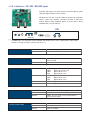
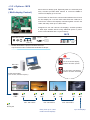
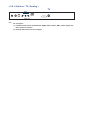
< 2.2 > On-screen Display Operation ( OSD )
3
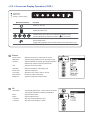
Audio
Audio mode :
Movie / Voice / Normal / Music mode to choose
Volume :
Adjust the volume of sound
Bass :
Set the value of bass sound
Treble :
Set the value of treble sound
Balance :
Set the balance value of treble and bass sound
Analog TV audio : Set the value of analog TV audio sound
Mute :
4
5
Turn off the surrounding sound
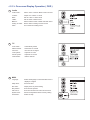
TV
Auto search :
Automatically search
Manual search :
Search the TV manual
Fine tune :
Fine tune the TV signal
Color system :
Adjust the TV color
Sound system :
Adjust the TV sound
Channel edit :
Edit the channel
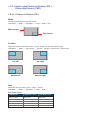
MISC
Language :
Select the language in which the OSD menu is
displayed - English
Sleep timer :
Set the off time
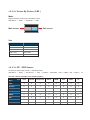
PIP mode :
Adjust picture in picture setting
PIP position :
Enter into PIP position
PIP source :
Enter into the Sub source and sound source
System reset :
Return the adjustment back to factory setting
Information :
Select for Help