1
6
2
3
4
5
6
Get started
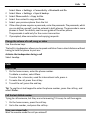
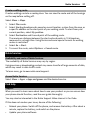
characters in a row, press the function key twice. To return to normal mode, press
the function key.
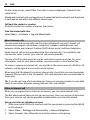
Shift key. To switch between the upper and lower case modes, press the shift
key twice. To enter a single upper case letter in lower case mode, or a single lower
case letter in upper case mode, press the shift key, and then press the desired
alphabet key.
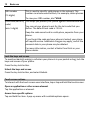
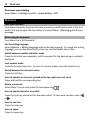
Sym key. To insert special characters not shown on the keyboard, press the
sym key, and select the desired character.
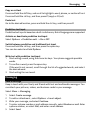
Backspace key. To delete a character, press the backspace key. To delete
several characters, press and hold the backspace key.
Enter key. To move the cursor to the next row or text input field, press the
enter key. Additional functions are based on the current context. For example, in
the web address field of the web browser, the enter key acts as the Go icon.
Ctrl key
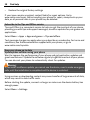
Insert a variation of a letter
You can insert, for example, letters with accents. To insert á, press and hold the sym
key, and then press A repeatedly, until the desired letter is displayed. The order and
availability of letters depends on the selected writing language.
Insert a SIM card and battery
Note: Switch the device off and disconnect the charger and any other device
before removing any covers. Avoid touching electronic components while changing
any covers. Always store and use the device with any covers attached.
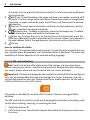
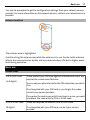
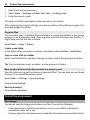
Important: This device is designed to be used with a standard SIM card (see figure)
only. Use of incompatible SIM cards may damage the card or the device, and may
corrupt data stored on the card. Please consult your mobile operator for the use of
a SIM card that has a mini-UICC cutout.
This phone is intended for use with a BP-3L battery. Always use original Nokia
batteries.
The SIM card and its contacts can be easily damaged by scratches or bending, so be
careful when handling, inserting, or removing the card.
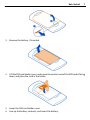
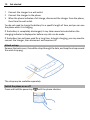
1
2
Switch the phone off.
Pull the back cover release latch towards the bottom of the phone, and remove
the cover.