1
Getting Started
On-Screen Icons
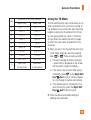
The table below describes various display indicators or icons that appear on the phone’s display
screen.
ICON/
INDICATOR
DESCRIPTION
DESCRIPTION
Multitasking
Vibrating Mode On
Network signal strength
(number of bars will vary)
Speakerphone activated
No network signal
Low Battery
New text message
An alarm is set
Ring profile in use
Silent All profile in use
EDGE network available
Bluetooth is active
3G network available
The browser is active
14
ICON/
INDICATOR
Call in Progress
Voicemail
Battery Full
Battery Charging
Flight Mode On