1
V2406-24I-LX Series
Software Configuration
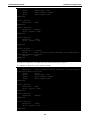
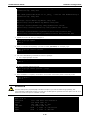
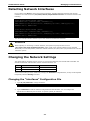
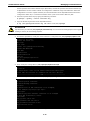
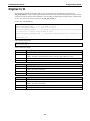
#cd /etc/rc2.d
#ln –s /etc/root/tcps2 S60tcps2
or
#ln –s /etc/root/tcps2 k30tcps2
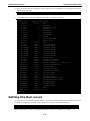
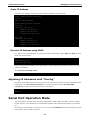
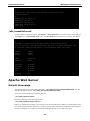
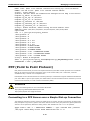
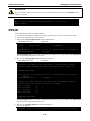
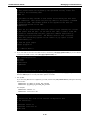
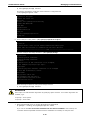
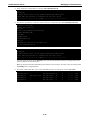
MOXA:~# cd /etc/rc2.d
MOXA:/etc/rc2.d#
MOXA:/etc/rc2.d# ls
S19nfs-common
S25nfs-user-server S99showreadyled
S20snmpd
S55ssh
S24pcmcia
S99rmnologin
MOXA:/etc/rc2.d#
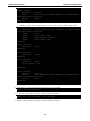
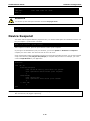
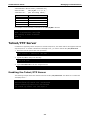
MOXA:/etc/rc2.d# ln –s /root/tcps2-release S60tcps2
MOXA:/etc/rc2.d# ls
S19nfs-common
S25nfs-user-server S99rmnologin
S20snmpd
S55ssh
S99showreadyled
S24pcmcia
S60tcps2
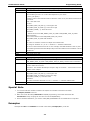
The command SxxRUNFILE has the following meaning:
S:
Start the run file while Linux boots up.
xx:
A number between 00 and 99. The smaller number has a higher priority.
RUNFILE:
The script file name
The command KxxRUNFILE has the following meaning:
K:
Start the run file while Linux shuts down or halts.
xx:
A number between 00 and 99. The smaller number has a higher priority.
RUNFILE:
The script file name
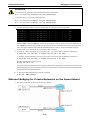
To remove the daemon, use the following command to remove the run file from /etc/rc2.d by:
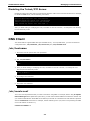
MOXA:~# rm –f /etc/rc2.d/S60tcps2
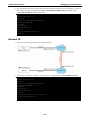
After you finish writing or modifying the code, remember to execute umount / to change the root directory
back to Read-only mode.
MOXA:~# umount /
Cron—Daemon for Executing Scheduled
Commands
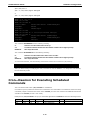
The Cron daemon will search /etc/crontab for crontab files.
Cron wakes up every minute and checks each command to see if it should be run at that time. When executing
commands, output is mailed to the owner of the crontab (or to the user named in the MAILTO environment
variable in the crontab, if such a user exists).
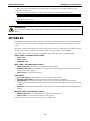
Modify the file /etc/crontab to set up your scheduled applications. Crontab files have the following format:
mm
h
dom
mon
dow
user
command
minute
hour
date
month
week
user
command
0-59
0-23
1-31
1-12
0-6 (0 is Sunday)
2-12