1
Listing Pages
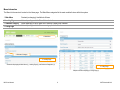
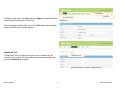
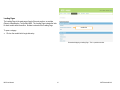
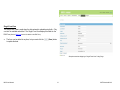
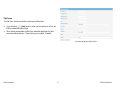
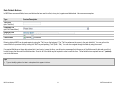
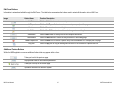
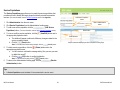
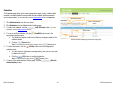
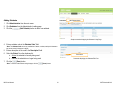
The Listing Page is the main page of each module within the main sections of MDS. The Listing Page contains either all data that has been entered for the module or a
portion of the data that has been entered with links to view/edit the previously recorded data in its entirety. No data is entered on the Listing Page.
Tips
•
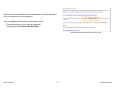
When viewing a Listing Page, all of the data is available for searching.
There are two types of Listing Pages:
1. Grid View
2. Single Form View
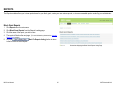
Grid View
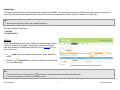
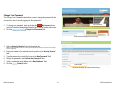
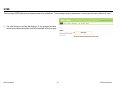
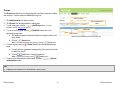
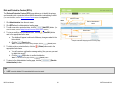
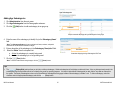
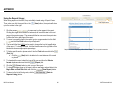
The Grid View displays the data in tables. Multiple data is entered and saved when
a Grid View Listing Page is available. Specific pieces of data will be displayed
within the grid based on the fields within the Edit Form (See the Edit Forms section for
details on the Edit Form).
•
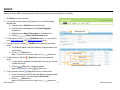
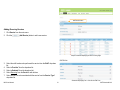
(Add) button will be available above the grid to create multiple data
An
entries.
•
Clicking on a
(View/Edit) button located to the left within the grid will allow
you to view/edit the data.
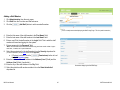
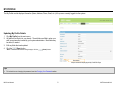
Add button
Category field
View/Edit
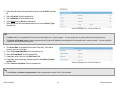
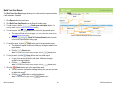
Sample screenshot displaying a “Grid View” Listing Page
Tips
•
•
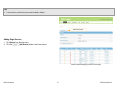
Clicking on a field name in a Category field (e.g., ) will allow you to sort through your data in ascending or descending order.
If you are entering data for the first time, the grid will appear empty.
MDS User Manual
11
©KIT Solutions® 2011