1
version:1.0
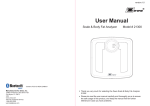
User Manual
GBS-1269BT
Body Scale
103
lbs
Thank you very much for selecting the IC Sciences WeighWise Body
Scale GBS-1269BT.
TM
4.0
Please read the user manual carefully and thoroughly to ensure the
safe usage of this product, and keep the manual available for
further reference.
Informed Clinical Sciences Corporation
1 Joy Street, Boston, USA MA 02108
PR
O
Distributed by:
Table of Contents
Table of Contents
Symbol Meaning
Symbol Meaning ......................................................................................................................... 2
Safety Information
Your Scale and Its Environment
Efficient Use of Your Scale
............................................................................................. 3
............................................................................................. 3
Overview
General Instructions ................................................................................................................. 4
Device Components ................................................................................................................. 4
LCD Display .............................................................................................................................. 5
Initial Start-Up
Insert the Batteries ................................................................................................................... 6
Install App and Pair-up .......................................................................................................... 7
Start Measuring
Select Measurement Unit .......................................................................................................... 8
Daily Measurement ................................................................................................................... 8
Data Management
Data Transmission .................................................................................................................... 9
Troubleshooting
Error Prompt ............................................................................................................................. 10
.................................................................................................................. 11
When Measuring
When Data Transmitting ........................................................................................................ 11
Specifications ............................................................................................................................ 12
Maintenance ............................................................................................................................... 13
Warranty ...................................................................................................................................... 13
1
Symbol Meaning
Safety Information
Symbol Meaning
The warning signs and symbols are essential to ensure your correct and safe use of
this product and protect you and others from injury. Review the warning signs and
symbols below:
Symbol for “MANUFACTURER”
Data transmitting
Symbol for “COMPLIES WITH EU
REQUIREMENTS”
Symbol for “DIRECT CURRENT”
To ensure your safety as well as the service life of your scale, please avoid using
the scale under the following circumstances:
Slippery floor such as tile floor
Symbol for “THE OPERATION
GUIDE MUST BE READ”
Symbol for “SERIAL NUMBER”
Your Scale and Its Environment
Symbol for “ENVIRONMENT
PROTECTION – Waste electrical
products should not be disposed of with
household waste. Please recycle where
facilities exist. Check with your local
authority or retailer for recycling advice”
Weighing immediately after bath or with wet hands
Near a cell phone or microwave oven
Avoid storage in the following locations:
Near water
Where the device may be exposed to extreme temperatures, humidity, moisture, direct
sunlight, dust, or salt air
Where there is risk of shock or dropping
Where you store chemicals or corrosive gases
Within reach of infants or children
Efficient Use of Your Scale
To ensure accuracy, please follow the instructions below when you weigh.
Place the scale on a flat, hard surface. Soft surfaces, such as carpet, will affect
the performance of the scale.
Weigh at least two hours after waking or eating.
Avoid weighing immediately after strenuous exercise, sauna or bath, drinking, and
eating.
Always weigh at the same time and on the same scale located on the same flat, hard
surface.
2
3
Overview
Overview
General Instructions
IC Sciences WeighWise Body Scale GBS-1269BT applies SENSE ON
technology. It’s not necessary to turn on or turn off the scale, just stand on the
scale for measurement.
LCD Display
Device Components
LCD display
UNIT and activation Button
Battery Compartment
List
1. Body Scale GBS-1269BT
2. Three AAA-size Batteries (1.5V each)
3. User Manual
4
Kilogram
Data transmitting
Pound
Data pending to
transmit to wireless device
Low Battery
5
Initial Start-Up
Insert the Batteries
Open the battery door in the back of the scale.
Insert the batteries (3 x 1.5V AAA) into the battery
compartment according to the polarity indications
marked inside the compartment.
Initial Start-Up
Download and install My BP Coach app from iTunes app store or
Google Play
Install App and Pair-Up
With advanced Bluetooth 4.0 technology, your device is capable to receive your
personal health data.
* The digits “8888” will be shown on the LCD.
Simply install the My BP Coach app and pair up your scale with
your mobile deivce.
Close the battery door and wait until the digits
“0.0lb” are shown on the LCD.
Note: It is only available for the device which supports Bluetooth 4.0 technology.
Search and install the app in your smartphone.
CAUTION
When the symbol
appears, the device will power off in four seconds. Replace batteries with a new
set. Please replace all three batteries at the same time. Do NOT mix the old batteries with the new one.
Worn batteries are hazardous waste. Do NOT dispose of them in household garbage. Please refer to local
ordinances and recycling instructions in your area regarding disposal of the worn batteries.
Turn on Bluetooth and App. Make sure both are ON when pair-up is
proceeding.
Press and hold “UNIT” button in the back of the scale to start pair-up.
Symbol
and symbol
will be shown on the
LCD alternatively, indicating pair-up is proceeding.
If successful, symbol
will be shown on the LCD.
If the device fails to connect, symbol “E1” will be
shown on the LCD.
6
7
Start Measuring
Data Management
Select Measurement Unit
With batteries correctly installed, press “UNIT” button in the back of the scale to select
measurement unit. The default measurement unit is “lb”. You may press “UNIT”
button to choose between pound and kilogram.
Data Transmission
With the scale successfully paired up with your
smartphone, the measurement data will be automatically
transmitted to your mobile via Bluetooth.
Daily Measurement
The symbol
will disappear after successful data
transmission, and you may check your personal
health data stored in your smartphone.
With original SENSE ON patent technology, the scale
will automatically switch on as you step on the platform
barefooted.
Stand still and maintain full contact with the scale
until the LCD displays the weight and stops
blinking.
If the data transmission fails, the symbol
will
remain. The pending measurement data will be
temporarily kept in the scale and transmitted to your
smartphone when next measurement is complete.
Data transmitting
Data ready to transmit to
the App:
-If successful, the symbol
disappears;
-If the scale fails to
transmit the data, the
symbol remains.
Note: Whether the data transmission is successful or
not, the device will shut down automatically after 5
seconds.
When your scale is successfully paired with your smartphone and the Bluetooth is ON,
it will process data transmission automatically.
(Please refer to Data Transmission for more details.)
8
9
Troubleshooting
Troubleshooting
Error Prompt
Error
When Measuring ...
Description
Overload.
Low Battery. The device
will power off in four
seconds.
Failure of pairing up your
scale with your smartphone.
Or failure of activation.
Data doesn’t upload.
(The notebook icon will
be displayed.)
Solution
Problem
Stop using this scale for
measurement.
Replace all three batteries at the
same time. Please purchase the
authorized batteries for
replacement.
Please check below items:
-Bluetooth is ON.
-App is ON.
-Both devices are within the
transmission distance of Bluetooth.
Upload the data.
Root Cause
Batteries not yet installed.
Install the batteries.
(Please refer to Insert the
Batteries)
Worn batteries.
Replace all three batteries at the
same time. Please purchase the
authorized batteries for
replacement.
No display on
LCD when the
device powers on.
The device
powers off
automatically.
Low battery.
Replace all three batteries at the
same time. Please purchase the
authorized batteries for
replacement.
When Transmitting Data ...
Problem
Data transmission
failed.
Root Cause
Solution
Bluetooth is OFF.
Turn ON the Bluetooth via the
settings.
App is OFF.
Press the icon to turn ON your
app.
Out of range of Bluetooth
transmission.
10
Solution
Place your smartphone closer to
the scale.
11
Specifications
Maintenance
Specifications
Maintenance
Follow these tips to maintain your scale:
Product Name
Body Scale (GBS-1269BT)
Use a dry soft cloth to wipe the dust.
Dimension
Scale: 11 x 9.6 x 0.9 in (280x245x23mm) (Approximately)
Net Weight
Approximately 3.2 lb (1.46kg) ( Excluding the dry cells)
Display
Measurement Unit
Measurement Range
Division
Accuracy
DON’T use propellant, abrasive or other chemicals to wipe dirt to avoid
discoloration or malfunction.
Kilogram / Pound
DON’T disassemble this device. If you have any problems, please contact Transtek.
(Please refer to Warranty for contact information)
2.5kg to 150kg / 5.6lb to 330lb
Warranty
0.1kg / 0.2lb
2.5-100kg: ±0.2kg;
5.5-220lb: ±0.4lb;
100-150kg: ±0.3kg;
220-330lb: ±0.6lb;
Temperature: 5℃ to 40 ℃
41°F to 104°F
Storage Environment
Temperature: -20 ℃ to 60 ℃
-4°F to 140°F
Humidity: 15% RH to 93%RH
Humidity: ≤93% RH
4.5V (Three AAA-size Batteries)
Auto-ON
SENSE ON technology
Auto-OFF
About 15 seconds after the weight data is locked
Accessories
Mode of Operation
1. Three AAA-size Batteries
2. User Manual
Continuous Operation
About the Accuracy of This Product
This product passes strict inspection before delivery and therefore its accuracy is guaranteed by the manufacturer.
Please refer to the above table for the descriptions on accuracy.
WARNING: No modification of this equipment is allowed.
12
DON’T wash the device with water or immerse it in water.
Blue LCD with White Backlight
V.A.: 81x41.6mm
Working Environment
Power Source
Use a wet soft cloth, dipped into water and wrung out, to wipe dirt. Then use a dry
soft cloth to dry up the device.
Informed Clinical Sciences, Corp warrants its products free of defects in materials and
workmanship in normal use for a period of TWO years from the date of retail purchase.
This warranty does NOT cover damages caused by misuse or abuse, including but not
limited to:
Failure caused by unauthorized repairs or modifications;
Damage caused by shock or drop during transportation;
Failure caused by improper operation inconsistent with the instructions stated in this user
manual;
Malfunction or damage from failure to provide the recommended maintenance;
Damage caused by improper use of power supply.
Should this device require maintenance (or replacement at our option) under warranty,
please deliver the original package to Informed Clinical Sciences Corporation prepaid.
Please return the store receipt (with the retail purchase date) and a note with reasons to
return on it as well.
Distributed by: Informed Clinical Sciences Corporation
1 Joy Street
Boston, MA USA 02108
Website: http://www.icsciences.com
13