1
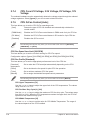
Intel LAN Controller [Enabled]
This item allows you to enable or disable the Intel LAN1/2 controllers.
Configuration options: [Disabled] [Enabled]
The following item appears only when you set the Intel LAN Controller to [Enabled].
Intel PXE OPROM [Disabled]
This item allows you to enable or disable the PXE OptionRom of the Intel® LAN
controller.
Configuration options: [Enabled] [Disabled]
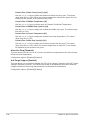
Serial Port Configuration
The items in this menu allow you to configure your motherboard’s serial ports.
Serial Port [Enabled]
This item allows you to enable or disable the serial ports.
Configuration options: [Disabled] [Enabled]
Change Settings [IO=3F8h, IRQ=4]
This item allows you to select an optimal setting for Super IO device.
Configuration options: [IO=3F8h; IRQ=4] [IO=2F8h; IRQ=3] [IO=3E8h; IRQ=4]
[IO=2E8h; IRQ=3]
2.6.8
APM Configuration
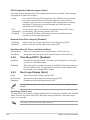
ErP Ready [Disabled]
This item allows you to switch off some power at S4+S5 or S5 to get the system ready for
ErP requirement. When set to [Enabled], all other PME options are switched off.
Configuration options: [Disabled] [Enabled (S4+S5] [Enabled (S5)]
Restore AC Power Loss [Power Off]
This item allows your system to go to ON state, OFF state, or both states after an AC power
loss. When setting your system to [Last State], it goes to the previous state before the AC
power loss.
Configuration options: [Power Off] [Power On] [Last State]
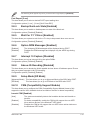
Power On By PCI-E [Disabled]
This item allows you to enable or disable the Wake-on-LAN function of the onboard LAN
controller or other installed PCI-E LAN cards.
Configuration options: [Disabled] [Enabled]
Power On By Ring [Disabled]
This item allows you to enable or disable the Wake-on-Modem function.
Configuration options: [Disabled] [Enabled]
ASUS Z97-AR
2-43