1
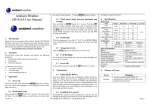
3.2.2 Clock Layout and Features
No
1
2
Top View
Front View
Right Side View
Back View
Description
Radio On / Off Button. Press and hold for
1 second to turn on or off the radio (invalid
when alarm is sounding).
Snooze / Light Button.
Projection Operation. Reference Section
5.6.1 for detailed operation.
Alarm Operation: When the alarm sounds,
press once to enter snooze mode and turn on
the backlight and projection for 5 seconds.
No
15
Description
°C/°F Button. Press to select temperature
units between Celsius and Fahrenheit.
16
DOWN Button.
In the time and date or alarm set mode,
press to adjust the value of the flashing digit
downwards. Press and hold to change
rapidly.
When the radio alarm sounds, press once to
enter snooze mode and turn on the backlight
and projection for 5 seconds.
Version 1.0
©Copyright 2015, Ambient LLC. All Rights Reserved.
Page 3