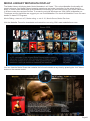
1
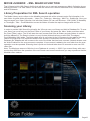
MOVIE JUKEBOX - XML SEARCH FUNCTION
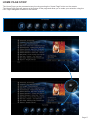
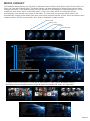
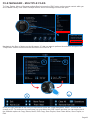
The X2 has a built in XML Search facility that will allow you to sort and arrange your Movie Collection by pre
defined xml filters. The XML Search can be used with content on External USB Hard Drive, Samba Network
and NFS Network.
Library Preparation for XML Search operation
The Media Library must conform to the Mede8er standard with all the relevant movie file information in its
own folder. A typical folder will contain - Video File - Folder.jpg - About.jpg - XML File - Subtitle file. Once you
have arranged your Video Collection into individual folders you can use Windows - Y2M (YAMJ To Mede8er)
or Thumbgen / Mac - DunX2Mede8er to scan the folders to make the requires images and xml files.
Scanning your Library
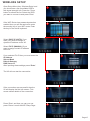
In order to provide XML Search functionality the X2 must scan your library and build a Database file. To scan
your library you must focus on the Root Folder of your library and press the ‘Menu’ button and then select
the ‘Scan Folder’ option. The X2 will start the scan process and Scan all folders and sub folders in order to
build the dBase file. The Search criteria is to only include folders that have a valid Y2M/ Thumbgen /
DunX2Mede8er XML inside. The folder depth level is not limited in the X2 firmware but the path of the string
cannot be longer than 512 characters and the max number of sub folders cannot exceed 4096. The
Database file ‘Mede8er.db’ will be save to the root of the folder that has been scanned. Network shares must
be ‘Write Enabled’ for the scan process to complete. If new content is added to the root folder then the scan
operation must be repeated. Scanning time is quick and it should take about 30 seconds to scan over 300
video files.
Note: The Maximum amount of Movies in one Database is currently +- 2000. If you scan a library with more
movies than 2000 then the operation of the xml Search can become erratic and you may experience that the
Mede8er often crashes.
Page22