1
MEDIA CENTER
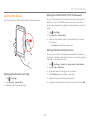
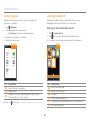
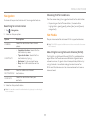
Using Movies
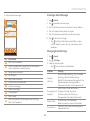
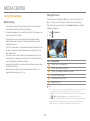
Enjoying YouTube
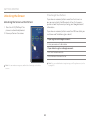
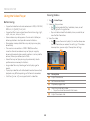
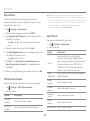
Movies allows you to rent movies that can be played on your
phone.
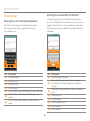
Watching Videos
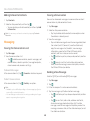
1. Tap
1. Tap
> Movies.
x You must allow installation of non-Market applications
from Settings. Tap
> Settings > Security, and then
check Unknown sources.
2. Read the Terms of Service, enter the required information,
and then tap OK.
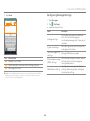
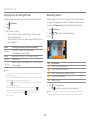
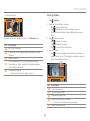
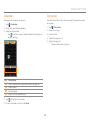
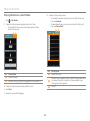
> YouTube.
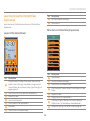
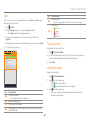
2. Select and tap a video.
3. View the video.
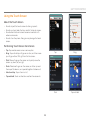
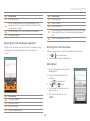
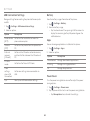
1 2 3 4
3. Follow the on-screen instructions to rent movies.
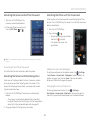
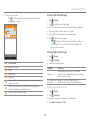
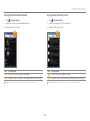
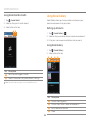
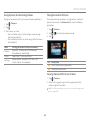
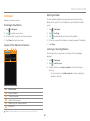
Using Play Movies
5
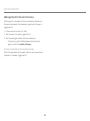
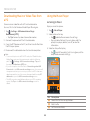
Play Movies allows you to rent movies from Google Play and
watch them on your phone.
1. Tap
6
> Play Movies.
2. Log in with your Google account.
3. Follow the on-screen instructions to rent movies.
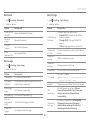
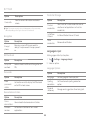
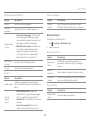
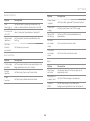
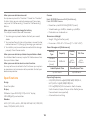
No.
1
2
3
4
5
6
Description
Log in with your Google account, Add accounts.
Share via Gmail, Messages, Bluetooth, or other
method.
Search for videos.
Copy the URL, flag the video, send feedback, access
settings, or view the help.
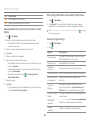
Playback screen
x Tap to pause or resume a video.
Rate the video.
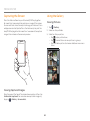
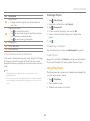
Note Rotate the phone to landscape mode to switch to full screen
view.
69