Transcript
Package Contents
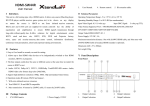
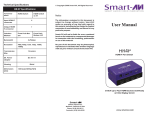
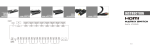
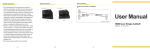
HDMI Extender
over CAT 5
● HDMI Extender Transmitter Unit
● HDMI Extender Receiver Unit
● Power Adapter
● User Manual
● Grounding Wire
● Foot Pad Set
x1
x1
x1
x1
x2
x2
Features
Maximum Distance Maximum Distance
@ 1080p
@ 4K2K
Model
SL-HXP-070
SL-HXP-100
70m
35m
100m
70m
Low-quality cables elevate noise levels and degrade output signals. Please
use good quality cables and display devices that are capable of handling the
resolution and refresh rate selected.
● Extend your HDMI signal up tp 100m over a single CAT 5e or CAT 6
cable
● Supports full uncompressed HD video and audio
● Supports High Speed HDMI with 3D
● Supports Phantom Power - Use a single power supply at either the
transmitter end or the receiver end
● HDMI resolution support: 4K2K, 1080p, 1080i, 720p, 576p, 576i, 480p
and 480i
● Deep Colour support: 24-bit and 36-bit
● Audio format support: LPCM, Dolby AC-3, DTS7.1 & DSD
● HDCP version: HDCP v1.2
● Supports bandwidth up to 10.2Gbps
● Compact size - easy to set up and simple to install
Features and functions may be added or changed
after the manual was written. Please visit our
website to download the latest version of manual
for reference.
PP5-HEM122Z-200
1
Product Description
Grounding
T1
P
Grounding
R1
3
P
Connection Pattern
Receiver Unit
10
80
R3
T3
pu
pt
o1
00
m
Receiver (Rx)
Transmitter (Tx)
Grounding
Transmitter Unit
T2
T1 R1 RJ45 Jack
T2 R2 HDMI connector
T3 R3 LED Indicator
P
2
Power Supply
R2
Use a CAT 5e or CAT 6 cable to connect Tx to Rx
[T2] Connect to an HDMI source
[R2] Connect to an HDMI display
[T3] Green: Power on / Blue: Link OK
[R3] Red: Power on / Blue: Link OK
Apply power to either the Tx or Rx unit
LED Indicator
LED
Unit
Tx
Rx
Power on
Green
Red
Grounding
To prevent damage to the product or any connected
devices, and to improve audio/video signal quality, it is
recommended to ensure that the extender systems are
properly grounded.
Status
Link OK No video source or monitor connected
Blue
Flashing blue & green
Blue
Flashing blue & red
NOTE:
1. The system will disable the video output signal when it detects non-HDCP
compliant display(s) on playing the HDCP video source. All the connected
output displays MUST be HDCP compliant when the video source is HDCP
compliant.
2. The quality of the output signal will largely depend upon the quality of the
video source, cable and display device used. Low-quality cables can degrade
the output signal causing elevated noise levels and so the use of good
quality cables is recommended.
4
Specifications
Model
Input → Output
LED
(Link / Video status)
Video Resolution (max)
Extension Distance
Power Supply
Enclosure
Weight (g)
H x W x D (mm)
Transmitter Unit
HDMI → RJ45
Receiver Unit
RJ45 → HDMI
x 1 (Dual Color)
x 1 (Dual Color)
4K Ultra HD 2160p (3840 x 2160)
Full HD 1080p (1920 x 1080)
SL-HXP-070: 70m @ 1080p / 35m @ 4K2K
SL-HXP-100: 100m @ 1080p / 70m @ 4K2K
DC 12V (Phantom Power)
Metal
120
195
22 x 52 x 80
25 x 67 x 80
Above video resolution and extension distance are based on a single CAT 5e
or CAT 6 24AWG solid cable without cascade. STP cabling is recommended
for environments with high EMI or RFI. For the best performance results, using
stranded cabling or other thinner cables and coiling of excess cable lengths
should be avoided.