1
Powering the System On and Off
When using the SGI cluster manager software, you can monitor and manage your server from a
remote location. See the SGI Management Center for SGI ICE X (P/N 007-5787-00x).
Preparing to Power On
To prepare to power on your system, follow these steps:
1.
Check to ensure that the cabling between the rack’s power distribution units (PDUs) and the
wall power-plug receptacle is secure.
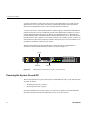
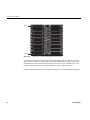
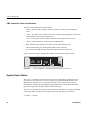
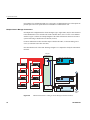
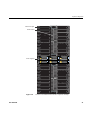
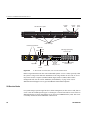
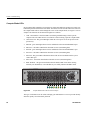
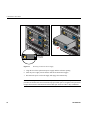
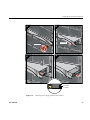
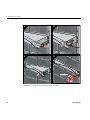
2. For each individual blade enclosure pair that you want to power on, make sure that the power
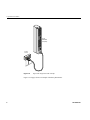
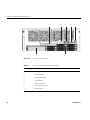
cables are plugged into all the blade enclosure power supplies correctly, see the example in
Figure 1-3. Setting the circuit breakers on the PDUs to the “On” position will apply power to
the blade enclosure supplies and will start each of the chassis managers in each enclosure.
Note that the chassis managers in each blade enclosure stay powered on as long as there is
power coming into the unit. Turn off the PDU breaker switch that supplies voltage to the
enclosure pair if you want to remove all power from the unit.
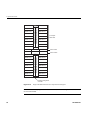
Power cord
Figure 1-3
Blade Enclosure Power Supply Cable Example
3. If you plan to power on a server that includes optional mass storage enclosures, make sure
that the power switch on the rear of each PSU/cooling module (one or two per enclosure) is
in the 1 (on) position.
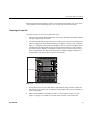
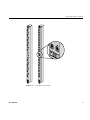
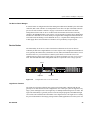
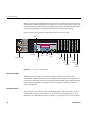
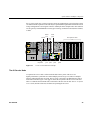
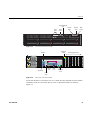
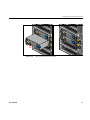
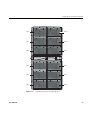
4. Make sure that all PDU circuit breaker switches (see the examples in Figure 1-4, and
Figure 1-5 on page 7) are turned on to provide power when the system is booted up.
007-5806-001
5