1
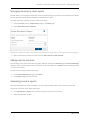
NaviPlan User Manual
Level 1 & Level 2 Plans: Analyzing Goals
(Volume VI of VI)
NaviPlan User's Guide: (Canada) Version 15.0
Copyright and Trademark
© Copyright 2013-2014 Advicent LP and its affiliated companies (Advicent). All rights reserved. Advicent ® and NaviPlan ® are trademarks of
Advicent.
No part of this publication may be reproduced or transmitted in any form, by any means (electronic, photocopying, recording, or otherwise)
without the written permission of Advicent.
Microsoft Word is a registered trademark of Microsoft Corporation. Adobe and Acrobat are trademarks of Adobe Systems Inc. All other
product names are the sole properties of their respective owners.
Software Licence
This publication is intended for use by authorized licencees of Advicent’s proprietary NaviPlan software described herein. This publication does
not grant any licence or right to use of the software, and use of the software or this publication is prohibited by anyone who is not an
authorized licencee. All licences, rights, and restrictions on use of the software are governed by a separate licence agreement.
Disclaimer
The software described in this publication is designed to allow a financial planner to demonstrate and evaluate various strategies in order to
achieve a client’s financial goals. It is licenced to authorized licencees on the understanding that Advicent is not engaged in rendering legal,
accounting, or other professional advice and, if any such advice is required, the services of a competent professional person should be
obtained.
Advicent has engaged Ibbotson Associates, Inc., a wholly owned subsidiary of Morningstar, Inc., to develop proprietary asset allocation tools
for educational purposes. Ibbotson has granted to Advicent a licence for use thereof.
Canadian version
11/5/2014
NaviPlan User Manual: Level 1 and Level 2 Plans - Analyzing client goals
Contents
Contents
3
NaviPlan User Guide Series
7
Conventions
8
NaviPlan Resources
9
Chapter 2: Analyzing goals in NaviPlan
10
Comparing scenarios
11
Understanding scenario differences in Level 1 and Level 2 Plans
13
Adding Alternative Plan scenarios
14
Achieving goal success and viewing goal coverage
15
Achieving goal success in a scenario
15
Viewing goal coverage for other goals
17
Comparing and recommending scenarios
18
Comparing scenarios for an individual goal
18
Recommending a scenario
18
Determining scenario probability (Level 2 Plans)
19
Creating goal funding strategies (Level 2 Plans)
23
Managing scenarios in client reports
24
Adding notes to scenarios
24
Generating scenario reports
24
Chapter 3: Creating goal scenarios
25
Customizing what-if scenarios: Retirement
26
Entering retirement scenario objectives
26
Entering additional retirement savings (Level 2)
27
Editing existing or adding new savings strategies (Level 2)
28
Entering retirement transfer strategies (Level 2)
28
Entering liquidation strategies (Level 2)
29
Entering redemptions (Level 2)
29
Page 3 of 93
NaviPlan User Manual: Level 1 and Level 2 Plans - Analyzing client goals
Modeling bucketing strategies
30
Entering annuitization strategies (Level 2)
31
Defining CPP/QPP and OAS Benefits
33
Adding incomes and expenses (Level 2)
34
Adding new retirement accounts and annuities to the scenario (Level 2)
34
Modeling a change in the province of residence during retirement
34
Customizing what-if scenarios: Education & Major Purchase
35
Entering education or major purchase scenario objectives
35
Entering additional savings for the education or major purchase goal scenario
36
Editing existing or adding new savings strategies (Level 2)
36
Entering education transfer strategies (Level 2)
37
Adding new education or major purchase accounts to the scenario (Level 2)
37
Customizing what-if scenarios: Emergency Fund
38
Entering emergency fund scenario objectives
38
Entering additional emergency fund savings
39
Editing existing or adding new savings strategies (Level 2)
39
Adding new emergency fund accounts to the scenario (Level 2)
40
Chapter 4: Insurance goal scenarios
41
Customizing what-if scenarios: Insurance (Level 1)
43
Customizing what-if scenarios: Survivor Income (Level 2)
44
Goal and Expense Analysis method:
44
Income Coverage Analysis method:
44
Quick Assessment Method:
44
When both the client and co-client die together:
44
Entering survivor income assumptions (Level 2)
45
Entering ongoing expenses (Level 2)
46
Entering additional annual income at death (Level 2)
47
Entering the survivor’s annual income needs (Level 2)
48
Entering the survivor’s lump-sum needs at death (Level 2)
48
Page 4 of 93
NaviPlan User Manual: Level 1 and Level 2 Plans - Analyzing client goals
Entering the survivor’s income at death (Level 2)
49
Entering dependant needs when both clients die (Level 2)
50
Customizing what-if scenarios: Life Insurance Quick Assessment
52
Customizing what-if scenarios: Disability Income (Level 2)
55
Goal and Expense Analysis method
55
Income Coverage Analysis method
55
Entering disability income assumptions (Level 2)
55
Entering ongoing expenses during disability (Level 2)
57
Entering additional annual income during disability
58
Entering lump-sum needs during disability (Level 2)
59
Entering annual income needs during disability (Level 2)
60
Entering income available during disability (Level 2)
61
Customizing what-if scenarios: Long-Term Care (Level 2)
62
Entering long-term care assumptions (Level 2)
63
Entering long-term care incomes and expenses
64
Chapter 6: Examining results
Viewing goal coverage progress
Tracking net worth and cash flow projections/Viewing goal coverage progress
Using the Planning Assistant
65
66
66
67
Opening the Planning Assistant
67
Viewing and/or printing the Planning Assistant reports
68
Using reporting options in NaviPlan
70
Generating stand-alone reports and graphs
71
Using Next-Gen Reports
74
Working in Next-Gen Reporting
74
Creating a new report with Next-Gen Reporting
75
Creating a new template with Next-Gen Reporting
76
Using a template to create a report
76
Adding custom content to a report
77
Page 5 of 93
NaviPlan User Manual: Level 1 and Level 2 Plans - Analyzing client goals
Converting Next-Gen reports to Microsoft Word output
77
Generating client reports
78
Preparing custom text for reports
81
Managing quick picks for user-defined text
82
Adding user-defined text to Next-Gen reports
82
Using the Client Report Monitor (Online)
83
Adding notes for your own personal use
84
Index
85
Page 6 of 93
NaviPlan User Manual: Level 1 and Level 2 Plans - Analyzing client goals
NaviPlan User Guide Series
NaviPlan user guides are organized by the tasks you can accomplish in each level. If you are a new NaviPlan user,
start with the Introduction user guide.
User manual
Introduction
Calculators
Forecaster Assessment
Asset Allocation Assessment
Level 1 and Level 2 Plans:
Entering client data and goals
Level 1 and Level 2 Plans:
Analyzing client goals
Tasks covered
n
Setting up user preferences.
n
Creating and managing client engagements.
n
Determining which assessment or plan level to select.
n
Using NaviPlan workflow.
n
Using calculators to model specific aspects of your clients’ finances.
n
Quickly assessing your clients’ current financial situation.
n
Entering account and annuity information.
n
Determining your clients’ investor profile.
n
Entering financial planning assumptions.
n
Entering detailed net worth, cash flow, and insurance information.
n
Adding holdings to accounts and annuities.
n
Entering saving and redemption strategies.
n
Entering client goals.
n
Generating client reports.
n
Analyzing your clients’ goals using Scenario Manager.
n
Conducting detailed cash flow and net worth analyses.
n
Generating Monte Carlo simulations.
n
Creating goal scenarios.
n
Generating client reports.
Page 7 of 93
NaviPlan User Manual: Level 1 and Level 2 Plans - Analyzing client goals
Conventions
This user guide uses the following conventions.
n
The names of items on the screen are bolded and italicized. For example, the Clients page opens.
n
The names of items that you must select, click, or enter appear in bold. For example, select
Recommended, and then click OK.
n
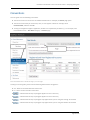
To help you navigate through the application, locations are separated by en dashes (–). For example, Enter
Financial Data section – Net Worth category – Accounts page.
Enter Financial Data section – Net Worth category – Accounts page
To help you use this guide, please note the following abbreviations and graphics:
n
AA – Refers to the Asset Allocation Assessment.
n
FA – Refers to the Forecaster Assessment.
n
– Indicates that the step or paragraph applies to Level 1 Plans only.
n
– Indicates that the step or paragraph applies to Level 2 Plans only.
n
– Indicates that the step or paragraph only applies when you are using the Average Tax method.
n
– Indicates that the step or paragraph only applies when you are using the Detailed Tax method.
Page 8 of 93
NaviPlan User Manual: Level 1 and Level 2 Plans - Analyzing client goals
NaviPlan Resources
Advicent provides several resources to help you use NaviPlan. The following table shows some of the resources
available and where to find them.
Advicent
resource
Description and location
Help
The quickest way to get information about any item within NaviPlan is to use the
application Help. To access Help, select NaviPlan Help from the Help & Resources
menu. Help includes a glossary of terms.
Functional
documents
Functional documents explain NaviPlan functionality, underlying assumptions, and
results calculations. You can access functional documents from the NaviPlan Learning
Centre.
Quick
Reference
Guides
(QRGs)
Quick Reference Guides are designed to get you started with a particular workflow in
NaviPlan. You can access QRGs from the NaviPlan Learning Centre.
User
Guides
You can also access other user guides in this series . You can access guides from the
NaviPlan Learning Centre.
Help
Videos
Help videos are designed to give you an overview of each section in NaviPlan. You
can access help videos from the NaviPlan Learning Centre.
Partner Support
Contact us by telephone at
(888) 692-3474
(Monday–Thursday, 7:30 a.m.–6 p.m. central time)
(Friday, 7:30 a.m.-5:00p.m. central time)
Contact us by email at
[email protected]
Page 9 of 93
NaviPlan User Manual: Level 1 and Level 2 Plans - Analyzing client goals
Chapter 2: Analyzing goals in NaviPlan
This chapter introduces Scenario Manager, which is accessible from the Results section – Analyze Goals category
in NaviPlan.
In most plans, the clients’ current resources and strategies do not meet their goals. With NaviPlan you can create
What-if scenarios that contain additional assumptions and strategies to help develop an optimal solution for the
clients. Even in plans where the goal is adequately funded or overfunded, What-if scenarios can be used to find an
optimal solution.
Scenario Manager allows you to create and compare multiple scenarios side-by-side without having to create
duplicate plans. Once you have an appropriate scenario that you can apply to your clients’ plan, you can mark it as
the Recommended Plan. Recommended scenarios are included in client reports.
By default, the Scenarios page displays the Current Plan scenario, which cannot be edited in the Scenario Manager
dialog box, as well as the Recommended Plan scenario (current plan with suggested asset allocation). The Current
Plan scenario represents the plan that is open, whereas the Recommended Plan scenario is generated by NaviPlan
and uses the suggested asset mix. You can create as many alternative scenarios as you like, but only one can be
marked as the Recommended Plan scenario.
In this chapter:
Comparing scenarios
11
Understanding scenario differences in Level 1 and Level 2 Plans
13
Adding Alternative Plan scenarios
14
Achieving goal success and viewing goal coverage
15
Achieving goal success in a scenario
15
Viewing goal coverage for other goals
17
Comparing and recommending scenarios
18
Comparing scenarios for an individual goal
18
Recommending a scenario
18
Determining scenario probability (Level 2 Plans)
19
Creating goal funding strategies (Level 2 Plans)
23
Managing scenarios in client reports
24
Adding notes to scenarios
24
Generating scenario reports
24
Page 10 of 93
NaviPlan User Manual: Level 1 and Level 2 Plans - Analyzing client goals
Comparing scenarios
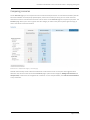
On the Scenarios page you can compare the Current Plan scenario (the clients’ current financial situation) with the
Recommended Plan scenario (the proposed option, or best case scenario). As well, you can create numerous
alternative scenarios. Two alternative scenarios can be shown on the Scenarios page for comparison purposes. The
Scenarios page allows you to see at a glance how the changes you make to the plan may affect goal coverage, as
well as overall net worth and cash flow.
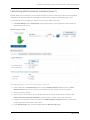
Results section – Analyze Goals category – Scenarios page
NaviPlan automatically creates a Recommended Plan scenario based on the current plan with suggested asset
allocation. The column on the far left of the Scenarios page is split into two categories, Modify Financial Data and
Analyze Goals, similar to the left navigation bar in NaviPlan. To view the plan details, click Edit Recommended Plan
or any of the links.
Page 11 of 93
NaviPlan User Manual: Level 1 and Level 2 Plans - Analyzing client goals
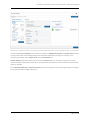
Results section – Analyze Goals category – Scenarios page – Edit Recommended Plan button – Scenario Manager dialog box – Summary details
The left side of Scenario Manager has the same two categories: Modify Financial Data and Analyze Goals. Clicking
any of the links under these headings changes the information displayed on the right. For example, to see
retirement goal details, under Analyze Goals, click the Retirement link.
Scenario Manager has tabs for each plan shown on the Scenarios page. You can quickly compare the current,
recommended, and alternative plan details by clicking the other tabs. Only the recommended and alternative plan
details are editable.
On the Recommended Plan and Alternative Plan tabs, you can implement various planning strategies into the plan
to solve goal shortfalls, manage cash flow, etc.
Page 12 of 93
NaviPlan User Manual: Level 1 and Level 2 Plans - Analyzing client goals
Understanding scenario differences in Level 1 and Level 2 Plans
In a Level 1 Plan you can analyze fairly simple What-if scenarios using the Scenarios page and Scenario Manager. In
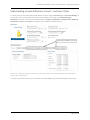
a Level 2 Plan, more complex What-if scenarios can be analyzed. For example, the Scenario Manager –
Retirement section for a Level 2 Plan has additional tabs—Transfers, Redemptions, Liquidation Order, Bucketing,
Annuitization, Incomes, and Expenses—that allow you to modify the What-if scenarios.
Results section – Analyze Goals category – Scenarios page – Retirement link clicked – Scenario Manager dialog box – Recommended Plan <scenario name> – Objectives tab
In a Level 2 retirement scenario, you can consider scenario probability you also have the ability to sell an asset.
Page 13 of 93
NaviPlan User Manual: Level 1 and Level 2 Plans - Analyzing client goals
Adding Alternative Plan scenarios
Clicking the Create Alternative button on the Scenarios page allows you to create alternative scenarios in addition
to the Recommended Plan (Alternative 1) scenario. NaviPlan has some predefined scenarios that can be added to
education, retirement, and major purchase goals. However, you can also create unique scenarios that closely
reflect your clients’ financial situation and preferences.
To add an Alternative Plan scenario, follow these steps:
1. Go to the Results section – Analyze Goals category – Scenarios page.
2. Click Create Alternative.
Create Alternative dialog box
3. Enter a name for the scenario.
4. Select the scenario you would like to use as the basis for the new scenario.
5. If you selected Current with Suggested Asset Allocation as the scenario you want to copy, select which
predefined scenarios you would like to apply to each of the goals in your scenario.
Note: To delete an alternative scenario, click the Delete button at the top of the listed scenario on
the Scenarios page. The Current Plan and Recommended Plan scenarios cannot be deleted.
Page 14 of 93
NaviPlan User Manual: Level 1 and Level 2 Plans - Analyzing client goals
Achieving goal success and viewing goal coverage
NaviPlan recommends options to achieve each goal. To view the recommended options, click What Are My
Options?. The options may differ among goals.
Achieving goal success in a scenario
To achieve 100% goal coverage in a scenario, follow these steps:
1. Go to the Results section – Analyze Goals category – Scenarios page – Edit <scenario> Plan – Scenario
Manager dialog box – <goal> link.
Scenario Manager dialog box – Retirement details
2. Use the sliders to easily adjust values to solve goals.
3. To achieve 100% success, under Goal Coverage, click What Are My Options?.
What Are My Options? dialog box (showing retirement options)
Page 15 of 93
NaviPlan User Manual: Level 1 and Level 2 Plans - Analyzing client goals
4. Select one option that would achieve 100% goal coverage.
5. If you don’t want to use any of the 100% options, select Continue Planning. To use a combination of
options, such as saving a smaller monthly amount and retiring a few years later, define the options yourself
by using the slider bars or entering plan modifications in Scenario Manager.
Page 16 of 93
NaviPlan User Manual: Level 1 and Level 2 Plans - Analyzing client goals
Viewing goal coverage for other goals
Under Analyze Goals, you can view the status of all other goals in the scenario.
Scenario Manager dialog box – Analyze Goals details
Changes made to one goal can affect other goals. The colour-coded boxes under Analyze Goals indicate the
expected goal coverage success for the goal.
The colour...
Indicates that...
Green
Goal coverage is 90% or greater.
Yellow
Goal coverage is between 65% and 89%.
Red
Goal coverage is less than or equal to 64%.
To view another goal in this scenario, under Analyze Goals, click the link for the goal you want to view. The selected
goal’s details appear on the right side of Scenario Manager.
Note: You can calculate insurance goal coverage by clicking the Calculate links or Calculate All.
Page 17 of 93
NaviPlan User Manual: Level 1 and Level 2 Plans - Analyzing client goals
Comparing and recommending scenarios
NaviPlan allows you to compare multiple scenarios for meeting goals, without having to create duplicate plans.
Once you have an appropriate scenario for your clients’ plan, you can recommend it.
The Recommended Plan scenario is a system-generated plan that incorporates the current plan and the
recommended scenario. NaviPlan incorporates the strategies into the Recommended Plan scenario in reports and
graphs.
Comparing scenarios for an individual goal
To compare scenario details for a goal, follow these steps:
1. Go to the Results section – Analyze Goals category – Scenarios page, and then click Edit <scenario> Plan.
2. Under Analyze Goals, select the goal you want to compare.
3. Click Compare Scenarios.
OR
If you’ve selected the Monte Carlo module, click Scenario Reports, and then select Compare Scenarios.
4. Select the scenarios you want to compare. NaviPlan displays an analysis of the two scenarios, including
assumptions and a graph for each scenario.
5. To view additional assumptions, go to the Assumptions Comparison tab.
Note: The Assumptions Comparison tab does not appear for the emergency fund goal.
Recommending a scenario
NaviPlan allows you to recommend the scenario you want to apply to your clients’ plan. Recommended scenarios
apply to reports where the Recommended plan type is used.
To recommend a scenario for a goal, go to the Scenarios page, and then click Recommend Plan.
Results section – Analyze Goals category – Scenarios page (showing top of the Scenarios section only)
A goal can only have one recommended scenario. You cannot recommend the Current Plan scenario.
Page 18 of 93
NaviPlan User Manual: Level 1 and Level 2 Plans - Analyzing client goals
Determining scenario probability (Level 2 Plans)
Note: The Monte Carlo module must be included to perform scenario probability analyses.
The traditional planning process analyzes one possible outcome of the clients’ plan, which assumes that the
accounts will always earn their stated return rates. While return rates usually average out in the long run, in the
short run they may be higher or lower than average.
Probability analysis projects the scenario multiple times and randomizes account return rates according to their
standard deviation for each trial. The goal success of each trial may change due to asset performance. The goal
success of each trial is plotted on probability graphs.
To determine the likelihood that your clients will meet a particular goal, follow these steps:
1. Go to the Results section – Analyze Goals category – Scenarios page, and then click the Edit <scenario>
Plan.
2. Under Analyze Goals, select the applicable goal link.
3. Under <goal>, click Scenario Reports, and then select Scenario Probability.
Scenario Probability Details dialog box
4. Enter the number of probability trials you want NaviPlan to perform, and then click OK. After NaviPlan
calculates the scenario probabilities, the Scenario Probability dialog box – Probability tab opens showing a
goal coverage graph for the scenario. The Portfolio Variability Projection and Investment Capital tabs also
appear. To view more details about a graph, click the Graph Information link.
Page 19 of 93
NaviPlan User Manual: Level 1 and Level 2 Plans - Analyzing client goals
Scenario Probability dialog box – Probability tab
5. To view return rate details for the probability analysis, go to the Portfolio Variability Projection tab. By
default, the Portfolio Variability Projection graph shows the scenario's compounded rate of return.
Page 20 of 93
NaviPlan User Manual: Level 1 and Level 2 Plans - Analyzing client goals
Scenario Probability dialog box – Portfolio Variability Projection tab
6. To view the annual rate of return instead, select Annual ROR.
7. To view the projected capital accumulation, go to the Investment Capital tab.
8. If you are viewing results for a retirement goal and you want to determine the probability that all needs
will be covered, go to the Probability tab, and then select % Total Needs Covered by Total Resources.
OR
To determine the probability that all fixed retirement needs will be covered, select % Fixed Needs
Covered by Total Resources.
Page 21 of 93
NaviPlan User Manual: Level 1 and Level 2 Plans - Analyzing client goals
Scenario Probability dialog box – Investment Capital tab
9. Enter the number of trials you want NaviPlan to perform, and then click Calculate. The graph updates.
Note: A higher number of trials will provide a more accurate probability distribution. However,
NaviPlan will require more time to calculate the results of the probability analysis.
Page 22 of 93
NaviPlan User Manual: Level 1 and Level 2 Plans - Analyzing client goals
Creating goal funding strategies (Level 2 Plans)
In addition to entering goal funding assumptions, NaviPlan allows you to analyze various goal funding strategies, and
then apply an appropriate strategy to the clients’ recommended plan.
To create a goal funding strategy, follow these steps:
1. Go to the Results section – Analyze Goals category – Scenarios page, and then click Edit Recommended
(or Alternative) Plan.
2. Under Analyze Goals, click Goal Funding.
Scenario Manager dialog box – Goal Funding link – Goal Funding details
3. Select the Override Current Plan settings option.
4. Under Goal Funding in the available fields, enter a fixed dollar value, a percentage, or the keyword
balance for each non-registered account, as explained in the following table:
Enter...
To fund goals in this manner...
Dollar
value
The account funds for this goal are used before those assigned a percentage or a
balance. If fixed amounts are assigned to multiple goals, and the combined fixed
amounts exceed the value of the account, then funds are automatically distributed
according to the dollar amount entered.
Percentage
The account funds for this goal are used before those assigned a balance. Only goals
with fixed amounts take precedence.
The word:
balance
All remaining unallocated funds in the account are directed to the goal. The account
funds for this goal will be used after those assigned a percentage or a fixed amount. If
balance is entered for more than one goal, then the remaining balance is distributed
equally among those goals.
For more information about funding goals, see Allocating accounts to goals in Level 1 and Level 2 Plans – Entering
client data and goals.
Note: Registered accounts can only be allocated to the retirement goal.
Page 23 of 93
NaviPlan User Manual: Level 1 and Level 2 Plans - Analyzing client goals
Managing scenarios in client reports
NaviPlan allows you to manage multiple plan scenarios without having to concentrate on individual scenario details.
You can determine which scenarios should be included in client reports.
To include alternative scenarios in reports, follow these steps:
1. Go to the Results section – Analyze Goals category – Scenarios page.
2. Click Include Alternatives In Reports.
Results section – Analyze Goals category – Scenarios page – Include Alternatives In Reports button – Include Alternatives In Reports dialog box
3. Select an alternative scenario from the menus for Alternative A and Alternative B.
Adding notes to scenarios
You can add your own notes to almost every page in NaviPlan, including the Scenarios page and Scenario Manager
dialog box. Once you have added a note to a scenario, an asterisk appears on the Notes button indicating that there
is a note in the scenario.
To add a note to a scenario, follow these steps:
1. In the Scenario Manager dialog box, click Notes.
2. In the Notes dialog box, enter the note.
Generating scenario reports
After you have defined a scenario in NaviPlan, you can examine the effect the scenario will have on the plan.
To generate a scenario report, follow these steps:
1. Go to Quick Actions - Reports menu, and then select the report you want to view.
2. Select the applicable scenario.
Page 24 of 93
NaviPlan User Manual: Level 1 and Level 2 Plans - Analyzing client goals
Chapter 3: Creating goal scenarios
This chapter describes how to customize scenarios for retirement, education, major purchase, and emergency
fund goals, and assumes you already know how to use the common features of Scenario Manager.
For more information about analyzing goals using scenarios, see Chapter 2: Analyzing goals in NaviPlan on page 10.
In this chapter:
Customizing what-if scenarios: Retirement
26
Entering retirement scenario objectives
26
Entering additional retirement savings (Level 2)
27
Editing existing or adding new savings strategies (Level 2)
28
Entering retirement transfer strategies (Level 2)
28
Entering liquidation strategies (Level 2)
29
Entering redemptions (Level 2)
29
Modeling bucketing strategies
30
Entering annuitization strategies (Level 2)
31
Defining CPP/QPP and OAS Benefits
33
Adding incomes and expenses (Level 2)
34
Adding new retirement accounts and annuities to the scenario (Level 2)
34
Modeling a change in the province of residence during retirement
34
Customizing what-if scenarios: Education & Major Purchase
35
Entering education or major purchase scenario objectives
35
Entering additional savings for the education or major purchase goal scenario
36
Editing existing or adding new savings strategies (Level 2)
36
Entering education transfer strategies (Level 2)
37
Adding new education or major purchase accounts to the scenario (Level 2)
37
Customizing what-if scenarios: Emergency Fund
38
Entering emergency fund scenario objectives
38
Entering additional emergency fund savings
39
Editing existing or adding new savings strategies (Level 2)
39
Adding new emergency fund accounts to the scenario (Level 2)
40
Page 25 of 93
NaviPlan User Manual: Level 1 and Level 2 Plans - Analyzing client goals
Customizing what-if scenarios: Retirement
NaviPlan allows you to customize existing retirement scenarios to help meet the needs of your clients’ financial
situation and their preferences. Once you have an appropriate scenario for your clients’ plan, you can recommend
it. Recommended scenarios apply to reports where the Recommended plan type is used. For information on
recommending scenarios, Recommending a scenario on page 18.
All what-if scenarios are created and customized in Scenario Manager. To access it, go to the Results section –
Analyze Goals, and then click Edit <scenario> Plan.
Entering retirement scenario objectives
To enter scenario objectives for the retirement goal, follow these steps:
1. In Scenario Manager under Analyze Goals, click the Retirement link.
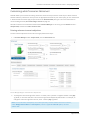
Scenario Manager dialog box – Retirement link – Objectives tab
2. To change the retirement age of the client or co-client, enter a positive or negative number in the (Age
+/-) field, or move the slider bars. The retirement age will be adjusted by that number. For example, to
change the retirement age from 65 to 55, enter -10 in the (Age +/-) field.
Note: To override other assumptions, such as life expectancy and the inflation rate for this scenario,
under Modify Financial Data click Assumptions, select the applicable Override option, and then
edit the data.
Page 26 of 93
NaviPlan User Manual: Level 1 and Level 2 Plans - Analyzing client goals
3. To override the default investment profile for the pre-retirement or retirement period, go to the
Objectives tab, select the Investment Objective option next to the profile, and then select a different
profile. The Return Rates fields update automatically.
n
The default investment profile for the plan is defined on the Plan Management – Asset Allocation –
Profile page.
4. To override the return rates for the scenario, select the applicable Override option, and then enter new
return rates.
5. If applicable, enter the percentage of fixed and discretionary expenses to cover during retirement.
Entering additional retirement savings (Level 2)
To enter additional savings for the retirement goal within the scenario, follow these steps:
1. In Scenario Manager under Analyze Goals, click the Retirement link.
Scenario Manager dialog box – Retirement link – Retirement details (showing Savings slider bars and fields)
2. Use the slider bars for Non-Reg. Add'l Monthly Savings and Additional Lump Sum Savings to arrive at an
optimal savings amount, or enter the amount. NaviPlan assumes that the savings are directed to a nonregistered account, which is created when the savings are entered. The return rate is based on the
suggested asset mix.
3. To specify additional savings strategy details such as inflation rates, and start and end dates, click
.
Page 27 of 93
NaviPlan User Manual: Level 1 and Level 2 Plans - Analyzing client goals
Editing existing or adding new savings strategies (Level 2)
To edit existing savings strategies or to add new savings strategies for the retirement goal into the scenario, follow
these steps:
1. In Scenario Manager under Modify Financial Data, click the Retirement link, then go to the Savings tab.
Scenario Manager dialog box – Strategies link – Savings tab
2. To increase registered savings to any RRSPs, RRSP Spousal, and/or TFSAs, use the sliders to adjust the extra
savings for the appropriate account types.
3. To index the savings to inflation or another percentage, select the Indexed By option, and then enter an
index rate.
4. Under Analyze Goals, click the Retirement link to return to Retirement details. Under Goal Coverage,
note that the goal coverage for the retirement goal updates.
Entering retirement transfer strategies (Level 2)
Note: Transfers cannot be entered in the Current Plan scenario.
To model transferring assets from one account to another, follow these steps:
1. In Scenario Manager under Analyze Goals, click the Retirement link, and then go to the Transfers tab.
Scenario Manager dialog box – Retirement link – Transfers tab
Note: Only accounts created in the current plan that are funding the retirement goal in whole or in
part are available.
Page 28 of 93
NaviPlan User Manual: Level 1 and Level 2 Plans - Analyzing client goals
2. Under Choose Source Account, select the source account you want to transfer funds from, and then click
Add Transfer Strategy.
3. From the Destination Account menu, select the account you want to transfer funds to, and then enter the
dollar amount or percentage of the source account you want to transfer.
4. Enter the date when you want the transfer to occur.
Entering liquidation strategies (Level 2)
To define the liquidation order of assets to cover cash flow deficits, and to define additional automatic redemptions
in the retirement goal scenario, follow these steps:
1. In Scenario Manager under Analyze Goals, click the Retirement link, and then go to the Liquidation Order
tab.
Scenario Manager dialog box – Retirement link – Liquidation Order tab
2. To override the liquidation order settings for the plan, select the Override the default order option.
3. To redeem assets by account type only, select one of the existing liquidation options.
OR
To edit the order of specific accounts, select the Modify the liquidation order option. A menu of existing
accounts and the current liquidation order appears. By default, the accounts are ordered based on the
selected liquidation option.
Note: For non-registered accounts, NaviPlan only redeems the portion that is linked to the retirement
goal.
4. To change the liquidation order of individual accounts, for each applicable account, select the account, and
then click Move Up or Move Down. The liquidations occur when cash flow deficits exist in the plan during
the retirement period.
Entering redemptions (Level 2)
To enter automatic retirement redemptions that will occur outside deficit coverage, follow these steps:
1. In Scenario Manager under Analyze Goals, click the Retirement link, and then go to the Redemptions tab.
Page 29 of 93
NaviPlan User Manual: Level 1 and Level 2 Plans - Analyzing client goals
Scenario Manager dialog box – Retirement link – Redemptions tab
2. Select an account from which funds will be redeemed, and then click Add Redemption Strategy.
3. If you expect the entire account to be redeemed, select the Redeem All option, and then enter (or select)
the date when the redemption should occur. Redemptions can only occur on or after the retirement date.
4. Enter the dollar amount of each redemption.
5. From the Frequency menu, select the frequency of the redemption.
6. Enter Retirement or a start date during retirement, and then enter the strategy end date.
Note: If Lump Sum is selected from the Frequency menu, you cannot enter an end date or index the
amount.
7. To exclude penalties for early withdrawals or to index the redemptions to inflation, click
, and then edit
the details as required.
Modeling bucketing strategies
1. To model a bucketing strategy, go to the Bucketing tab and then complete the following steps:
a. Click Estimate.
b. Enter the number of years over which the "bucket" investment account will cover needs, and click
OK.
c. The amount determined by the calculator will appear in the Target Balance field.
d. Enter the remaining details of the bucketing strategy.
Results section - Analyze goals category - Scenarios page - Edit <scenario> Plan button - Scenario Manager dialog box - Retirement link Bucketing tab
Page 30 of 93
NaviPlan User Manual: Level 1 and Level 2 Plans - Analyzing client goals
Entering annuitization strategies (Level 2)
An annuitize-to-need scenario calculates the amount of redeemable non-annuity assets required to purchase
annuities that provide income for needs starting at retirement. An annuitization strategy can demonstrate the
benefits of covering some expenses with a guaranteed annuity income stream, instead of relying on market
performance to provide enough growth to cover basic retirement needs. This strategy can be of particular interest
to clients who are near retirement or are already retired. To enter annuitize-to-need scenarios, follow these steps:
1. In Scenario Manager, under Analyze Goals, click the Retirement link, and then go to the Annuitization tab.
Scenario Manager dialog box – Retirement link – Annuitization tab
2. Select the Override current annuitization settings option.
3. To estimate the gap between expenses and fixed incomes during retirement, click Estimate Income Gap.
a. Specify whether the income gap should be expressed in future dollars or in today’s dollars.
b. Use the graph to determine the size of the income gap that should be covered by annuity income,
and then enter that amount in the Estimate the additional income gap to cover field.
c. In the AIR field, enter the expected rate of return for the new annuity.
d. Click Calculate. NaviPlan calculates and displays in the Payment per $1,000 field the amount that
will be paid out of the annuity for every $1,000 of market value that is transferred into the annuity.
e. If you do not want to use the calculated Payment per $1,000 value, select the Override option, and
then in the Payment per $1,000 field, enter the value you would rather use.
f. Click OK.
Page 31 of 93
NaviPlan User Manual: Level 1 and Level 2 Plans - Analyzing client goals
Scenario Manager dialog box – Retirement link – Annuitization tab – Select the assets to annuitize link – Assets for Annuitization dialog box
4. To convert asset types into an annuity, click the Select the assets to annuitize link.
a. Select the asset types you want NaviPlan to convert into an annuity, and then enter the maximum
percentages you want NaviPlan to convert. For example, if you do not want to sell more than half of
the clients’ non-qualified assets to fund annuities, enter 50% for that asset type. By default, nonregistered assets are available for the annuity.
b. If you selected more than one asset type, under Order of Annuitization, select the order in which
you want NaviPlan to sell the selected asset types. You can select Use assets in the following order
for annuitization, and then select an annuitization order from the menu, or you can select Use
scenario liquidation order settings for annuitization order and have NaviPlan use the liquidation
order set on the Retirement: Liquidation Strategies tab of the Scenario Manager dialog box.
c. Click OK.
5. Click the Review the results and assumptions link. The Annuitize to Need Results and Assumptions report
opens and displays the results of the strategy and the assumptions used in it.
Note: If you made additional assets available for the annuity, the clients may be able to cover a
larger income gap. To re-estimate the income gap, repeat the procedure.
Page 32 of 93
NaviPlan User Manual: Level 1 and Level 2 Plans - Analyzing client goals
Defining CPP/QPP and OAS Benefits
Note: If both the client and co-client are retired in a joint plan, the CPP/QPP & OAS tab is unavailable. If only one
client in a joint plan is retired, the scenario options are only available for the client in pre-retirement.
To analyze the effects of receiving benefits starting at various ages, follow these steps:
1. In Scenario Manager under Analyze Goals, click the Retirement link, and then go to the CPP/QPP & OAS
tab.
Scenario Manager dialog box – Retirement link – CPP/QPP & OAS tab
3. Select the Override option.
4. For each client, modify the assumptions as needed.
Page 33 of 93
NaviPlan User Manual: Level 1 and Level 2 Plans - Analyzing client goals
Adding incomes and expenses (Level 2)
To add annual incomes and expenses to the retirement scenario, follow these steps:
1. In Scenario Manager under Analyze Goals, click the Retirement link, and then go to the Incomes tab.
2. Clicking the Incomes link takes you to the Incomes tab in the Cash Flow details section of Scenario
Manager, where you can add incomes.
3. Go to the Expenses tab.
4. Clicking the Existing Expenses link takes you to the Existing Expenses tab in the Cash Flow details section of
Scenario Manager, where you can edit existing expenses.
5. Clicking the New Expenses link takes you to the New Expenses tab in the Cash Flow details section, where
you can add new pre-retirement and retirement expenses.
Adding new retirement accounts and annuities to the scenario (Level 2)
To add new accounts and annuities to the scenario, follow these steps:
1. In Scenario Manager under Modify Financial Data, click the Net Worth link, and then go to the Accounts
or the Annuities tab.
2. Click Add Account, Add Guaranteed Withdrawal Benefit, Add Existing Annuity, or Add Future Annuity.
Modeling a change in the province of residence during retirement
To model a change in the province of residence for your clients during the retirement period, follow these steps:
Scenario Manager dialog box – Assumptions link – Tax Details tab
1. In Scenario Manager under Modify Financial Data, click the Assumptions link.
2. Click the Tax Details tab.
3. Select the Override option, and select the state to which you clients intend to move from the Future
Province of Residence menu.
4. Additionally, if the province to which your clients intend to move has a different rate of taxation you can
enter the new rate into the Average Tax Rate field.
Page 34 of 93
NaviPlan User Manual: Level 1 and Level 2 Plans - Analyzing client goals
Customizing what-if scenarios: Education & Major Purchase
NaviPlan allows you to customize existing education or major purchase goals within scenarios to help meet the
needs of your clients’ financial situation and their preferences. Once you have an appropriate scenario for your
clients’ plan, you can recommend it. Recommended scenarios apply to reports where the Recommended plan
type is used. For information on recommending scenarios, Comparing and recommending scenarios on page 18
All what-if scenarios are created and customized in Scenario Manager. To access it, go to the Results section –
Analyze Goals category – Scenarios page, and then click Edit <scenario> Plan.
Entering education or major purchase scenario objectives
To enter scenario objectives for the education goal, follow these steps:
1. In Scenario Manager under Analyze Goals, click the applicable goal link.
2. Education goal only: If applicable, use the slider bars or enter the percentage of the education expenses to
cover.
3. Education goal only: To override the duration of the education goal, select the Duration option, and then
enter the number of years you expect the education goal to last.
4. Major purchase goal only: To override the amount of the major purchase, use the Purchase Amount
slider bar or select the option, and then enter a rate at which to adjust annual savings.
Scenario Manager dialog box – <education goal> link – Objectives tab
Page 35 of 93
NaviPlan User Manual: Level 1 and Level 2 Plans - Analyzing client goals
5. To override the inflation rate for this scenario, select the Infl option, and then, if applicable, enter a new
rate.
6. Major purchase goal only: To override the purchase date, select the Purchase Date option, and then enter
a new date.
7. To override the default investment profile for the goal, on the Objectives tab, select the Investment
Objective option next to the profile, and then select a different profile. The Return Rates fields update
automatically.
The default investment profile for the plan is defined on the Plan Management section – Asset Allocation
category – Profile page.
8. To override the return rates for the scenario, select the applicable Override option, and then enter new
return rates.
Entering additional savings for the education or major purchase goal scenario
To enter additional savings for the education or major purchase goal scenario, follow these steps:
1. In Scenario Manager under Analyze Goals, click the applicable goal link.
2. Use the slider bars for Additional Monthly Savings and Additional Lump Sum Savings to arrive at an
optimal savings amount, or enter the amount. NaviPlan assumes that the savings are directed to a nonregistered account, which is created when the savings are entered. The return rate is based on the
suggested asset mix.
3. To specify additional savings strategy details such as inflation rates, and start and end dates, click
and
then enter the additional details in the dialog box that opens.
Editing existing or adding new savings strategies (Level 2)
To edit existing savings strategies or to add new savings strategies for the education or major purchase goal into the
scenario, follow these steps:
1. In Scenario Manager under Modify Financial Data, click the Strategies link.
Scenario Manager dialog box – Strategies link – Savings tab
Page 36 of 93
NaviPlan User Manual: Level 1 and Level 2 Plans - Analyzing client goals
2. To edit an existing savings strategy, under Non-Registered or Registered on the Savings tab, select the
Override option, and then edit the savings strategy details.
3. To add a new savings strategy, under Non-Registered or Registered, select an account from the Choose
Account menu, and then click Add Savings Strategy. Enter the savings strategy details.
4. Under Analyze Goals, click the <education> or <major purchase> goal link to return to Retirement details.
Under Goal Coverage, note that the goal coverage for the education or major purchase goal updates.
Entering education transfer strategies (Level 2)
Note: Transfers cannot be entered in the Current Plan scenario.
To model transferring assets from one account to another, follow these steps:
1. In Scenario Manager under Analyze Goals, click the applicable goal link, and then go to the Transfers tab.
Under Transfers, existing transfers appear.
Scenario Manager dialog box – Education link – Transfers tab
2. Under Transfers, select the source account you want to transfer funds from, and then click Add Transfer
Strategy.
3. From the Destination Account menu, select the account you want to transfer funds to, and then enter the
dollar amount or percentage of the source account you want to transfer.
4. Enter the date when you want the transfer to occur.
Adding new education or major purchase accounts to the scenario (Level 2)
To add new accounts to the scenario, follow these steps:
1. In Scenario Manager under Modify Financial Data, click the Net Worth link, and then go to the Accounts
tab.
2. Click Add Account.
Page 37 of 93
NaviPlan User Manual: Level 1 and Level 2 Plans - Analyzing client goals
Customizing what-if scenarios: Emergency Fund
NaviPlan allows you to customize existing emergency fund scenarios to help meet the needs of your clients’
financial situation and their preferences. Once you have an appropriate scenario for your clients’ plan, you can
recommend it. Recommended scenarios apply to reports where the Recommended plan type is used. For
information on recommending scenarios, see Recommending a scenario on page 18.
All what-if scenarios are created and customized in Scenario Manager. To access it, go to the Results section –
Analyze Goals category – Scenarios page, and then click the Edit <scenario> Plan.
Entering emergency fund scenario objectives
To enter scenario objectives for the emergency fund goal, follow these steps:
1. In the Scenario Manager dialog box under Analyze Goals, click the Emergency Fund link.
Scenario Manager dialog box – Emergency Fund link – Objectives tab
Page 38 of 93
NaviPlan User Manual: Level 1 and Level 2 Plans - Analyzing client goals
2. To override the target amount of the emergency fund, use the slider bar to select an amount.
OR
Select the Target Amount option, and then enter a new amount.
3. To override the inflation rate for this scenario, select the Infl option, and then enter a rate at which to
adjust annual savings.
4. Enter the savings period in months, up to a maximum of 60.
5. To override the current asset class, on the Objectives tab select the Asset Class option, and then select a
new asset class for the emergency fund. NaviPlan assumes savings to an emergency fund are invested. The
Return Rates fields update automatically.
Entering additional emergency fund savings
To enter additional savings for the emergency fund goal scenario, follow these steps:
1. In the Scenario Manager dialog box under Analyze Goals, click the Emergency Fund link.
2. Use the slider bars for Additional Monthly Savings and Additional Lump Sum Savings to arrive at an
optimal savings amount, or enter the amount. NaviPlan assumes that the savings are directed to a nonregistered account, which is created when the savings are entered. The return rate is based on the
suggested asset mix.
3. To specify additional savings strategy details such as inflation rates, and start and end dates, click Details.
Editing existing or adding new savings strategies (Level 2)
To edit existing savings strategies or to add new savings strategies for the emergency fund goal into the scenario,
follow these steps:
1. In Scenario Manager under Modify Financial Data, click the Strategies link.
Scenario Manager dialog box – Strategies link – Savings tab
Page 39 of 93
NaviPlan User Manual: Level 1 and Level 2 Plans - Analyzing client goals
2. To edit an existing savings strategy, under Non-Registered or Registered on the Savings tab, select the
Override option, and then edit the savings strategy details.
3. To add a new savings strategy, under Non-Registered or Registered, select an account from the Choose
Account menu, and then click Add Savings Strategy. Enter the savings strategy details.
4. Under Analyze Goals, click the <emergency fund goal> link to return to the goal details. Under Goal
Coverage, note that the goal coverage for the emergency fund goal updates.
Adding new emergency fund accounts to the scenario (Level 2)
To add new accounts to the scenario, follow these steps:
1. In Scenario Manager under Modify Financial Data, click the Net Worth link, and then go to the Accounts
tab.
2. Click Add Account.
Page 40 of 93
NaviPlan User Manual: Level 1 and Level 2 Plans - Analyzing client goals
Chapter 4: Insurance goal scenarios
This chapter describes how to customize scenarios for insurance goals and assumes you already know how to use
the common features of Scenario Manager. For more information about using the common features, see Chapter
2: Analyzing goals in NaviPlan on page 10.
All what-if scenarios are created and customized in Scenario Manager. To access it, go to the Results section –
Analyze Goals category – Scenarios page, and then click Edit <scenario> Plan.
For more detailed insurance goal analysis, use a Level 2 Plan.
In this chapter:
Customizing what-if scenarios: Insurance (Level 1)
43
Customizing what-if scenarios: Survivor Income (Level 2)
44
Goal and Expense Analysis method:
44
Income Coverage Analysis method:
44
Quick Assessment Method:
44
When both the client and co-client die together:
44
Entering survivor income assumptions (Level 2)
45
Entering ongoing expenses (Level 2)
46
Entering additional annual income at death (Level 2)
47
Entering the survivor’s annual income needs (Level 2)
48
Entering the survivor’s lump-sum needs at death (Level 2)
48
Entering the survivor’s income at death (Level 2)
49
Entering dependant needs when both clients die (Level 2)
50
Customizing what-if scenarios: Life Insurance Quick Assessment
52
Customizing what-if scenarios: Disability Income (Level 2)
55
Goal and Expense Analysis method
55
Income Coverage Analysis method
55
Entering disability income assumptions (Level 2)
55
Entering ongoing expenses during disability (Level 2)
57
Entering additional annual income during disability
58
Entering lump-sum needs during disability (Level 2)
59
Entering annual income needs during disability (Level 2)
60
Page 41 of 93
NaviPlan User Manual: Level 1 and Level 2 Plans - Analyzing client goals
Entering income available during disability (Level 2)
61
Customizing what-if scenarios: Long-Term Care (Level 2)
62
Entering long-term care assumptions (Level 2)
63
Entering long-term care incomes and expenses
64
Page 42 of 93
NaviPlan User Manual: Level 1 and Level 2 Plans - Analyzing client goals
Customizing what-if scenarios: Insurance (Level 1)
NaviPlan allows you to customize a recommended scenario to meet the needs of your clients’ financial situation
and preferences. Recommended scenarios apply to reports where the Recommended plan type is used.
To customize the survivor, disability, or long-term care scenario, follow these steps:
1. In Scenario Manager under Analyze Goals, click the appropriate insurance goal link. In this example we
will look at survivor income.
Scenario Manager dialog box – Survivor Income link (Level 1 Plan) – Objectives tab
2. Use the slider bar for Death Benefit (survivor income), Disability Benefit (disability income), or Daily
Benefit Amount (long-term care) to arrive at an optimal insurance amount, or enter the amount.
3. Enter the premium amount.
4. Survivor income scenario only: To override the rate of return used for life insurance proceeds, under
ROR on Cash Flow Surpluses & Liquidations, select the option, and then enter a new return rate.
5. Long-term care insurance scenario only: Select the Additional Daily LTC Expenses option, and then enter
the daily expense amount that is to be covered.
6. Under Goal Coverage, note how your changes affect the Goal Coverage graph.
Page 43 of 93
NaviPlan User Manual: Level 1 and Level 2 Plans - Analyzing client goals
Customizing what-if scenarios: Survivor Income (Level 2)
The analysis method chosen in the Set Goals section – Survivor Income category determines the available tabs
under Survivor Income in Scenario Manager:
n
Quick Assessment method – Calculates the clients' need for additional insurance on the basis of a simple
comparison of their needs to their available assets.
n
Goal and Expense Analysis method – Uses the clients’ existing lifestyle expenses and goal information to
define their insurance needs.
n
Income Coverage Analysis method – Uses the clients’ income to estimate the anticipated expenses during
the survivorship period.
NaviPlan allows you to customize a recommended survivor income scenario for your clients’ financial situation and
preferences. Recommended scenarios apply to reports where the Recommended plan type is used.
To customize a survivor income scenario, complete the following procedures, based on the method used (or
special circumstance):
Note: The procedures available depend on which analysis method is selected on the Set Goals
section – Survivor Income category – Survivor Income page.
Goal and Expense Analysis method:
n
Entering survivor income assumptions (Level 2) on the next page
n
Entering ongoing expenses (Level 2) on page 46
n
Entering the survivor’s annual income needs (Level 2) on page 48
n
Entering the survivor’s lump-sum needs at death (Level 2) on page 48
Income Coverage Analysis method:
n
Entering survivor income assumptions (Level 2) on the next page
n
Entering additional annual income at death (Level 2) on page 47
n
Entering the survivor’s lump-sum needs at death (Level 2) on page 48
n
Entering the survivor’s income at death (Level 2) on page 49
Quick Assessment Method:
n
Customizing what-if scenarios: Life Insurance Quick Assessment on page 52
When both the client and co-client die together:
n
Entering dependant needs when both clients die (Level 2) on page 50
Page 44 of 93
NaviPlan User Manual: Level 1 and Level 2 Plans - Analyzing client goals
Entering survivor income assumptions (Level 2)
To enter survivor income assumptions in the Recommended Plan scenario, follow these steps:
1. In Scenario Manager under Analyze Goals, click the appropriate <insurance goal> link.
Scenario Manager dialog box – Survivor Income link (Level 2 Plan) – Assumptions tab
Page 45 of 93
NaviPlan User Manual: Level 1 and Level 2 Plans - Analyzing client goals
2. Under Survivor Income - <client> details, to include additional life insurance, enter the death benefit and
annual premium amount. You can use the slider bar and the What Are My Options? button to find the
optimal life insurance amount.
3. To override the return rates used for the additional life insurance, select the override option, and then
enter the pre-retirement and retirement return rates.
4. To change the survivor’s retirement age for the scenario, select the Survivor Retirement Age option, and
then enter the retirement age or date.
5. To change the survivor’s life expectancy for the scenario, select the Survivor Life Expectancy option, and
then enter the life expectancy age or year.
6. To override the return rates used for cash flow surpluses and liquidations, under ROR on Cash Flow
Surpluses & Liquidations, select the override option, and then enter the pre-retirement and retirement
return rates.
7. Note the goal coverage graph results.
Entering ongoing expenses (Level 2)
This procedure only applies if the Goal and Expense Analysis method is selected on the Set Goals section –
Survivor Income category – Client/Co-client Objectives page.
To enter the survivor’s annual expenses at death in the Recommended Plan scenario, follow these steps:
1. In Scenario Manager under Analyze Goals, click the appropriate Survivor Income link, and then go to the
Ongoing Expenses tab.
Scenario Manager dialog box – Survivor Income link (Level 2 Plan) – Ongoing Expenses tab
2. To change the default percentage of expenses to cover at death, under Annual Expenses, select the
Percentage of lifestyle expenses to cover option, and then enter a new percentage.
3. To change the percentage of education expenses to cover at death, click Education Expenses.
Page 46 of 93
NaviPlan User Manual: Level 1 and Level 2 Plans - Analyzing client goals
Scenario Manager dialog box – Survivor Income link (Level 2 Plan) – Education Expenses button – Education Expenses dialog box
4. For each applicable education goal, select the option next to the goal, and then enter a new percentage in
the % to Cover field.
5. Click OK.
6. To add additional expenses to the scenario, under Additional Expenses, click Add Additional Annual
Expense.
7. Enter a description and the annual amount of the expense.
Entering additional annual income at death (Level 2)
This procedure only applies if the Goal and Expense Analysis method is selected on the Set Goals – Survivor
Income – Client/Co-client Objectives page.
To enter the survivor’s additional annual income at death in the Recommended Plan scenario, follow these steps:
1. In the Scenario Manager under Analyze Goals, click the appropriate Survivor Income link, and then go to
the Additional Annual Income tab.
Scenario Manager dialog box – Survivor Income link (Level 2 Plan) – Additional Annual Income tab
2. To edit an existing income, under Additional Annual Income, select the option next to the applicable
income.
OR
To create a new income, under Additional Annual Income, click Add Additional Annual Income.
3. Enter the income description, select the income type, and then enter an annual income amount.
Page 47 of 93
NaviPlan User Manual: Level 1 and Level 2 Plans - Analyzing client goals
Entering the survivor’s annual income needs (Level 2)
This procedure only applies if the Income Coverage Analysis method is selected on the Set Goals – Survivor
Income – Client/Co-client Objectives page.
To enter the survivor’s annual income needs at death in the Recommended Plan scenario, follow these steps:
1. In Scenario Manager under Analyze Goals, click the appropriate Survivor Income link, and then go to the
Annual Income Needs tab.
Scenario Manager dialog box – Survivor Income link (Level 2 Plan) – Survivor Income details – Annual Income Needs tab
2. Under Additional Annual Income Needs, click Add Additional Annual Income Need.
3. Enter the income description and pre-tax amount needed.
4. To change the percentage of education expenses to cover at death, click Education Expenses.
Scenario Manager dialog box – Survivor Income link – Education Expenses button – Education Expenses dialog box
5. For each applicable education goal, select the option next to the goal, and then enter a new percentage in
the % to Cover field. When you are done, click OK.
Entering the survivor’s lump-sum needs at death (Level 2)
To enter the survivor’s lump-sum needs at death in the Recommended Plan scenario, follow these steps:
1. In Scenario Manager under Analyze Goals, click the appropriate Survivor Income link, and then go to the
Lump Sum Needs tab.
Page 48 of 93
NaviPlan User Manual: Level 1 and Level 2 Plans - Analyzing client goals
Scenario Manager dialog box – Survivor Income link (Level 2 Plan) – Lump Sum Needs tab
Note: This option appears if liabilities exist in the plan and, if in the Enter Financial Data section –
Net Worth category – Assets/Liabilities page – Liability Details dialog box, the Payoff Options at
Death is set to either Transfer to survivor or Payoff at first death (from estate).
3. If major purchase goals are included in the plan and you want to override the % to Cover field, under
Major Purchase Goals, select the Override option for each applicable major purchase, and then enter a
new percentage.
4. To add lump-sum needs to the scenario, under Additional Lump Sum Needs, if any other lump-sum needs
are expected, click Add Lump Sum Need, and then enter the details of the need in the fields that appear.
Entering the survivor’s income at death (Level 2)
This procedure only applies if the Income Coverage Analysis method is selected on the Set Goals – Survivor
Income – Client/Co-client Objectives page.
To enter the survivor’s income at the death of the client or co-client in the Recommended scenario, follow these
steps:
1. In Scenario Manager under Analyze Goals, click the appropriate Survivor Income link, and then go to the
Survivor’s Income tab.
Scenario Manager dialog box – Survivor Income link (Level 2 Plan) – Survivor’s Income tab
Page 49 of 93
NaviPlan User Manual: Level 1 and Level 2 Plans - Analyzing client goals
2. To change the survivor’s existing income in the Recommended Plan scenario, under Specify Survivor
Income, select the option next to the income.
OR
To add a new survivor income for the scenario, click Add Survivor’s Income.
3. Enter the income details.
4. To enter additional details for the income, click
.
Scenario Manager dialog box – Survivor Income link (Level 2 Plan) – Add Survivor’s Income button – Income details dialog box
5. Enter detailed information. If you are entering a salary, bonus, or self-employed income type that is linked
to a defined benefit pension or is excluded from either group disability insurance, or savings strategies,
under Other Options, make the appropriate selections.
Entering dependant needs when both clients die (Level 2)
To enter dependant needs when both clients die in the Recommended Plan scenario, follow these steps:
1. In Scenario Manager under Analyze Goals, click the Survivor Income – Both link, and then go to the
Assumptions tab.
2. To override the return rates used for the survivor income scenario, under ROR on Cash Flow Surpluses &
Liquidations, select the option, and then enter the pre-retirement and retirement return rates.
3. Under Survivor Income – Both details, to include additional life insurance in the scenario, enter the death
benefit and annual premium amount. You can use the slider bar or What Are My Options? to find the
optimal death benefit amount.
4. Go to the Ongoing Income Needs tab.
Page 50 of 93
NaviPlan User Manual: Level 1 and Level 2 Plans - Analyzing client goals
Scenario Manager dialog box – Survivor Income link (Level 2 Plan) – Ongoing Expenses tab
5. To override an existing ongoing expense, under Support for Dependants, select the option next to an
existing expense, and then edit the information, or click Details.
6. To add a new ongoing expense, click Add Support for Dependent.
7. Enter the details of the dependent expense(s).
8. For each applicable education goal, select the option next to the goal, and then enter a new percentage in
the % to Cover field.
9. Go to the Lump Sum Needs tab.
10. Select the option next to an existing expense that you expect will apply.
11. If any other lump-sum needs are expected, click Add Lump Sum Need, and then enter the details of the
need in the fields that appear.
Page 51 of 93
NaviPlan User Manual: Level 1 and Level 2 Plans - Analyzing client goals
Customizing what-if scenarios: Life Insurance Quick Assessment
The Quick Assessment method calculates your clients' additional insurance needs based on a simple comparison of
their lump sum and ongoing needs to their assets available to offset those needs. This allows you to quickly assess
your clients' need and provide an accurate amount of additional coverage they will require.
To make changes to Survivor Income goals calculated using the Quick Assessment method, follow these steps:
1. In Scenario Manager under Analyze Goals, click the Survivor Income link for the appropriate client(s).
Scenario Manager dialog box - Survivor Income <client> link
2. Proceed to the Lump Sum Needs tab and review the data displayed there.
Page 52 of 93
NaviPlan User Manual: Level 1 and Level 2 Plans - Analyzing client goals
Scenario Manager dialog box - Survivor Income <client> link - Lump Sum Needs tab
3. Select the Override option to make changes to Emergency Fund, Final Expenses (burial probate, etc.), as
well as Any Additional Needs.
4. To make changes to any remaining fields, select the Lump Sum Needs Override option.
5. Proceed to the Ongoing Needs tab and review the data displayed there.
Scenario Manager dialog box - Survivor Income <client> link - Ongoing Needs tab
6. Select the Override option to make changes to any of the ongoing needs periods.
n
Use the calculator to have NaviPlan help you determine your clients' needs using the Ongoing Needs
dialog box.
7. Proceed to the Available Assets to Offset Needs tab and review the data displayed there.
Page 53 of 93
NaviPlan User Manual: Level 1 and Level 2 Plans - Analyzing client goals
Scenario Manager dialog box - Survivor Income <client> link - Available Assets to Offset Needs tab
8. Select the Override option to make changes to the value of any of the assets listed.
9. Proceed to the Assumptions tab and review the data displayed there.
Scenario Manager dialog box - Survivor Income <client> link - Assumptions tab
10. Select the Override option to make changes to any of the assumptions listed.
11. Proceed to the Results tab and review the data displayed there.
Page 54 of 93
NaviPlan User Manual: Level 1 and Level 2 Plans - Analyzing client goals
Customizing what-if scenarios: Disability Income (Level 2)
The analysis method chosen in the Set Goals – Disability Income category determines the available tabs in the
Analyze Goals section of Scenario Manager:
n
Goal and Expense Analysis method – Uses the clients’ existing lifestyle expenses and goal information to
define their insurance needs.
n
Income Coverage Analysis method — Uses the clients’ income to estimate the anticipated expenses
during the disability period.
NaviPlan allows you to customize a recommended disability income scenario for your clients’ financial situation and
preferences. Recommended scenarios apply to reports where the Recommended plan type is used.
To customize the disability income scenarios, complete the following procedures, based on the method used:
Note: The procedures vary depending on which analysis method is selected on the Set Goals
section – Disability Income category – Client/Co-client Objectives page.
Goal and Expense Analysis method
n
Entering disability income assumptions (Level 2) below
n
Entering ongoing expenses during disability (Level 2) on page 57
n
Entering lump-sum needs during disability (Level 2) on page 59
Income Coverage Analysis method
n
Entering disability income assumptions (Level 2) below
n
Entering lump-sum needs during disability (Level 2) on page 59
n
Entering income available during disability (Level 2) on page 61
Entering disability income assumptions (Level 2)
To enter disability income assumptions in the Recommended Plan scenario, follow these steps:
1. In Scenario Manager under Analyze Goals, click the Disability Insurance – Client/Co-Client link.
Page 55 of 93
NaviPlan User Manual: Level 1 and Level 2 Plans - Analyzing client goals
Scenario Manager dialog box – Disability Income link – Assumptions tab
2. To include additional disability insurance in the scenario, enter the disability benefit (percentage of income
or dollar amount) and annual premium amount. You can adjust the Disability Benefit value using the slider
bar.
Note: Use the What Are My Options? button to find the optimal death benefit amount.
3. To override the client’s or co-client’s default retirement age, select the Retirement Age for Disability
Analysis option, and then enter the age or date of retirement.
4. To override the client’s or co-client’s default life expectancy, select the Life Expectancy for Disability
Analysis option, and then enter the age or year of death.
5. To override the last year used in the client’s or co-client’s disability analysis reporting, select the Analyze
Disability Through option, and then enter the last age or year you want the reports to display. The adjacent
field updates automatically.
6. To override the return rates used for the disability income scenario, select the option under ROR on
Disability Insurance Proceeds, Surpluses & Liquidations, and then enter the pre-retirement and
retirement return rates.
Page 56 of 93
NaviPlan User Manual: Level 1 and Level 2 Plans - Analyzing client goals
Entering ongoing expenses during disability (Level 2)
This procedure only applies if the Goal and Expense Analysis method is selected on the Set Goals – Disability
Income – Client/Co-client Objectives page.
To enter the survivor’s annual expenses during disability in the Recommended Plan scenario, follow these steps:
1. In Scenario Manager under Analyze Goals, click the Disability Income – Client/Co-Client link, and then go
to the Ongoing Expenses tab.
Scenario Manager dialog box – Disability Income link – Ongoing Expenses tab
2. To override the percentage of lifestyle and medical expenses covered during disability, under Annual
Expenses, select the Percentage of lifestyle expenses to cover option, and then enter a new percentage.
Note: If the percentage of expenses to cover varies among expenses, Blended appears in the field.
3. To change the percentage of education expenses to cover during disability, click Education Expenses.
Scenario Manager dialog box – Disability Income link – Education Expenses button – Education Expenses dialog box
Page 57 of 93
NaviPlan User Manual: Level 1 and Level 2 Plans - Analyzing client goals
4. For each applicable education goal, select the option next to the goal, and then enter a new percentage in
the % to Cover field.
5. Click OK to close the Education Expenses dialog box.
6. To edit an existing annual expense (previously entered in the Set Goals category), under Additional Annual
Expenses, select the option next to it, and then edit the expense.
OR
To create a new annual expense, under Additional Expenses, click Add Additional Expense.
7. Enter the expense description and annual amount of the expense.
8. Repeat steps 2–8 until you’ve finished entering all additional disability expenses.
Entering additional annual income during disability
To enter the clients’ additional annual income during disability in a what-if scenario, follow these steps:
1. In Scenario Manager under Analyze Goals, click the Disability Income – Client/Co-Client link, and then go
to the Additional Annual Income tab.
Scenario Manager dialog box – Disability Income link – Additional Annual Income tab
2. To edit an existing annual income (previously entered in the Set Goals category), under Additional Annual
Income, select the Override option next to it, and then edit the income.
3. To create a new annual income, under Additional Annual Income, click Add Additional Annual Income.
4. Enter the income description and annual income amount for the new income.
5. Repeat steps 3–4 until you’ve finished entering all additional disability income.
Page 58 of 93
NaviPlan User Manual: Level 1 and Level 2 Plans - Analyzing client goals
Entering lump-sum needs during disability (Level 2)
To enter the client’s lump-sum needs during disability in the Recommended Plan scenario, follow these steps:
1. In Scenario Manager under Analyze Goals, click the Disability Income – Client/Co-Client link, and then go
to the Lump Sum Needs tab.
Scenario Manager dialog box – Disability Income link – Lump Sum Needs tab
2. To override the manner in which liabilities are paid off for this scenario, under Pay Off Outstanding
Liabilities, select the Override liability pay off strategies option, and then select an option.
Note: Payoff Outstanding Liabilities is only available if liabilities exist in the plan and, if in
Enter Financial Data – Net Worth – Assets/Liabilities – Liability Details, the Payoff Options
at Death is set to Transfer to survivor or Payoff at first death (from estate).
3. If major purchase goals are included in the plan and you want to override the % to Cover, under Major
Purchase Goals, select each applicable major purchase, and then enter a new percentage.
4. To add lump-sum needs to the scenario, under Additional Lump Sum Needs, click Add Lump Sum Need,
and then enter the details of the need in the fields that appear.
Page 59 of 93
NaviPlan User Manual: Level 1 and Level 2 Plans - Analyzing client goals
Entering annual income needs during disability (Level 2)
This procedure only applies if the Income Coverage Analysis method is selected on the Set Goals – Disability
Income – Client/Co-client Objectives page.
To enter annual income needs during disability in the Recommended Plan scenario, follow these steps:
1. In Scenario Manager under Analyze Goals, click the Disability Income – Client/Co-Client link, and then go
to the Annual Income Needs tab.
Scenario Manager dialog box – Disability Income link – Annual Income Needs tab
2. To override an existing income need, select the option next to the income need.
3. To add an income need, click Add Additional Annual Income Need, and then enter the additional details of
the income need(s).
4. To change the percentage of education expenses to cover at death, click Education Expenses.
Scenario Manager dialog box – Disability Income link – Education Expenses button – Education Expenses dialog box
5. For each applicable education goal, select the Override option next to the goal, and then enter a new
percentage in the % to Cover field. When you are done, click OK.
Page 60 of 93
NaviPlan User Manual: Level 1 and Level 2 Plans - Analyzing client goals
Entering income available during disability (Level 2)
This procedure only applies if the Income Coverage Analysis method is selected on the Set Goals – Disability
Income – Client/Co-client Objectives page.
To enter the clients’ income available during disability in the Recommended Plan scenario, follow these steps:
1. In Scenario Manager under Analyze Goals, click the Disability Income – Client/Co-Client link, and then go
to the Income Available tab.
Scenario Manager dialog box –Disability Income link – Income Available tab
2. To override an existing income, select the option next to the income.
3. To add a new income for the scenario, click Add Disability Income, and then enter the income details.
4. To enter additional details for the income, click
.
5. Enter detailed information.
6. Repeat steps 2–5 until you are finished entering details for the income.
Page 61 of 93
NaviPlan User Manual: Level 1 and Level 2 Plans - Analyzing client goals
Customizing what-if scenarios: Long-Term Care (Level 2)
NaviPlan allows you to customize a recommended long-term care scenario for your clients’ financial situation and
preferences. Recommended scenarios apply to reports where the Recommended plan type is used.
To customize the long-term care, see the following sections:
n
Entering long-term care assumptions (Level 2) on the next page
n
Entering long-term care incomes and expenses on page 64
Page 62 of 93
NaviPlan User Manual: Level 1 and Level 2 Plans - Analyzing client goals
Entering long-term care assumptions (Level 2)
To enter long-term care assumptions in a what-if scenario, follow these steps:
1. In Scenario Manager under Analyze Goals, click the Long-term Care – Client/Co-Client link, and then go to
the Assumptions tab.
Scenario Manager dialog box – Long-term Care link – Assumptions tab
2. To override the age at which the client or co-client will enter long-term care, select the option next to the
Age at Start of LTC field, and then enter new values.
3. To override the duration of the long-term care period, select the option next to LTC period years, then
enter the number of years. NaviPlan assumes that the client will die at the end of the period.
4. To override the ROR on Surpluses & Liquidations, select the option and enter a new return rate.
5. To include additional long-term care insurance in the scenario, under Long-term Care - Client/CoClient
details, enter the Daily Benefit Amount and Premium.
Page 63 of 93
NaviPlan User Manual: Level 1 and Level 2 Plans - Analyzing client goals
Entering long-term care incomes and expenses
To enter long-term care incomes and expenses for the Recommended Plan scenario, follow these steps:
1. In Scenario Manager under Analyze Goals, click the Long-term Care – Client/Co-Client link, and then go to
the LTC Incomes & Expenses tab.
Scenario Manager dialog box – Long-term Care link – LTC Incomes & Expenses tab
2. To override the percentage of lifestyle and medical expenses to cover during the long-term care and
survivorship periods, under Existing Annual Expenses, select the Percentage of lifestyle and medical
expenses to cover option, and then revise the percentages. NaviPlan assumes that the client will die at the
end of the long-term care period.
3. To override the percentage of income the client or co-client will receive during the long-term care period,
under Existing Incomes, select the Percentage of income <client/co-client> expects to receive during
LTC option, and then enter a new percentage.
Note: If the percentage of expenses to cover or expected income varies among expenses and
income, Blended appears in the field.
4. To edit an existing additional long-term care expense in the Recommended Plan scenario, under
Additional Long-term Care Expenses, select the option next to the expense.
OR
To add a new long-term care expense for the scenario, click Add Additional LTC Expense, and then enter
the expense details.
Page 64 of 93
NaviPlan User Manual: Level 1 and Level 2 Plans - Analyzing client goals
Chapter 6: Examining results
After you have entered your clients’ financial information and goals into a plan, you can prepare and generate
results. When you are satisfied with the results, you can generate professionally designed client reports that you
can distribute to your clients.
In this chapter:
Viewing goal coverage progress
Tracking net worth and cash flow projections/Viewing goal coverage progress
Using the Planning Assistant
66
66
67
Opening the Planning Assistant
67
Viewing and/or printing the Planning Assistant reports
68
Using reporting options in NaviPlan
70
Generating stand-alone reports and graphs
71
Using Next-Gen Reports
74
Working in Next-Gen Reporting
74
Creating a new report with Next-Gen Reporting
75
Creating a new template with Next-Gen Reporting
76
Using a template to create a report
76
Adding custom content to a report
77
Converting Next-Gen reports to Microsoft Word output
77
Generating client reports
78
Preparing custom text for reports
81
Managing quick picks for user-defined text
82
Adding user-defined text to Next-Gen reports
82
Using the Client Report Monitor (Online)
83
Adding notes for your own personal use
84
Page 65 of 93
NaviPlan User Manual: Level 1 and Level 2 Plans - Analyzing client goals
Viewing goal coverage progress
NaviPlan allows you to quickly view Current Results for clients' projected net worth, cash flow, and goal coverage
progress based on the information you have entered in the analysis so far. It also recommends steps that clients
could take to achieve 100% goal coverage.
Current Results are available for the following goal types:
n
Retirement
n
Survivor Income
n
Education
n
Major Purchase
n
Disability Income
Note: The actual goals that appear your screen will depend on the modules you selected on the
Modules screen during goal creation.
Tracking net worth and cash flow projections/Viewing goal coverage progress
To track projections of clients' net worth and cash flow or to view their goal coverage progress, follow these steps:
1. Go to the Quick Actions menu and select Current Results.
2. Select either the Net Worth or Cash Flow tab to view projections of the clients' financial situation.
3. Select a tab for one of the goals for which you would like to view the coverage.
n
The goal coverage graphs are interactive - hover over a bar to the view the details for that particular
year.
n
You can click on labels in the graph key to hide or display the associated category from the graph.
4. View suggested methods to achieve 100% goal coverage under Options to Increase Goal Coverage.
5. Once you've reviewed your clients' progress and the suggested options to increase coverage, click Close to
return to where you left off.
Current Results dialog box – Education tab
Page 66 of 93
NaviPlan User Manual: Level 1 and Level 2 Plans - Analyzing client goals
Using the Planning Assistant
The Planning Assistant™ displays a broad overview of the potential success of the plan. It summarizes potential
problems, opportunities, and questions. You can use the Planning Assistant reports to analyze the financial data in
your clients’ current or recommended plan.
These reports identify the strengths and weaknesses of the plan. In some cases, the reports identify something
discretionary that does not apply to the current plan and can be ignored. In other cases, the reports identify an
improvement that could be made with a simple data change. Sometimes, following the recommendations requires
using one or more financial planning strategies.
You can open the Planning Assistant from the Quick Actions menu while working in any plan.
Opening the Planning Assistant
To open the Planning Assistant, follow these steps:
1. Click the Quick Actions button near the upper-right corner of the NaviPlan window and select Planning
Assistant from the menu.
Planning Assistant dialog box
2. From the Settings menu, select the plan type you want to analyze. The Current option is based on the plan
in which you are working. The Recommended option represents the Recommended Plan scenario, which
takes into account additional assumptions and strategies including those selected in the What Are My
Options? dialog boxes found throughout NaviPlan.
3. Click a tab to view detailed information.
Page 67 of 93
NaviPlan User Manual: Level 1 and Level 2 Plans - Analyzing client goals
Viewing and/or printing the Planning Assistant reports
The Reports tab and the Overview tab provide a synopsis of the other Planning Assistant reports.
To view or print the Planning Assistant reports, follow these steps:
1. Open the Planning Assistant, select either Current or Recommended, and then go to the Reports tab.
Planning Assistant dialog box – Reports tab
Page 68 of 93
NaviPlan User Manual: Level 1 and Level 2 Plans - Analyzing client goals
2. Select one of the following reports:
n
Introduction – A summary of each of the reports available to you in the Planning Assistant.
n
TFSA Contribution Limits – Details about TFSA contributions, unused contribution room,
overcontributions, and pension adjustments.
n
RRSP Contribution Limits – Details about RRSP contributions, unused contribution room,
overcontributions, etc.
n
Cash Flow – Summary of pre-retirement cash flow surpluses and deficits. This information is useful
for seeing how the clients’ cash flow is affected by their goals and associated savings strategies.
Note: The Planning Assistant is not designed to perform a detailed cash flow analysis. For a more
detailed report, you can access the Cash Flow Details report from the Reports menu.
n
Net Worth – Summary of all the assets and liabilities entered into the plan for the clients (client, coclient, and joint ownership) and the net value and accumulated surplus/deficit at the end of the plan
year.
n
Action Plan – Summary of the goals specified in the plan, the current savings allocated to each goal,
and any additional savings that are required to achieve each goal.
3. To print the Planning Assistant report displayed on the current tab, click PDF or Word. The report
generates in its own window and can be printed from your desktop.
Page 69 of 93
NaviPlan User Manual: Level 1 and Level 2 Plans - Analyzing client goals
Using reporting options in NaviPlan
NaviPlan offers three primary report types:
n
Standalone Reports allow you to verify the numbers after you have entered your clients’ financial
information and goals. These are intended for your use or to review information prior to meeting with
your clients. They feature a straight-forward layout and focus on numbers.
n
Next-Gen Reports summarize a client's plan using a modern, professional design. Their easy-to-understand
content and format is intended to be shared with clients. Next-Gen reports are available for each category
in the left navigation bar.
n
Client Reports are traditional, figure-focused reports that summarize a client's plan. Client reports have a
simple layout and focus on numbers without the contextual explanations of Next-Gen reports.
Page 70 of 93
NaviPlan User Manual: Level 1 and Level 2 Plans - Analyzing client goals
Generating stand-alone reports and graphs
After you have entered your clients’ financial information and goals, you can verify the results by generating standalone reports and graphs. NaviPlan provides a large selection of reports and graphs from the Quick Actions –
Reports menu. Level 2 Plans have access to a larger number of reports than Level 1 Plans.
To generate a stand-alone report or graph, follow these steps:
1. Go to the Quick Actions menu – Reports menu, select a report category (and if applicable, a subcategory),
and then select the report or graph you want to generate.
Reports menu (Level 2 Plan, Detailed Tax method)
Depending on the report or graph type selected, the Assign Settings dialog box may open. The contents of this
dialog box varies depending on the report selected.
2. If applicable, enter the settings details, and then click OK.
3. If a Report Year field appears in the Assign Settings dialog box (e.g., for the Cash Flow Details report) and
you want to report on a different year, after you have generated the report in the report window, click
Previous Year or Next Year. NaviPlan redisplays the report based on the applicable year.
4. To redisplay the report settings, click Report Settings at the bottom of the report window. To hide the
settings again, click Report Settings.
5. To generate a report or graph that you can print or distribute, beside the PDF or Word button, click the
button, and then select Automatic, Portrait, or Landscape. The report or graph generates as a PDF or
Word file.
Note: Selecting Automatic generates a report or graph using NaviPlan’s default printer orientation.
6. If you made changes to the plan and the report window is still open, click Refresh to update the report.
7. To duplicate the report or graph, click Duplicate. NaviPlan creates a duplicate and displays it next to the
original in the same window.
8. To generate a report or graph from within an open stand-alone report or graph window, click Report.
Page 71 of 93
NaviPlan User Manual: Level 1 and Level 2 Plans - Analyzing client goals
Report categories
Examples of the tasks you can perform
Favourite Reports
Keep reports that you use frequently readily available.
Summary
View an action plan for the clients’ investments, redemptions, insurance,
and debt.
View a synopsis of the data entered into the plan.
View the results of the Planning Assistant™ report.
Compare differences between the current plan and the recommended
plan.
Net Worth
View account and holding details.
Compare summary or detailed changes in net worth over time.
View composition and activity details for the clients’ assets and liabilities.
Cash Flow
Monitor changes in cash flow activity.
Examine current and projected cash flow on a single or multi-year basis.
View the effects of taxes and capital loss carryovers.
Monitor changes in projected surpluses and deficits.
Income Tax
Monitor income tax changes and capital loss carryovers.
If you are using the Detailed Tax method, additional income tax reports are
available.
Goals
View details of goals and goal savings.
Compare goal needs with current and projected goal funding.
View summaries for each goal.
Asset Allocation
Compare current and suggested asset mixes, asset class weightings, and the
efficient frontier.
If you are using predefined asset allocation, examine risk score and
questionnaire results.
Insurance
Analyze the effects of death, disability, critical illness, long-term care, and
insurance on cash flow.
Analyze the effects of asset redemptions at death, during disability, if
critically ill, and for long-term care.
Estate
View the value of the clients’ estates in a given year.
Monitor changes to the value of the clients’ estates and how taxes,
expenses, and benefits may affect it.
Fact Finder
View an input summary and prepopulated Fact Finder.
Needs vs. Abilities
Compare goal type needs with abilities to meet those goals (all goals of the
same type are grouped together in the same graph).
Page 72 of 93
NaviPlan User Manual: Level 1 and Level 2 Plans - Analyzing client goals
Report categories
Examples of the tasks you can perform
Capital
Accumulation and
Redemption
Analyze the accumulation and redemption of capital used to fund a goal
type or all goals.
Deficit Coverage
Compare deficit coverage assets to deficit coverage sells (Detailed Tax
method only).
Monte Carlo
Analyze the probability of plan success given random asset returns based on
the standard deviation assigned to each account and holding.
Page 73 of 93
NaviPlan User Manual: Level 1 and Level 2 Plans - Analyzing client goals
Using Next-Gen Reports
Next-Gen Reports feature a number of improvements to the traditional client reporting structure including:
n
a new modern design.
n
increased control over the pages included in your report.
n
improved user interface controls allowing you to preview pages, get summary information, and easily
modify the order in which pages appear.
In order to understand Next-Gen Reporting, it is important to understand a few terms:
Term
Definition
Report page
A report page is a single topic. Each tile on the Build Report page adds report pages to your
report.
Report
A report is a collection of report pages. After you have added each of the report pages you
wish to present to your clients on the Build Report page, the generated output is called a
report.
Template
A template is a report that has been saved for multiple uses. By saving reports as a template
you can present the same set of report pages to all of your clients saving you time and
ensuring consistency.
Working in Next-Gen Reporting
Next-Gen Reporting can be accessed from the Results – Next-Gen Reports section. When you first access NextGen Reports you will be taken to the Select Report page.
Results category – Next-Gen Reports section – Select Reports page
Page 74 of 93
NaviPlan User Manual: Level 1 and Level 2 Plans - Analyzing client goals
Creating a new report with Next-Gen Reporting
Follow these steps to create a new report:
1. From the Select Report page, select Start a New Report.
2. Use the Select a category menu to display a list of report pages for each category.
3. Report pages are displayed as tiles. Select Add for each tile you want to include in your report. To remove
a tile, select Remove.
n
Report tiles are categorized by the following sections:
o
Content: Dataless pages that provide an overview of the financial topic at hand. These provide
context to reports and relate plans in a way that clients can understand.
o
Summary: Pages that cover clients' progress toward achieving their goal based on their current
situation. These contain easy follow graphs and images.
o
Current Plan: Pages that summarize data for the current plan. These pages are numbersoriented and often contain projection tables.
o
Proposed Plan: Pages that summarize data for the proposed plan. These pages are numbersoriented and often contain projection tables.
n
Report pages display data for their section. For example, The Cash Flow Surplus/Deficit report page
will display different data for the Current Plan than when selected for the Proposed Plan.
Tip: You can include up to two Alternative Plans in a report.
4. Review the order of report pages in the Selected Pages panel. The order displayed here matches the
order in which reports will appear when generated.
n
To edit the position of report pages, drag and drop the page titles into the order you would like.
Tip: You can quickly select all report pages on the Selected Pages panel by clicking the Check
All link.
5. When you are satisfied with these options, select Build Report.
Tip: If you run out of space on the Select Pages panel, you can select Expand
the panel.
to enlarge
Page 75 of 93
NaviPlan User Manual: Level 1 and Level 2 Plans - Analyzing client goals
Creating a new template with Next-Gen Reporting
Follow these steps to create a new template:
1. From the Select Report page, select Start a New Template.
2. Select
to enter a name and description for the template.
3. Use the Select a category menu to display a list of report pages for a category.
4. Report pages are displayed as tiles. Select Add for each tile you want to include in your template. To
remove a tile, select Remove.
n
Report tiles are categorized by the following sections: Summary, Current Plan, Proposed Plan, and
Alternative Plan.
n
Report pages display data for their section. For example, The Cash Flow Surplus/Deficit report page
will display different data when selected for the Current Plan section than when selected for the
Proposed Plan.
Tip: You can view the report page tiles in summary view. To switch views, select
from the View section.
or 5. Review the order of report pages in the Selected Pages panel. The order displayed here matches the
order in which reports will appear when generated.
n
To edit the position of report pages, drag and drop the page titles into the order you would like.
6. When you are satisfied with these options, select Save.
n
If you have not yet entered a name for your template, you will be prompted to do so now.
Using a template to create a report
Follow these steps to generate a report using an existing template:
1. From the Select Report page, find the template you want to use to create a report and select Use.
2. When you are satisfied with these options, select Build Report.
Page 76 of 93
NaviPlan User Manual: Level 1 and Level 2 Plans - Analyzing client goals
Adding custom content to a report
Follow these steps to add your own supplementary content (e.g. client's wills, other estate planning documents,
etc.) in PDF format to a report:
1. From the Build Report page, select the Custom Content report tile.
2. Use the Choose File button to find your custom PDF.
3. Enter a Title for the custom content.
4. When you are satisfied with these options, click OK.
Note: The following requirements apply:
n
Maximum of 1 PDF per report (10MB or less).
n
PDFs generated in versions of Acrobat later than 5.0 may not be able to be uploaded.
Converting Next-Gen reports to Microsoft Word output
Follow these steps to convert any generated Next-Gen report into a Microsoft Word (.docx) export file:
1. Select the pages to include in your report, then click Build Report.
2. Once the report is generated a blue bar appears near the top of the page. From this bar, click Convert to
Microsoft Word to generate the report in Word format.
Page 77 of 93
NaviPlan User Manual: Level 1 and Level 2 Plans - Analyzing client goals
Generating client reports
The following client reports are available in NaviPlan for Level 1 and Level 2 Plans and are accessible from the
Results – Client Report page:
Client
report
Description
Financial
Needs
Assessment
This report provides an overview of the clients’ current financial situation and
indicates whether the clients’ goals are attainable.
Asset
Allocation
This report demonstrates the effects that the clients’ time horizon, risk tolerance,
and asset allocation have on their portfolio returns. The clients’ portfolio is calculated
based on their existing accounts and related holdings.
Financial
Needs
Summary
This report provides an overview of your clients’ current financial situation with
special emphasis on their retirement goal. Typically, this report is used when the
recommended plan has been finalized as the final presentation to the clients.
Retirement
Distribution
Summary
This report is useful to clients who are nearing or at retirement, and provides an indepth review of the plan retirement period and the distribution of income the
clients may expect in retirement. The report focuses on the apparent risks in the
clients’ current plan and how those risks have been reduced by strategies
implemented in the proposed plan. It also shows a review of the fixed and total
incomes as well as expenses during retirement.
Financial
Needs
Analysis
This report provides a comprehensive view of the entire plan, including a
summary of the clients’ needs and objectives, the financial assumptions used in
preparing the financial analysis, as well as additional strategies that could be
implemented to achieve the objectives. The report includes summaries of the
various analyses performed and recommendations and strategies that could be used
to meet the clients’ objectives. A synopsis of the analysis data is included.
To generate a client report, follow these steps:
1. Go to the Results – Client Report page.
Page 78 of 93
NaviPlan User Manual: Level 1 and Level 2 Plans - Analyzing client goals
Results section – Client Reports category – Client Report page
2. To include alternative plans in the client reports, click Include Alternatives In Reports, and then select the
alternative plans to include.
Note: The current and recommended plans are always included.
Include Alternatives In Reports dialog box
3. If applicable, select a template to use for the report.
4. Click Select Document Sections for the report you want to generate.
Page 79 of 93
NaviPlan User Manual: Level 1 and Level 2 Plans - Analyzing client goals
Select Document Sections dialog box
5. Select the sections you want included in the report.
6. To view the subsections for a section, click the + beside that section. The menu expands and subsections
appear. Select or clear the options for the appropriate subsections.
7. To reorder report sections, click an applicable section, and then drag it to another location.
8. To save your selections as a template for this type of client report, click Save as Template. Enter a name
for the template, and then click OK.
The templates you create can be managed on the User Preferences - System Settings dialog box –
Templates tab (Settings menu – System Settings).
9. Click OK. NaviPlan saves your selections.
10. To generate the report, click Generate. If you generated this report before, this button appears as
Regenerate. If you are using NaviPlan Online, the Status column updates. To view the report or view the
status of other reports, see Using the Client Report Monitor (Online) on page 83.
Note: In NaviPlan Offline, you may have to click Refresh to update the Status column.
Page 80 of 93
NaviPlan User Manual: Level 1 and Level 2 Plans - Analyzing client goals
Preparing custom text for reports
In NaviPlan, you can create and customize text that will be included in client and Next-Gen reports. Personalize
your plans and presentations by entering text on goal progress, recommendations, and any specific action items
you would like clients to pursue.
To enter personalized text for reports, follow these steps:
1. Go to the Results – User Defined Text page.
2. Under User Defined Text Summary, select the goal or category for the user-defined text.
3. Under Objectives, Recommendations, or Action Plan, click Add.
User Defined Text Entry dialog box
4. Enter the text in the dialog box, and then use the formatting buttons where applicable.
Note: A spelling checker is not available. Use your browser's spell-check or copy and paste plain text from
Microsoft Word. Graphics are not supported.
5. If you would like to use this text across multiple plans or with multiple clients, select the Save to my Quick
Picks for future use option.
6. When you are finished, click OK.
7. To edit an existing entry, click
to reopen the User Defined Text Entry dialog box for that entry.
8. To reorder entries within a category, click Move Up or Move Down.
9. Repeat steps 2–8 until all your entries are complete.
Page 81 of 93
NaviPlan User Manual: Level 1 and Level 2 Plans - Analyzing client goals
Managing quick picks for user-defined text
To access and manage any existing quick picks, follow these steps:
1. On the User-Defined Text page, select a goal or category from the User Defined Text Summary menu.
2. Click Manage My Quick Picks.
3. A list of all quick picks saved for the goal or category will appear.
n
To add a new quick pick, click Add.
n
To edit the content of an existing quick pick, click
n
To delete a quick pick, click
.
.
4. Once you've finished managing your quick picks, click OK.
Adding user-defined text to Next-Gen reports
To add your user-defined text to Next-Gen reports, follow these steps:
1. Go to the Results – Next-Gen Reports page.
2. On the Select Report page, select either an existing template or click Start a New Report.
3. From the Select a category menu, select a goal or category.
4. Depending on the type(s) of user-defined text you entered (Objectives, Recommendations, or Action Plan),
a report page will appear under the Content section.
5. Click Add to include the page(s) containing your user-defined text in the report.
Page 82 of 93
NaviPlan User Manual: Level 1 and Level 2 Plans - Analyzing client goals
Using the Client Report Monitor (Online)
The Client Report Monitor allows you to continue using NaviPlan when generating time-intensive client reports
and progress reports. Each time you click the Generate button for a report, NaviPlan creates a request in the Client
Report Monitor and generates the report.
Generating reports can take between a few seconds to a few minutes. The Client Report Monitor allows you to
monitor your recent request and the requests for other reports. You can only open reports with a Completed
status. The Client Report Monitor is available from all the following areas in NaviPlan Online:
n
Quick Actions menu - Reports
n
Results – Client Report page
n
Workflow – Status page
To use the Client Report Monitor, follow these steps:
1. Generate a client or progress report, or from the Reports menu, select Client Report Monitor. The Client
Report Monitor dialog box opens.
2. Do one of the following:
To...
Do this...
List all reports
for which you
Clear the Show only reports for this plan option.
have access
View a
Click the link for a report with the Completed status. The report opens
complete
using the format specified on the User Preferences menu – User
report
Preferences - System Settings dialog box – Report Format tab.
Delete a
Click Delete for the applicable report, or click Delete All to delete all listed
report
reports, and then click OK.
Note: If you close the Client Report Monitor while a report is generating the report will continue
to process while you work in other areas of NaviPlan. If needed, you can generate additional
reports while other reports are being processed. NaviPlan generates each report independently.
Page 83 of 93
NaviPlan User Manual: Level 1 and Level 2 Plans - Analyzing client goals
Adding notes for your own personal use
In NaviPlan, you can add notes for yourself that are not seen by the clients.
To enter personalized text for reports, follow these steps:
1. On any page within an open plan, go to Quick Actions menu -Notes, and then select Add Note.
Notes menu – Add Note – Notes dialog box
2. Enter the text into the dialog box, and then use the formatting buttons where applicable.
Note: A spelling checker is not available. Use your browser's spellcheck or copy and paste plain text from
Microsoft Word. Graphics are not supported.
To view and print all notes that were entered for this plan, follow these steps:
1. On any page within an open plan, go to Quick Actions menu - Notes, and then select View All Notes.
Page 84 of 93
NaviPlan User Manual: Level 1 and Level 2 Plans - Analyzing client goals
Index
A
accessing
Help 9
alternative plan scenarios 14
annuitization strategies 31
Asset Allocation client report 78
Average Tax method 8
C
Capital Accumulation and Redemption report 73
cash flow
reports 72
Client Report Monitor (Online), using 83
client reports
Asset Allocation 78
custom text 81
customizing 81
Financial Needs Analysis 78
Financial Needs Assessment 78
Financial Needs Summary 78
generating 78, 80
including scenarios 24
Retirement Distribution Summary 78
conventions, user manual 8
D
deficit coverage reports 73
Detailed Tax method 8
Page 85 of 93
NaviPlan User Manual: Level 1 and Level 2 Plans - Analyzing client goals
disability income scenarios (Level 1) 43
disability income scenarios (Level 2) 55
additional annual income 58
annual income needs 60
assumptions 55
goal and expense analysis 55
income available 61
income coverage analysis 55
lump-sum needs 59
ongoing expenses 57
duplicating reports 71
E
education scenarios
adding accounts 37
entering savings 36
transfer strategies 37
emergency fund scenario
adding accounts 40
entering 38
entering savings 39
F
Fact Finder 72
favorite reports 72
Financial Needs Analysis client report 78
Financial Needs Assessment client report 78
Financial Needs Summary client report 78
Page 86 of 93
NaviPlan User Manual: Level 1 and Level 2 Plans - Analyzing client goals
G
goal and expense analysis 44
goal coverage
color codes 17
viewing 17
What Are My Options? 15, 66
goal funding
strategies 23
goals
reports 72
graphs, generating 71
H
Help, accessing 9
I
income coverage analysis 44
income tax reports 72
insurance reports 72
insurance scenarios
disability income (Level 1) 43
disability income (Level 2) 55
additional annual expenses 58
annual income needs 60
assumptions 55
goal and expense analysis 55
income available 61
income coverage analysis 55
lump-sum needs 59
Page 87 of 93
NaviPlan User Manual: Level 1 and Level 2 Plans - Analyzing client goals
ongoing expenses 57
long-term care (Level 1) 43
long-term care (Level 2) 62
assumptions 63
LTC incomes and expenses 64
survivor income (Level 1) 43
survivor income (Level 2) 44
additional annual income 47
annual income needs 48
dependent needs when both clients die 50
goal and expense analysis 44
income coverage analysis 44
lump-sum needs 48
ongoing expenses 46
survivor's income 49
L
liquidation strategies 29
long-term care scenarios (Level 1) 43
long-term care scenarios (Level 2) 62
assumptions 63
LTC incomes and expenses 64
M
major purchase scenarios
adding accounts 37
entering savings 36
transfer strategies 37
Monte Carlo 19
Monte Carlo reports 73
Page 88 of 93
NaviPlan User Manual: Level 1 and Level 2 Plans - Analyzing client goals
N
Needs vs. Abilities report 72
net worth
reports 72
notes
adding personal 84
P
phone support 9
Planning Assistant
opening 67
reports 68
using 67
Q
Quick Assessment 44
R
recommended plan 11
refresh report 71
report settings
assigning 71
duplicating 71
hiding 71
redisplaying 71
refresh 71
report types, stand-alone
Asset Allocation 72
Capital Accumulation and Redemption 73
Cash Flow 72
Page 89 of 93
NaviPlan User Manual: Level 1 and Level 2 Plans - Analyzing client goals
Deficit Coverage 73
Fact Finder 72
Favorite Reports 72
Goals 72
Income Tax 72
Insurance 72
Monte Carlo 73
Needs vs. Abilities 72
Net Worth 72
Summary 72
reports
assigning settings 71
duplicating 71
generating 71
Planning Assistant 68
refreshing the view 71
reports, client
Asset Allocation 78
Financial Needs Analysis 78
Financial Needs Assessment 78
Financial Needs Summary 78
Retirement Distribution Summary 78
resources
phone support 9
training 9
Retirement Distribution Summary client report 78
retirement scenarios
adding accounts 34
Page 90 of 93
NaviPlan User Manual: Level 1 and Level 2 Plans - Analyzing client goals
adding annuitities 34
adding expenses 34
adding incomes 34
annuitization strategies 31
entering 26
entering savings 27
liquidation strategies 29
redemption strategies 29
transfer strategies 28
S
savings strategies
adding for scenarios 28, 36, 39
editing in scenarios 28, 36, 39
Scenario Manager 10-11
scenario probability 19-20, 22
scenarios
adding alternative plans 14
comparing 11, 18
differences in plan levels 13
education
adding accounts 37
entering savings 36
transfer strategies 37
emergency fund
adding accounts 40
entering 38
entering savings 39
goal coverage 15, 66
Page 91 of 93
NaviPlan User Manual: Level 1 and Level 2 Plans - Analyzing client goals
including scenarios in client reports 24
major purchase
adding accounts 37
entering savings 36
transfer strategies 37
recommended plan 11
recommending 18
retirement 26
adding accounts 34
adding annuities 34
adding expenses 34
adding incomes 34
annuitization strategies 31
entering objectives 26
entering savings 27
liquidation strategies 29
redemption strategies 29
transfer strategies 28
savings strategies
adding 28, 36, 39
editing 39
editing existing 28, 36
stand-alone reports 71
strategies
goal funding 23
summary reports 72
survivor income scenarios (Level 1) 43
Page 92 of 93
NaviPlan User Manual: Level 1 and Level 2 Plans - Analyzing client goals
survivor income scenarios (Level 2) 44
additional annual income 47
annual income needs 48
assumptions 45
dependent needs when both clients die 50
goal and expense analysis 44
income coverage analysis 44
lump-sum needs 48
ongoing expenses 46
survivor's income 49
T
transfer strategies 28, 37
U
user manual
conventions 8
series 7
W
What Are My Options? 15, 66
Page 93 of 93