1
TOMORAMA 1.0 – User Manual
April 2015
1 – Introduction
TOMORAMA is an add-in for SolidWorks 2013 / 2014 / 2015 that allows you to import an ortho-image(s) geopositioned section(s) and plan(s) generated from SCENE and PointCab point clouds.
2 – Installation
1)
2)
3)
4)
5)
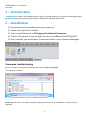
Double-click on the installer tomorama_setup.msi.
Follow the steps of the installer.
You can find Tomorama at C:\Program Files\Geosat\Tomorama
That’s it! Tomorama is now available for you on SolidWorks 2013/2014/2015.
Once installed, you should have Tomorama toolbar in your Command Manager:
Tomorama troubleshooting
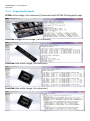
Be sure the add-in is activated in Solidworks Add-in Menu (Tools > Customize).
It should looks as follows:
Please note: This add-in is available in English language only but also runs if SolidWorks is operated in other
languages.
2