1
Advanced Wireless Settings
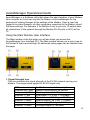
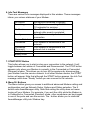
To access additional features of advanced wireless settings, select “Advanced ->
Wireless Setting” tab.
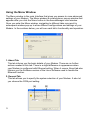
Wireless On
Check the box to enable the wireless function. If you do not want to use
wireless WiFi network function, uncheck the box to disable all the wireless
functions.
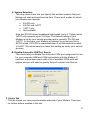
SSID Broadcast On
Check this option if you would not like the SSID of your wireless network to be
broadcasted by the D35. If this option is checked, the SSID of the D35 will not
be seen by Site Survey utilities so your wireless clients will have to know the
SSID of your D35 in order to connect to it.
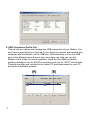
Turn Access Control On (WiFi MAC Filtering)
Check this option if you like to use Access Control (WiFi MAC Filtering) Filters
41