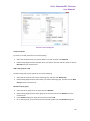
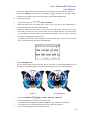
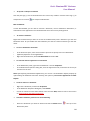
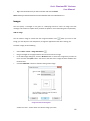
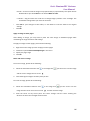
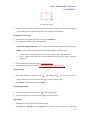
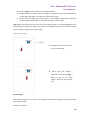
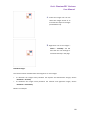
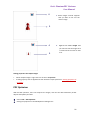
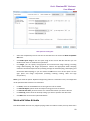
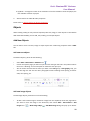
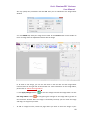
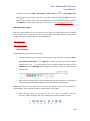
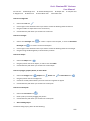
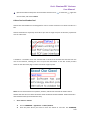
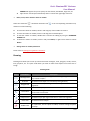
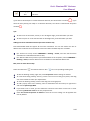
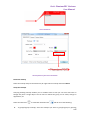
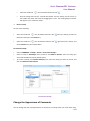
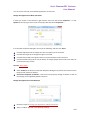
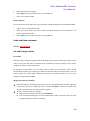
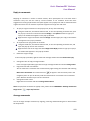
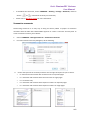
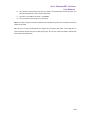
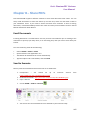
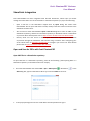
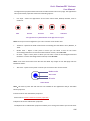
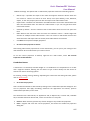
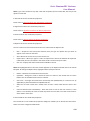
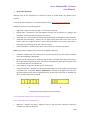
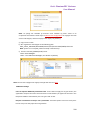
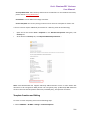
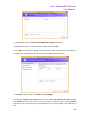
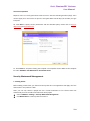
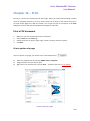
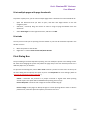
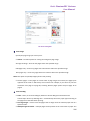
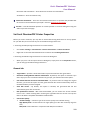
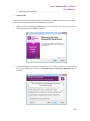
1
Foxit PhantomPDF Business User Manual 1 Foxit PhantomPDF Business User Manual Copyright © 2004-2015 Foxit Software Incorporated. All Rights Reserved. No part of this document can be reproduced, transferred, distributed or stored in any format without the prior written permission of Foxit. Anti-Grain Geometry - Version 2.4 Copyright (C) 2002-2004 Maxim Shemanarev (http://www.antigrain.com) Permission to copy, use, modify, sell and distribute this software is granted provided this copyright notice appears in all copies. This software is provided "as is" without express or implied warranty, and with no claim as to its suitability for any purpose. 1 Foxit PhantomPDF Business User Manual Contents Contents .......................................................................................................... 2 Chapter 1 – Introduction ......................................................................... 5 PhantomPDF Overview ..................................................................................................... 5 What’s New? ......................................................................................................................... 6 About the User Manual ..................................................................................................... 9 Quick Installation Guide................................................................................................... 9 Foxit Plug-In Platform ....................................................................................................... 9 Chapter 2 – Get Started...........................................................................13 Workspace Basics ............................................................................................................. 13 Customize the Workspace ............................................................................................. 21 Set Preferences ................................................................................................................. 22 Chapter 3 – Read ........................................................................................23 Open & Close & Save PDFs ........................................................................................... 23 Bundle with IFilter ............................................................................................................ 25 Standards Validation and Creation ............................................................................ 26 Read....................................................................................................................................... 26 Select & Copy..................................................................................................................... 47 Check the Accessibility of PDFs................................................................................... 48 Others ................................................................................................................................... 50 Chapter 4 – Create .....................................................................................52 Create a PDF in Different Ways................................................................................... 52 Create and Customize a PDF Portfolio...................................................................... 66 Create a table of contents from bookmarks .......................................................... 67 Chapter 5 – Edit ..........................................................................................68 Undo and Redo .................................................................................................................. 68 Header & Footer, Watermark & Background to PDFs.......................................... 68 Bates Numbering .............................................................................................................. 72 Adding Format Page Numbers ..................................................................................... 74 Links ...................................................................................................................................... 75 File Attachments ............................................................................................................... 79 Bookmarks .......................................................................................................................... 82 2 Foxit PhantomPDF Business User Manual Images.................................................................................................................................. 85 PDF Optimizer .................................................................................................................... 91 Work with Video & Audio ............................................................................................... 92 Objects ................................................................................................................................. 98 About the Image Editor................................................................................................ 115 Spelling Check ................................................................................................................. 125 Chapter 6 – Organize .............................................................................. 127 Insert Pages...................................................................................................................... 127 Delete Pages..................................................................................................................... 130 Extract Pages ................................................................................................................... 131 Replace Pages .................................................................................................................. 132 Swap Two Pages.............................................................................................................. 133 Duplicate Pages ............................................................................................................... 133 Move Pages ....................................................................................................................... 134 Split Document ................................................................................................................ 134 Crop Pages ........................................................................................................................ 135 Rotate Pages .................................................................................................................... 136 Flatten Pages.................................................................................................................... 137 Chapter 7 – Comments .......................................................................... 138 Use Different Comments Tools .................................................................................. 138 Change the Appearance of Comments ................................................................... 153 Work on Comments ....................................................................................................... 156 Chapter 8 – Share PDFs ......................................................................... 165 Email Documents ............................................................................................................ 165 Send to Evernote ............................................................................................................ 165 SharePoint Integration ................................................................................................. 166 Shared Review and Email Review ............................................................................ 172 Chapter 9 – Forms ................................................................................... 179 Interactive Form and Non-interactive form .......................................................... 179 Fill in PDF Forms ............................................................................................................. 180 Comment on Forms ....................................................................................................... 182 Manage Form Data......................................................................................................... 182 Form Fields........................................................................................................................ 184 JavaScript .......................................................................................................................... 206 Chapter 10 – Security............................................................................. 210 3 Foxit PhantomPDF Business User Manual Check PDF Security ....................................................................................................... 210 Password Protection & Certificate Protection ....................................................... 210 AD RMS Protection (Available in Business Only) ................................................ 215 Remove Hidden Data .................................................................................................... 235 Redaction (Available in Business Only) .................................................................. 236 Generate Redacted and RMS-protected PDFs ..................................................... 239 Chapter 11 – Signature ......................................................................... 241 Digital Signature ............................................................................................................. 241 Sign PDFs on DocuSign® ............................................................................................. 250 Quick PDF Signature ..................................................................................................... 252 Chapter 12 – Print.................................................................................... 254 Print a PDF document ................................................................................................... 254 Print Dialog Box .............................................................................................................. 255 Set Foxit PhantomPDF Printer Properties .............................................................. 258 Chapter 13 – Appendices ...................................................................... 264 Quick Installation Guide............................................................................................... 264 GPO Manual ...................................................................................................................... 275 SharePoint Configuration ............................................................................................. 288 Quick Start for Azure Active Directory Rights Management .......................... 289 Web Service Configuration.......................................................................................... 290 Shortcut Keys................................................................................................................... 302 Command Lines............................................................................................................... 305 Contact Us ................................................................................................... 307 4 Foxit PhantomPDF Business User Manual Chapter 1 – Introduction PhantomPDF Overview Welcome to Foxit PhantomPDF™- Business Ready PDF! Award-winning Foxit PhantomPDF provides the right features at the right price, allowing you to produce great looking PDF document and forms quickly, affordably, and securely. Foxit PhantomPDF comes in two editions: Foxit PhantomPDF Standard to fit the small and medium sized businesses, and Foxit PhantomPDF Business to fit the large enterprises. Foxit PhantomPDF Standard Foxit PhantomPDF Standard enables businesses to create, edit, and secure reliable PDF documents quickly, easily, and at a cost you can afford. XFA Form Filling Direct Editing Read out Loud Robust Document Security Form Fields Optical Character Recognition(OCR) Export PDF to Image Industry Validation PDF Optimizer SharePoint Integration DocuSign Participate in a Shared Review Foxit PhantomPDF Business Foxit PhantomPDF Business provides business the security that ensures regulatory compliance and corporate governance of their important documents and archives and to ensure documents don’t change after they are approved. It stands up to the demands of large enterprises but lightweight enough to easily deploy to thousands of users without exhausting resources. Supports the right features at the right price with the quality and support you expect from an enterprise solution. Redaction Document Certification XFA Form Filling 5 Foxit PhantomPDF Business User Manual Bates Number Read out Loud Microsoft® Active Directory® Rights Management Service Protector and Policy Manager High Compression SharePoint Integration DocuSign Send for Shared Review What’s New? What’s New in Foxit PhantomPDF 7.2? New Features Cloud-based Shared Review Supports to initiate and control a PDF shared review as well as tracking/replying all comments made by reviewers on Foxit Cloud. Redaction Plugin for Microsoft Word Allows users to create a redacted PDF document from Microsoft® Word® 2013. The plugin produces two different views of the same redacted PDF document. The first view is of the redacted PDF document, which anyone can read as long as they open the file in a PDF reader. This file will block out any redacted text. Alternately, those with a Microsoft AD RMS-enabled PDF reader and the proper credentials have the ability to read the document in an un-redacted format. That means that all of the content that you blocked out is now visible to the authorized users. Improvements Better Access Control during Shared Review Improved the access control to avoid unauthorized modification within non-Foxit PDF viewers during Shared Review. Set Enhanced Security Settings in Preferences Supports to specify trusted locations and files in preferences to provide more secured PDF workflow. PDF Edition and Conversion from Right-click Menu Adds two more options to PDFs’ context menu for users to start editing a PDF or converting it to Microsoft Office files by just right-clicking the PDF. Pattern Search Adds an option to Advanced Search box to search for a pattern in a PDF such as phone numbers. 6 Foxit PhantomPDF Business User Manual Improve the workflow of modifying the filter of image objects. Supports to edit the properties of the same type of objects in batch. What’s New in Foxit PhantomPDF 7.1? New Features Scanned PDF Optimization Reduces the file size of scanned PDFs before distributing or archiving to save transfer time and disk space. PPDF (Pfile-based PDF) File Encryption Supports using Microsoft IRM Protection for PDF Version 2 to encrypt PDFs and output the encrypted files in PPDF format. Auto-straightens scanned PDF documents. Allows users to link to a bookmark/specific page within a web pdf in a web browser using URL parameters. Supports line spacing setting when designing text fields. Provides printing templates when creating files to PDF and supports lossless compression. Supports Greek language in OCR engines. Supports adding bullet lists in Typewriter/Callout/Textbox/Note annotations and the availability of annotation rotation. Improvements Extends the Usage of GPO Templates Supports more settings using the GPO templates, including forbidding all auto-connecting to server, setting to hide document message bar in preferences, and more. Shared Review Enhancement Allows configuration of the interval to check new comments during shared review and notifies users by flashing the PhantomPDF icon in the taskbar if any. Supports to save custom colors in annotation properties and then all the annotations can share the custom colors. Streamlines the workflow when scanning paper to PDF. Optimizes the way to name form fields after running form field recognition. Enhances the edit capabilities of scanned and OCRed PDF documents. Shows the preview of ink signatures and stamps when the mouse cursor hovering over the document area after users select them. Provides an option to apply a stamp to multiple pages. 7 Foxit PhantomPDF Business User Manual What’s New in Foxit PhantomPDF 7.0? New Features Shared Review for Desktop and Mobile Users Allows document owners to share a document with others to gather feedback/comments from reviewers through internal server, emails or SharePoint. Portfolio Creation and Editing Supports to create PDF portfolios and edit PDFs and properties in portfolios. Merge Advanced Editor Features into Main Program Contains all the Advanced Editor features and removes the standalone Advanced Editor from the application. Free-form Annotation with PSI (Pressure Sensitive Ink) Supports to use the Pencil tool from Surface Pro or Wacom tablet to add free-form annotations with PSI in PDFs. Document Sanitization Enable users to remove comment data and other sensitive information that can be hidden or not immediately apparent from PDFs by one-click. Create PDFs from Your Outlook Supports to create PDFs from email messages or folders directly with the Foxit Outlook Add-in, located in the Foxit PDF tab in Outlook ribbon. 2D Barcode Displaying Supports to display 2D barcode that contains form data in the PDF forms with Ultraform technology. Bi-directional Language Support Supports to search and input Hebrew and Arabic in commenting and editing. Optimized PCL Printing Provides an option to auto-detect printers that support PCL for PCL optimization to improve the printing speed. Stronger Security from the RMS Plugin Adds extended policy to strictly control documents access and supports dynamic revocation by preventing some users from accessing PDFs or preventing some PDFs from being accessed to promptly revoke PDFs that have already been issued. Create PDFs with RMS Encryption Allows users to create an RMS protected PDF from Office (Word, Excel, PowerPoint and Outlook), using Foxit add-in. Friendly Ribbon Customization Supports to customize the Ribbon, enabling users to rearrange the buttons, or create a new tab with their favorite buttons. Streamlined Text Editing by Linking Supports to link text boxes to a new paragraph ready for paragraph editing in a page to keep better text reflow. 8 Foxit PhantomPDF Business User Manual Supports to create and verify signatures on dynamic XFA forms created by Adobe LiveCycle. Support to export PDF to Word in Faeroese. Improvements Improved Paragraph Editing UX Retains better text reflow and display after editing with Edit Text tool to improve user experience. Creator Add-in Improvement in PPT, Excel & Word Adds more options in Foxit PDF tab in the ribbon of the aforementioned applications. Instant PDF or PDF Portfolio Creation Improves the “drag and drop” and “copy and paste” features to create PDFs or PDF portfolios quickly. More Secured Digital Signature Supports to add password encryption to your digital certificates to avoid unauthorized use. GPO Improvement Ensures the configurations in GPO template to work in both Classic and Ribbon Mode, adds settings of language in XML and GPO template, and more. SharePoint Network Drive Support Enable users to open and check out PDFs from SharePoint mapped drive with Foxit PhantomPDF’s Open dialog. Text Copy with Formatting Maintained Improve the “Copy and Paste” feature to allow users to copy and paste text with styles, including font, font size, font style, font color, etc. About the User Manual This user manual covers all features included in Foxit PhantomPDF Business. Quick Installation Guide To get installation, registration, uninstallation and update instructions step by step, please refer to Foxit PhantomPDF Quick Installation Guide. Foxit Plug-In Platform For flexible and convenient management of plugins, Foxit PhantomPDF offers a Plug-in Platform, in which you can view the plug-in status, learn the information about the plugins installed, as well as manage the plug-ins as needed. 9 Foxit PhantomPDF Business User Manual To open Foxit Plug-in Platform, please choose Help > Product > About Foxit Plug-Ins , and Foxit Plug-in Platform will show up as below. Foxit Plug-in Platform Plug-in Status Certified: Shows whether the signature of the plug-in is valid or not. Loaded: Shows whether the plug-in has been loaded successfully or not. Plug-in Information In addition to plug-in status, you can learn more information about the plug-in installed, including the name, date, description and legal copyright. To learn the details of a plug-in, please click More… under the general description of the plug-in in the Foxit Plug-in Platform. Then a dialog box showing the details of the plug-in will pop up (as shown below). 10 Foxit PhantomPDF Business User Manual Detailed Information about Foxit Updater Plugin Plug-in Management Within Foxit Plug-in Platform, you can manage the plug-ins as needed, including installing, enabling, disabling and uninstalling plug-ins. Installing a Plug-in To install a plug-in, please follow the steps below: Select Help > Product > About Foxit Plug-Ins to open Foxit Plug-In Platform; Click Install Plugin > choose the plug-in file (in .xml format) > click Open. Then Foxit PhantomPDF will verify whether the signature of the plug-in to be installed is valid or not. If it is valid, Foxit PhantomPDF will load the plug-in directly; if not, a prompt message will pop up (as shown below), and the installation will be terminated. Note: The .xml and .fpi files of a plug-in to be installed should be placed in the same folder, otherwise, installation will fail. Disabling a Plug-in To disable a plug-in, please follow the steps below: Select Help > Product > About Foxit Plug-Ins to open Foxit Plug-in Platform. Select the plug-in you want to disable, and click the Disable button to disable it. 11 Foxit PhantomPDF Business User Manual Enabling a plug-in To enable a plug-in, please follow the steps below: Select Help > Product > About Foxit Plug-Ins to open Foxit Plug-in Platform. Select the plug-in to be enabled, and click the Undo Disable button to enable it. Uninstalling a plug-in To uninstall a plug-in, please follow the steps below: Select Help > Product > About Foxit Plug-Ins to open Foxit Plug-in Platform. Select the plug-in to be uninstalled, and click the Uninstall button to uninstall it. Note: 1. All the operations to the plug-ins will take effect after you restart Foxit PhantomPDF. 2. Foxit PhantomPDF includes plug-ins that are necessary for the realization of its functionalities or are necessarily required for maintenance. To ensure normal operation, you are not allowed to disable or uninstall these plug-ins (such as Foxit Updater plugin, Foxit Plug-in Platform plugin, etc.) 12 Foxit PhantomPDF Business User Manual Chapter 2 – Get Started The Foxit PhantomPDF workspace is packed with tools that help make working with PDF files easier, and is organized into a document pane, a navigation pane, toolbar pane menu bar and status bar. A good way to get up to speed in using Foxit PhantomPDF is by familiarizing yourself with its workspace. Workspace Basics Foxit PhantomPDF provides an intuitive user interface with a menu bar, a toolbar, a navigation pane, work area and status bar. About Start Page The Start Page appears when you first start Foxit PhantomPDF and shows the recent documents opened, helpful product tutorials, and more. You can click any document you recently opened from the recent document list or choose one tutorial for any feature to learn about our product. The Start Page will continue to appear every time you start the program until you uncheck the Show Start Page at FILE > Preferences > General > Application Startup. Menu Bar and Context Menus Ordinarily, it is a good idea to keep the menu bar visible so that they are available as you work. It is possible to hide them, in classic toolbar mode, using the View > uncheck Menu Bar or press F9. 13 Foxit PhantomPDF Business User Manual Of course, you can temporarily display the Menu Bar again by right-clicking toolbar and checking Menu Bar. By default, the toolbar mode is set to Ribbon Mode when you open a PDF document. Foxit PhantomPDF has numerous context-sensitive menus. These menus appear when you right-click an object in the workspace. A context menu displays commands that relate to the item or area clicked. Toolbar The toolbar displays the FILE page (the backstage view like Office 2013) and other tabs with different tools. Toolbar under HOME Tab Note: Position the pointer over a tool to see a description of the tool. Click FILE to create, open, save to manage your PDF files. FILE Page 14 Foxit PhantomPDF Business User Manual Show/Hide Toolbar To show/hide all toolbars, please do the following: In Classic Toolbar Mode, Choose View > Toolbars > show/hide Toolbars. In Ribbon Mode, please do either of the following: To collapse/expand the toolbar, please click or in the upper right corner. Right-click toolbar and check Minimize the Ribbon option to hide the ribbon toolbar and uncheck the option to show it. Set Favorite Toolbar The Ribbon is designed to help you find the commands in an easy and convenient way. Foxit PhantomPDF gives you the capability to personalize and fine-tune the Ribbon in the way you want. With this feature, you can customize the default Ribbon, and create custom tabs or groups with your favorite commands. To customize the Ribbon, you can right click the Ribbon, choose Customize the Ribbon from the context menu to bring out the Customize Tools dialog box first, and then follow the steps below. Context Menu 15 Foxit PhantomPDF Business User Manual Customize Tools Dialog Box Create a new tab To create a new tab, please do one of the following: Select the tab after which you want to add the new tab, and then click New Tab. (Alternatively) Right-click the tab after which you want to add the new tab, and then choose New Tab from the context menu. Add a new group to a tab To add a new group to a tab, please do one of the following: Select the tab to which you want to add the group, and then click New Group. (Alternatively) Right-click the tab to which you want to add the group, and then choose New Group from the context menu. Rename a tab or group Select the tab or group to be renamed, and click Rename. (Alternatively) Right-click the tab or group to be renamed, and choose Rename from the context menu. In the Rename dialog box, input the new name and click OK. For a custom group, you can also choose the display symbol from the Rename dialog box. 16 Foxit PhantomPDF Business User Manual Add commands to a group Select the group under which you want to add a command. Choose the command category and the desired command from the Choose command from list. Click Add to add the selected command to the desired group. Remove a tab, group or command To remove a tab, group or command, please do one of the following: Select the tab, group or command to be removed, and click Remove. (Alternatively) Right-click the tab, group or command to be removed, and choose Delete from the context menu. Reorder the tabs or groups To reorder the tabs or groups, please do one of the following: Select the tab or group you want to reorder, then click the Up to move accordingly. (Alternatively) Right-click the tab or group you want to reorder, and then select Move Item Up or Move Item Down to move accordingly. or Down arrow Reset the Ribbon Click Reset in the Customize Tools dialog box to reset the Ribbon to the default settings. Import a customized Ribbon Click Import. 17 Foxit PhantomPDF Business User Manual In the Open dialog box, select the Ribbon customization file (.xml file), and click Open. Note: After importing a Ribbon customization file, you will lose all the arrangements you have customized previously. If you want to revert to the customization you currently have, it is easier to export the customized Ribbon before importing any customization. Export a customized Ribbon Click Export. In the Save As dialog box, specify the file name and path and click Save. Note: 1. After customization, you need to click OK in the Customize Ribbon tab to save and apply your customizations to the Ribbon. 2. To help you distinguish a default tab or group from the customized ones, the custom tabs or groups in the Customize the Ribbon list are tabbed with “(Custom)” after the name (like this: ), but the word “(Custom)” will not appear in the Ribbon. 3. The commands in the default group under a default tab are displayed in grey, and they cannot be renamed, reordered, or removed. 4. You cannot remove default tabs in Foxit PhantomPDF. To set favorite toolbar in Classic Toolbar Mode: Choose View > UI Options > Customize Toolbars, and the Customize Tools dialog box pops up. In the Favorite Toolbar tab, please do the following: Add - Select your preferred tools from the left “Command” pane, click Add and see them appear in the right “Favorite Toolbar” pane. Remove - Select the tools you accidently added to the right “Favorite Toolbar” pane, click Remove, and see them disappear from the right pane. Reset - Reset the Favorite Toolbar pane to the default settings. Click Up/Down button on the right side to adjust the position of your favorite toolbars, and click OK. To show/hide Favorite Toolbars, you can either right-click toolbars to check/uncheck Favorite or go to View > Toolbars > check/uncheck Favorite. Move toolbars in Classic Toolbar Mode Any toolbars can float or be docked. Docked toolbars appear in the toolbar area. Floating toolbars appear as independent palettes that you can move anywhere in the work area. Each toolbar has a grabber bar at the left edge of the toolbar. 18 Foxit PhantomPDF Business User Manual To rearrange the docked toolbars, use the toolbar grabber bars to drag them from one position to another. To float a docked toolbar, drag it by its grabber bar from the toolbar area. To move a floating toolbar, drag it by its title bar to another location in the work area. To dock a floating toolbar, double-click its title bar or drag it by its title bar to the toolbar area. To move all floating toolbars to the toolbar area, choose View> Toolbars > Reset Toolbars. Note: No need to move toolbars in Ribbon mode, where all tools are displayed under each ribbon. Return toolbars to their default configuration in Classic Toolbar Mode Choose View > Toolbars > Reset Toolbars or right-click to choose Reset Toolbars. Press the hotkey Alt+F8 on your keyboard. Navigation Panels Show or hide the navigation panels The buttons on the left side of the navigation pane provides easy access to various panels, such as the Bookmarks panel button and the Pages thumbnails button . To show the navigation panels, use keyboard shortcut F4, or click VIEW > View Setting > Navigation Panels > Show Navigation Panels. To hide the navigation panels, use keyboard shortcut F4, or click VIEW > View Setting > Navigation Panels > Hide Navigation Panels. To open a navigation panel, click its button on the left side of the navigation pane. To close a navigation panel, click its button on the left side of the navigation pane. Adjust the navigation pane Like the toolbars, the navigation pane can be docked in the navigation pane or float anywhere in the workspace. You can choose to hide or close the panels that you don't need and open the ones you do. What’s more, you can also adjust the width of the navigation pane easily. 1. Viewing a panel in the navigation pane By default, all the panels dock in the navigation pane with a set of panel buttons appearing on the left side of the work area. Do the following: 19 Foxit PhantomPDF Business User Manual Select the button for the panel on the left side of the navigation pane. 2. Changing the display area for navigation pane To change the view area of the navigation pane, drag its right border to adjust the width. To minimize or maximize the navigation pane, click on the button corner of the navigation pane. / at the top right 3. Docking or floating a navigation pane To float a navigation panel, drag the panel button into the document pane. To move a panel, drag it by its panel button to another location. To dock a floating panel, double-click its title bar. Working with Layers A layer or as it is more formally known Optional Content Groups (OCG) is a dictionary representing a collection of graphics that can be made visible or invisible dynamically by users of viewer applications. In a PDF file, each layer may hold any portion of the document's objects, and layers may be made visible or invisible, showing or hiding their contained objects, in any combination. With Foxit PhantomPDF, you can control the display of PDF layers with the Layer panel. For example, you may divide background imagery, main content areas, and advertisements amongst their own top-level layers, and easily hide the layers that you don't want others to view. Show or hide PDF layers In a PDF, information can be stored on different layers. To show or hide related content stored in a variable number of separate layers, you can simply refer to the Layer panel on the left side of the work area. Please note that you cannot create or edit layers in Foxit PhantomPDF. However, you can view layers and choose to show or hide the content associated with each layer. A B Layer Panel A. A checkmark indicates a displayed layer B. Hidden layer 20 Foxit PhantomPDF Business User Manual 1. Open the Layer panel, and then do one of the following: To hide a layer, uncheck the layer. To show a hidden layer, click the empty box and a checkmark will appear. 2. From the Option menu at the top right corner of the Layer panel, choose one of the following: List Layers for All Pages - Shows every layer across every page of the document. List Layers for Visible Pages - Shows layers only on the visible pages. Reset to Initial Visibility - Resets layers to their default state. Expand All – Expands all layers. Collapse All - Collapses all of the current layers in the view. Status Bar The status bar is an area of the workspace that displays the page number where you are, the number of total pages, page transition buttons, zoom buttons, etc. for view setting. The status bar is open by default when you open a PDF. In the VIEW ribbon, the items on the View Setting tab help you to show or hide the status bar. Show Status Bar: If you check it, the status bar will appear in the bottom of the workspace. Auto-hide Status Bar: If you check it, the status bar is hidden. But if you put the cursor near the bottom of the page, the status bar will appear. Hide Status Bar: If you check it, the status bar will be hidden. Customize the Workspace As you get acquainted with workspace of Foxit PhantomPDF, you can set up your work environment at your desire. Customize the Skin and the Interface Style Skin and Interface Style There are five kinds of skin, Classic, Black, Blue, Orange and Purple that allow the user to change 21 Foxit PhantomPDF Business User Manual the look of the software. There are also two kinds of interface styles, Classic Toolbar Mode and Ribbon Mode, which change the interface of the software. To change the skin of the workspace, please do the following: Go to FILE > Change Skin. Check the skin you like and click OK. To change the interface style of the workspace, please do the following: Go to FILE > Change Toolbar Mode > Check Classic Toolbar Mode or Ribbon Mode. Set Preferences Many program settings are specified in the Preferences dialog box, including settings for File Associations, Forms, Full Screen, General, History, JavaScript, Languages, OCR, Page Display, PDF/A, Reading, RMS Setting, Security, Signature, and Trust Manager. Once you set preferences, they remain in effect until you change them. 1. 2. Choose FILE > Preferences. Select the type of preference you want to change under the list of categories. 22 Foxit PhantomPDF Business User Manual Chapter 3 – Read After getting acquainted with the workspace and the basic tools, you can start the journey of PDF reading. You can open a PDF, reach a specific page easily, adjust the view of a document, read pure texts by text viewer tool, view documents while listening to them, and more. Foxit PhantomPDF also provides a new feature to view PDF portfolios. Open & Close & Save PDFs Open PDFs Open PDFs in Foxit PhantomPDF Do one of the following: Choose FILE > Open, or click the Open button on Quick Access toolbar. In the Open dialog box, select the file name, and click Open. PDF documents are usually identified with .pdf extension. Open the Foxit PhantomPDF window, drag and drop the PDF file into the Foxit PhantomPDF window. Note: You can open more than one PDF document within the same Foxit PhantomPDF application. When you open more than one file at a time, you can navigate the PDF files easily by clicking the corresponding tabs or file names under the Window menu. Open PDFs from Desktop or within Other Applications If you set Foxit PhantomPDF as your default viewer for PDF files, you are able to launch and open PDF files in the following applications: Email Application: in your email applications, you can double-click the attachment icon to open the document. Web Application: you can open a PDF document by clicking on the PDF file link in your web browser. Also, you can view the PDF content embedded in the HTML. File System: double-click the PDF file icon in your file system. Open a secured PDF document If you receive a PDF that is protected by security features, you may need a password to open the document. Some protected documents have other restrictions that prevent you from printing, 23 Foxit PhantomPDF Business User Manual editing, copying, etc. When opening a protected PDF, you will be prompted to enter the password. When trying to copy or edit a secured PDF, you will be notified that you are prohibited to do it without the owner’s permission. If you open a PDF that is encrypted by AD RMS feature of PhantomPDF, please refer to AD RMS Protection. Retrieve recently opened documents from within Foxit PhantomPDF Under the “FILE” pull-down menu, you will be able to instantly retrieve recently opened documents. Foxit PhantomPDF provides a list of recently opened PDF documents. Choose FILE > Open > Recent Documents. Note: To customize the number of document in the recently used list, please choose FILE > Preferences > History. Save PDFs When saving or saving as PDFs, Foxit PhantomPDF will optimize PDFs by removing redundant data including deleted pages, objects, and annotations. Save a copy of a PDF 1. 2. Choose FILE > Save As. In the Save As dialog box, enter the filename and location, and click Save. Save a PDF as a TXT 1. 2. 3. Choose FILE > Save As. Choose the extension name from the Files of Type Option in the Save As dialog box. Enter the filename and location, and click Save. Close a PDF Do the following: If you are in multi-tab browsing, to close the current PDF file you must click the file’s Close button in the tab bar (instead of the Foxit PhantomPDF application window), or double-click the tab, or click FILE > Close. To close all PDF files, click the Close button in the Foxit PhantomPDF application window. If you are in the single document interface mode, just click the Close button on the PDF file, or 24 Foxit PhantomPDF Business User Manual click FILE > Close. Export PDFs Export PDF to Office, RTF, Excel, PPT or HTML file 1. 2. 3. 4. Select FILE > Export, or click CONVERT > Export. (Optional) To convert a PDF to Word, you can directly right-click the file and choose Convert to Microsoft Office with Foxit PhantomPDF. Select the format you want to convert the PDF to. You can select the language used in the PDF from “Settings” in the Save As dialog box before saving the file. Export a PDF as an image 1. Select FILE > Export to Image, or click CONVERT > Export. 2. Specify the file type of images and the page range (all pages, current page, a range of pages), and click OK. 3. You can set the quality, color space, and resolution from “Settings” in the Save As dialog box before you save the file. Click OK to continue. 4. Click Save. Export all images in the PDFs With one click of “Export All Images”, Foxit PhantomPDF enables you to export all images in your document to separate image files. Please click CONVERT > Export > Export All Images, and configure the settings before exporting via the Export to Images dialog box. Bundle with IFilter Foxit PhantomPDF has been bundled with Foxit PDF IFilter– Desktop, which allows users to index a large amount of PDF documents and then quickly find text within these documents on the desktop system. You can trigger Foxit PDF IFilter in the installation directory of Foxit PhantomPDF. For more information, please refer to the user manual of Foxit PDF IFilter . Note: Please go to FILE > Preferences > Trust Manager to disable the safe reading mode first, and then double click the File Attachment icon to open the attached user manual of Foxit PDF IFilter. 25 Foxit PhantomPDF Business User Manual Standards Validation and Creation With the Industry Standard of Foxit PhantomPDF, you can detect and fix problems for different usage. Foxit PhantomPDF has the PDF/A, PDF/E and PDF/X compliance validation and creation as the industry standards. Click CONVERT > Compliance > Industry Standard button , and select one of the compliances and click Analyze or Analyze and Fix in the pop-up dialog box. You can also create standard compliant PDFs by saving as PDF/X, PDF/A or PDF/E. (Business Only) Read Foxit PhantomPDF enables you to retrieve recently opened documents, as well as provides different ways for you to read PDF files: multi-tab reading and single document reading. Multi-tab Reading & Single Document Reading Multi-tab Reading The multi-tab browsing feature enables you to open multiple files in a single instance. Newly opened PDFs will be displayed in tabs. To enable tabbed browsing, go to FILE > Preferences > Documents > Open Setting > uncheck Allow Multiple Instances. Tab Bar Single Document Reading Create a new window when you double-click to open a new PDF file. To enable single document interface mode, go to FILE > Preferences > Documents > Open 26 Foxit PhantomPDF Business User Manual Setting > check Allow Multiple Instances. Read Contents Go to Specified Page Click the First Page, Last Page, Previous Page and Next Page in the Go To ribbon under the View menu or in the status bar to view your PDF file. You can also input the specific page number to go to that page. The Previous View lets you return to the previous view and Next View goes to the next view. Read with Bookmark To jump to a topic using bookmarks, click the Bookmark button on the left Navigation pane. And then click the bookmark or right-click the bookmark and choose “Go to Bookmark”. Click the plus (+) or minus (-) signs to expand or collapse the bookmark contents. Read with Page Thumbnail To jump to a page with page thumbnails, click the Page Thumbnails button on the left Navigation pane and click its thumbnail. To move to another location on the current page, drag and move the red box in the thumbnail. To resize a page thumbnail, right-click on the thumbnail and choose “Enlarge Page Thumbnails” or “Reduce Page Thumbnails”. 27 Foxit PhantomPDF Business User Manual View PDF Portfolios PDF portfolios are a combination of files with different formats such as Word Office files, text documents and Excel files. Foxit PhantomPDF provides viewing and printing PDF portfolios, as well as searching keywords in PDFs in the portfolio. A Sample PDF Portfolio 28 Foxit PhantomPDF Business User Manual Download a Sample PDF portfolio (preferably with files in different formats). Open it in Foxit PhantomPDF by right clicking and “Open with Foxit PhantomPDF”. You can view the coversheet, details and layout of the portfolio. To open and read the files in the portfolio, please do any of the following: Double-click a file. Select a file and click button in the upper right corner of the document area. Right-click a file and choose Open File in Native Application. Right-click a document in the portfolio and choose Show Information or click the button in the upper right corner of the document area to view the properties of the document. Search in portfolio by typing keywords in Search box or using shortcut keys CTRL+ Shift + F. Search & Index in PDFs Find Text To quickly find text you are looking for, follow the steps below: Select the Find Field on the menu bar. Click to set the search criteria. A. Whole words only -- limits the search to match only whole words. For example, if you search for the word Read, the word Reader will not be found. B. Case-Sensitive -- makes the search case-sensitive. For example, if you search for the word text, the words Text and TEXT will not be found. C. Include Bookmarks -- enables you to search for a word in the whole text, including bookmarks. D. Include Comments -- enables you to search for a word in the whole text, including comments. E. Include Form Data – enables you to search for a word in the whole text, including form data. Type the text in the field and press the Enter button. Foxit PhantomPDF jumps to the first instance of the search term, which appears highlighted. Click and or press shortcut keys Shift+F3 and F3 to find previous or next result, or press Enter to find the next result. Foxit PhantomPDF supports the advanced search function, which enables you to do the following: search a string in a single PDF file, multiple PDF files under a specified folder, or PDFs in a PDF 29 Foxit PhantomPDF Business User Manual portfolio. When the search finishes, all occurrences will be listed in a tree view. This will allow you to quickly preview the context and jump to specific locations. To do the advanced searching, do as below: Click the search button , and select a document or folder you want to search in the Search Panel. Then in the Searching box, type the text you want to search for and click the button to set the search criteria. See also Search Criteria. Check the item Patterns and select a pattern. The patterns vary with different countries. Choose Country based on the file you are using. Click Search button. Foxit PhantomPDF jumps to the first instance of the search term, which appears highlighted. And all occurrences will be listed in a tree view, allowing you to quickly preview the contexts and jump to specific locations. Press New Search in the search panel to start a new search or press the close button in the top of the search panel to finish the search. Move and Resize Search Box The advanced search box can float or be docked. You can also resize the box with ease. To float the docked search box, please double-click the title bar. To move the floating search box, drag it by its title bar to another location in the work area. To resize the search box, drag any corner point to adjust. To dock the floating search box, double-click on the title bar. OCR Function Optical Character Recognition, or OCR, is a software process that enables images or printed text to be translated into machine-readable text. OCR is most commonly used when scanning paper documents to create electronic copies, but can also be performed on existing electronic documents (e.g. PDF). Recognize text Foxit PhantomPDF can detect whether a PDF file is scanned or image-based and make corresponding suggestions to initiate OCR when opening a scanned or image-based PDF as below: To recognize image-based or scanned text in a file, perform one of the following: 30 Foxit PhantomPDF Business User Manual Click HOME > Convert > OCR > Current File, in the Select OCR Engine dialog box, specify the range you need. 1. 2. 3. Choose the language used in your document. You can select multiple languages as well. In the output type, check Searchable Text Image to make the image text searchable, or check Editable Text to enable the image text to be edited with Foxit PhantomPDF. Click OK to recognize the text. A recognition text process bar will pop up to show the progress. 4. Do the search function, the text on your image or scanned document will be searchable. You can also recognize text from an opened image-based or scanned PDF document. To recognize text in multiple files: 1. Click HOME > Convert > OCR > Multiple Files. 2. In the OCR Multiple Files dialog box, click Add Files to add files or folders. Use Move up, Move down, and Remove to adjust the order of the files and click OK. 3. In the Output Options dialog box, select the destination folder and choose to name the new file or overwrite an existing one. 4. Click OK. After recognition, a message box will pop up to prompt you the recognition is 31 Foxit PhantomPDF Business User Manual finished. See also “To recognize text in a file” Note: When you are using the CJK OCR engine for the first time, the system will remind you to download and install the engine from the Foxit server. Find and Correct OCR Suspects After recognizing image-based or scanned texts in the PDF file, you can pick out and correct the texts or characters that are uncertain as the steps below: 1. Click HOME > Convert > OCR > Suspect Results > First Suspect. A pop-up Find OCR Suspects dialog box appears with a Foxit PhantomPDF box appearing to prompt you with Find Completed. Find OCR Suspects dialog box Note: By default, the suspect results are based on the Search Document. You can also select Search Page to find suspects on the current page and redo this step. 2. The Find OCR Suspects dialog box shows both the original document text and the OCR text. You can edit text in the OCR text box directly if needed. If the highlighted text is incorrectly identified, click Not Text. Click Find Next to find the next suspect or click Accept and Find to accept the suspect and find next. 3. If you choose HOME > Convert > OCR > Suspect Results > All Suspects. The Find OCR Suspects dialog box also pops up and all the OCR suspects will be highlighted with red boxes as below: 32 Foxit PhantomPDF Business User Manual Original Document Text in the PDF file Suspect Results of the OCRed Text You can check the highlighted text by clicking any highlighted parts. Click the place where it is incorrect and input the correct text in the OCR text box in the Find OCR Suspects dialog box. 4. Click Close to exit the Find OCR Suspects dialog box. Adjust Page View Foxit PhantomPDF provides multiple tools that help you adjust the view of your PDF documents, such as the page magnification and the display of pages. Adjust Page Magnification Do one of the following procedures: 1. Click the Zoom In tool or Zoom Out tool 2. Right-click the document pane and select Zoom In or Zoom Out. 3. Select or input a magnification percentage in the Zoom To Area 4. same tab. Adjust a magnification percentage in HOME > View. in the Magnification on the Percentage Area on the status bar. 5. Using the Marquee tool Choose the Marquee tool The cursor changes into in VIEW > Assistant. , drag a rectangle on the page or just click on the page to 33 Foxit PhantomPDF Business User Manual increase the magnification by one preset level, centering on the point where you clicked. 6. Choose the Marquee tool, the cursor changes to as Ctrl-click on the page. Drag a rectangle on the page or just click on the page to decrease the magnification Using the Loupe tool Choose the Loupe tool Move the loupe tool to the places you want to view, you will see the amplificatory or decreased objects in the Loupe Tool dialog box. (Optional) Select the Lock option in the Loupe Tool dialog box. Click the area of the document you want to view in closer detail. A red rectangle appears in the document, corresponding to the area shown in the Loupe Tool window. You can drag or resize the rectangle to change the Loupe tool view. To change the scale ratio of the Loupe Tool, you can either enter a value in the zoom text box, or drag the slider in the Loupe Tool dialog box. in VIEW > Assistant. Using the Magnifier tool You can easily magnify areas of the PDF files as you work on Foxit PhantomPDF with this free tool. It is especially useful for visually impaired people with some functional vision. Magnifier Fisheye Magnifier Choose the Magnifier Move the Magnifier to the places you want to view. To switch between Magnifier and Fisheye Magnifier, press the left mouse button. To change the size of magnifier window, press the right mouse button. To turn off the Magnifier, choose any other tools. in VIEW > Assistant > Magnifier. 34 Foxit PhantomPDF Business User Manual Resizing a Page to Fit the Window There are four types for you to choose: To resize the page to fit entirely in the document pane, click the Fit Page button in HOME > View, or right-click the Document Pane and choose Fit Page. To resize the page to fit the width of the window, click the Fit Width button in HOME > View, or right-click the Document Pane and choose Fit Width. Part of the page may be out of view. To resize the page to its actual size, click the Actual Size in HOME > View, or right-click the Document Pane and choose Actual Size. To resize the page to fit the visible width of the window, removing the margins, click the Fit Visible button in HOME > View. Adjust the Page Display To change the Page Orientation, do one of the following: Click the Rotate View button Click the Rotate Left button in VIEW > Page Display. or the Rotate Right button in HOME > View. Right-click the document pane and choose the Rotate Right tool. Note: You can change the page view in 90-degree increments, but the change only affects screen display instead of its actual orientation. You cannot save the changes in page view. To change the page display, Foxit PhantomPDF provides the following page layouts: Single Page - Displays one page in the document pane at a time. Continuous - Arranges the pages in the document pane in a continuous vertical column. Facing Continuous Facing Show Cover Page During Facing - Arranges the pages side by side, displaying only two pages at a time. - Arranges the pages side by side in a continuous vertical column. -If a document has more than two pages, the first page 35 Foxit PhantomPDF Business User Manual can be displayed alone on the right side of the document pane in Facing and Continuous Facing views. Split - View a PDF with the document pane divided into two panes (Split command) or four panes (Spreadsheet Split command). Note: To restore single-pane view, choose VIEW > deselect Split/Spreadsheet Split. With Split view, you can scroll, change the magnification level, or turn to a different page in the active pane without affecting the other pane. The Spreadsheet Split view is useful if you want to keep column headings and row labels visible while scrolling through a large spreadsheet or table. In this mode, changing the magnification in one pane changes the magnification in all panes. Also, scrolling is coordinated between the panes. Scrolling a pane horizontally scrolls the pane above or below it; scrolling vertically also scrolls the pane to the left or right of that pane. View Mode Read Mode User interface settings, such as the navigation pane, toolbar, and status bar, will be hidden when a PDF is displayed in Read Mode. The document pane is enlarged, reducing wasted reading space while leaving the menu bar available for necessary operations. To view a document in Read Mode, please choose one of the following: Click the Read Mode button Press the shortcut key “Ctrl + H” on the keyboard. Right-click the document pane and select Read Mode. in VIEW > Document Views. In Read Mode, a basic toolbar will float when the cursor is put at the bottom of the screen. This offers basic tools, such as save, print, zoom in/out, etc. If you open multiple PDFs, please press “Ctrl + Tab” on the keyboard to switch through them in Read Mode. To exit the Read Mode, please do any of the following: Click the Read Mode button in VIEW > Document Views. Press the shortcut key “Ctrl + H” on the keyboard. Click the Read Mode button on the floating basic toolbar at the bottom of the screen. 36 Foxit PhantomPDF Business User Manual Full Screen Mode In Full Screen mode, Foxit PhantomPDF Document Pane fills the entire screen, with Menu Bar, Toolbar, Status bar, and Bookmarks pane hidden behind. The mouse pointer remains active in Full Screen mode so that you can click links. 1. 2. To set Full Screen preferences, please go to FILE > Preferences > Full Screen. To enter Full Screen mode, please do one of the following: 3. Right-click the Document Pane and select Full Screen. Press the shortcut key F11. To adjust the view in Full Screen mode, right-click the document and work with the Context Menu. Note: This feature will not be available unless you clear Left click to go forward one page; right click to go back one page checkbox in the Preference > Full Screen. 4. To exit Full Screen mode: Press Esc key. Press the shortcut key F11. 5. Page Transition in Full Screen Foxit PhantomPDF supports page transition to turn pages in Full Screen mode. It helps you to turn pages as the transition feature in Microsoft Power Point. There are 10 transition types: Split, Blinds, Box, Wipe, Dissolve, Glitter, Push, Cover, Uncover and Fade. Also, you could set the direction, speed and page range for the transition. To edit page transition, click the Page Transitions in VIEW > Page Display. 37 Foxit PhantomPDF Business User Manual Note: This change only works for the current PDF. The pages will be turned in the same way the next time you open and view the document in full screen mode. If you want to set page transition to all PDF documents opened by Foxit PhantomPDF, please choose FILE > Preferences > Full Screen. Reverse View To read documents in a backward order, please do one of the following: Choose VIEW > Document Views >Reverse View Right-click on the document pane and choose Reverse View. . 38 Foxit PhantomPDF Business User Manual Text Viewer With Foxit Text Viewer, you can work on all PDF documents in pure text view mode. It allows you to easily reuse the texts scattered among images and tables, and acts like Notepad. Also, you can adjust some settings to meet your needs. To Enter Text View mode, do one of the following: Choose VIEW > Document Views > Text Viewer Press the shortcut key Ctrl + 6. . Customizing Text Viewer As soon as Text Viewer is activated, you can use the Font Setting Tools to customize your own work area. Right-click the text area to select Font Setting. 1. To change text font when reading with Text Viewer Right-click and choose Font Setting > Font…. Choose Font name, Font Style, Font Size, Effects, Color and Script from respective fields in Font dialog box. The suggested font for best screen display is Courier New. 2. Toggle between regular style and Bold style, choose Font Setting > Bold. 3. Toggle between regular style and Italic style, choose Font Setting > Italic. 4. Change the text color and the background color Right-click and choose Font Setting > Color…. Text Viewer Colors dialog box pops up. 39 Foxit PhantomPDF Business User Manual Drag respective sliders or type the value to change the Foreground (Font) Color and Background (page) Color. You can preview the changes in the box with a word “Sample”. Click OK to complete the procedure, or click Cancel to abandon the changes. 5. Change Text Viewer settings Right click the text area > select Setting… The text Viewer Settings dialog box pops up. Below are the text viewer settings: A. Set page width at three different levels: Current page width, Current document width and System default width. B. Minimal width – the valid value for this field is 0-1024. It is set to 78 by default. C. Keep Column – for PDF tables or text columns, you can check Keep Column to retain 40 Foxit PhantomPDF Business User Manual appropriate column in text viewer mode. It is checked by default. D. Auto Width – for PDF tables or text columns, you can check Auto Width to keep proper width between texts automatically. It is checked by default. E. Auto Rotate – you can check Auto Rotate to ensure consistent orientation with that of the printer. It is checked by default. Navigating in text viewer mode 1. To go to next or previous page, do one of the following: Choose VIEW > Go To > Previous Page Click the Previous Page icon Put the cursor in the Document pane, press the Left or Right Arrow on keyboard to move the pages up or down. or Next Page or Next Page icon . on the Status Bar. 2. To go to the first or last page, do one of the following: Choose VIEW > Go To > First Page Click the First Page icon Press the Home or End keys. or Last Page or Last Page icon . on the Status Bar. 3. To go to a specific page, do one of the following: Choose VIEW > Go To > input the specific page number > press Enter. Input or select the specific page number on the Current Page Number Box on Status Bar, and press Enter. Changing the magnification level of a document Do one of the following procedures: 1. Click the Zoom Out button or the Zoom In button 2. Choose HOME > View > Zoom In Note: The Zoom To box or Zoom Out on the status bar. . is unavailable in Text Viewer mode. Finding text in Text Viewer mode 41 Foxit PhantomPDF Business User Manual To find text you are looking for, please refer to Find Text. Copying and pasting text in Text Viewer mode 1. Select text Select a word: Double-click the word you want to select. Select a line of text: Click and drag the cursor on the line of text you want to select. Select all the text: Press Ctrl + A or right-click the Document Pane > choose Select All. 2. Copying text, do one of the following: Right-click the selected text > choose Copy. Select the text and then press shortcut key Ctrl + C. 3. Pasting text To paste the selected text on Clipboard to another application, please follow the paste command of the specific application. Read Out Loud What’s Read Out Loud? Read Out Loud is a Text-to-Speech (TTS) tool. This tool can read the text in comments and alternate text descriptions for images and fillable fields. With this feature, you can obtain information without having to view the page, helping to effectively relieve eyestrain. It also enables you to view other materials while listening to a PDF’s content. To use the Read Out Loud, please do as below: Choose VIEW > Assistant > Read > Read Current Page/Read from Current Page. Setting Reading Preferences Please go to FILE > Preferences > Reading. Page vs Document: 1. Only read the currently visible pages - Read the visible page displayed on the current window. 2. Read the entire document - Read every page of the document in order. 3. For large documents, only read the currently visible pages - If you open a large PDF, the system will only read the current, visible page. 42 Foxit PhantomPDF Business User Manual 4. Minimum number of pages in a large document - Set a minimum number of pages to define a PDF as a “large document”. Reading Actions In Read Out Loud Mode, some simple actions are offered for users to control the reading status, including read this page, read this document, pause, resume, rate up, rate down and stop. 1. In Normal Mode, choose an action in VIEW > Assistant. 2. In Classic Toolbar Mode, a simple reading toolbar will be floated on the user interface after you click View > Toolbars > check Read. Read Out Loud uses the available voices installed on your system. If you have SAPI 5 voices installed from text-to-speech or other language applications, you can choose to have them read your PDFs. Note: Read Out Loud isn’t a screen reader. Some operating systems may not support it. Rulers, Guides, Grids & Line Weights Using Rulers & Guides Foxit PhantomPDF provides horizontal and vertical ruler guides to help you align and position text, graphics or other objects on the page. They can also be used to check the size and margins of your documents. 43 Foxit PhantomPDF Business User Manual Rulers & Guides A. Rulers B. Guides To show or hide rulers/guides, select VIEW > check or uncheck Rulers/Guides. To create ruler guides, follow the steps below: Drag down the horizontal ruler to create a horizontal guide, or drag to the right of the vertical ruler to create a vertical guide. Double-click a location on the horizontal ruler to create a vertical guide, or double-click a location on the vertical ruler to create a horizontal guide. To move ruler guides, select the Hand tool, click and hold the guide, and then drag it to a new location. To change the unit of measurement, right-click the horizontal ruler or the vertical ruler, and select a measurement system for the rulers. To delete ruler guides, please do one of the following: To delete a guide, click the guide to select it, and then press the Delete key. To delete all guides on a certain page, scroll to the page, right-click the ruler area and choose Clear Guides on Page. To delete all guides, right-click in the ruler area and choose Clear All Guides. Grids You can use grids to line up form fields in a PDF document. When you create or move a form field, Snap to Grid can align the form field with the nearest grid line. To show or hide the grid, navigate to VIEW > Page Display > and check/uncheck Grid. To turn on or off the Snap to Grid option, navigate to VIEW > Page Display > and check/uncheck Snap to Grid. 44 Foxit PhantomPDF Business User Manual You can also customize the grid appearance from FILE > Preferences > Layout Grid. Width/Height between lines: sets the spacing between grid lines. Grid offset from left/top edge: sets the origin of the grid. Subdivisions: sets the number of subdivisions within each grid square. Subdivision lines are lighter than grid lines. Grid line color: sets the color of grid lines. Line Weights View In Line Weights View, the lines will be displayed with the weights defined in the PDF file. When Line Weights View is turned off, the lines will be displayed with the constant stroke width (1 pixel), regardless of zoom. The following screenshots show the comparison of the PDF file displayed in Line Weights View and Non-Line Weights View. PDF in Line Weights View PDF in Non-Line Weights View To enter Line Weights View, please choose VIEW > Page Display, and then check Line Weights option. To exit Line Weights View, please choose VIEW > Page Display, and then uncheck Line Weights option. Compare PDF Files The Document Compare feature lets you see the difference in two versions of a PDF, as well as select the type of differences you’re looking for to verify that the appropriate changes have been made. The Document Compare feature does not compare comments in the PDF. Comparing a revised PDF to an earlier version Choose VIEW tab > Compare group > Compare . 45 Foxit PhantomPDF Business User Manual Compare PDF Files dialog box Specify the two documents to be compared. Click Choose… to select the file and choose the specific pages you want to compare by dragging the slider or clicking the list box to select the page number. Type of Comparison: Page by page visual differences – Compares by visual differences, including texts, images, annotations, etc. Textual differences – Compares texts only between the two documents. Check Include font information (style, size, typeface) if needed. You can also set to highlight differences when documents differ by less than a percentage to easier find out the differences. Include page reassembled changes – If you check this option, the application will automatically ignore the textual differences of the pages that were replaced or inserted and will indicate that the pages will be inserted in the comparison result. You can preview pages after you check Show preview option. Choose the specific page you want to preview by dragging on the page range bar or select the page number by clicking the list box near the range bar. Click OK. And then a PDF document named “The result of Comparison.pdf*” will be automatically created and opened with PhantomPDF. The first page shows a summary of the comparison results and the differences will be classified with different colors. 46 Foxit PhantomPDF Business User Manual Select & Copy With Foxit PhantomPDF, you can copy texts and images to other applications. Select and Copy Text The Select Text tool lets you select horizontal and vertical text or columns of text in a PDF. PhantomPDF sets each ribbon with the hand tool and Select tools for user’s convenience. To copy text, click Select Text Tool and do the following: Select text Select a line of text: Drag the cursor Select a column of text: Put the cursor between the lines, drag the cursor toward a column of text you want to select. Select a word: Double-click the word you want to select. Select multiple paragraphs through pages: Click at the start of the selection, scroll to the end of the selection without releasing your mouse. Select all the text: Press Ctrl + A, or select some text, right-click it and then choose Select All. Deselect all the text: Click any area of the text. toward a line of text you want to select. Copy text After selecting the text, do one of the following: Right-click the selected text > choose Copy. Press shortcut key Ctrl + C. Tip: The style (including font, bold, color, etc.) of the text will be copied to the clipboard as well when you copy text in PDF. Paste text 47 Foxit PhantomPDF Business User Manual To paste the selected text on Clipboard to another application, please follow the paste command of the specific application. Copy Content Using Snapshot Tool You can use the snapshot tool to copy individual images or selected content (text, images, or both) to the clipboard or other applications. Text and images will be copied as an image. To copy an image or a combination of text and images, do the following: Select the Snapshot tool by choosing HOME > Snapshot. The cursor changes into a Cross automatically. Click and drag the mouse to draw a rectangle around the content you want to copy. You will be prompted that the selected area has been copied to the clipboard. To deselect it, click anywhere on the page. (Optional) Right-click the selected area, and then choose Copy Select Graphic. Paste the selected image to desired destinations. Note: 1. The selected area will be highlighted in blue. 2. With the snapshot tool, click anywhere or right-click anywhere in the page and choose “Select All” to copy the entire page. 3. You can also copy the selected area and paste it to a PDF document as a stamp annotation. Check the Accessibility of PDFs A document is accessible if it can be used by people with disabilities, such as visually impaired people. Foxit PhantomPDF allows users to evaluate the accessibility of your documents and identify areas that may be in conflict with Foxit’s interpretations of referenced guidelines with Accessibility Checker. Use Accessibility Full Check to check whether a PDF is compliant with accessibility standards of Section 508. You can choose which kinds of accessibility items to check for and how to view the results. To check accessibility with Full Check, please do as below: 1. Choose FILE > Accessibility Checker > Accessibility Full Check . 2. In the Accessibility Check dialog box, select options you need to check for. 48 Foxit PhantomPDF Business User Manual 3. In Report Options section, check Create Accessibility Report option if needed to save the results as an HTML file and specify its Save Path. 4. Click Options button and specify the page range to do a full check. 5. Click Start Checking. 6. When the check is completed, the accessibility report appears in the Accessibility report panel in the left Navigation Pane. And the result report file is also created in the specified folder. The report includes the name of the PDF document, Detailed Report and Summary. Detailed Report displays if there are any areas with problems. Summary clearly lists one of the following statuses for each item check: Passed automatic verification - The item is accessible. Needs manual verification by user - The Full Check feature couldn’t check the item automatically. Please verify the item manually. Not applicable - There is no applicable content for this item. The items with problems are totaled. For detailed information, please refer to Detailed Report. Note: Because some content types are difficult to be distinguished clearly by the checker, some issues reported may not affect readability. It would be better to review all issues to definitely decide which ones are not accessible. 7. (Optional) If you didn’t choose to create a report in Step 3, you can click button in the Accessibility report panel to save the results. You can also open a report by clicking 49 Foxit PhantomPDF Business User Manual button. To view Full Check results: 1. Choose FILE > Accessibility Checker > Open Report 2. In the Open dialog box, select the report file from the folder where you saved the report file and click Open. The report file will be opened with the associated PDF. 3. . Others Asian Languages If you try opening PDF files directly that contain Eastern Asian Languages such as Traditional and simplified Chinese, Japanese, and Korean, you can open them with Foxit PhantomPDF directly now. The add-on of Eastern Asian Language has been integrated into the Foxit PhantomPDF package, so you won’t be prompted to download and install the required language font kits. Foxit PhantomPDF lets you view, search, and print PDF documents with Asian language text. Note: To update the Eastern Asian Language font kits, users still have to go to HELP > Check for Update to download and HELP > Install Update to install the updated version. PDF Properties To view the PDF properties, please choose FILE > Properties. You can acquire all relevant information as follows: Description This tab shows some basic information about the document. The person who created the document in the source application may have set the title, subject, author, and keywords. You can easily edit the document information within the PDF document, a useful way for searching and indexing files. Initial View When a user opens your PDF document, they see the initial view of the PDF. You can set the initial view to the magnification level, page and page layout that you want. If your PDF is a presentation, you may want to set the initial view to Full Screen Mode. After you define the initial view of the PDF, you can add page transitions to selected pages of the entire document. 50 Foxit PhantomPDF Business User Manual Define the initial view as Full Screen mode When setting the initial view of a PDF to Full Screen mode, you must define how the document opens. 1. Choose FILE > Properties. 2. In the Document Properties dialog box, select Initial View. 3. For best results, do the following: Choose Page Only from the Navigation tab menu. Choose Single Page from the Page layout menu. Set Open to page to the page on which you want to start the presentation. 4. Select Open in Full Screen mode to open the document without the menu bar or toolbar displayed. Click OK. (You have to save and reopen the file to see the effects.) Note: Users can exit Full Screen mode by pressing Esc if their preferences are set this way. However, in Full Screen mode, users cannot apply commands and select tools unless they know the keyboard shortcuts. You may set up page actions in the document to provide this functionality. Security This tab describes security permissions and what functionality is allowed within a PDF. All the security information is listed here if a password has been applied to the PDF. See also “Checking PDF Security” Fonts The Fonts tab lists the fonts and the font types used in the original document, as well as the encoding used to display the original fonts. GPO Group Policy (GPO), a feature of the Microsoft Windows NT family of operating systems, is a set of rules that control the working environment of user and computer accounts. It offers the centralized management and configuration of operating systems, applications, and users' settings in an Active Directory environment. For instructions to use group policy of Foxit PhantomPDF, please refer to Foxit PhantomPDF GPO Manual. 51 Foxit PhantomPDF Business User Manual Chapter 4 – Create Up to 3 times faster than other PDF tools, Foxit PhantomPDF makes creating PDF and PDF/A documents simple and streamlined. With a click you can quickly convert virtually any kind of file to PDF without having to open the source application. Create a PDF in Different Ways With Foxit PhantomPDF, you can easily create PDFs from files in other formats. One-click PDF Creation from Any File Foxit PhantomPDF can create any kind of printable files to PDF simply by dragging the file into the program window; alternatively, you can use Foxit PhantomPDF to quickly convert files to PDF directly from within Windows® Explorer. To create a PDF with one click: Drag the document you want to convert on to the Foxit PhantomPDF desktop icon If the Foxit PhantomPDF is open, drag the file directly into the application window. Right click the document icon you want to convert and choose Convert to PDF in PhantomPDF. . Create PDFs in the Foxit PhantomPDF Application Window Create a PDF from a File You can create a PDF from Office, email, a web site, or from any file that prints. 1. Launch Foxit PhantomPDF, choose FILE > Create > From File, or choose CONVERT > Create > From Files > From File. 2. In the Open dialog box, select a file. You can browse all file types when you select All Supported Files (*.xls, *.xlt, …) from the File type menu. 3. Select a file you want to convert and click Open to convert the file to a PDF. 4. Type a filename and specify a location in the pop-up Save dialog box. Note: Depending on the type of file being converted, a progress dialog box appears and Foxit 52 Foxit PhantomPDF Business User Manual PhantomPDF opens automatically. Create a PDF from multiple files You can easily merge files of different types into a single PDF. 1. Choose FILE > Create > From Multiple Files, or choose CONVERT > Create > From Files > From Multiple Files, or right-click a file you want to convert to PDF and choose Combine files in Foxit PhantomPDF…. 2. In the Convert Multiple Files dialog box, click Add Files… to select the files you want to combine. 3. Adjust the order of files as desired by using Move Up/Down, click the title of the table or drag and drop to change the file order. 4. Choose a type of converted PDF file and click Convert: Convert multiple files to PDF files – All the files will be converted to different PDF files. Merge multiple files into a single PDF file – All the files will be converted to a single PDF file Tip: Foxit PhantomPDF uses original filename as a bookmark as default when combining multiple files into a single PDF. Create a PDF from a blank page You can create a PDF from a blank page rather than beginning with a file, a clipboard image, or scanning. 1. 2. 3. 4. 5. Choose FILE > Create >Blank, or choose CONVERT > Create > Blank. Choose EDIT > Edit Content > Add Text tool or COMMENT > Typewriter > Typewriter. Click on the blank page to start typing the text you want to add to the blank page. As needed, select other tools and options that you want to apply to the PDF. Choose FILE > Save, and select a name and location for the PDF file. Create a PDF from Clipboard You can create a PDF directly from your clipboard. 1. Choose FILE > Create > From Clipboard, or choose CONVERT > Create > From Clipboard. 2. The texts or images in the clipboard will be converted to a new PDF file. Create a PDF in Other Applications Foxit PhantomPDF enables you to create professional and secure PDF files from other applications such as Microsoft Office (Word, Excel, PowerPoint and Outlook), automatically keeping bookmarks, links, hyperlinks, outline and more of the source files in the created PDF. 53 Foxit PhantomPDF Business User Manual Microsoft Office (Word, Excel, PowerPoint and Outlook) In Microsoft Office 2007/2010/2013, Foxit PhantomPDF appears as a tab, allowing you to quickly create PDF files and change your conversion settings with just a few clicks. Microsoft Word, Excel and PowerPoint Microsoft Word 2010 Foxit PDF Tab To create a PDF in Microsoft Word, Excel and PowerPoint, please do as below: Open a file in Microsoft Word, Excel or PowerPoint, click Foxit PDF tab and do one of the following: To create a PDF using the current settings, click Create PDF button. Then enter the file name, specify the location and click Save. To create and email a PDF using the current settings, click Create PDF and Email button. Then enter the file name, specify the location and click Save. The created PDF file will be attached to your mail system automatically for you to send out. The Foxit PhantomPDF plugin in Microsoft Word enables users to quickly create a redacted PDF, which can be encrypted into an RMS-protected PDF as well. For a redacted and RMS-protected PDF, authorized users are granted access to view the full document while unauthorized users are only able to view the redacted document. PDF redaction permanently removes visible text and images from PDF documents to protect confidential information. This plug-in allows for improved sharing of non-sensitive information within a protected document. To create a redacted PDF or a redacted and RMS-protected PDF, select the text you want to redact and click Mark for Redaction. Click the Create Redacted button and choose Standard Redaction to create a redacted PDF document, or choose AD RMS Redaction to create both a redacted and RMS-protected PDF document. Then enter the file name, specify the location, and click Save. For more detailed information about redaction and AD RMS integration, please refer to Redaction and Template Creation and Editing. To customize your PDF conversion settings before creating PDF, check the desired options in the General Settings group. 54 Foxit PhantomPDF Business User Manual View PDF Results – Once the conversion is finished, the converted PDF will be opened with PhantomPDF automatically. This option is checked by default. Prompt for File Name – Before conversion, the PDF file will prompt you with a dialog box to name the file being created. This option is checked by default. Preserve Document Properties – Keeps the document properties of the source file in the converted PDF during the conversion. This option is checked by default. For more settings, click the Advanced box pops up. button and the Foxit PhantomPDF Add-in dialog For the Settings tab: Support PDF/A-1b Standard – Creates a PDF that is compliant with the PDF/A-1b standard. Create Bookmarks – Keeps the bookmarks of the source file in the converted PDF. (Word Only) This option is checked by default. For more information on the Watermarks, Headers/Footers, and Security tabs, please see Setting Foxit PhantomPDF Printer Properties. In the Security tab, you can add RMS protection. For instructions on how to add RMS protection, please refer to AD RMS Protection. Microsoft Outlook Foxit PhantomPDF helps you quickly to create a PDF file or PDF portfolio from the selected email message(s) or folder(s). 55 Foxit PhantomPDF Business User Manual Microsoft Outlook 2010 Foxit PDF Tab To create a new PDF or PDF portfolio from the selected message(s), please select the message(s) you want to convert and click Selected Message > Create New PDF…, or right-click the selected message(s) and choose Convert to Foxit PDF. Then specify the name and the location of the created PDF or PDF portfolio to begin the conversion. Note: 1) 2) 3) To create a new PDF portfolio, the Output PDF Portfolio option should be checked in General Settings group. Each message will be converted to a single PDF. If the Output PDF Portfolio option is not checked, the selected message(s) will be merged into one continuous PDF according to the time of each message was sent or received, i.e. the latest message is on the first page. The default name of the created PDF or PDF portfolio will be the title of the selected message or the folder name of the selected messages. To create a new PDF or PDF portfolio from the selected folder(s), please click Selected Folder > Create New PDF…, or right-click a folder and choose Convert to Foxit PDF. Select folders you want to convert in the pop-up Convert folder(s) to PDF dialog box. Then specify the name and the location of the created PDF or PDF portfolio to begin the conversion. 56 Foxit PhantomPDF Business User Manual Note: 1) 2) To create a new PDF portfolio, the Output PDF Portfolio option should be checked in General Settings group. Each message will be converted to a single PDF and then the created PDF will be put into corresponding folders in the portfolio. If the Output PDF Portfolio option is not checked, all messages in the selected folders will be merged into one continuous PDF. If you create a PDF file from one folder, the latest email message will be arranged on the first pages of the created PDF file. If you create from multiple folders, the order is based on the order how each folder is displayed on the Convert folder(s) to PDF dialog box first and then the time each message was sent or received. To append to an existing PDF or PDF portfolio from the selected message(s), please select the message(s) you want to convert and click Selected Message > Append to Existing PDF…, or right-click the selected message(s) and choose Append to Foxit PDF. Select the existing PDF or PDF portfolio you want to append to and click Open. The selected message(s) will be appended to the end of the existing PDF. If the existing PDF is a PDF portfolio, the selected messages will be created to single PDF files and then put into corresponding folders in the existing PDF portfolio. To append to an existing PDF or PDF portfolio from the selected folder(s), please click Selected Folder > Append to Existing PDF…, or right-click a folder and choose Append to Foxit PDF. Select folders you want to convert in the pop-up Convert folder(s) to PDF dialog box. Select the existing PDF or PDF portfolio you want to append to and click Open. All messages of the selected folder(s) will be appended to the end of the existing PDF. If the existing PDF is a PDF portfolio, each message of the selected folders will be created to single PDF files and then put into corresponding folders in the existing PDF portfolio. To customize your PDF conversion settings before creating PDF, check desired options in General Settings group. View PDF Result – Once the conversion finishes, the converted PDF will be opened with PhantomPDF automatically. Output PDF Portfolio – Creates a new PDF portfolio from the selected email message(s) or folder(s) and keeps the folder information of the selected folders in the created PDF portfolio (i.e., the location path information of the folder in your email system). If you don’t want to keep the folder information during conversion, please click the Advanced button and uncheck Convert folder information option in the Settings tab. For instructions on how to modify a PDF portfolio, please refer to Customize PDF Portfolios. Include Attachment – Keeps the attachments of the selected email messages or folders as the created PDF’s attachments, with the file types of the attachments unchanged. Support PDF/A-1b Standard – Creates a PDF that is compliant with PDF/A-1b standard. For more settings, click Advanced button and a Foxit PhantomPDF Add-in dialog box pops up. You can add headers/footers, watermarks, security, etc. See also Setting Foxit PhantomPDF Printer Properties. In the Security tab, you can also add RMS protection. For instructions on how to add RMS protection, please refer to AD RMS Protection. 57 Foxit PhantomPDF Business User Manual Foxit PhantomPDF supports automatic email archiving based on your settings. Click Automatic Archival button and check Enable Automatic Archival option in the pop-up Automatic Archival dialog box to do archival settings: Specify the frequency and the time of the day to do the automatic archiving. (Optional) Enable “Maintain Log of Archival” to create a record for each archiving. Click Choose File … to name the log file and specify its storage location. In Choose Folders for Automatic Archival box, click Add to select email folders you need to archive and specify the name and location of the archived email PDF. You can also click Delete to remove folders from the list or click Change Archive File… to modify the name and location of the archived email PDF. 58 Foxit PhantomPDF Business User Manual (Optional) You can start archiving email right after you choose the folders for automatic archival by clicking Run Archival Now button in the top right corner of the Automatic Archival dialog box. Click OK to complete setting. Note: All archived email PDFs are PDF portfolios. Windows Notepad 1. 2. Open a .txt file. Select File > Print from main menu. Internet Explorer 1. Run your Windows web browser, open a website or stay on a web page. 2. Select File > Print from main menu. 3. Select Foxit PhantomPDF Printer from the Pinter list; 4. If you need to deploy printing settings, click the Preferences button on the right (Refer to Setting Foxit PhantomPDF Printer Properties). 5. Click OK; 6. A dialog box will pop up for you to specify the folder and file name of the PDF document to be generated, after done, click Save button. Outlook Express 1. 2. 3. 4. 5. 6. Run your Email client software and open an e-mail by clicking its title. Select File> Print from main menu. Select Foxit PhantomPDF Printer from the Printer list. If you need to deploy printing settings, click the Preferences button on the right (Refer to Setting Foxit PhantomPDF Printer Properties). Click OK. A dialog box will pop up for you to specify the folder and file name of the PDF document to be generated, after done, click the Save button. Create a PDF using the Print command Foxit PhantomPDF Printer works like a standard printer, so you can use it to print your files from any windows applications as if you would print to a real printer. 1. Open the file in its authoring application. 2. Choose FILE > Print. 59 Foxit PhantomPDF Business User Manual 3. Select the printer named Foxit PhantomPDF Printer, and click the Print button. Specify the name and the storage location in the pop-up dialog box and click Save to start printing. After the printing is finished, the generated PDF file will be opened directly. 4. You can click FILE > Save to save the PDF file. Specify the name of the PDF file and where to store. Click Save. 5. Or you can just close the generated PDF and click No in the pop-up message to prompt you whether to save the PDF file. Foxit PhantomPDF supports to append newly generated PDF files to a previously generated one which are created by Print command in other application using Foxit PhantomPDF Printer. More details please refer to the steps below. 1. Do some settings to Foxit PhantomPDF. Run and open the application window. Click FILE > Preferences > Documents > uncheck Allow Multiple Instances, if it is checked. And click FILE > Preferences > Create PDF > check Insert printed PDF into previous generated one, exclude the PDF files created from PhantomPDF application. 2. Open the file you want to convert to PDF and use the Print command to generate a new PDF. The generated PDF file will be opened automatically with PhantomPDF. A Print Job pane appears in navigation pane and the name of the file will be displayed on the pane. Do not close and save the PDF file. 60 Foxit PhantomPDF Business User Manual 3. Open another file you want to append to the PDF file generated on Step 2. Convert the file with Print command to PDF. 4. You will see that the name of the file in Step 3 is also added to the Print Job pane. That is to say, the generated PDF file on Step 3 is appended to the generated PDF file on Step 2. 5. Click FILE > Save. In the pop-up Save As dialog box, specify the name and location and click Save. Create a PDF using Print to Evernote Foxit PhantomPDF adds a new printer “Print to Evernote” after installation. This feature enables the user to send the PDF file as an attachment to Evernote, as well as the option to create a PDF the same as Foxit’s PDF printer does. To create a PDF using Print to Evernote, see below: 1. Install the Evernote application and sign in to an Evernote account. 2. Open the file you want to convert to PDF, and choose File > Print > Print to Evernote. 3. Set the print properties and then click Print. Name the PDF file and specify the storage location. 4. You will see that the PDF file is created and also attached in Evernote. 61 Foxit PhantomPDF Business User Manual Create a PDF using Scanner Foxit PhantomPDF allows you to create a PDF directly from a paper document using your scanner. You can scan a document to PDF directly with custom settings or by using preset preferences that you configured before. Scan with custom settings To scan a document to PDF with custom settings, please follow as below: Choose FILE > Create > From Scanner > the From Scanner… button, or choose CONVERT > Create > From Scanner, or choose HOME tab > Convert group > Scan button > Scan command. Select a scanner and related options in Scan dialog box. Note: You must have the manufacturer’s scanning software installed on your computer. Scan dialog box Advanced Options (Windows only): clicks to open the Scanner Options dialog box. (Available only after you select a scanner.) Transfer Mechanism: Native mode transfers data by default in your scanner. Buffered memory mode scans in resolutions of over 600DPI. Configure scanner: Configure scanner using scanner interface: Checks this option and directly use the scanner interface to scan. Then the following items (i.e. Source, Color Mode, Paper Size 62 Foxit PhantomPDF Business User Manual and Resolution) will not be available and the settings in the scanner interface will not be able to saved as a preset. Source: Chooses one paper source supported by your scanner. Color Mode (Windows only): selects a basic color mode (Black and White, Grayscale, Color or Auto Detect) supported by your scanner. Paper Size (Windows only): selects a paper size. Resolution (Windows only): selects a resolution supported by your scanner. Optimize Scanned PDF: Reduce size and optimize: checks this item and clicks Options to customize compression and filtering. The Optimization Options dialog box for image settings controls how scanned images are compressed for the PDF. Default settings are suitable for a wide range of document pages, but you may want to customize settings for higher quality images and smaller file sizes. Color/Gray settings: when scanning color or gray pages, select JPEG, JPEG2000(Lossless) or JPEG2000(Lossy) to apply JPEG compression to the entire gray or RGB input page. Select High-Compression to apply image compression in high-quality with small size (Available in Business Only). Low/High Quality: drags the slider to set the balance point between file size and quality. Monochrome: when scanning black-and-white or monotone images, select one of the following: JBIG 2(Lossless)/ JBIG2(Lossy): apply an image compression standard for bi-level images which is suitable for lossless or lossy compression. CCITT Group 4: applies CCITT Group 4 compression to black-and-white input page images. High-Compression: applies to high-quality with small size compression. (Available in Business Only) Deskew: chooses On to automatically rotate any page so that the text is vertically aligned, which is of great use for cleaning up scanned PDFs. Make Searchable(run OCR): checks this item and clicks Options to run OCR in scanned PDFs. See also “Recognize Text”. 63 Foxit PhantomPDF Business User Manual Save as Preset: saves the current scanning settings as a preset with which you can quickly start a scan next time. In the pop-up Save Preset dialog box, rename the preset as needed and click Save. Click Scan. After completing scanning, the scanned PDF will appear with a new tab named “POST-SCAN OPTIONS” and two messages in the message bar. POST-SCAN OPTIONS tab: Optimize Scanned PDF: optimizes the scanned PDF for a smaller size and better display effect. See also “Custom Scan”. OCR Current File: runs OCR in the current scanned PDF after saving the document. See also “Recognize Text”. Edit Document Information: modifies the scanned document information including Author, Title and File name. Close button: clicks this button to close the POST-SCAN OPTIONS tab. In the Message Bar: You can click Continue Scan to continue scanning more pages or click Recognize Text (Make searchable/editable) to run OCR in the current scanned PDF after saving the document (See also “Recognize Text”). 64 Foxit PhantomPDF Business User Manual Choose FILE > Save, and specify a name and location for the scanned PDF file. Scan with a Configured Preset (Windows) You can configure scan parameters or options and save three sets of scan preset. When you are ready to scan you can choose one of them with just one click. To scan a paper document to PDF using a configured preset, please choose HOME tab > Convert group > Scan button > select a preset to scan documents. See also “Custom Scan”. Configure presets To configure a new preset, please do as the following: Click HOME tab > Convert group > Scan button > select a custom preset. The Configure Scan Presets dialog box pops up. Specify the name of the preset, select a scanner and then complete the settings (See also “Custom Scan”). Click Save. Or click Save and Scan to save the preset and then start a scan with the preset. Note: To modify or delete a configured preset, please re-configure the settings in Scan dialog box to overwrite it. Optimize Scanned PDF Foxit PhantomPDF supports the size optimization of scanned PDFs during PDF creation from a scanner or by choosing FILE > Optimize Scanned PDF in an existing scanned or image-based PDF. 65 Foxit PhantomPDF Business User Manual See also “POST-SCAN OPTIONS tab”. Create and Customize a PDF Portfolio You can use Foxit PhantomPDF to quickly create a blank PDF portfolio or a new PDF portfolio from any file. After creation, you can also add more files/folders, create folders, delete files/folders and more within the PDF portfolio. To create a blank PDF portfolio, please click CONVERT > Create > PDF Portfolio > Create a blank PDF portfolio, or click FILE > Create > PDF Portfolio > Create a blank PDF Portfolio. In the ribbon appears the PORTFOLIO tab with buttons to add files/folders and create folders. To create a new PDF portfolio from a file, please click CONVERT > Create > PDF Portfolio > Create a new PDF portfolio, or click FILE > Create > PDF Portfolio > Create a new PDF Portfolio from existing files. Select the files you want to attach to a PDF portfolio and click Open. You can also add more files or folders after creation. Tip: To quickly add files/folders, you can also copy-and-paste or drag-and-drop files/folders to the portfolio. To customize a PDF portfolio, you can edit PDF files in the portfolio using PhantomPDF’s tools as needed and do any of the following: 66 Foxit PhantomPDF Business User Manual To delete a file, select it and click button in the upper right corner of the document area, or right-click it and choose Delete. To extract a file from the portfolio, select it and click button in the upper right corner of the document area, or right-click the file and choose Extract from Portfolio…. Then specify the name and location of the extracted file. Tip: You can do more actions by right-clicking a file in the portfolio. Create a table of contents from bookmarks You may want to conveniently create a table of contents from existing bookmarks for a hierarchy structure when viewing a PDF file. Foxit PhantomPDF offers two ways to create a table of contents. The new table of contents page will be inserted as the first page of the PDF. To create a table of contents when merging multiple files into a single PDF file, please select “Add a new table of contents page converted from bookmarks” in the Convert Multiple Files dialogue box. The table of contents page will be created from the filenames of the selected files. To create a table of contents in a current PDF, please click the button on the bookmark panel. The table of contents page will be created from the bookmarks of the current PDF. 67 Foxit PhantomPDF Business User Manual Chapter 5 – Edit Foxit PhantomPDF provides not only general editing features to create bookmarks, add links, attach files, add images, play and insert multimedia files on PDF files, but also advanced editing features to select, insert, modify, remove and rotate texts, images, graphics and shadings. You can go to the EDIT tab directly to use different editing features to easily and efficiently change contents in any existing PDF files. Right-click any PDF file and choose Edit with Foxit PhantomPDF, then the PDF will be opened with the toolbar automatically navigating to the EDIT tab, ready for your editing. Undo and Redo When making quick adjustments to your document, you may want to undo or redo the most recent action performed. You can undo and redo up to 10,000 actions in Foxit PhantomPDF. Undo your last action Click Undo Press Ctrl + Z. on the Quick Access toolbar of Foxit PhantomPDF window. Note: Some actions can’t be undone, such as clicking any command on the File menu. If you can’t undo an action, the Undo command will be grayed out . Redo actions Click Redo Press Shift + Ctrl + Z. on the Quick Access toolbar of the Foxit PhantomPDF window. Header & Footer, Watermark & Background to PDFs Add Header/Footer, Watermark/Background to PDFs with Text, image and PDF, making your PDFs more professional and easy to view, navigate watermark and place marks on documents. Header & Footer To add a new header & footer, please do the following: 1. Choose ORGANIZE > Page Marks > Header &Footer > Add. 68 Foxit PhantomPDF Business User Manual 2. Edit the text of header & footer in the “Add Headers and Footers” dialogue box. Add Headers and Footers Dialog Box 3. 4. (Optional) Click Save Settings at the top of the dialog box to save the current settings as a profile that can be applied directly to future documents. Click OK to activate the operation. To update the header & footer, please do the following: 1. 2. 3. Choose ORGANIZE > Page Marks > Header &Footer > Update. Update the content in the “Update Headers and Footers” dialogue box. Click OK to activate it. To remove the header & footer, please do the following: 1. 2. Choose ORGANIZE > Page Marks > Header &Footer > Remove. Click “Yes” in the pop-up message box. Background To add a new background, please do the following: 1. Choose ORGANIZE > Page Marks > Background > Add. 2. Edit the background in the “Add Background” dialogue box. Choose one color as the background, or add the file from your computer via clicking the browse button. If the file has many pages, you can select one of them. Set the appearance by choosing the rotation degree, the opacity. You also can choose to make the scale relative to the target page or not. Click “Appearance Options” to set 69 Foxit PhantomPDF Business User Manual 3. when to display the background. Set the vertical and horizontal distance between the target page and the background. Choose the page range to play the background. You can select all pages or specify the page range, or choose even pages or odd pages via clicking the right items in the subset list. Check or uncheck the Show Preview option to preview the changes or not. 4. (Optional) Click Save Settings at the top of the dialog box to save the current settings as a profile that can be applied directly to future documents. Click OK to activate it. To update the background, please do the following: 1. 2. 3. Choose ORGANIZE > Page Marks > Background > Update. To remove the background, please do the following: 1. Choose ORGANIZE > Page Marks > Background > Remove. 2. Click “Yes” in the pop-up message box. Update the content in the “Update Background” dialogue box. Click OK to activate it. Watermark 70 Foxit PhantomPDF Business User Manual To add a new watermark, please do the following: 1. 2. Choose ORGANIZE > Page Marks > Watermark > Add. Edit the watermark in the “Add Watermark” dialogue box. Input the text as the background and choose the font, size and the color, or add the file from your computer via clicking the browser button. If the file has many pages, you can select one of them. Set the appearance by choosing the rotation degree and the opacity. You can also choose to make the scale relative to target page or not. Click “Appearance Options” to set when to display the watermark. If you choose the “appear behind page”, the page content will obstruct your view of some part of the watermark. If you choose the “appear on the top of page”, the watermark will cover some content, but you can adjust it via setting the opacity of the watermark. Set the vertical and horizontal distance between the target page and the watermark. Choose the page range to play the watermark. You can select all pages or specify the page range, or choose even pages or odd pages via clicking the right items in the subset list. Check or uncheck the Show Preview option to preview the changes or not. 71 Foxit PhantomPDF Business User Manual 3. 4. Click Save Settings at the top of the dialog box to save your current settings as a profile that can be applied to other documents directly next time. Click OK to activate it. To update the watermark, please do the following: 1. 2. 3. Choose ORGANIZE > Page Marks > Watermark > Update. Update the content in the “Update Watermark” dialogue box. Click OK to activate it. To remove the watermark, please do the following: 1. 2. Choose ORGANIZE > Page Marks > Watermark > Remove. Click “Yes” in the pop-up message box. Bates Numbering What’s Bates Number? Bates numbering is used in the legal, medical, and business fields to place identifying numbers and/or date/time-marks on images and documents. These numbers may be solely numeric or may contain a combination of letters and numbers. It is a unique serial number attached to every page of a document collected and is also a method of indexing legal documents for easy identification and retrieval. Add Bates Number 1. 2. Choose ORGANIZE > Page Marks > Bates Numbering > Add. In the “Add Bates Numbering” dialog box, add the files, folders or opened files by clicking Add Files, Add Folders or Add Open Files. In the files list, you can change the order by clicking Move Up or Move Down and delete a file by clicking Remove. 72 Foxit PhantomPDF Business User Manual 3. 4. Click Output Options. Here, you can set the target output folder, name the file and create the log file in the dialogue box. Click OK to exit the box after completing these settings. Click OK and a dialog box to add Headers and Footers will pop up for you to insert Bates Numbering on the PDF documents. Click Insert Bates Number… Another dialog box will appear for setting the number of digits used, the start number, rotate angle and the prefix/suffix, if needed. Click OK to finalize the setting. 73 Foxit PhantomPDF Business User Manual Click OK button. Remove Bates Number Choose ORGANIZE > Page Marks > Bates Numbering > Remove. Adding Format Page Numbers If your PDF file contains front matter likes document cover and copyright page, the page numbers on the document pages (i.e. printed page number) may not start from the document cover but from the body pages. You may need to synchronize the page numbers displayed below the page thumbnails (i.e. format page number) with printed page numbers. Foxit PhantomPDF enables users to add format page numbers to meet different needs. To add custom format page number, please do as below: 1. 2. 3. 4. Click ORGANIZE > Page Marks > Format Page Numbers . Or right-click a page thumbnail and select Format Page Numbers…. In the Page Numbers dialog box, specify a range of pages you want to number and set the style of page number and the number you want to start at. You can also add a prefix to the number, like adding a letter “P” before the number. You can preview the result viewing the Sample at the bottom of the dialog box. If you need to continue the numbering sequence from previous pages without interruption, please check Extend numbering used in preceding section to selected pages. Click OK to finish. 74 Foxit PhantomPDF Business User Manual Page Numbers dialog box Links This function helps you to lead the readers to related articles, references, or the intended web page. Generally speaking, there are three options of links for you: rectangle link tool Links and Bookmark , Web in Foxit PhantomPDF. Rectangle Link Add a rectangle link Rectangle Link tool enables you to add a link with the shape of rectangle on the PDFs. To add a rectangle link, please do the following: Choose EDIT > Links > Link Position the cursor on the place you want to add the link, hold and drag your mouse button to draw a rectangle. . Tip: To draw a square link, press Shift key when you hold and drag your mouse button. Pops up Create Link dialog box. Specify the appearance and destination of the link. Appearance 75 Foxit PhantomPDF Business User Manual A. Thickness – the thickness of the four sides of the rectangle. The higher of the value, the thicker of the sides. You can choose the thickness from 0-12, while the default is 1. B. Border Style – the style of the rectangle’s border. There are three types of the border styles: Solid: the border is solid, but not hollowed out. Dashed: the border is drawn as a dashed line. Underline: the sides are visible except the underline. Solid Style Dashed Style Underline Style Three types of border style C. Highlight - the effect when you click the rectangle link. There are four types of the highlighting effects: None: doesn’t change the appearance of the link. Invert: changes the link’s color to its opposite. Outline: changes the link’s outline color to its opposite. Inset: creates the appearance of an embossed rectangle. None Invert Outline Inset Four types of highlight D. Color - the border color of the rectangle. Click the color button to choose any colors you like, or you may choose Other Color to add a customized color. The default color is red. 76 Foxit PhantomPDF Business User Manual Choose the color Destination The destination refers to any point or location, for example, a web page, a named file or position the link goes to. There are four options for you to choose: A. Go to a page view – designate the link to a specific page view. Not only can you designate the link to a page in the current PDF, but you can also set the link to the page in another PDF. Also, you may change the current zoom setting and then set the position. To go to a page view, choose this option, click the Next button and do one of the following: Set the position in current document – scroll the current document, go to a new position where you want to set and click Set this position. Set the position in another PDF document – click the Open button on the Quick Access toolbar of the application window > select the PDF you want to set position to > scroll this document and go to a position where you want to set > click Set this position. Note: The new PDF document should be opened in the existing window but not a new window. Change the view magnification -- scroll in the current document or another document > go to a new position where you want to set > change the magnification of the position > click Set this position. Click Cancel to cancel out of your operation. B. Go to a named position – designate the link to a named position that has been set by the creator of the current document. To go to a named position, choose this option and click the Next button > select a named position for the pop-up list > click OK. Note: An empty pop-up list indicates that no position has been named by the document’s creator. 77 Foxit PhantomPDF Business User Manual C. Open/execute a file – designate the link to open another file. To do this, please follow the steps below: Choose Open/execute a file > click the Next button > select the destination file and click Select. D. Open a web page – designate the link to open a web page. Do the following: Choose Open a web page > click the Next button > enter the URL of the destination web page or click the drop-down button to select a web site you have opened before. E. Others (use action property page) – add an action to the link. Please refer to “Actions tab for the button properties” for more details. Move or resize a link You can move and resize the link after you create it. Select one of the link tools or the Annotation Selection Tool cursor over the link until the cursor turns into an arrow Then do one of the following: , and then move the . A. To move the link, drag it to the desired area. B. To resize the link, drag any corner point to adjust. Delete a link Select one of the link tools or the Annotation Selection Tool cursor over the link until the cursor turns into an arrow Select the link you want to delete. Press the Delete key. , and then move the . Web Links Foxit PhantomPDF allows users to check URLs in the PDF document automatically and add link annotations directly to the related URLs. Create web links from URLs To create web links, please do as following: 78 Foxit PhantomPDF Business User Manual 1. Click EDIT > Links > Create links from URLs . A message box will pop up to prompt you whether to proceed because the operation cannot be undone. Click Yes to continue. 2. In the pop-up Create web links dialog box, choose All to create links from all URL in the document, or choose From …To and enter a page range to create links on selected pages. Click OK. 3. A message box will pop up to prompt you how many web links were added to the document. To remove all web links, choose EDIT > Links > Remove all links . Bookmark Please refer to “Add a bookmark”. File Attachments You can attach PDF files and other types of files to a PDF. There are two options for you to add an attachment: attaching a file as a comment and attaching a file to the entire PDF. An attached file as a comment will appear in the page with the File Attachment icon by default, while the attached file to the PDF file acts invisible and only can be seen when you click the Attachment panel in the navigation pane. Add a file as a comment 1. 2. 3. Choose COMMENT > Pin > File. Position the cursor to the place where you want to attach a file as a comment > click the selected position. In the Open dialog box, select the file you want to attach, and click Open. 4. The File Attachment Icon appears at the place you designated in the PDF file. Work on the attachment comment You can open the attachment, add a description, move and delete it, and set the preferences. Open an attachment Select the Hand Tool or Annotation Selection Tool and do the following: 79 Foxit PhantomPDF Business User Manual 1. Double-click the File Attachment icon . 2. In Open file attachment dialog box, select one of the three options and click OK. Open file attachment dialog box A. Open the file attachment – open this file attachment and the dialog box will always pop up when you double-click the File Attachment icon. B. Always open file attachments of this type – open this file attachment and the files of this type will be opened automatically when you double-click the File Attachment Icon next time. C. Never open file attachments of this type – forbid to open the file attachments of this type. Whenever you double-click the File Attachment Icon, the files of this type will be forbidden to open and you’ll be prompted that “File attachment of this type cannot be opened because of your security settings”. See also “Doing security settings”. Note: If you are in Safe Reading Mode, you cannot choose the way to open the attached file. Please go to FILE > Preferences > Trust Manager to uncheck the Enable Safe Reading Mode option. Move a file attachment icon Select the Hand Tool or Annotation Selection Tool , click and drag the File Attachment Icon to move it to other place. Delete an attachment comment Select the Hand Tool or Annotation Selection Tool Right-click the File Attachment icon , and do one of the following: and choose Delete. Click the File Attachment icon and press Delete key. 80 Foxit PhantomPDF Business User Manual More options with an attachment comment You are able to work on the attachment comment just like an ordinary comment, including set status, mark with checkmark, open popup note and add some descriptions, reply to the comment, and change the icon’s appearance. For all the operations, please refer to “Chapter 7 – Comment”. Add a file to the entire PDF as an attachment 1. Click the attachment button on the navigation pane and click Add button EDIT > Insert > File Attachment . 2. 3. 4. 5. , or choose In the FILE Attachment dialog box, click the Add Files… button. Select the file you want to attach in the pop-up dialog box, and click Open. Click OK after adding the desired files. The added document will be displayed in the attachment panel. Tip: An easy method to add a file attachment to PDFs, you can just drag and drop the file you want to attach to the attachment panel. Foxit PhantomPDF will pop up a window to ask you whether to attach the selected file to current PDF document. Click OK to complete the operation. Check “Always attach file when dragging files to the attachment panel” option and the next time the file will be attached directly without this pop-up window. Work on the attachments You can open, save, edit descriptions, delete and do settings to the attachments. Click the attachment button on the navigation pane > Open button /Edit Description button /Settings /Delete button /Save button /Add button . Attachments Panel Security settings 81 Foxit PhantomPDF Business User Manual To change the security settings you have set when you open the attachment file as a comment, Click the Settings button in the Attachment Panel and do one of the following: To add a new extension, click the Add button to input the file extension in the Security Settings dialog box. To delete an extension, click one of the existing extensions and click the Delete button. To change the settings of how to open the attachments of the type, choose one of the three options listed. Bookmarks Bookmarks are navigational tools that make your PDF files easier to read. They are usually generated automatically during the PDF creation. Bookmarks are useful for users to mark a place in a PDF file so users can return to it with ease. Or you may like to have your own bookmark structure and new bookmark names. With Foxit PhantomPDF, you can easily nest, edit, or delete bookmarks in a PDF file if the security settings allow. Add a bookmark 1. Go to the page where you want the bookmark to link to. 2. (Optional) If there is no bookmark in the document, click EDIT > Links > Bookmark the New Bookmark icon , or click at the top of the Bookmarks panel. 3. Select the bookmark after which you want to place the new bookmark. If you don’t select a bookmark, the new bookmark is automatically added at the end of the bookmark list. Click 82 Foxit PhantomPDF Business User Manual EDIT > Links > Bookmark, or click the New Bookmark icon at the top of the Bookmarks panel, or right-click the selected bookmark and choose Add Bookmark. 4. Type or edit the name of the new bookmark, and press Enter. Move a bookmark Select the bookmark (named “Bookmark A”) you want to move, and then do one of the following: Hold the mouse button down and then drag “Bookmark A” icon place. The Line icon directly to the desired shows the place where the icon will be located. Right-click “Bookmark A” icon and choose the Cut option > right-click the bookmark(named “Bookmark B”) under which you want to place “Bookmark A”, choose “Paste after Selected Bookmark” if you want to put “Bookmark A” after “Bookmark B”, which will be in the same hierarchy with “Bookmark A”; or choose “Paste under Selected Bookmark” if you want to put “Bookmark A” under the “Bookmark B”, which will be the parent bookmark. Note: The bookmark links to its original destination in the document although it is moved. Organize a bookmark hierarchy A bookmark hierarchy is an outline or stratified structure that places some bookmarks within others. In Foxit PhantomPDF, multilevel bookmark hierarchy can be defined by properly dragging the bookmark icon in the Bookmark panel. To nest a bookmark or move a bookmark out of nested position, please refer to Move a bookmark. 83 Foxit PhantomPDF Business User Manual To expand or collapse a bookmark Click the plus sign (+) next to the bookmark icon to show any children. Click the minus sign (-) to collapse the list. Or click to collapse all bookmarks. Edit a bookmark In Foxit PhantomPDF, you are able to rename a bookmark, reset a bookmark’s destination, or customize the text appearance of a bookmark with ease if the security settings allow. To rename a bookmark Right-click the bookmark you want to rename in the Bookmarks panel > Rename> type the new bookmark name. Or you double click the bookmark you want to rename and then type the new name. To reset a bookmark’s destination In the document pane, move to the location you want to specify as the new destination. (Optional) Adjust the view magnification. Right-click the bookmark, choose Set Destination and select Yes. To customize the text appearance of a bookmark In the Bookmarks panel, right-click the bookmark > choose Properties. In the Bookmark Properties dialog box, click the Appearance tab, and select the font style and color for the text. Note: After defining a bookmark’s appearance, you can set it as bookmarks’ default property by right-clicking the bookmark and then selecting the option of Use Current Appearance as New Default. To add an action to a bookmark Right-click a bookmark, and choose Properties. In the Bookmark Properties dialog box, click Actions. Choose an action from the Select Action menu and click Add, and then refer to the section of “Actions tab for the button properties”. To delete a bookmark, please do one of the following: Select the bookmark you want to delete and click the Delete button at the top of the Bookmarks panel. 84 Foxit PhantomPDF Business User Manual Right-click the bookmark you want to delete and choose Delete. Note: Deleting a bookmark deletes all the bookmarks that are subordinate to it. Images You can specify a rectangle on any part of a PDF page and then insert an image into that rectangle. This feature is helpful when you want to explain or show something more dynamically. Add an image You can add an image to a PDF with the Image Annotation tool . After you insert a new image, you can adjust its size and position, change the appearance and other settings, etc. To add an image, do the following: Choose EDIT > Insert > Image Annotation Drag a rectangle on the page to define the canvas area for the image. In the Add Image dialog box, click the Browse button to select the image that you want to insert and click the Open button. You will see the URL of this image has been added to the Location field. Click the Advanced… button to edit the setting of the image. . Image Placement dialog box A. When to scale – choose when to scale the image you insert. 85 Foxit PhantomPDF Business User Manual B. Scale – choose to scale the image non-proportionally or proportionally. This option will be disabled when you select Never in the field of When to scale. C. Border – drag and move the scroll bar to change image’s position in the rectangle. The coordinates change when you move the scroll bar. Click OK for your changes to take effect, or click Reset to reset the data to the original settings. Click OK. Apply an image to other pages After adding an image, you may want to place the same image on additional pages while maintaining the original location and settings. To apply an image to other pages, please do the following: 1. 2. 3. 4. Right click on the image you wish to apply to other pages. Choose the option Place on Multiple Pages in the menu. Specify the page range. Click OK. Move and resize an image To move an image, please do the following: 1. Select the Annotation Selection Tool or the Image Tool and the cursor changes into an arrow , put the cursor over the image . 2. Click and drag the image to another place you like. To resize an image, please do the following: 1. Select the Annotation Selection Tool image and the cursor turns into an arrow or the Image Tool , put the cursor over the , and then click the image. 2. Place the cursor on any corner point. The cursor changes into the cursor showing the direction at which the rectangle will be resized. 86 Foxit PhantomPDF Business User Manual To resize the image 3. Drag the cursor outside, it will increase the size of the rectangle proportionally. Drag the cursor inside and it will decrease the size of the rectangle proportionally. Set properties of an image 1. Double-click the image or right-click it and select Properties…. 2. In the Appearance tab, do any of the following: Annotation is hidden from view – The image annotation will be invisible in Hand tool mode. Border – Select the border width of the image and the border’s style and color. Locked – When selected, prevents any further changes to any image properties. Close – Applies and saves the current properties, and closes the image properties dialog box. 3. In the Settings tab, follow the steps in “To add an image”. 4. For the Actions tab, Please refer to “Actions tab for the button properties”. Delete an image 1. Select the Annotation Selection Tool or the Image Tool image and the cursor turns into an arrow , put the cursor over the , and then click the image. 2. Press Delete or right-click the image > Delete. Select multiple images 1. Select the Annotation Selection Tool or the Image Tool . 2. Press and hold Shift or Ctrl and click the images you want to edit. Align images Select two or more images that you want to align. Click EDIT tab > Arrange group > Arrange button > select a type of alignment, or right-click 87 Foxit PhantomPDF Business User Manual the anchor > Align, and then choose a command as follows: A. To align a column of images, choose Left, Right, or Vertically to align them respectively to the left edge, right edge, or vertical axis of the anchor image. B. To align a row of images, choose Top, Bottom, or Horizontally to align them respectively to the top edge, bottom edge, or horizontal axis of the anchor image. Note: When you right-click or Ctrl-click one of the selected images, it will be highlighted in red, indicating that it’s the anchor image. The align menu commands move the other selected images to line up with the edges of the anchor image. Below is an example: A A. Suppose that you want to set A as the anchor image. B. Select these two images > right-click A and choose Align > Left. You will see the other image is placed to the left edge of A. Center images This function enables you to center the rectangle enclosed by the images you select vertically, horizontally or both. Below is an example: 88 Foxit PhantomPDF Business User Manual A. Select two images. You can see these two images consist of an area with the shape of rectangle (marked with red). B. Right-click one of the images > Center > Vertically. You will find that the red rectangle is centered vertically in the page. Distribute images This function will be available when selecting three or more images. To distribute the images evenly between the topmost and bottommost images, choose Distribute > Vertically. To distribute the images evenly between the leftmost and rightmost images, choose Distribute > Horizontally. Below is an example: 89 Foxit PhantomPDF Business User Manual A B A. Select three images A, B and C. A is the topmost image and C is the bottommost image. C A B. B Right-click any one of the images > Distribute > Vertically. And you will see that B is distributed evenly between A and C. C Resize images You can adjust multiple images with the same height, width, or both. Select one of the images as the anchor, and the rest of the images will be resized with the same height or width as that of the anchor image. Below is an example: 90 Foxit PhantomPDF Business User Manual A A. Select images A and B. Suppose that you want to set A as the anchor image. B A B B. Right-click A > Size > Height. And you will see that the height of B is resized to be the same as that of A. Setting properties of multiple images Select multiple images > right-click one of them > Properties… A dialog pops up with an Appearance tab. Follow the steps specified in “Setting properties of an image”. PDF Optimizer With the PDF optimizer, users can compress the images, clear out the data redundancy of PDF objects and update your PDFs. Choose FILE > PDF Optimizer. Setting the properties in the PDF Optimizer dialogue box. 91 Foxit PhantomPDF Business User Manual PDF Optimizer Dialog Box Select the compatibility level to save the current PDF file in the list box of Make compatible with item. Click Audit space usage to see the space usage of the current PDF file and then you can decide which items are needed to be optimized. For Images, you can specify color/grayscale and monochrome image settings, including image downsampling and image compression. Choose the appropriate down sampling method in the Downsample list box (including average the downsampling, subsampling and the bicubic downsampling) or you can choose the Off item to turn off the option. Set the right pixels and image compression (including retaining existing, JPEG and high compression). Note: If you check the option “Optimize images only if there is a reduction in size”, the images will not be optimized when there are no reductions. For Fonts, move the embedded fonts to the right list to lift to embed. For Discard Objects, please check the objects settings you want to discard. For Discard User Data, please check the user related information you want to discard. For Clean Up, please check the Cleanup settings you want to optimize the document. Click OK button and save the optimized PDF file. Work with Video & Audio Foxit PhantomPDF does not only support playing videos and audios in PDFs, but only allows users 92 Foxit PhantomPDF Business User Manual to add and edit multimedia files to a PDF. Play a Movie or a Sound Clip Some PDF files may be multifaceted with multimedia, including sound, music, and video clips. Each movie and sound file usually includes a play area from which the media can be activated. The play area typically appears on the PDF page as an image or a blank rectangle, but can also be invisible. To play the media files, please make sure you have the necessary media player installed on your computer. To play a movie or a sound, please do the following: Select the Hand tool , and click the play area of the movie or sound file. Note: To protect your computer from viruses, Foxit PhantomPDF pops up a dialog box soliciting your approval before playing multimedia files. Do not show this message until this document is closed – check this option to apply this setting to the media content which can be played directly without this dialog box pop-up the next time you click to play the media content. Adding a movie or a sound clip Adding movies or sounds to PDFs is as easy as inserting an image. "Movies" are desktop video files with formats such as FLV, AVI, QuickTime, and MPEG, and file extensions such as .avi, .wmv, .mov, .qt, .mpg, and .mpeg. An animated GIF file always has a .gif file extension, while “Sounds” are like midis, wavs, and mp3 files. Note: If an alert message tells you that no media handler is available, you must install the appropriate player before you can add clips to the PDF. For example, you must install QuickTime if you want to embed an MOV file in a PDF. Adding movies or sounds 1. 2. Choose EDIT > Insert > Video & Audio . Press and hold mouse button down, drag to select an area on the page where you want the 93 Foxit PhantomPDF Business User Manual 3. movie or sound to appear. For movies, the play area is the exact size of the movie frame. In the pop-up Add Video & Audio dialog box, you will see some options listed below: Embed content in document: includes the media file into the PDF file. This option will increase the file size of the PDF. It is selected by default. If the check box is cleared, you will not be able to play it if you open this PDF file on other computers. Poster Settings: choose whether to display an image in the play area when the movie isn’t playing. You can choose to use no poster, or create poster from file. Edit the play area To move, resize, align, center or distribute a multiple clip, please refer to “Images”. Set Video & Audio properties In Foxit PhantomPDF, you can specify properties for the multimedia files you added, such as the appearance of a movie’s play area, whether the movie plays once or continuously, create alternate renditions, etc. To set video & audio properties, please do the following: 1. Select the Video & Audio tool , or the Annotation Selection Tool 2. 3. Double-click the play area or right-click the play area > Properties. For the Appearance tab, please refer to “Setting properties of an image”. . Note: If you select Locked on any tab, it will lock all options for this multimedia file, but not just the options on that tab. 4. In the Settings tab, there are many options listed below: 94 Foxit PhantomPDF Business User Manual Annotation Title -- Type the title of the movie or sound in the Annotation Title box. This title does not determine which media file is played. Alternate Text -- Type a description of the media file in the Alternate Text box. Renditions – Allows you to create alternate or other renditions to ensure that users can play the movie or sound clip on their systems. A. List Renditions for Event -- You can assign different renditions to different actions but Mouse Up is chosen by default. Mouse Up means that when the mouse button is clicked and released, the rendition is played. B. Add Rendition – There’re three ways for you to choose: Use a File, Use a URL, By Copying an Existing Rendition C. Edit Rendition – When clicking the Edit Rendition button, the Rendition Settings dialog box appears, which allows you to specify the playback location, and other settings to differentiate it from other renditions. Media Settings -- Specifies the general properties for the movie or sound clip: 95 Foxit PhantomPDF Business User Manual Rendition Name: Enter the name for the rendition, which will appear in the list of renditions. (This name does not determine which media file is played.) Media Clip Location: Specify the clip by typing or navigating to it. Content Type: Will be selected automatically when you specify the clip location. Changing the Content Type setting may cause problems playing the media. Embed content in document: Includes the media file into the PDF file. This option will increase the file size of the PDF. It is selected by default. If the check box is cleared, you will not be able to play it if you open this PDF file on other computers. Rendition Alternate Text: Type a description of the rendition. Allow temp File: Specify whether writing a temp file is allowed and when. Some media players write a temp file when they play a movie or sound clip. If you want to prevent users from easily copying the media content in a secure document, you may want to disallow the creation of temp files. However, selecting this setting may prevent the movie from being played by media players that require the use of temp files. Playback Settings – Use this tab to determine how the movie or sound clip is played. Keep Player Open: Select whether you want the player to close after it plays the movie or sound clip. Volume: Lets you specify how loud the movie will be played. Show Player Controls: Select to display a controller bar at the bottom of the play area allowing users to stop, pause, or play the media, provided the media player supports player controls. Repeat: Lets you replay a clip two or more times, or continuously. Player List: Click Add to specify a player and the settings that are required, preferred, or disallowed to play the movie or sound clip. Select the name of the player and the status. If you set the status of more than one player to Required, only one of the required players may be used to play the rendition. If you set the status of players to 96 Foxit PhantomPDF Business User Manual Preferred, these players are selected over nonpreferred players (but not over required players). If you set the status of players to Disallowed, they are not used to play the rendition. Add/Edit/Delete button: Allows you to add a new player, as well as edit or delete the selected player in the Player List. Playback Location – Determines whether a movie or sound clip is played in the PDF, remains hidden while played (recommended for sound clips), is played in a floating window, or is played full screen. The options for Floating Window Settings are unavailable except when you choose Floating Window. Playback Location: Selects the location for playing a movie or sound clip. Background Color: Selects the background color for the media player. Show title bar: Selects to show or hide title bar when playing the media in a floating window. Show control closing window: Selects to show or hide the close button at the top right corner in a floating window. Title Text: Adds a title for the media that will be showed on the title bar when playing the media in a floating window. Resize: Determines to allow or forbid users to resize the floating window. There’re three options for you to choose: Don’t allow user to resize window, Allow user to resize window but maintain original aspect ratio, or Allow user to resize window. Window Position: The window position is determined relative to the document window, application window, the virtual desktop or document monitor. Width/Height: Specifies the width and height of the floating window. If Window is Off-screen: Selects to play, do not play, or move window onto screen to play the media file if the floating window is off-screen. D. Delete Renditions – Deletes the selected renditions. 97 Foxit PhantomPDF Business User Manual E. Up/Down – Arranges the order of the renditions. If the first rendition cannot be played, the next available rendition is played. 5. Actions tab for the Video & Audio properties Please refer to “Actions tab for the button properties”. Objects When reading a PDF, you may need to frequently edit text, image, or other objects in this PDF file. With Foxit PhantomPDF, you can add, edit, modify, join and split objects. Add New Objects You can add or insert new text, image or shape objects into a PDF using respective tools in EDIT tab. Add new text objects To add text objects, please do the following: Select EDIT > Edit Content > Add Text tool . Click on the specific page you want to input the text and type new text in the position where the cursor is blinking. You can also paste or delete the text you input. You can choose the text font format as you want in the Font group. In Paragraph group, you can also align the text and set other paragraph formats including word spacing, character scale, line spacing, etc. Add new image objects To add image objects, please do one of the following: To add a self-created image or embed an image from the clipboard, locate the page where you want to insert the image in the document, and choose EDIT > Edit Content > Add Images tool > New Image Object . Add New Image dialog box pops up as below. 98 Foxit PhantomPDF Business User Manual You may specify the parameters and click OK. Then you are switched to the Image Editor window. A. In the IMAGE tab, draw your image from scratch. Or click Paste button on the toolbar to insert an image from the clipboard and then edit the image. B. To draw or edit image, you can use the tools on the tool bar and the Image Editor Function Panel at the right side of the window. For more information on the Image Editor, please refer to “About the Image Editor”. C. Click Apply Changes button Exit Image Editor button to save the changes and exit the Image Editor. Or click to exit ignoring the changes on the image and to go back to the Document window. After the image is successfully inserted, you can resize the image and drag it to any place you want. To add an image from file, locate the page where you want to insert the image in your 99 Foxit PhantomPDF Business User Manual document, and choose EDIT > Edit Content > Add Images tool File > Image Object From . Choose the target image file in the Open dialog box and click Open. Then your current main window is switched to the IMAGE Editor and you can begin to edit the image in the IMAGE tab. How to edit image objects, please refer to “To Add a Self-created Image”. Add new shape objects With Foxit PhantomPDF, you can also directly insert path and shading objects like rectangles, curve, straight line, etc. into your PDF as well as text objects and image objects. Shading objects are generally used to make shadows or nice backgrounds. Add a path object Add a shading object Add a path object To add a path object, please do the following: Locate the page where you want to insert the path in the document, and choose EDIT > Edit Content > Add Shapes > Add Path > choose one path you need. The cursor changes into a cross . Click and drag the cursor to draw the path you want. Then the FORMAT tab and the ARRANGE tab will appear in the ribbon for you to modify the path with the tools. When you are drawing a path, it stays selected until you click elsewhere on the page and a wireframe with sizing handles appears to let you adjust the size and shape. Note: Sizing handles are the small circles or squares that appear at the corners and sides of a selected object. You drag these handles to change the size of the object. When drawing a path, you can press the Ctrl + Z or Ctrl+ Y to undo or redo your operation. After creating the path you intended, click anywhere outside the path. A B C D E F G H I 100 Foxit PhantomPDF Business User Manual A. Line tool B. Rectangle tool C. Round Rectangle tool D. Ellipse tool F. Polygon tool G. Bezier tool H. Close Bezier tool I. Free Paint tool E. Polyline tool To draw a straight line 1. Choose the Line tool . 2. 3. 4. Click a region in the document where you want to create the drawing and draw the line. Drag the handles to adjust the line size if necessary. Click outside the path when you are done to set the line. To draw a rectangle 1. Choose the Rectangle tool Rectangle tool 2. 3. to create a square-cornered path, or click the Rounded to create a round-cornered path. Click a region in the document where you want to create the drawing and draw a rectangle. Drag the sizing handle diagonally in the direction you want. To draw an ellipse 1. Choose the Ellipse tool . 2. 3. Drag the pointer to draw an ellipse, or draw a circle with Shift. Click outside the path when you are done to set the ellipse. To draw a polygon, polyline, Bezier, or Close Bezier 1. Choose the Polygon tool , Polyline tool , Bezier tool or Close Bezier tool 2. 3. 4. Drag the pointer to draw a straight line. Click once at each position where you want a new line segment to appear. Click outside the path when you are done to set the path. . To draw a custom path 1. Choose the Free Paint tool . 2. 3. Draw a path you want by dragging the pointer. Click outside the path when you are done to set the path. Add a shading object To add a shading object, please do the following: 101 Foxit PhantomPDF Business User Manual Locate the page where you want to insert the shading in your PDF document, and choose EDIT > Edit Content > Add Shapes > Add Shading > choose the shading you need. The cursor changes into a cross . Click and drag the cursor to draw the shading you want. The FORMAT tab and the ARRANGE tab will appear in the ribbon for you to modify the shading with the tools. When you are adding a shading (See also Drawing a path), it stays selected until you click elsewhere on the page and a wireframe with sizing handles appears to let you adjust the size and shape. In the FORMAT tab, you can choose a shading style to preset different shading colors and do any of the following to move the colors and change the shading effect: 1) Opacity: Drag the slider to change the opacity. 2) Gradient Stops: Describes the location and color of a transition point in a gradient. After choosing a shading style, you can also edit the shading color, like add new colors, delete existing colors, etc. Move colors Each color can be moved by clicking and dragging the slider Change colors to a shading Double-click one color box and click OK. . you want to change, select the color you like in the Color dialog Add colors to a shading 102 Foxit PhantomPDF Business User Manual Select one color you like and click between any two sliders underneath the preview bar. There will be new colors added to the shading. Delete colors to a shading Click the slider of the color you want to delete, and click Delete button . Also, you can move it away from the preview bar. The color will be removed from shading. 3) Reference Line: A line along which the field of shading varies between the start and end coordinates and from which the field of shading extends infinitely away. The start and end point are shown, connected by a line. The transition from one color to another varies linearly along the line. The color gradient begins at the start point and finishes at the end point. You can drag either start or end point to move it individually, or drag the line to move them both at the same time. This movement will change the shading effect. Compared with Shading 1, Shading 2 is dragging the start point to move, Shading 3 is dragging the end point to move, and Shading 4 is dragging the line to move. Shading 1 Shading 2 Shading 3 Shading 4 103 Foxit PhantomPDF Business User Manual Paragraph Editing With Edit Text tool , you can edit texts in a paragraph like Microsoft Office Word as well as changing their font, font size and color. To edit texts in a paragraph, please do the following: Select EDIT > Edit Content > Edit Text tool Click on the desired paragraph to start editing. Foxit PhantomPDF will automatically change a line when the text comes to the margin of it. You can also start a new line by pressing Enter. You can set the font and paragraph in the EDIT > Font/Paragraph. More editing features please refer to Edit Objects. . Note: Clicking on a scanned or image-based PDF with Edit Text tool, you’ll be prompted to run OCR or convert this file to other format. To not show the prompted message again, you can go to FILE > Preference > Editing > uncheck the option “Alert when there’s no editable text when using ‘Edit Text’ tool”. Link and Join Text Objects To make editing easier, Foxit PhantomPDF supports linking multiple text blocks together or connecting separate text blocks into one single paragraph. Link and Unlink Text Objects Using Link tool, you can link multiple text blocks together and then editing text in these blocks will be treated as editing one paragraph. Text will reflow in these linked blocks and will not cover the page contents that are located among these blocks. To link text blocks, please do the following: Click EDIT > Edit Content > Link & Join Text and a FORMAT tab appears in the ribbon. Select text blocks you need to link together and the selected blocks will be marked with numbers as you click them (See the example as below.). 104 Foxit PhantomPDF Business User Manual Click Link tool in the FORMAT tab, or right-click the selected blocks and choose Link Text Boxes. Then the three blocks will be linked together. Then when you add or edit text in these blocks with Edit Text tool , the text will reflow in these linked blocks and will not cover the image among them. And when the text added exceeds the final block, content followed the linked blocks will be covered because they 105 Foxit PhantomPDF Business User Manual have not been linked together. To unlink a text block, please click EDIT > Edit Content > Link & Join Text, select the text block you need to unlink and then click Unlink tool in the FORMAT tab. You can also right-click the selected block and choose Unlink Text Blocks. Note: 1. 2. You can select and link text blocks which are discontinuous or in different columns, or that are not arranged from top to bottom or from left to right on the page. All selected blocks should be on the same page. Join and Split Text Objects With Join tool, you can connect blocks of text into one single paragraph in a block to improve text reflow. Blocks of text may be joined together when you need to join text as one object. Otherwise, a block of text can be divided up into several parts with the Split tool. To join text blocks, do the following: 1. 2. Click EDIT > Edit Content > Link & Join Text button. Click the text blocks you want to join. The text blocks you selected will be numbered. 3. Click Join tool in the FORMAT tab, or right-click the selected blocks and select Join Text Boxes. Then the selected blocks will be joined together as one block. 106 Foxit PhantomPDF Business User Manual To split a text block, please click EDIT > Edit Content > Link & Join Text button and click the text block you want to split. Click Split tool in the FORMAT tab, or right-click the selected block and select Split Text Boxes. Then the selected block will be divided. Note: All selected blocks should be on the same page. Edit Objects You can freely edit any selected object(s) by the related tools. Edit Text Objects To edit text objects, click EDIT > Edit Content > Edit Object > Text. And click on the text you want to edit. A selected object usually is outlined by a bounding box. Double-click the box or choose Edit in the context menu. Then the cursor will be blinking, and you can add, paste or replace text only if the font used for that text is installed on your system. More editing information, please refer to “Add New Text Objects”. Merge and Split Text Objects You can also merge and split text objects by using Merge Text tool and Split Text tool. To remove the space between the letters of words to improve the appearance of text content, you can click EDIT > Split > Merge Text > Remove Kerning . To merge text objects, Shift-click the objects with Edit Object tool and click EDIT > Split > Merge Text . To split a text object, please do the following: Select the object and click EDIT > Split > Split Text . The Split Text dialog box pops up. Drag the slider and click the position you want to split. Click OK and the text object will split into parts. 107 Foxit PhantomPDF Business User Manual Convert Text Objects to Shape Objects Foxit PhantomPDF supports to convert the selected text object(s) into path(s), which will meet the pre-press requirement. For those computers that do not support or display certain embedded fonts, this new feature helps to overcome that issue. To convert text objects to paths, please do the following: Select the text objects that you want to convert to paths. Select the Convert to Shape button to convert. Edit Image and Shape Objects To edit image objects, click EDIT > Edit Content > Edit Object > Image. Double-click an image or choose Edit Object in its context menu. Your current main window is switched to the Image Editor window. For further information about editing image objects, please refer to “Add New Image Objects”. To edit shape/shading objects, click EDIT > Edit Content > Edit Object > Shape/Shading. Click a shape/shading and edit it with the tools in FORMAT/ARRANGE tab. Further information about editing shape/shading objects, please refer to “Add New Shape Objects”. Tip: When editing text, image, shape and shading objects together, you can edit all the objects by choosing EDIT > Edit Content > Edit Object > All. Modify, Arrange and Delete Objects A selected object is usually outlined by a bounding box. And the corresponding FORMAT or ARRANGE tab in the ribbon will appear after you select objects. With the tools in FORMAT or ARRANGE tab, you can modify and arrange objects. Select EDIT > Edit Content > Edit Object tool > select All/Text/Image/Shape/Shading, and 108 Foxit PhantomPDF Business User Manual do one of the following: 1. To select one or multiple objects, please do one of the following: Click the object to select it, or press Ctrl/Shift and select more objects. Hold the pointer over the objects and drag a rectangle around them. Press Ctrl + A on keyboard. All objects on the current page are selected. Note: To deselect all the objects, click any blank area in the document. 2. Move and resize an object 3. To move an object, select the object and drag the object to the desired place. Or right-click the object and choose Cut from the context menu and then right-click the desired place and choose Paste. To resize an object, drag a handle of the object. Drag the handles of the four corners to retain the original aspect ratio. Rotate an object To rotate an object, put the cursor over the selected object, the cursor will change to do one of the following: 4. In ARRANGE tab, click Rotate group > Rotate 90 degrees. Click and drag to rotate the image as you need. Right-click the selected and choose Rotate. , then > Clockwise/Counter-clockwise by Shear an object To shear an object, select the object and do the following: Click EDIT > Effect > Shear (or click Effect > Shear in FORMAT tab when shearing a shape/shading object), or right-click the object and choose Shear in the context menu. Enter a value in the pop-up dialog box to shear the object and click OK to finish. 5. Arrange objects After selecting multiple objects, you can arrange them in the documents. In the ARRANGE tab you can align, page-center or distribute objects. Or choose Align/ Center/ Distribute after right-clicking one of the selected objects. (See also “Align Images”, “Center Images” and “Distribute Images”.) 109 Foxit PhantomPDF Business User Manual 6. Clip an object Select the object and click EDIT > Effect > Clipping in the FORMAT tab when clipping a shape/shading object), or right-click the object and choose Add clip path in the context menu. Choose one clipping shape in the drop-down list. Click on the object and it will turn to the clipping mode where the selected object will be enlarged and the cursor changes to a cross shape. The cursor then changes to the cursor (or click Effect > Clipping . Drag the cursor to draw a clipping . You can adjust the shape’s position by dragging to move. Drag the dots of the clipping shape in the direction you want until the clipping shape displays the results you want. (Optional) You can choose other clipping shapes to do further clipping on the object if needed. (Optional) To delete clipping shapes, click EDIT > Effect > Clipping (or click Effect > Clipping > Edit Clipping > Edit Clipping in FORMAT tab), select one clipping shape and press Del or right-click the clipping shape and select Delete. To remove all clipping shapes, please click EDIT > Effect > Clipping Clipping 7. > Clear Clipping (or click Effect > > Clear Clipping in FORMAT tab). Click on the area outside the objects to exit the clipping mode. Move an object in front or behind other elements Select an object and click Z-order > Send to Back or Bring to Front in the ARRANGE tab to send it to the front or back of the other elements on the page. 8. Delete an object Select one or more objects, press the Delete key or right-click and choose Delete from the context menu. Object Properties When you right-click an object or multiple objects with the same type, and choose Properties…, you can view and change the options in it. 110 Foxit PhantomPDF Business User Manual Set objects properties 1. 2. With Edit Object tool, right-click text objects, images objects, shape objects (or path objects) and shading objects, and choose Properties.... There are General tab and Appearance tab in the properties dialog box. The general tab is as below: (Take image objects properties for example.) Image Object Properties Dialog Box You can specify a number of properties that are common to all objects in the General properties. 3. Position X and Y: Allow you to set the precise horizontal and vertical position of the objects. Width and Height: Displays the selected object’s width and height values. In Image Object Properties dialog box, please do as the following. In the Appearance tab, drag the slider or enter a value to specify the opacity of the image object. Opacity can range from 1% to 100%. For transparent paint or a weak effect, specify a low percentage value; for more opaque paint or a strong effect, specify a high value. 111 Foxit PhantomPDF Business User Manual 4. In shape object properties dialog box, please do any of the following: Shape Object Properties Stroke Color: The stroke color is used to paint the border of paths and text that are stroked. Fill Color: The fill color is used to paint the interior of paths and text characters that are filled. Line Width: The line width specifies the thickness of the line used to stroke a path and is measured in user space units. A line width of 0 specifies the thinnest line that can be rendered on the output device. The default value is 1. Note: A line width of 0 is an inherently device-dependent value. Its use is discouraged because the line may be nearly invisible when printing on high-resolution devices. Miter limit: When two line segments meet at a sharp angle it is called a Miter join and has been specified as the line join style. It is possible for the miter to extend far beyond the thickness of the line stroking the path. The miter limit imposes a maximum on the ratio of the miter length to the line width, as shown in the following figure. When the limit is exceeded, the join is converted from a miter to a bevel. The value for miter limit is a number that must be greater than or equal to 1, and has a default value of 10. Miter length 112 Foxit PhantomPDF Business User Manual Line Join Style: The line join style specifies the shape to be used at the corners of paths that are stroked. The allowed values are Miter joins, Round joins and Bevel joins. Miter — the outer edges of the strokes for the two segments are continued until they meet. If the extension projects too far, as determined by the miter limit, a bevel join is used instead. Round — a circular arc with a diameter equal to the line width is drawn around the point where the segments meet and filled in, producing a rounded corner. Bevel — the two path segments are drawn with butt end caps (see the discussion of line cap style), and the resulting notch beyond the ends of the segments is filled in with a triangle. Miter Square line cap style Flat line cap style Square: --- the stroke is squared off at the endpoint of the path. Round: --- a semicircular arc with a diameter equal to the line width is drawn around the endpoint and filled in. Flat: --- the stroke extends beyond the end of the line by a distance that is half the line width and is squared off. Square 5. Round line cap style Bevel Line Cap Style: The line cap style specifies the shape to be used at the ends of open sub paths when they are stroked. Allowed values are Butt end caps, Round end caps, and Projecting Square End. Round Round Flat Dash: Select a type of line, dashed or solid. Opacity: Enter a value, or drag the slider to specify the opacity. Opacity can range from 1% to 100%. For transparent paint or a weak effect, specify a low percentage value; for more opaque paint or a strong effect, specify a high value. In text object properties dialog box, please do any of the following: 113 Foxit PhantomPDF Business User Manual Text Object Properties Font Name– Changes the font used by the selected text to the font you specify. Font Size – changes the font size to the size that you specify. Horizontal Scaling – adjusts the width of characters by stretching or shrinking them in the horizontal direction. The scaling is specified as a percent of normal width of the characters, with 100 being the normal width. The scaling always applies to the x coordinate. The following figure shows the effect of horizontal scaling. Text Mode – determines whether text is stroked or filled. There are four types of text modes: Fill Text, Stroke text, Fill then stroke text, and Text with no fill and no stroke. 1 1. Fill text 2 3 2. Stroke text 3. Fill then stroke text 4 4. Text with no fill and no stroke 114 Foxit PhantomPDF Business User Manual Character Space – inserts uniform spacing between two or more characters in selected text. Word Space – inserts uniform spacing between two or more words in selected text. For stroke color, fill color, and opacity; please refer to Path Object Properties. About the Image Editor Image Editor is an image-editing program that includes various tools and the function panel. Tools group You can select a tool by clicking its icon in the Tools tab in IMAGE EDITOR. Positioning the pointer 115 Foxit PhantomPDF Business User Manual over a tool will display a tool tip with the tool's name. There are selecting tools and painting tools. Selecting Tools Selecting tools include Rectangular Marquee tool, Magic Wand tool, lasso tools (Lasso tool and Polygonal Lasso tool), etc. To see how to use these tools, please follow the steps as below. Rectangular Marquee tool: Select the rectangle tool from the Tools tab. Drag over the area you want to select. Magic Wand tool: Select the magic wand tool . In the Image Editor Function Panel, drag the slider to specify the Tolerance, or enter a value ranging from 0 to 255. To select only adjacent areas using the same colors, select Contiguous. Otherwise, all pixels using the same colors will be selected. In the image, click the color you want to select. If Contiguous is selected, all adjacent pixels within the tolerance range are selected. Otherwise, all pixels in the tolerance range are selected. Tip: The magic wand tool lets you select a consistently colored area without having to trace its outline. You can specify the tolerance for the magic wand tool's selection. Lasso tools: Lasso tool: Select the lasso tool from the Tools tab. Drag to draw a freehand selection border. Polygonal Lasso tool: 116 Foxit PhantomPDF Business User Manual Select the lasso tool Click in the image to set the starting point. Double click the image to close the selection. from the Tools tab. Cutting, copying, and pasting selections: Select the area you want to cut /copy. Choose Cut Out tool Paste the selection into the same image or another application. or Copy tool from the Clipboard tab. Deleting selections To delete a selection, select the part you want to delete, and press the Del key. Painting Tools Painting tools include Eyedropper tool, Brush tool, Paint Bucket tool, Dodge tool, Burn Tool and Eraser tool, etc. These tools are generally used in combination with the options in Image Editor Function Panel. 1. Setting options for painting You can set options for a painting tool in the Function Panel. Selecting a blending mode The blending mode controls how pixels in the image are affected by a painting or editing tool. To select a blending mode for a tool, choose from the Mode drop-down menu. Normal Edits or paints each pixel to make it the result color. This is the default mode. Color Burn Looks at the color information in each channel and darkens the base color to reflect the blend color by increasing the contrast. Blending with white produces no change. Color Dodge Looks at the color information in each channel and brightens the base color to reflect the blend color by decreasing the contrast. Blending with black produces no change. 117 Foxit PhantomPDF Business User Manual Darken Looks at the color information in each channel and selects the base or blend color--whichever is darker--as the result color. Pixels lighter than the blend color are replaced, and pixels darker than the blend color do not change. Difference Looks at the color information in each channel and subtracts either the blend color from the base color or the base color from the blend color, depending on which has the greater brightness value. Blending with white inverts the base color values; blending with black produces no change. Exclusion Creates an effect similar to but lower in contrast than the Difference mode. Blending with white inverts the base color values. Blending with black produces no change. Hard Light Multiplies or screens the colors, depending on the blend color. The effect is similar to shining a harsh spotlight on the image. Lighten Looks at the color information in each channel and selects the base or blend color--whichever is lighter--as the result color. Pixels darker than the blend color are replaced, and pixels lighter than the blend color do not change. Hard Mix The result of Hard Mix is either 0 or 255 for each channel. If the sum of upper layer value and lower layer value is greater than 255, then it is 255, otherwise the result will be 0. This mode is useful for color enhancement or special effects. See the Example shown below: 118 Foxit PhantomPDF Business User Manual Linear Dark/Light Burns or dodges the colors by decreasing or increasing the brightness, depending on the blend color. If the blend color (light source) is lighter than 50% gray, the image is lightened by increasing the brightness. If the blend color is darker than 50% gray, the image is darkened by decreasing the brightness. Multiply Looks at the color information in each channel and multiplies the base color by the blend color. The result color is always a darker color. Multiplying any color with black produces black. Multiplying any color with white leaves the color unchanged. When you're painting with a color other than black or white, successive strokes with a painting tool produce progressively darker colors. The effect is similar to drawing on the image with multiple magic markers. Overlay Multiplies or screens the colors, depending on the base color. Patterns or colors overlay the existing pixels while preserving the highlights and shadows of the base color. The base color is not replaced but is mixed with the blend color to reflect the lightness or darkness of the original color. Pin Light Replaces the colors, depending on the blend color. If the blend color (light source) is lighter than 50% gray, pixels darker than the blend color are replaced, and pixels lighter than the blend color do not change. If the blend color is darker than 50% gray, pixels lighter than the blend color are replaced, and pixels darker than the blend color do not change. This is useful for adding special effects to an image. Screen 119 Foxit PhantomPDF Business User Manual Looks at each channel's color information and multiplies the inverse of the blend and base colors. The result color is always a lighter color. Screening with black leaves the color unchanged. Screening with white produces white. The effect is similar to projecting multiple photographic slides on top of each other. Soft Light Darkens or lightens the colors, depending on the blend color. The effect is similar to shining a diffused spotlight on the image. Specifying opacity or flow You can specify opacity or flow in the Function Panel for the following tools: Opacity specifies the maximum amount of paint coverage applied by the brush, clone stamp, and paint bucket tools. Flow specifies how quickly paint is applied by the brush tool. To specify opacity or flow Enter a value, or drag the slider for Opacity or Flow in the Function Panel. Opacity or flow can range from 1% to 100%. For transparent paint or a weak effect, specify a low percentage value; for more opaque paint or a strong effect, specify a high value. 2. Using the Eyedropper tool The eyedropper tool samples color to designate a new foreground or background color. You can sample from the active image. You can also specify the area sampled by the eyedropper tool. For example, you can set the eyedropper to sample the color values of a 3-by-3-pixel area under the pointer. To sample color with the eyedropper tool: Select the eyedropper tool from the Tools tab. In the Pipette palette of Function Panel, choose an option from the Sample Size menu. Note: 3 by 3 Average or 5 by 5 Average to read the average value of the specified number of pixels within the area you click. Click the area containing the color you want to copy. 3. Using the Brush tool 120 Foxit PhantomPDF Business User Manual Image Editor provides the brush tool to let you paint with the current foreground color. Select the Brush tool Do one of the following: Click the triangle from the Tools tab. , and set brush options: Diameter to control the size of the brush. Hardness to control the size of the brush's hard center. Specify a blending mode (See “Selecting a blending mode”) Specify an opacity and a flow rate (See “Specifying opacity or flow”) Drag the image to paint. 4. Using the Paint Bucket tool The paint bucket tool fills adjacent pixels that are similar in color value to the pixels you click. Select the paint bucket tool from the Tools tab. Do one of the following in the Function Panel: Specify a blending mode (See “Selecting a blending mode”) Specify an opacity (See “Specifying opacity or flow”) Specify a tolerance Note: The tolerance defines how similar in color a pixel must be to be filled. Values can range from 0 to 255. A low tolerance fills pixels within a range of color values very similar to the pixel you click. A high tolerance fills pixels within a broader range. Click the part of the image you want to fill. 5. Using the Dodge tool The dodge tool is used to lighten areas of the image. To use the dodge tool: Select the dodge tool Do the following in the Function Panel: Set brush options: Diameter to control the size of the brush. (See “Using the brush tool”) Select what to change in the image: Shadows to change the dark areas; Highlights to change the light areas. Drag over the part of the image you want to modify. . 121 Foxit PhantomPDF Business User Manual 6. Using the Burn tool The burn tool is used to darken areas of the image. To use the burn tool: Select the burn tool Do the following in the Function Panel: Set brush options: Diameter to control the size of the brush. Hardness to control the size of the brush's hard center (See “Using the brush tool”). Select what to change in the image: Shadows to change the dark areas; Highlights to change the light areas. Drag over the part of the image you want to modify. . 7. Using the Eraser tool Select the Eraser Do one of the following in the Function Panel: Specify opacity and a flow rate (See “Specifying opacity or flow”). Drag the pointer over the area you want to erase. from the Tools tab. 8. Using the Spot Healing Brush tool The spot healing brush tool effortlessly removes dust, scratches, blemishes, and other flaws and automatically preserves the shading, lighting, and texture of the original image. To use the healing brush tool: Select the spot healing brush tool Do the following in the Function Panel: Specify the diameter option to control the size of the brush. Specify the roundness option to control the ratio between the brush's short and long axes. Press down Ctrl key and click an area to define a source to repair. . 9. Using the Clone Stamp tool The clone stamp tool takes a sample of an image, which you can then apply over another image or part of the same image. Each stroke of the tool paints on more of the sample. To use the clone stamp tool: 122 Foxit PhantomPDF Business User Manual Select the clone stamp tool Do one of the following in the Function Panel: Set brush options: Diameter to control the size of the brush. Hardness to control the size of the brush's hard center (See “Using the brush tool”). Specify a blending mode (See “Selecting a blending mode”) Specify opacity and a flow rate (See “Specifying opacity or flow”). Press down Ctrl key and click an area to define a resource. Then move the cursor to copy the located image. . 10. Choosing foreground and background colors You can use the Levels palette to select the foreground or background color by choosing from a color spectrum or by defining colors numerically. You can designate a new foreground or background color using the eyedropper tool (See “Using the eyedropper tool”) and the Levels palette. The default foreground color is black, and the default background color is white. Levels palette: The Levels palette displays the color values for the current foreground and background colors. Entering the value in the Levels palette or clicking the arrows to increase or decrease the value, you can edit the foreground and background colors according to several different color models. Levels palette Note: Image Editor uses RGB mode to work with images. 11. Using the Layer palette The Layers palette lets you set layer opacity, fill layers and choose a blending mode. 123 Foxit PhantomPDF Business User Manual Layer palette Setting layer opacity A layer's opacity determines to what degree it obscures or reveals the layer beneath it. A layer with 1% opacity appears nearly transparent, while one with 100% opacity appears completely opaque. To specify opacity for a layer 1. Select a layer or layer set in the Layers palette. 2. In the Layer palette, enter a value in the Opacity text box or drag the Opacity slider. 12. Hiding/Displaying the Function Panel To hide/display the Function Panel, please select Hide Function Panel button Function Panel button , or Show . Filter group Using filters, please select an item from the Filter tab to add an effect to the image. Move the cursor over one type of filter to preview how the image will look after adding the filter. The filter will be applied only when you click it. And the image with the applied filter will be the original one to be added another filter later if any. To undo the application, you can click Undo button in the Quick Access toolbar. The Filter group 124 Foxit PhantomPDF Business User Manual Flipping and Replacing Images Flipping tools are to flip images horizontally or vertically. And you can also replace the original image with other images with the Replace tool . To flip images, please do one of the following: In the Toolbox, click To flip the image you select, click Rectangle tool or Lasso tool to select an area, and click Flip tool or or to flip the entire image horizontally or vertically. . To replace images, please do as the following: 1. On the Images tab, click Replace button . 2. In the pop-up Open dialog box, search the image file you want and click Open button. Note: Only BMP, PCX, TIF, and JPEG format file can be opened. 3. You get a confirmation message asking you if you want to continue to replace the current active image. If yes, click the Ok button to finish. Note: The replaced image will never be recovered. Spelling Check Foxit PhantomPDF allows users to check the spelling of PDF files and provides suggestions to correct misspelled words. This feature is useful when users want to proofread text. You can check for possible mistakes and then confirm each correction. To perform a spellcheck, please do the following: Click EDIT > Edit Content > SpellCheck button . In the pop-up Spelling dialog box, you will see the suspect word and suggestions for correction. Ignore – Click Ignore if no correction is needed. Ignore All – Click Ignore All to skip all further occurrences of the current “misspelling”. Change – Click Change after selecting one suggestion to make the suggested correction. Add To Dictionary – Click Add to Dictionary if the suspect word is spelled correctly but 125 Foxit PhantomPDF Business User Manual doesn’t appear in Foxit PhantomPDF’s dictionary. Choosing Add to Dictionary adds the word to Foxit PhantomPDF’s custom dictionary, which is a supplemental list of spelled-correctly words used to proofread a document. Cancel – Click Cancel to exit the Spelling dialog box. Spelling dialog box 126 Foxit PhantomPDF Business User Manual Chapter 6 – Organize Foxit PhantomPDF comes with a built in functionality to combine various PDF files & split one PDF into various small single & multiple page PDF files according to page numbers as well as page range. Organize PDF files by re-arranging pages, composing page outlines, etc. Foxit PhantomPDF displays an overview page without any additional software so you can easily know what you are working on. It allows you to split, merge, and reorganize pages in your PDF document. Insert Pages Insert pages from file Foxit PhantomPDF allows you to insert pages from a file or multiple files into a PDF. To insert pages from a file or multiple files into a PDF, open the PDF and do either of the following: Directly drag the page thumbnails from a PDF file or files (not limited to PDFs) to the Page panel of navigation pane and drop at the place where you want to insert. If you need to insert certain pages from a non-PDF file, please choose the other method. Choose ORGANIZE > Pages > Insert > From File, or click the Insert button on Page panel of navigation pane, or right-click one page thumbnail and choose Insert Pages… > From File. In the pop-up dialog box, select the files that you want to insert into the target document, and click Open. If the files are non-PDF files and you only want to add certain pages not the whole files, please choose to preview first in the pop-up Foxit PhantomPDF message. Then do the following steps to finish: 127 Foxit PhantomPDF Business User Manual Insert Files dialog box 1. In the Insert Files dialog box, you can still add files, folder and open files further by clicking Add Files… button. 2. Then choose one file you added, specify where you want to insert to the current PDF document (at the beginning or the end, or before or after a designated), and page range (insert from …to …) of the file that you want to insert. 3. Check Show Preview in the lower left corner, and you can preview the target page and the insert page in preview boxes. Click OK to insert the pages. 4. To leave the original PDF intact as a separate file, choose FILE > Save As, and type a new name for the merged PDF. Note: When a whole file is inserted, its bookmarks will be inserted at the end of the bookmarks of the original PDF. The links of the bookmarks inserted remain unchanged. And the combined bookmarks will be the bookmarks of the combined PDF file. Insert pages from folder 1. Open a PDF file, and choose ORGANIZE > Pages > Insert > From Folder, or right-click one page thumbnail and choose Insert Pages… > From Folder. 2. The Browse For Folder dialog box pops up. Select the folder that you want to insert into the target document, and click OK. (See also “Insert pages from file”.) Insert pages from open files 1. Open a PDF file, and choose ORGANIZE > Pages > Insert > From Open Files, or right-click one page thumbnail and choose Insert Pages… > From Open Files. 2. (Optional) Directly drag the page thumbnails from an open PDF file and drop at the target place of the current PDF file. 128 Foxit PhantomPDF Business User Manual 3. In the pop-up Open PDF Files dialog box, select files you want to insert and click Add Files to continue. (See also “Insert pages from file”.) Insert pages from a scanner You can insert pages from a paper document using Foxit PhantomPDF and your scanner. 1. Open the PDF that you want to serve as the basis of the combined file, and choose ORGANIZE > Pages > Insert > From Scanner, or right-click one page thumbnail and choose Insert Pages… > From Scanner. In the pop-up From Scanner dialog box, specify the place you want to insert pages. 2. Then select a scanner, the input and documents options in the Custom Scan dialog box, and then click Scan. Scan dialog box See also “Create a PDF Using Scanner” 3. To leave the original PDF intact as a separate file, choose FILE > Save As, and type a new name for the merged PDF. 129 Foxit PhantomPDF Business User Manual Insert pages from clipboard 1. Open a PDF file, and choose ORGANIZE > Pages > Insert > From Clipboard, or right-click one page thumbnail and choose Insert Pages… > From Clipboard. 2. In the pop-up From Clipboard dialog box, specify the place you want to insert pages. Then the content in the clipboard will be inserted. 3. To leave the original PDF intact as a separate file, choose FILE > Save As, and type a new name for the merged PDF. Insert pages from a blank page 1. Open the PDF that you want to use as the basis of the combined file, and choose ORGANIZE > Pages > Insert > Blank Page, or right-click a page thumbnail and choose Insert Pages… > Blank Page. 2. In the Insert Blank Pages dialog box, specify where in the document you want to insert the blank pages (as well as how many blank pages you want to insert), and click OK. Insert Blank Pages dialog box 3. To leave the original PDF intact as a separate file, choose Save As, and type a new name for the merged PDF. Delete Pages After combining PDF files, you can delete unwanted or blank pages. Delete Pages using the Delete command 1. Open the PDF document where you want to delete pages. 130 Foxit PhantomPDF Business User Manual 2. Choose ORGANIZE > Pages > Delete . Delete Page dialog box 3. Specify a page range and click OK to delete the selected pages. Note: If you want to retain a copy of the original PDF, make sure that you save the new document using Save As rather than Save. Delete Pages using page thumbnails 1. In the Pages panel, select a page or group of pages: Drag the mouse to select the page thumbnails. Shift-click or Ctrl-click to select a range of page thumbnails. 2. Press Delete to delete the selected pages. Or right-click the selected pages, choose “Delete Pages…” in the context menu and click OK. Extract Pages Extraction is the process of reusing selected pages of one PDF in a different PDF. Extracted pages contain not only the content but also all form fields, comments, and links associated with the original page content. You can leave the extracted pages in the original document and create a new PDF that includes all of the extracted pages during the extraction process - comparable to the familiar processes of cutting-and-pasting or copying-and-pasting, but on the page level. Note: Any bookmarks or article threading associated with pages are not extracted. 1. Open the PDF in Foxit PhantomPDF and choose ORGANIZE > Pages > Extract . Check Show Preview to preview the current document in the pop-up Extract Pages dialog box. 131 Foxit PhantomPDF Business User Manual 2. (Optional) Right-click the page thumbnails that you want to extract and choose Extract Pages… to open Extract Pages dialog box. Extract Pages dialog box 3. 4. 5. 6. In the Extract Pages dialog box, specify the page range to be extracted. To extract even or odd pages, the page range should include both one even page and one odd page at least. In the Extract Pages dialog box, check the item Immediately save extracted pages to save the extracted pages into a new PDF file after you click OK. The saved file will not be opened in Foxit PhantomPDF automatically. If the item is not checked, a new PDF file that includes the extracted pages will be opened without being saved. You will have to manually save it. In the Extract Pages dialog box, check the item Delete the pages after extraction to delete the selected pages from the original document. Click OK after setting. The extracted pages are placed in a new PDF document named “Extracted pages from [original document name].pdf”. Note: The creator of a PDF document can set the security to prevent the extraction of pages. To view the security settings for a document, choose FILE > Properties, and select Security tab. Replace Pages You can replace an entire PDF page with another PDF page. The text, images and comments on the original page will be replaced. To quickly update a PDF, you can replace individual pages. 1. Open the PDF that contains the pages you want to replace. Choose ORGANIZE > Pages > Replace 2. or right-click the page thumbnails that you want to replace and choose Replace Pages…. Select the PDF document containing the replacement pages, then click Open. 132 Foxit PhantomPDF Business User Manual Replace Pages dialog box 3. 4. In the pop-up Replace Pages dialog box, from the original PDF file select pages you want to replace and select replacement pages from the selected file. You can click Browse to change the selected file. Click OK to finish. Note: The bookmarks associated with the original pages will be unavailable after the replacement. Swap Two Pages The Swap feature is useful sometimes if you want to swap two different pages within a PDF document. 1. 2. Open the PDF document within which you want to swap pages. (Optional) Directly drag and drop the page thumbnail to the target location in the Page panel of navigation pane. 3. Choose ORGANIZE > Pages > Swap 4. 5. , or right-click the page thumbnail and choose Swap Pages…. In the Swap Two Pages dialog box, select or enter two different page numbers in the Swap and For options. Click OK. Duplicate Pages The Duplicate Pages feature allows you to copy pages within a PDF document. 1. Open the PDF document within which you want to copy pages. 133 Foxit PhantomPDF Business User Manual 2. 3. 4. Choose ORGANIZE > Pages > Duplicate , or right-click the page thumbnail and choose Duplicate Pages…. In the Duplicate Pages dialog box, specify where you want to copy pages within the document and the page range that you want to copy. Click OK. Move Pages The Move Pages feature allows you to move pages within a PDF document. Move one or more pages within a PDF document 1. Open the PDF document within which you want to move pages. 2. Choose ORGANIZE > Pages > Move 3. 4. , or right-click the page thumbnail and choose Move Pages…. In the Move Pages dialog box, specify where you want to move pages within the document, and page range that you want to move. Click OK. Note: Tagged bookmarks affect the order that reading devices follow, such as devices for the visually impaired. Tagged bookmarks do not change the sequence of pages in a PDF. Move one or more pages within a PDF, using page thumbnails 1. Click the Pages button to open the Pages panel, and select one or more page thumbnails. 2. To move a page, drag the page thumbnail(s) to the new location. Split Document The Split Document feature is a process of splitting one or more documents into multiple smaller-size documents. 1. Open the PDF document you want to split. 2. Choose ORGANIZE > Pages > Split , or right-click on the target page thumbnails and choose Split Document in the context menu. 3. In the Split Document dialog box enter the maximum number of pages or file size after splitting, or choose whether to split by the top-level bookmarks if the document has bookmarks. 134 Foxit PhantomPDF Business User Manual 4. Click Select More Files… to split more files. Click Output Options to specify the storage location, the file names and other settings. 5. Click OK. Crop Pages The Crop Pages feature allows you to adjust the visible page area. You can create a PDF document with pages of different sizes. Crop one or more pages 1. Open the PDF document you want to crop. 2. Right click the target page(s) on the Pages thumbnails, choose Crop Pages. 3. In the pop-up Crop Pages dialog box, specify the settings in the Margin Control: select CropBox, ArtBox, TrimBox, or BleedBox (they are displayed in the preview box in black, red, green and blue respectively) and adjust the proportions to crop. You can preview all the boxes on the right after checking the item Show All Boxes. CropBox – Defines the content boundary of the page when it’s displayed or printed. ArtBox – Defines the meaningful content of the page including blank space. TrimBox – Defines the final dimensions of the page after trimming. BleedBox – Defines the clipping path when the page is printed professionally to allow for paper trimming and folding. Printing marks may fall outside the bleed area. 135 Foxit PhantomPDF Business User Manual Constrain Proportions – Locks the cropped proportions and each margin will have the same distance from each side to the border. Remove White Margins – Crops the page to the artwork boundary, which is useful for trimming the edges of presentation slides saved as PDFs. Set To Zero – Restores all the crop margins to zero. Reset – Resets all the margins to the original dimensions. 4. A rectangle in the page thumbnail showed in the preview box shows the boundaries of the cropped area. 5. Choose the page range you want to crop. 6. Choose the unit of the margin cropping values. 7. Click OK. Crop one page 1. Choose ORGANIZE > Transform > Crop , the cursor will change to . Drag the cursor to select an area you want to crop. Then double-click the area you cropped. 2. In the pop-up Crop Pages dialog box, the margin measurement indicates the size of the area you selected. You can directly click OK or provide new settings in the dialog box. Note: Cropping does not reduce file size because information is not discarded but merely hidden. So you can restore the page and its content to its original dimensions by resetting the page size. Rotate Pages You can rotate all or selected pages in a document. 1. 2. Open the PDF document within which you want to rotate pages. (Optional) To rotate one page, choose ORGANIZE >Transform > click Rotate Pages > Left/Right. Rotation is based on 90° increments. 3. To rotate one or more pages, please use one of the following methods: Choose ORGANIZE > Transform > click Rotate Pages > Multi-page rotate. Right-click the selected page thumbnails and choose Rotate Pages. 136 Foxit PhantomPDF Business User Manual Select multiple page thumbnails in Page panel and click the Rotate Counterclockwise button and Rotate Clockwise button . Rotation is based on 90° increments. 4. 5. In the pop-up Rotate Pages dialog box, specify the direction you want to rotate the pages and the page range. Click OK. Note: To temporarily change your view of the page, choose VIEW > Page Display > Rotate View > Rotate Left or Right. The original page orientation is restored the next time you open the PDF. Flatten Pages The Flatten Pages feature can discard interactive annotations in the PDF file and make them become part of objects of the PDF pages. 1. Open the PDF document where you want to flatten pages. 2. Choose ORGANIZE > Transform > Flatten 3. In the Flatten Pages dialog box, specify the page range (current page, all pages, a range of pages), and click OK. . Note: If you want to retain a copy of the original PDF, make sure that you save the new document using Save As rather than Save. 137 Foxit PhantomPDF Business User Manual Chapter 7 – Comments A comment is a written note intended as an opinion, an explanation, an illustration, or a statement of fact or opinion, especially a remark that expresses a personal reaction or attitude. You can type a text message or add a line, circle, or other shape to make comments on PDFs you are reading with Foxit PhantomPDF commenting tools. You can also edit, reply, delete, and move the comments with ease. Use Different Comments Tools There are various annotation tools with different functions for you to choose: Text Markup Tools, Pin Tools, Typewriter Tools, Drawing Tools, Measure Tools and Stamp Tools. You can add different comments by selecting the annotation tools from the Comments tab or Toolbar. Text Markup Tools You can use Text Markup tools to indicate where text should be edited or noticed. Text Markups do not change the actual text in the PDF. Instead, they indicate which text should be deleted, inserted, highlighted or underlined. Text Markup tools include Highlight Tool, Squiggly Tool, Underline Tool, Strikeout Tool, Replace Tool, and Insert Tool. To select a markup tool: Choose COMMENT > Text Markup > select [Markup tools name]. Then click and drag from the beginning of the text you want to mark up. Text Markup Tools Button Tool Name Description 138 Foxit PhantomPDF Business User Manual Highlight Text Tool To mark important passages of text with a fluorescent (usually) marker as a means of memory retention or for later reference. Squiggly Text Tool To draw a squiggly line under. Similar to Underline Tool. Underline Text Tool To draw a line under to indicate emphasis. Strikeout Text Tool To draw a line to cross out text, making others know the text is deleted. Replace Text Tool Insert Text Tool To draw a line to cross out text and provide a substitute for it. A proofreading symbol (^) used to indicate where something is to be inserted in a line. Note: If you want to add multiple comments without reselecting the same tool, you can check Keep Tool Selected at COMMENT > Manage Comments. Pin Tools You can use pin tools to add comments by adding notes and attaching a file. In note comments you can type a text message. Using the tool , you can attach a file in the document as a comment. Add a Note Comment To add a note comment, please click the Note tool , click where you want to place the note and make comments in the box. You can also add bullets to the text message to keep the comments organized from EDIT > Paragraph. 139 Foxit PhantomPDF Business User Manual Add a file attachment To add a file attachment as a comment, do the following: Click the button Position the pointer to the place where you want to attach a file as a comment > click the selected position. In the Add Attachment dialog box, select the file you want to attach, and click Open. on the Pin group under the COMMENT tab. Note: If you try to attach certain file formats (such as EXE), Foxit Phantom PDF warns you that your attachment is denied because of your security settings. The File Attachment Icon appears at the place you designated. Typewriter The Typewriter tools include Typewriter Tool, Callout Tool, and Textbox Tool. Typewriter Tool You can use the Typewriter Tool to add comments anywhere on a PDF, which doesn’t appear as annotations. Note: The Typewriter Tool can be used to fill forms. See also “Filling non-interactive forms”. Typewriter comment Add comments with typewriter Choose COMMENT > Typewriter > Typewriter Tool. Put the cursor on the area to type any text you want. The COMMENT FORMAT tab appears for you to specify the font format, add bullets, align text, etc. Press Enter if you want to start a new line. To finish typing, click anywhere outside the text you have inputted. Tip: It’s easy to copy-and-paste text to PDF document as a typewriter annotation from a text document or webpage. 140 Foxit PhantomPDF Business User Manual Editing the typewriter comment Choose COMMENT tab > Typewriter group > Typewriter tool. Put the pointer between the letters and double-click to activate the typewriter text field. Do any changes to the text you have inputted by using the COMMENT FORMAT tab. Use Backspace or Delete keys to delete the characters before or after the pointer. To finish editing, click anywhere outside the text field. Tip: You can use the Arrow Keys to move the pointer right and left or up and down. Spell Checking Typewriter Input You are able to use the Spell Checker to check your typewriter input give you correcting suggestions if the security settings allow. The Spell Checker component has been integrated into Foxit PhantomPDF. However in the future when an update of this component is available on the Foxit server, you have to manually download the component by going to Check for Updates in the Help menu of Foxit PhantomPDF. If you have installed Spell Checker, when you use typewriter to insert any English text, this tool will try to find any spelling errors and highlight them with squiggly lines. Right click on the misspelled words, and you will see a list of suggested words. Choose one of the suggested words to correct your input or ignore the squiggly line. Move the typewriter comment Do one of the following: Choose COMMENT tab > Typewriter group > Typewriter Tool and put the cursor on the typewriter comment when the cursor turns to be an arrow , hold down the mouse and drag the typewriter comment to the intended place. Tips: You can use Home, End or Arrow Key to move the cursor among characters. When moving the typewriter comment, a rectangle appears. Select Hand Tool or Annotation Selection Tool , click the typewriter comment, and move it to the intended place. Delete the typewriter comment Choose COMMENT tab > Typewriter group > Typewriter Tool. Position the cursor to the ending or the beginning of the text, drag the cursor to select them all, and press the Delete key. 141 Foxit PhantomPDF Business User Manual (Recommended method) Click the Annotation Selection Tool or Hand Tool , right-click the text field, and choose Delete. Callout Tool and Textbox Tool Callout Tool and Textbox Tool are designed for users to create comments in a callout text box or a box. Callout text boxes are especially useful when you want to single out (but not obscure) a particular area of a document. A textbox is a rectangle of any size, possibly with a border that separates the text box from the rest of the interface, allowing the user to input text information. A text box usually remains visible on the document page. It doesn’t close like a pop-up note. Note: You can add comments to Japanese, Chinese, and Korean text with the Callout Tool or Textbox Tool, but you must have the Eastern Asian Language module installed. Callout text boxes and Text boxes allow for horizontal text only. Add a callout or textbox Choose COMMENT > Typewriter > Callout/Textbox. Click the place where you want to insert the callout or text box. The COMMENT 142 Foxit PhantomPDF Business User Manual FORMAT tab appears for you to specify the font format, add bullets, align text, etc. Type the text. Text wraps automatically when it reaches the right edge of the box. Resize, move, edit or delete a callout or textbox Select the Hand Tool , Annotation Selection Tool or the corresponding annotation tool, and do one of the following: To resize the callout or textbox, select it and drag any of the handles to resize it. To move the callout or textbox, select it and drag to the intended place. To edit the callout or textbox, double-click it and do the editing by using the COMMENT FORMAT tab. To delete the callout or textbox, select it and press Delete, or right-click it and then choose Delete. Setting callout or textbox preferences Please refer to “Editing the typewriter comment”. Drawing Drawing Tools allow you to mark up a document with rectangles, ovals, polygons, clouds, arrows, lines, polylines, etc. It is quite useful when you have to make some shapes to mark the text or image. Drawing Tools Button Tool Name Description Rectangle Tool To draw a four-sided plane figure with four right angles. Press Shift key to draw a square. Oval Tool To draw an oval shape or a circle with pressing Shift key. Polygon Tool To draw a closed plane figure bounded by three or more line segments. Cloudy Tool To draw cloudy shapes. Arrow Tool To draw something, such as a directional symbol, that is similar to an arrow in form or function. Line Tool PolyLine Tool To mark with a line. To draw an open plan figure with three or more line segments. Pencil Tool To draw free-form shapes. Rubber Tool An implement, acts as a piece of rubber, used for erasing the pencil markups. 143 Foxit PhantomPDF Business User Manual Area Highlight Tool To mark important area as a means of memory retention or for later reference. Note: If you draw a cloud shape in a counterclockwise direction, the cloud comes out inward . If you draw the lines forming the shape in a clockwise direction, the cloud is created with the points outward . Tips: To draw a line in horizontal, vertical, or at a 45 degree angle, press Shift while you draw. To draw a square or circle with Oval Tool or Rectangle Tool, press Shift while you draw. Adding Free-form Annotation with PSI (Pressure Sensitive Ink) Foxit PhantomPDF adds PSI support for free-form annotation. You can use Surface Pro Pen or Wacom Pen to add free-form annotations with PSI in PDFs. Detailed steps are as follows: (For Surface Pro users) Choose COMMENT > Drawing > Pencil, and then add free-form annotation as needed with Surface Pro Pen; (For Wacom tablet users) Connect your Wacom tablet to the computer, choose COMMENT > Drawing > Pencil, and then add free-form annotation as needed with Wacom Pen. Edit, resize or move the markup Select the Hand Tool , Annotation Selection Tool or the corresponding Drawing Tool. To edit the drawing markup, right-click, select Properties and do settings as needed. To resize the drawing markup, select it, put the cursor on one of the green points, and drag one of the handles to make your adjustments. To move the drawing markup, select it and drag it to the target place. To add a pop-up note to the markup, select it and double-click the markup or right-click it and choose Open Popup Note. If you draw a line or arrow, you can enable the comment to be shown on the line or arrow by checking Show text in line in the line properties box. Check Set Current Properties as Default so that the current settings can be applied next time by default. 144 Foxit PhantomPDF Business User Manual Arrow Comment The Properties of the Arrow Comment Delete the markup Select the markup and press the Delete key. Or right-click the markup and select Delete. Group the markups Grouping drawing markups enables you to combine them so that you can work with them as though they were a single object. You can move or delete the group, set its status, change its appearance, etc. Select the Hand Tool or Annotation Selection Tool , and do one of the following: To group/ungroup markups, select the markups you want to group/ungroup by pressing 145 Foxit PhantomPDF Business User Manual Ctrl > right-click group/ungroup. To work with a group, select one of the markups and then work with the group as other comments. Measure Tools The Measure Tools enable you to measure distances and areas of objects in PDF documents. The measure tools are especially useful when you need to know the distances or areas associated with objects in a form or computer-aided design (CAD) drawing or when you want to measure certain areas of a document before sending to a professional printer. The measure tools are available to Reader users only if the PDFs are measurable. When you use a measure tool, the tool dialog box displays the measurements of the line segments you draw. Measuring the objects Choose COMMENT > Measure > [measure tool name], and do any of the following: Select the Distance Tool to measure the distance between two points. Click the first point, move the pointer to the second point, and click again. The measurements will appear on the page. Select the Perimeter Tool to measure a set of distance between multiple points. Click the first point to start, and then click each point you want to measure. Double-click the last point to end measuring. Select the Area Tool to measure the area within the line segments that you draw. Click the first point to start, and then click each point you want to measure. After you have clicked at least two points, click the first point or double-click the last point to complete the area measurement. Note: You can also choose to complete or cancel measurement by right-clicking the measurement and choosing options from the context menu. Before measuring, you can set the scale ratio or other options. The COMMENT FORMAT tab appears after you select the measuring tool, and then do any of the following: 146 Foxit PhantomPDF Business User Manual To change the scaling ratio (such as 2:1, say, when the distance on the screen is 2 inch then the actual distance is 1 inch.) on the drawing areas, specify the appropriate numbers. If necessary, change the unit of measurement next to this ratio. Check Show result information if you want to see the current measuring result, including real distance, angle, horizontal and vertical position, etc. Check Measurement markup to type text as a comment in the Annotation box. When you put the pointer over the measurement with the Hand tool selected you can view the measurement result and annotation you typed in the Annotation box. Or when you double-click the measurement, the pop-up note of the measurement will also show the measurement result and the annotation. Check Rulers to show the rulers. Choose one or more snapping types from the Snap group. For precise measurements, position the key points when moving the cursor. Snap to Endpoints : a small red circle will appear at the endpoint of the path when moving the cursor toward the end of the path. Snap to Midpoints : a small red triangle will appear at the midpoint of a path when moving the cursor over the path. Snap to Paths : the cursor will automatically change to a red square box on a path when moving the cursor over the path. Snap to Intersections : a small red cross will appear at the intersection of two paths when moving the cursor over the point of two intersecting paths. Note: The object you draw will disappear when the Measurement Markup is deselected in the 147 Foxit PhantomPDF Business User Manual Distance dialog box. Working on the measurement markup After you complete the measurement, you are able to do further operations on it, such as move, resize, flip, and even work on it the way you work on comments. 1. Moving the measurement markup With the Hand Tool markup you want to move. Place the cursor over the object when the pointer changes into mouse to move it to the intended place. 2. selected, click the measurement , hold and drag the Changing the length and orientation of the line segment With the Hand Tool corners or Annotation Selection Tool or Annotation Selection Tool , you will see the pointer change into selected, select one of the resize . Hold and drag the mouse to change the length and orientation of the line segment. 3. Flipping the measurement markup and the annotation You can reverse the measurement markup and the annotation. Before flipping After flipping To flip the measurement markup and the annotation, do the following: Select the Hand Tool Right-click the object you draw > select Flip. or Annotation Selection Tool . Stamps The Stamp Tools in Foxit PhantomPDF are a group of advanced tools that enable you to stamp content and watermarks into a PDF document. Foxit PhantomPDF supports image stamps with various image formats (JPEG, GIF, BMP, WMF, etc.) and PDF file stamps. You can either create 148 Foxit PhantomPDF Business User Manual dynamic stamps which can obtain information from your system including name, date and time, or import existing dynamic stamps. Stamping PDF files is a very useful feature especially when you need to give reviewers some advices about the document's status or sensitivity. Standard Stamp Dynamic Stamp Create a Custom Stamp Create a Custom Dynamic stamp Stamp a PDF You can choose from a list of predefined stamps, or create custom stamps before stamping a PDF. All the stamps that you import or create are listed in the menu of Stamp Tool and Stamps Palette. To apply a stamp, please do the following: 1. 2. 3. Choose COMMENT tab > Stamps group > Stamp button > choose a stamp from the menu. Or choose COMMENT > Stamps > Create > Show Stamps Palette…. In the Stamps window, select a category from the menu, and then select a stamp. The cursor changes into a rectangle with the appearance preview of the stamp. Click on the position where you want to place the stamp. (Optional) To apply the stamp to multiple pages, please right-click the stamp and choose Place on Multiple Pages…. Specify the page range to place the stamp and click OK. Note: All the stamps that you import or customize will be listed after you click Stamp button, you can choose directly a stamp from the menu. Create a Stamp 149 Foxit PhantomPDF Business User Manual You can create custom stamps and dynamic stamps. Creating a Custom Stamp 1. 2. Choose COMMENT > Stamps > Create > Create Custom Stamp. In the Create Custom Stamp dialog box, click Browse… and choose an image file or a PDF file. If the selected file contains multiple pages, you can drag the scroll bar to select a page. Type a new category name or choose a category from drop-down menu, name the stamp, and then click OK. 3. Note: If the stamp you choose is an image file, you can adjust the opacity of the image via dragging the scrollbar as needed. Create Custom Stamps Dialog Box You can also create a stamp from the clipboard. Please do as the following: Copy the image to the clipboard. Choose COMMENT > Stamps > Create > Paste Clipboard Image as Stamp Tool, the cursor will be changed into a rectangle. Put the cursor over the desired place and you’re done. Create a Custom Dynamic Stamp You can create a Custom Dynamic Stamp to add text, author name and date time on stamps. Please do the following: 1. 2. 3. 4. Choose COMMENT > Stamps > Create > Create Custom Dynamic Stamp…. In the Create Custom Dynamic Stamp dialog box, choose one stamp template from the left list or create your own stamp template which can be an image or a PDF file. Choose a category from drop-down menu or name a new one, then name the stamp. Specify Font, Font Size and Font Color. From the Stamp Text option, if you choose <author name>, <date and time>, <date> or < author name, date and time> category without typing any text, it will automatically obtain 150 Foxit PhantomPDF Business User Manual 5. 6. current user, date, time from your system when you click Add button. You can instantly adjust the added content to fit your needs when you preview current stamp on the right top preview pane. Click OK. Create Custom Dynamic Stamp Dialog Box Manage a stamp To manage a stamp, please do the following: Choose COMMENT > Stamps > Create > Manage Stamps, open Management Custom Stamps dialog box, and select a stamp. Click Create and choose one option from the drop-down menu to create a stamp. Please refer to Creating a stamp. Click Edit to edit the selected stamp, such as changing category, stamp name, or replacing the image or PDF files etc. Please refer to Creating a stamp. Click Delete to remove the stamp. 151 Foxit PhantomPDF Business User Manual Manage Custom Stamps Dialog Box Note: Deleting a custom stamp category will delete all stamps that are subordinate to it. Cut/Copy and Paste a Stamp To cut/copy and paste a stamp, please do the following: Select the stamp you want to cut or copy. Right-click the stamp > Cut/Copy. Or use the shortcut keys Ctrl + X/C to cut and copy. Right-click on the page you want to paste the stamp and select Paste. Or use the shortcut keys Ctrl + V to paste. Undo/Redo a Stamp To undo/redo a Stamp, please click the undo button and redo button on the Quick Access toolbar. Resize/move a stamp Select the Hand Tool or the Annotation Selection Tool . To resize a stamp, select it, put the cursor on one of the red points, and drag one of the handles to make your adjustments. To move a stamp, select it to drag. To add a pop-up note to a stamp, select it and double-click the stamp or right-click it and choose Open Popup Note. Rotate a stamp 152 Foxit PhantomPDF Business User Manual Select the Hand Tool or the Annotation Selection Tool . Click the stamp with the tool, a handle will appear over the stamp. Put the cursor on the handle and rotate the stamp by dragging the cursor. The rotating degree number will appear as you rotate the stamp. Delete a stamp Do one of the following: Select the Hand Tool or the Annotation Selection Tool , select the stamp you want to delete and then press the Delete key. Select the Hand Tool or the Annotation Selection Tool , right-click on the stamp, and choose Delete from the Context Menu. Set Favorite Stamps Choose COMMENT > Stamps > Create > Set Favorite Stamps…. Select a stamp in All Stamps panel, and then click Add to Favorite, then the stamp you select will be added to Favorite Stamps panel. To remove a stamp from Favorite Stamps panel, select the stamp you want to remove and then click Remove from Favorite. Set Favorite Stamps Change the Appearance of Comments You can change the color and appearances of comments or markups after you create them. Also, 153 Foxit PhantomPDF Business User Manual you can set the new look as the default appearance for that tool. Change the appearance of Note Comments 1. After you create a note comment, right-click the note icon and choose Properties…, or click Options at the top-right corner of the note popup box and choose Properties…. 2. In the Note Properties dialog box, do any of the following, and then click Close: Click the Appearance tab to change the color and opacity of the comment. Click the Note Type tab to change the type of icon used. Click the General tab to change the author’s name and subject of the comment. Click the Review History tab to see the history of changes people have made to the status of a comment during a review. See also “Set a status”. Check Locked at the bottom of the Note Properties dialog box to prevent the comment from being moved, altered or deleted. Set Current Properties as Default – Sets the current property settings as default so that all the settings can be applied by default next time. Change the appearance of Text Markups Follow the steps of “Change the appearance of Note Comments”. There is no Note Type tab in Text Markups settings. 154 Foxit PhantomPDF Business User Manual Change the appearance of Drawing Markups In the Properties dialog box, do any of the following, and then click Close: Click the Appearance tab to change such options as the border style, color and opacity. The type of the comment selected determines which options are available. Click the General tab to change the author’s name and subject of the comment. Click the Review History tab to see the history of changes people have made to the status of a comment during a review. See also “Set a status”. Select Locked at the bottom of the Properties dialog box to prevent the comment from being altered or deleted. Set Current Properties as Default – Sets the current property settings as default so that all the settings can be applied by default next time. Change the appearance of Typewriter Markups In the Typewriter Properties dialog box, do any of the following, and then click Close: Click the Appearance tab to change the opacity. Click the General tab to change the author’s name and subject of the comment. Click the Review History tab to see the history of changes people have made to the status of a comment during a review. 155 Foxit PhantomPDF Business User Manual See also “Set a status”. Select Locked at the bottom of the Properties dialog box to prevent the comment from being altered or deleted. Set Current Properties as Default – Sets the current property settings as default so that all the settings can be applied by default next time. Change the appearance of a textbox or callout Please refer to “Change the appearance of Drawing Markups”. Set the default appearance for a comment You can set default properties for any type of comments or markups so that subsequent comments you create share the same icon and color properties. Choosing the Hand tool, or the Annotation Selection tool, or with the current comment tool selected, right-click the comments, and select Set Current Properties as Default in the pop-up Context Menu. All comments you create using this tool will display the properties you set. Work on Comments View all comments The comments panel displays all comments in the PDF so that you can easily find the comments. In addition, it also provides a toolbar with basic options: Search box, Expand All, Collapse All, Previous, Next, Sort By and Hide/Show all comments. The comment is displayed in the popup note or on the markup icon and acts as a tooltip when the popup note is closed. If you input the comment with too many lines, it will only show some of the comment while the rest will be displayed as suspension points when the cursor is moved outside the popup note. Click inside the message box to view it with scroll bar. The Comments Panel displays all the comments in the PDF. When you navigate through comments, the selected comment will automatically be kept in sync with the current comment being displayed. And you click on a comment to go to the specify comment on page. To view comments in Comments panel, Click the comments button in Navigation pane to open Comments panel. 156 Foxit PhantomPDF Business User Manual In Comments panel, there are the following functions to provide you: Search box Expand All Collapse All Previous - Type a string to search comments that contains the string. – Click Expand All button to expand individual comments. – Click Collapse All button to collapse all comments. /Next – Browse through the comments. Click the Previous button or the Next button to go to the previous or next comment. The two buttons are unavailable if no comment is selected. Sort By – you can sort comments by author, page, type, date. In a thread of replies, only first message is sorted, and the reply messages are sorted in the same category as first message. Show/Hide all comments – you can show/hide all comments in the PDF document. Note: 1. 2. 3. You can click the plus and minus signs next to comment to expand or collapse comments. The page on which comment is located is kept in sync with the selected comment. To go to the page where a comment is located, only simply click the comment in the comment panel. To show/hide all comments on the Comments panel, you can also choose COMMENT > Manage Comments > Comments > Show All/ Hide All. Cut, copy and paste comments Cut comments Cutting removes selected comments from the current location. Once you cut the comments, you can paste within the same document, into a different document. Select comments to be cut. Select Cut from the right-click menu, or press Ctrl + X. You are now ready to paste. Copy comments Once you copy the comments, you can paste within the same document, into a different document. 157 Foxit PhantomPDF Business User Manual Select comments to be copied. Select Copy from the right-click menu, or press Ctrl + C. You are now ready to paste. Paste comments You can paste comments within the same document, a different document in Foxit PhantomPDF. Copy or cut the selected comments. Place your cursor where you want to paste comments within the same document or to another opened document. Select Paste from the right-click menu, or press Ctrl + V. Undo and Redo comments See also “Undo and Redo” Set and change a status Set a status Setting a status is useful for keeping track of comments that you have read or that require further action. You can use the status to indicate which comments you want to accept, reject, cancel, complete or export to other documents. By setting the review status, you can show or hide a certain set of comments, and let review participants know how you are going to handle the comment. Once the review status is set, you cannot remove the review status display from history in the Review History list, even if you change the review status to None. Change the status of a comment With the Hand tool, Annotation Selection tool or the corresponding tool selected, right-click a comment you want to change the status of, choose Set Status > choose one option from the pop-up Context menu, and then select an option. To view a markup’s history of changes: A. Right-click the markup, and then choose Properties. B. In the Properties dialog box, click the Review History tab to view the history of status changes people have made to a markup. 158 Foxit PhantomPDF Business User Manual Reply to comments Replying to comments is useful in shared reviews, when participants can read each other’s comments. They can also be used by review initiators to let reviewers know how their suggestions are being implemented. All replies appear in the popup note and are listed below the original comment. You can view the respective reply with the reply title and mark. 1. 2. 3. To reply to original comments in the pop-up note, do any of the following: Using the Hand tool, Annotation Selection tool, or the corresponding comment tool, open the pop-up note for the comment and select Reply in the Options. And then type your reply in the textbox that appears in the pop-up window. Right-click the original comment and select Reply. And then type your reply in the textbox that appears in the pop-up window. To respond to the reply, please do as below: Using the Hand tool, Annotation Selection tool, or the corresponding comment tool, and open the pop-up note for the comment. Right-click the title of the reply and select Reply to this Reply. And then type your reply in the textbox that appears in the pop-up window. Delete the reply message In the note pop-up window, right-click the Text message window and click Delete this reply. 4. 5. Change the color of reply message window In the note pop-up window, right-click the reply message window and choose Change Color. Flag comments with a checkmark You can mark with a comment with a checkmark by right-clicking the comment and selecting Mark with a Checkmark. The checkmark icon 6. will appear in the Comments pane in the navigation pane. Or you can directly make the checkmark for a comment in the Comments pane. With the checkmark you can sort comments. Change the author name Right-click the comment and select Change Author Name. Note: To open/close all comments’ popup notes, please choose COMMENT > Manage Comments > Popup notes > Open All/ Close All. Arrange comments You can arrange multiple comments by aligning, centering and distributing them. Please follow the steps below. 159 Foxit PhantomPDF Business User Manual Select multiple comments 1. Select the Annotation Selection Tool . 2. Press and hold Shift or Ctrl and click the comments you want to edit. Align Comments Select two or more comments that you want to align. Then do one of the following: Choose COMMENT > Drawing > Arrange > Alignment, and then choose a command as follows: A. To align a column of comments, choose , , or to align them respectively to the left edge, right edge, or vertical axis of the anchor comment. B. To align a row of comments, choose , , or to align them respectively to the top edge, bottom edge, or horizontal axis of the anchor comment. Note: When you right-click or Ctrl-click one of the selected comments, it will be highlighted in red, indicating that it’s the anchor comment. The align menu commands move the other selected comments to line up with the edges of the anchor comment. Refer to Align Images for more information. Center Comments This function enables you to center comments vertically, horizontally or both. To center comments, select two or more comments that you want to center. Then do one of the following: Choose COMMENT > Drawing > Arrange > Page Center, and then choose , , or to center them vertically, horizontally or both. Please refer to Center Images for more information. Distribute Comments In the context of laying out comments on a page, you can give a group of comments uniform spacing, based on the centers of adjacent comments. This function will be available when selecting three or more comments. 160 Foxit PhantomPDF Business User Manual To distribute the comments, choose COMMENT > Drawing > Arrange > Distribute, and then choose and to distribute vertically or horizontally. Please refer to Distribute Images for more information. Summarize comments Summarizing comments is an easy way to help you directly obtain a synopsis of comments associated with the PDF. Foxit PhantomPDF supports to create a comment summary PDF. To create a comment summary, do as below: 1. Choose COMMENT > Manage Comments > Summarize Comments. 2. In Create Comment Summary dialog box, do the following: A. Choose the layout of the summary and there are five types of layouts for you to choose: L1--Document and comment with connector lines on separate pages L2-- Document and comment with connector lines on single pages L3—Comments only L4-- Document and comment with sequence numbers on separate pages L5-- Document and comment with sequence numbers on single pages 161 Foxit PhantomPDF Business User Manual L1 L2 L3 L4 L5 B. Comment Type - Choose the comment type you want to summarize. C. Paper Size-Select the paper size of the summary D. Font Size - Select the font size of the summary. E. Sort comments by – Choose how to sort the comments. F. Include pages– Specify the page range you need to summarize. 3. Click OK and a PDF named “Summary of Comments on [original document name].pdf” will be opened automatically. You can rename it before you save. Send annotated PDFs Foxit PhantomPDF makes it easy for users to share reviews. You can send your annotated PDFs to any reviewers to check and respond to your comments. To send an annotated PDF file, do the following: Click on the Save button to save all the comments you have made. 162 Foxit PhantomPDF Business User Manual Choose SHARE > Send To > Email to send it out. Import/export comments data This feature is especially useful for PDF reviewing. When you receive an email invitation to a PDF review, the invitation typically includes the PDF as an attachment or provides a URL to the PDF. Alternatively, you may receive a Form Data Format (FDF) attachment. When opened, an FDF file configures your review settings and opens the PDF in a web browser. At this moment, you need to know how to import the comment data from the FDF file. Similarly, you may export comment data and send them as an FDF file to the other participants. Import comments data Do as the following: Double-click a FDF file to open it directly with Foxit PhantomPDF. Choose COMMENT > Manage Comments > Import > navigate to where the desired file is, select it (if you want to import multiple comments file, you can select them by holding Ctrl/Shift or by dragging the mouse to select), and press “Open”. You will be prompted that the comments data has been imported successfully. Export comments data To export comments data, please do one of the following; To export comments data as a FDF A. Choose COMMENT > Manage Comments > Export . B. You will be presented with a standard Windows “Save As” dialog box. Navigate to where you want to save the FDF file (e.g., your Documents folder), specify its name and click Save button. C. You will be prompted that the data has been exported successfully. To export and send in an e-mail A. Choose COMMENT > Manage Comments > FDF via Email . 163 Foxit PhantomPDF Business User Manual B. Your default e-mail program will pop up, and the comments data will be exported as a FDF file and attached in the email automatically. C. Type the e-mail address and title > click Send. D. The comments in FDF will be sent separately. Note: The option of Export comments data will be available only when the comments have been added to the PDFs. Tip: The users of Foxit PhantomPDF can import the comments data from txt and dbf files or export the data of PDFs and save in FDF formats file. You can also export the data in FDF format and email as an attachment. 164 Foxit PhantomPDF Business User Manual Chapter 8 – Share PDFs Foxit PhantomPDF supports different methods to share PDF documents with others. You can easily email documents to share with others by one-click and, check out and check in PDFs in your SharePoint server. If you need to collect comments from reviewers as well as sharing documents, Foxit PhantomPDF provides two useful and easily-used methods: Send for Shared Review and Send for Email Review. Email Documents E-mailing documents is a useful feature. You may need to send a PDF file you are reading to the customers to speed up your daily work, or an interesting story that you want to share with your friends. To e-mail a PDF file, please do the following: Choose SHARE > Send to > Email. System default e-mail application runs. The PDF will be attached in the e-mail automatically. Type the subject and e-mail address, and click Send. Send to Evernote Directly send current PDF document to Evernote as an attachment. Prerequisites – You should set up an Evernote account https://www.evernote.com/Registration.action. Download and install – http://evernote.com/evernote/?file=Win&btn=grey. Open a PDF file. Choose SHARE > Send to > Evernote You will see the current PDF document is attached to your Evernote ready. from . 165 Foxit PhantomPDF Business User Manual SharePoint Integration Foxit PhantomPDF has been integrated with Microsoft SharePoint, which helps you better manage and share PDFs. You can access PDFs in a SharePoint repository by any of the following: • • • Open a PDF file in the SharePoint mapped drive by Open dialog box within Foxit PhantomPDF. You can open and check out a PDF, modify it and then check in and save to the SharePoint network drive. You can also use Foxit PhantomPDF’s Open or Save As dialog box to work on PDFs in your SharePoint repository, whether the SharePoint repository is SharePoint online or SharePoint on-premise. More details please refer to Open and Save As PDFs with Foxit PhantomPDF. Directly check out and check in PDFs in your SharePoint repository on SharePoint on-premise through the SharePoint web interface using a browser after configuring your server. Please refer to SharePoint Configuration to configure your server first. More details please refer to Open and Save As PDFs with a Browser. Open and Save As PDFs with Foxit PhantomPDF Open PDF files in a SharePoint repository To open PDF files in a SharePoint repository, please do the following: (Take opening PDFs in a SharePoint repository on SharePoint online for example) Run Foxit PhantomPDF and choose FILE > Open > Add a place > SharePoint . In the Add dialog box, type the SharePoint URL to sign in and click Next to continue. In the pop-up dialog box enter the email address and the password to sign in. 166 Foxit PhantomPDF Business User Manual In the Open dialog box, select the Shared Documents folder and click Open. Choose the PDF file you want to open and click Open. 167 Foxit PhantomPDF Business User Manual In the Foxit PhantomPDF dialog box, if you choose Check out and Open, other users cannot edit the PDF at the same time; if you only choose Open, others are able to modify the PDF as well when you are editing. (Optional) If you want to cancel the Check Out status, please go to SHARE > SharePoint Integration > Discard Check Out . Edit the PDF according to your requirements. To set the PDF properties, please do as the following steps: 1. Please go to SHARE > SharePoint Integration > Prepare Document Properties . 2. In the Document Properties dialogue, double-click the column name to edit the value in the Edit text box. For example, double-click Title, the Edit text box will pop up, type the content you want and click OK to finish the editing. 168 Foxit PhantomPDF Business User Manual Go to SharePoint > Check In. In the Check In dialogue box, select a version number for the modified document along with the appropriate the version comments. To not allow other people to modify the document, you can check Keep the document checked out after check in this version. Click OK, the modified PDF will be loaded to the server automatically. 169 Foxit PhantomPDF Business User Manual Save as PDF files to a SharePoint repository To save as PDF files to a SharePoint repository, please do the following: (Take saving as PDFs to a SharePoint repository on SharePoint online for example) Choose FILE > Save As > Add a place > SharePoint . In the Add dialog box, type the SharePoint URL to sign in and click Next to continue. In the pop-up dialog box enter the email address and the password to sign in. 170 Foxit PhantomPDF Business User Manual In the Save As dialog box, select the Shared Documents folder and click Save. Open and Save As PDFs with a Browser To work on PDFs in your SharePoint repository on SharePoint on-premise with a browser, you just need to log on to your SharePoint web portal, navigate to a PDF and click it. You will be prompted whether to check out and open the PDF. See also Check Out and Open. Then you can check in to save it back to your SharePoint repository. Tip: If you need to save to your local folder, after editing the PDF you can click FILE > Save As > 171 Foxit PhantomPDF Business User Manual Computer and choose a local foder to save. Shared Review and Email Review Foxit PhantomPDF enables users to initiate a review by two methods: Shared Review and Email Review. You can set up your review, specify reviewers and review deadlines. You do not need to import and export comment data or manually track reviewer responses. The review Tracker can help review initiators track all reviews and manage the whole review in real time. Shared Review Collect Comments on an Internal Server Shared Review allows document authors to share a document on an internal server with others to gather feedback/comments from the reviewers. The review initiator can specify the document location, invite participants and set the review deadline. After receiving the invitation from the review initiator, reviewers can mark-up PDFs using a full set of commenting tools. Comments from reviewers will be stored in the internal server and synchronized by Foxit PhantomPDF to download them at a regular interval. Reviewers will be notified if new comments are added by others and they can also reply to these comments. 1. (For review initiators) To send a PDF out for shared review, please do the following: Choose a document for shared review and open with Foxit PhantomPDF. Note: To guard against non-reviewers from accessing the document while it is on a shared repository, before sending out for review you can add some security policies to the document such as password/certificate encryption and AD RMS protection. Choose SHARE > Review > Send for Shared Review internal server. In the pop-up Send for Shared Review dialog box: > Collect comments on an 172 Foxit PhantomPDF Business User Manual 1) Select the location of the document. The location can be a network folder or a SharePoint Workspace. Tip: If using a network folder, it must be a Windows machine running Windows Vista, Windows Server 2008, or a later version of either. All reviewers must have read and write access to the shared folder and then can make comments with Foxit PhantomPDF or Reader 7.0 or a later release. You can track each reviewer’s comments and reply to them accordingly. Reviewers can also see and reply to each other’s comments. 2) Select a distribution and display method: Send it automatically as a link within the message – The path to the shared document will be automatically included in the email message to be sent to reviewers using your installed email client (i.e. Outlook). The shared document will be named “[original document name]_review.pdf” by default. Send it automatically as an attachment to the message – The shared document will be automatically sent as an email attachment to reviewers with the name “[original document name]_review.pdf”. Save a local copy and manually send it later – Click Browse button to rename the shared document and choose a location to save it and send it to reviewers later manually. 3) Name this server profile, eg. “S1 (send as attachment)”, for further use in the future. The profile is saved with the options you specified above. In the future, you can select the profile directly from the Ribbon and skip this step. Click Next. If you haven’t set your identity information for your PDF viewers yet, enter your identity information. Click Next to go on. Enter the email addresses of the desired reviewers. A semicolon or a return can be inserted between each address if there is more than one address. Or click To… button to access your contact list in your email system. 173 Foxit PhantomPDF Business User Manual Send as an Attachment Choose the review deadline and then type in an email message. After you send the email or save the shared document to a local copy, the shared document is automatically opened, with a message bar in the application window. With the buttons on the message bar, you can publish comments, check for new comments made by reviewers and track the whole review. See also Review a shared review document and Review Tracker. 2. (For reviewers) To review a shared review document: Upon the review initiator sending out the document, the specified reviewers will receive an email invitation to a PDF review. The email includes an attached document named “[original document name]_review.pdf” or provides a URL to the PDF. To review the document: Download the document and open it with Foxit PhantomPDF. If it is your first time opening a shared review document, you will be prompted for your identity information. Please enter at least your name and email address. Enter an account name and password for the shared folder where the shared review document is located. A message bar appears in the application window with three buttons: Check for New Comments, Publish Comments and a button with three options. 174 Foxit PhantomPDF Business User Manual You can add your comments using annotation tools and then click Publish Comments button to publish your comments which will be saved to the shared server. Check for New Comments button allows you to view comments made by the initiator or other reviewers. You can also reply to the comments. In normal situations, comment publishing and checking will happen automatically. Foxit PhantomPDF supports to configure the interval to check for new comments by selecting a length of time in FILE > Preferences > Reviewing > Automatically Check for New Comments. PhantomPDF icon in the taskbar will flash to prompt you that new comments are checked. For the button with three options: Track Reviews – To track all reviews you initiated or participated in, which is very useful when you are involved in multiple reviews. See also Review Tracker. Save As Archive Copy – Saves a copy of the document with review comments to your hard drive when the review has ended. Work Offline – If you don’t want to publish comments right after you make the comments, this option can keep your work offline, until you click Work Online to be able to publish comments. Note: 1. Reviewers will not be able to make comments or do other modifications to the shared documents in non-Foxit PDF viewers. 2. Reviewers should save the document as an archive copy to the hard drive using Foxit PDF viewers so as to modify the content. Collect Comments on Foxit Cloud Document owners can also choose to initiate a shared review by sending PDFs as a link with Foxit Cloud which provides tools for securely sharing and managing PDF documents. Both initiators and reviewers can download and track comments that are automatically collected on Foxit Cloud. To send a document for shared review with Foxit Cloud, please choose SHARE > Review > Send for Shared Review > Download & track comments with Foxit Cloud. For the following steps as well as the reviewing steps, please refer to Collect Comments on an Internal Server. Note: To join a shared review initiated through Foxit Cloud service, you need to use one of the following compatible clients: Windows: Foxit Reader/Foxit PhantomPDF 7.2 or later iOS: Foxit MobilePDF Business 4.6 or later 175 Foxit PhantomPDF Business User Manual Android: Foxit MobilePDF Business 3.4 or later Email Review Email Review is useful when reviewers don’t have access to a common server or initiators don’t need collaborative reviews. In an Email Review, the initiator sends PDFs to reviewers as attachments and can view comments only after receiving the commented PDFs from reviewers. Also, the reviewers can only send back the PDFs after adding comments, and they cannot view comments made by others. 1) To send a PDF out for email review, please do the following: Choose a document for email review and open with Foxit PhantomPDF. This document becomes the master file into which you can merge comments you receive from reviewers. Choose SHARE > Review > Send for Email Review In the pop-up Send for Email Review dialog box, specify the recipients that you want to send the document to for review, type in the message in the text box and click Send Invitation button. A new email with the document attached will appear for you to send. Click Send to send out the email. You can track the review status with the review tracker. Please refer to Review Tracker. . Note: Recipients of the shared document can review it and send it back with Foxit PhantomPDF or Reader 7.0 or a later release, as well as Foxit MobilePDF Business. 176 Foxit PhantomPDF Business User Manual 2) To participate in an email review: The recipients can download the document sent from the initiator and open it with Foxit PhantomPDF, add their comments and click Send Comments button in the message bar to send their comments back to the initiator. Likewise, you can manage your reviews by using the Tracker. See also Review Tracker. 3) To merge comments: After receiving the document with comments from reviewers, the initiator open it and will be prompted with a message box about whether to merge comments from this document into the master file or not. If you choose No, open this copy only button, you can still merge comments after you open it by clicking Merge Comments button in the message bar. 177 Foxit PhantomPDF Business User Manual Review Tracker The Review Tracker tool helps you easily manage document reviews in real time. The tracker shows all reviews you sent and joined and the detailed review status including review deadlines, reviewers, comments, etc. You can also email reviewers/initiators and add reviewers with the tracker. If you are the review initiator in a Shared Review, you can also change the deadline, end the review and start a new review with the same reviewers. To track all of your reviews, please click SHARE > Review > Tracker . 178 Foxit PhantomPDF Business User Manual Chapter 9 – Forms Foxit PhantomPDF is extremely useful for form filling and form designing. Please read below for more information. Interactive Form and Non-interactive form There are two kinds of “form” files. One is a PDF file with fillable fields, which enables you to fill the form directly by clicking the form fields without using other features. This is called an Interactive PDF Form. The other kind of form is a plain PDF file with lines and texts, which should be filled with the typewriter feature in Foxit PhantomPDF. This is called a Non-interactive PDF Form. Interactive Form For interactive forms, you will see a document message bar appear between the toolbars and the form itself. If you do not want to see it again when reopening this file, please choose FILE > Preferences > Forms > Always hide document message bar. To show it, redo the steps. The left side of the message bar typically informs you that this document is a fillable form. The right side of the message bar has two buttons. One is a Highlight Fields button, which colors the backgrounds of all blanks to be filled in and outlines any required blanks, making it easy to see them at a glance. Click it to highlight all fields or cancel the highlight. Another button is a Close button. Acro Form and XFA (XML Forms Architecture) Form Foxit PhantomPDF now supports both Acro Form and XFA Form. You can fill in XFA forms with the Hand Tool , the same which you were able to do with normal fillable forms (also known as Acro Form). Non-interactive Form The document message bar will not appear. This kind of form acts like an ordinary PDF document that has plain text and you will need to use the Typewriter feature to fill in this form. 179 Foxit PhantomPDF Business User Manual Fill in PDF Forms Foxit PhantomPDF not only allows you to fill in PDF forms and print them out, but also supports advanced form operations, such as saving filled-out forms and importing/exporting forms data. Fill Interactive Forms If a PDF form contains interactive form fields, you can fill in the form with the Hand Tool . When you place the pointer over an interactive form field, the pointer icon changes to one of the following: Hand icon -- Appears when mousing over a button, radio button, check box, or item on a list. I-beam icon -- Appears when you can type text into the form field. To fill in an interactive form, please do the following: If necessary, select the Hand tool (Optional) To make form fields easier to identify, click the Highlight Fields on the document message bar. Form fields appear with a colored background (light blue by default). Choose FORM > Form Recognition > Run Form Field Recognition. Then click on the first . form field you want to fill in, either to select that option or to place an I-beam pointer in the field so that you can start typing. Right-click the text fields, and choose Paste or Select All to do other operations. After making a selection or entering text, do any of the following: A. Press Tab or Shift + Tab to accept the form field change and go to the next or previous field. B. Right-click the form field and press the Up arrow key to select the previous option in an item of list, or press the Down arrow key to select the next option. After you fill in the form fields, do one of the following: A. Click the submit button if one exists. Clicking this button sends the form data to a database across the web or over your company intranet. B. Click Save icon on toolbar, or choose FILE > Save. C. Choose FILE > Save As, and specify a location for the copy. 180 Foxit PhantomPDF Business User Manual Clear a form entry Click one of the form fields, and use the Backspace key or Delete key. Reset unsaved form entries Choose FORM > Form Data > Reset Form Clear a form in a browser Do either of the following: Select the reset form button if one exists. You can’t undo this action. Quit the browser, and start again. Note: Clicking the web browser’s Reload or Refresh button, the Back or Go Back button, or following a link to another page may not complete clearing the form. Fill lengthy entries in forms Some PDF forms can contain dynamic text fields, which changes the text you input in size to accommodate the text fields. The text appears smaller and smaller when the words you type exceed the current size of the field. Spell-checking form entries You can spell- check the text you typed in form fields after purchasing Foxit PhantomPDF if the security settings allow. If you have installed the Spell Checker, when you insert any English text in the form fields, the spelling errors will be highlighted and underlined with squiggly lines. To spell-check entries, do the following: Right-click on the misspelled words and you will see a list of five suggested words. Choose one of the suggested words to correct your input or ignore the squiggly line. If all the suggested words are not the exact words you want to input, try to correct them with other words. Fill Non-interactive Forms If a PDF form contains non-interactive form fields, you can fill in the form with the Typewriter . When you place the pointer over a non-interactive form field, the basic pointer icon doesn’t 181 Foxit PhantomPDF Business User Manual change. Non-interactive PDF forms can be printed and filled in by hand. Or choose COMMENT tab > Typewriter group > Typewriter Tool to type information over the blank form fields and then save or print a copy of the completed form. To use the Typewriter Tool to fill the non-interactive forms and spell-check the entries, please refer to “Typewriter Tool” . You can also recognize form fields with Run Form Field Recognition tool and then fill in forms with Hand Tool. Note: To add text before or after the form fields, you can either choose to use Edit > Edit Content > Add Text or refer to the Typewriter Tool. Comment on Forms You can comment on PDF forms, just like any other PDF. You can add comments only when the form creator has extended these rights to the users. Whether or not these comments are included when the form is submitted depends on how it is submitted. For example, if you use Foxit PhantomPDF to print the form for mailing or faxing, the comments do not appear. But if you attach the filled-in form to email as a complete PDF, the comments are included. Also, you can send the comments separately as an email attachment. See also “Chapter 7 - Comments”. Manage Form Data You can import form data from other file formats to a PDF form, or export form data on a PDF form to other file formats. You can also export form data from multiple PDF forms to a CSV file. In addition, for PDF forms with Ultraform technology, Foxit PhantomPDF supports to create and display 2D barcode that contains form data you filled in. Import/Export Form Data To import and export form data is similar to the way of importing and exporting comment data. However, this function is only for PDF interactive forms. All the options for importing and exporting form data will be unavailable when you open other ordinary PDFs or non-interactive forms. To learn how to import and export form data, please view “Import/Export Comments Data”. 182 Foxit PhantomPDF Business User Manual You can also export form data to an existing CSV file by clicking FORM > Form Data > Export > Append to an Existing Sheet. In the Open dialog box, select a CSV file you want to append the form data to and click Open. A Foxit PhantomPDF message will pop up to prompt that the form data has been exported successfully and let you decide whether to open the file. Tip: The users of Foxit PhantomPDF can import the form data from txt, xml, CSV, dbf or Excel format files or export the data of PDFs and save in FDF formats file, and it also can import and export the form data of PDFs and save as txt, xml, CSV, dbf or Excel format files. Combine forms to a sheet To export form data from multiple PDF forms to a CSV file, please do as following: 1. Choose FORM > Form Data > Combine Forms to a Sheet. 2. In the Export multi-forms to a sheet dialog box, click Add Files to add files that you want to combine into a sheet. You can also click Close button in the dialog box to remove files. 3. (Optional) Check the option Contain forms you closed recently to add the PDF files you closed recently. You can also append the exported form data to an existing file by checking the option Append to an existing file. 4. Click Export. In the Save As dialog box, specify a folder and file name (“data source.csv” by default) for the CSV file and click Save. A Foxit PhantomPDF message will pop up to prompt that the form data has been exported successfully and let you decide whether to open the file. Generate 2D Barcode For forms integrated with Ultraforms technology, Foxit PhantomPDF supports the generation of 2D barcodes, making the form data easily to be scanned, captured and incorporated into a database. Steps are as follows: Open and fill in the form. Upon completion, click the barcode generation button (if any) on the form file to generate 2D barcode. Click the save button on the Quick Access Toolbar to save the form. (If needed) Choose FILE > Print to print the form; and then you can use a supported scanner to scan, read and incorporate the form data into a database. 183 Foxit PhantomPDF Business User Manual Note: 1. Currently, Foxit PhantomPDF only supports the generation of 2D barcode for forms integrated with Ultraforms technology. 2. The triggering method for 2D barcode generation may vary as the form creator may define when integrating Ultraforms technology into the form file. You can click the barcode generation button (if there is any) on the form file, or choose Print directly to generate 2D barcode. Form Fields Foxit PhantomPDF uses a group of buttons that can be used to create and design form fields in interactive forms. You are able to add push buttons, text fields, check boxes, combo boxes, list boxes or radio buttons to create an interactive PDF form and specify their properties. Create Interactive Forms You can either create an entirely new interactive form from a blank page or add form fields to an existing electronic form. To start from a blank page, please do the following: Create a blank PDF from FILE > Create > Blank, or choose CONVERT > Create > Blank. Open the blank page with Foxit PhantomPDF, and then add form fields. To create forms from non-interactive table: Open it with Foxit PhantomPDF and choose FORM > Form Recognition > Run Form Field 184 Foxit PhantomPDF Business User Manual Recognition . All fillable fields in the document will be recognized and highlighted. Add form fields from FORM > Form Fields > click a type of form field button and the cursor changes to crosshair . And the Designer Assistant is selected automatically. All the corresponding type of form fields will be automatically named with the text near the form fields (Take the text fields for an example as below). Click the place you want to add the form field. To edit the form field further, please refer to the properties of different buttons from “Buttons”. Creating Text Fields Buttons There are seven basic buttons to add form fields for you to create an interactive PDF form: Button Tool Name Description Push Button Creates an interactive form element to initiate certain predefined actions, such as opening a file, submitting data to a web server, or resetting a form. This button can also be customized with images and text. Check Box Presents yes-or-no choices for individual items. If the form contains multiple check boxes, users can select what they want. Radio Button Presents a group of choices from which the user can select only one item. Combo Box Lets the user either choose an item from a pop-up menu or type in a value. List Box Displays a list of options the user can select. Text Field Lets the user type in text, such as name, address, phone number, etc. Signature Field Creates a blank digital signature field for reviewers to sign the document 185 Foxit PhantomPDF Business User Manual A PDF Form Push Button Create a new push button Choose FORM > Form Fields > Push Button , and your cursor changes into . Then do the following: Drag an area in the desired place to create a push button. A box appears under the button for you to input the button name and the name of label. You can also click the All Properties to do more settings. 186 Foxit PhantomPDF Business User Manual Move and resize a push button To move a push button, select Annotation Selection Tool or push button , click and drag the button to move it to a new location. To resize a push button, select Annotation Selection Tool or push button , click to select the button, and then drag a border handle. Delete a push button Select Annotation Selection Tool or push button to delete. Press Delete, or right-click the push button > Delete. Create multiple copies of a push button , and click the push button you want You can create multiple copies of a push button. The new push button names are based on the original push buttons and appended with a number. However, you are able to create them with the same names. In addition, all the new push buttons are created sequentially, using standard array format. With the Annotation Selection Tool buttons that you want to copy (press Shift or Ctrl when clicking to select more buttons). Right-click one of the buttons > Create Multiple Copies… In the Create Multiple Copies of Fields dialog box, do the following: or push button , select one or more push The Create Multiple Copies of Fields dialog box A. To specify the rows to be created, enter or select a number in Copy Selected fields down (times). The default number is set to 2. 187 Foxit PhantomPDF Business User Manual B. To specify the columns to be created, enter or select a number in Copy Selected fields across (times). The default number is set to 2. C. To specify the width of the area in which the columns of fields appear, enter or select a number in Change Width (in). The default number is set to 0.04. D. To specify the height of the area in which the columns of fields appear, enter or select a number in Change Height (in). The default number is set to 0.04. Note: The width and height values don’t change the dimensions of individual fields but designate the size of the entire area for all the selected and newly created fields. E. To change the position of buttons, use the Up, Down, Left, and Right buttons in the dialog box. F. Click Preview to apply the results. G. Click Same Name to apply the names of original buttons to the newly created buttons. Click OK. Note: Copies of push buttons function independently of each other. You can use a different procedure to duplicate push buttons, creating an information- sharing relationship among these buttons. Duplicate a push button across multiple pages Select the push button that you want to duplicate. Right-click the button > Duplicate… Note: The Duplicate command isn’t available for forms with only one page. Then do one of the following: A. To duplicate the push button on every page in the form, select All, and click OK. B. To duplicate the push button on odd/even page in the form, select Odd pages or Even pages, and click OK. C. To duplicate the push button on a limited range of pages, type the starting and ending page on which you want the button to appear. Click OK. Note: Enter the page number including or not including the page on which the button originally appears doesn’t affect the duplication process. Including that page won’t create a second copy on top of the original one, and not including it won’t remove the original button. Set tab order You can set the tab order of the buttons you created. The order number will show on the top left corner. By default, the tab order is based on the document structure. Please do any of the following to set tab order: 188 Foxit PhantomPDF Business User Manual Click the Manage form fields panel in the Navigation Pane. Click Set Order button in the upper-right corner of the Manage form fields panel and choose to order tabs by row/column/structure. Check Show tab numbers to view the tab order. You can also change the tab order by dragging and dropping a field to the desired place within the Manage form fields panel. You can only move one field at a time. Click the page thumbnails panel in in the Navigation Pane. Right-click the page where you need to change the tab order and choose Properties…. In the Page Properties dialog box, select one order in the Tab Order tab. With the Select Annotation Tool selected, right-click a form field, and choose Set Tab Order. Click anywhere in the field that you want it to be the first in the tabbing order. The number in the upper left corner will be set as 1. Click each of the other fields in the order that you want tabbing to occur. Note: You can only set tab order within one page. Set push button properties You can set properties that apply formatting, determine the appearance and actions, and so forth. The push button has a General tab, Appearance tab, an Options tab, and an Actions tab. Besides, there are two items on every tab: Locked – When selected, prevents any further changes to any push button properties. Close – Applies and saves the current button properties, and closes the button properties dialog box. Note: If you select Locked on any tab, it will lock all options for the button, but not just the options on that tab. 1. General tab for the button properties The General tab in push button properties contains the following options: Name – Specifies the unique name of the selected push button. Tooltip – Displays text that the hesitant user may find helpful in clicking the button. Tooltips appear when the pointer hovers over the push button. Form Field – Specifies whether the push button can be seen, either on screen or in print. There are four choices for you: Visible, Hidden, Visible but doesn’t print, and Hidden but printable. Orientation – Rotates the push button by 0, 90, 180, or 270 Degrees. Read Only – Prevents the user from clicking the push button. 189 Foxit PhantomPDF Business User Manual Required – This option is not available for the push button. 2. Appearance tab for the button properties The Appearance properties determine how the push button looks on the page. The Appearance tab in push button properties contains the following options: Line Style – Alters the appearance of the frame. Select Solid, Dashed, Beveled, Inset or Underline. Solid Dashed Beveled Inset Underline The appearances of Push Button with different line styles Note: You may not see the difference if no color is chosen as the border color. Thickness – Specifies the width of the frame surrounding the push button: Thin, Medium, or Thick. Border Color – Opens a color picker in which you can select a color for the frame surrounding the button. To leave the button without a frame, select No color. Fill Color – Opens a color picker in which you can select a color for the button. To leave the button uncolored, select No color. Note: A Fill Color choice other than No color will block any images on the PDF page that are behind the button. Font Size – Sets the size of the label for the button. You can either choose Auto, various preset values, or type in a different value. Text Color – Opens a color picker in which you can select a color for the label. Font – Lists the fonts available on your computer. Font Size: 30 Text Color: Green Font: Times New Roman Push Button 3. Options tab for the button properties The Options properties determine how labels and icons appear on the button. A button can 190 Foxit PhantomPDF Business User Manual have a label, an icon, or both. The Options tab in push button properties enables you to add any labels you like. The Options tab in push button properties contains the following options: Layout – Specifies the layout of label and icon of the button. There are seven choices: A B A. Label only B. Icon only Label left, icon right C D C. Icon top, label bottom E D. Label top, icon bottom F G E. Icon left, label right F. G. Label over icon Button Layouts Advanced – Does the details settings to the icon. A. When to scale – choose when to scale the icon you insert. There are four options: Always: scale the icon to fit the button you draw. Never: never scale the icon. Show the icon with its original size all the time. Icon is too Big: zoom out the icon to fit the button if the former one is bigger than the latter one, or show the icon with its original size. Icon is too Small: zoom in the icon to fit the button if the former one is smaller than the latter one, or show the icon with its original size. B. Scale – choose to scale the icon non-proportionally or proportionally. This option will be disabled when you select Never in the field of When to scale. Proportionally: scale the icon in its proportion. Non-proportionally: scale the icon to fit the button when the magnification is changed. C. Fit to bounds – check this option to scale the icon to fit fully within the bounds of the button without taking into consideration the line width of the border. D. Border – drag and move the scroll bar to change icon’s position in the button. The coordinates change when you move the scroll bar. Behavior – Specifies the display of the button when clicked. The button behavior options include: None: Keeps the appearance of the button the same. 191 Foxit PhantomPDF Business User Manual Push: Specifies appearances for the Up, Down, and Rollover states of the mouse. Select an option under State, and then specify a label or icon option: Up: Determines what the button looks like when the mouse button is not clicked. Down: Determines what the button looks like when the mouse is clicked on the button, but before it is released. Rollover: Determines what the button looks like when the pointer is held over the button. Outline: Highlights the button border. Invert: Reverses the dark and light shades of the button. Push The Button Behaviors To define the label or icon that appears on the button, do the following: A. If a label option is selected from the Layout menu, type the text in the Label box. B. If an icon option is selected from the Layout menu, click Choose icon… > click Browse… > Select the file type from the Objects of Type menu, double-click the file name, and click OK. (To remove the selected icon, click Clear button.) Click Close to accept these display properties. 4. Actions tab for the button properties The Actions properties specify any actions that you want to associate with the push button, such as jumping to a specific page or going to a web site. The Actions tab in push button properties contains the following options: Select Trigger – Specifies the user action that initiates an action: Mouse Up, Mouse Down, Mouse Enter, Mouse Exit, On Receiving Focus, or On Losing Focus. Select Action – Specifies the event that occurs when the user triggers the action: Go to a page view, Open/execute a file, Open a web link, Show/hide a field, Execute a menu item, Submit a form, Reset a form, Import form data, and Run a JavaScript. A. Go to a page view – designate to a specific page view. You can not only designate to a 192 Foxit PhantomPDF Business User Manual page in the current PDF, but also to the page in another PDF. Also, you may change the current zoom setting and then set the position. To go to a page view, choose this option, click Add button and do one of the following: a) b) Set the position in current document – scroll the current document, go to a new position where you want to set and click Set this position. Set the position in another PDF document – click the Open button on the toolbar > select the PDF you want to set position > scroll this document and go to a position where you want to set > click Set this position. Note: The new PDF document should be opened in the existing window but not a new window. c) d) Change the view magnification -- scroll in the current document or another document > go to a new position where you want to set > change the magnification of the position > click Set this position. Click Cancel to revoke your operation. B. Open/execute a file – designate to open another file. To do this, choose Open/execute a file > click Add button > select the destination file and click Select. C. Open a web link – designate to open a web link. To do this, choose Open a web link > click Add button > enter the URL of the destination web page. D. To show/hide a field, select the option > click Add… > choose to show or hide the selected button when the user triggers the action, and click OK. E. To execute a menu item, select the option > click Add… > select one of the items in Menu Item Selection dialog box, and click OK. F. To submit a form, select the option > click Add… > choose the submission method, decide which fields should be submitted, and click OK. G. To reset a form, select the option > click Add… > select the fields that will be reset, and click OK. H. To import form data, select the option > click Add… > choose the FDF file that contains the form data you want to import, and click Open. I. To run a JavaScript, select the option > click Add… > enter JavaScript, and click OK and Close. Actions – Displays the list of triggers and actions that you have defined. Up and down buttons – Change the order in which the selected action appears listed under the trigger. (Available only when you have defined multiple actions for the same trigger.) Edit – Opens a dialog box with specific options for the selected action. You can also double-click the actions to open a dialog box. Delete – Removes the selected action. 193 Foxit PhantomPDF Business User Manual Set push button properties as default After setting button properties for a new push button, you can set your settings as the new default for all the push buttons you create in future. To set the current properties as default, right-click the push button > select Use Current Properties as New Defaults. Check Box Button A check box button is a button to present yes-or-no choices for individual items. For creating, moving, resizing, deleting, creating multiple copies, duplicating a check box button and setting tab order, please refer to “Push button”. Set Check Box Button Properties There are also four tabs a General tab, Appearance tab, an Options tab, and an Actions tab for you to set check box button’s properties. For General tab, Appearance tab and an Actions tab, please refer to Set Push Button Properties. Options tab Check Box Style - Specifies the style of the check box button. There are six choices: A B C D E F Check Box Style A. Check B. Circle C. Cross D. Diamond E. Square F. Star Export Value - Identifies the check box button and differentiates it from other check box buttons that share the same Name value. Checked by default – Sets the selection state of the button when the user first opens the form. Note: If you create multiple copies of the check box button, please make sure both the form filed names and the export value are all different in related check boxes. Radio Button A radio button is a type of graphical user interface widget that allows you to choose one of a predefined set of options. For creating, moving, resizing, deleting, duplicating the buttons and setting tab order please refer to “Push button”. 194 Foxit PhantomPDF Business User Manual Tip: How to toggle radio buttons For the radio buttons in a group, they should have the same form field name but with different export values. This ensures that the radio buttons toggle and that the correct values will be collected in the database. 1. 2. Please use copy-paste to create multiple copies if having more than one form field with the same name. After this, to make the value usable, you have to change the value of the radio buttons to make sure all radio buttons have the same field name but different export value. Please note you cannot use “Create Multiple Copies” option if there is more than one radio button with the same name. A warning message will pop up if you right click and choosing Create Multiple Copies. Set radio button properties How a radio button behaves is determined by settings in the Radio Button Properties dialog box. You can set properties that apply formatting, determine the appearance and actions, and so forth. The radio button has a General tab, Appearance tab, Actions tab, and an Options tab as push button. Also, there are two items on every tab: Locked – When selected, prevents any further changes to any radio button properties. Close – Applies and saves the current button properties, and closes the button properties dialog box. Note: If you select Locked on any tab, it will lock all options for the button, but not just the options on that tab. 1. General tab for the radio button properties The General tab in radio button properties contains the following options: Name – Specifies the unique name of the selected radio button. Tooltip – Displays text that the hesitant user may find helpful in clicking the button. Tooltips appear when the pointer hovers over the radio button. Form Field – Specifies whether the radio button can be seen, either on screen or in print. There are four choices for you: Visible, Hidden, Visible but does not print, and Hidden but printable. Orientation – Rotates the radio button by 0, 90, 180, or 270 Degrees. Read Only – Prevents the user from clicking the radio button. Required – Forces the user to click the radio button. If the user attempts to submit the form while a required radio button is not chosen, an error message appears. 2. Appearance tab for the radio button properties 195 Foxit PhantomPDF Business User Manual The Appearance properties determine how the radio button looks on the page. The Appearance tab in push button properties contains the following options: Line Style – Alters the appearance of the frame. Select Solid, Dashed, Beveled, Inset or Underline. Solid Dashed Beveled Inset Underline The appearances of Radio Button with different line styles Note: You may not see the difference if no color is chosen as the border color. Thickness – Specifies the width of the frame surrounding the radio button: Thin, Medium, or Thick. Border Color – Opens a color picker in which you can select a color for the frame surrounding the button. To leave the button without a frame, select No color. Fill Color – Opens a color picker in which you can select a color for the background behind the button. To leave the background uncolored, select No color. Note: A Fill Color choice other than No color will block any images on the PDF page that are behind the button. Text Color – Opens a color picker in which you can select a color for the button. Border color Text color Fill color Radio Button Note:The items of Font Size and Font are not available in the Appearance tab for the Radio Button properties. 3. Actions tab for the radio button properties Please refer to “Actions tab for the button properties” . 4. Options tab for the radio button properties The Options tab in radio button properties enables you to change the button style and do other 196 Foxit PhantomPDF Business User Manual additional settings. The Options tab in radio button properties contains the following options: Button style – Specifies the shape of the maker that appears inside the button when the user selects it. There’re six choices in total: Check, Circle (the default), Cross, Diamond, Square, or Star. This property does not alter the shape of the radio button itself. Export Value – Identifies the radio button and differentiates it from other radio buttons that share the same Name value. The status of a radio button is “yes”. You can give them other names with this box. Checked by default – Sets the selection state of the button when the user first opens the form. Radio buttons with the same name and value are selected in unison – Allows single-click selection of multiple related radio buttons. If the user selects a radio button that has the same field name and export value as another, both radio buttons are selected. Click Close to accept these display properties. Set radio button properties as default After setting radio button properties for a new radio button, you can you’re your settings as the new default for all the radio buttons you create in future. To set the current properties as default, right-click the radio button, select Use Current Properties as New Defaults. Combo Box Button A combo box is a commonly-used GUI widget. It is a combination of a drop-down list or list box and a single-line textbox, allowing the user either to type a value directly into the control or choose from the list of existing options. For creating, moving, resizing, deleting, duplicating the combo box and setting tab order, please refer to “Push button”. Set combo box properties How a combo box behaves is determined by settings in the Combo Box Properties dialog box. You can set properties that apply formatting, determine the appearance and actions, perform mathematical operations, and so forth. The combo box has a General tab, an Appearance tab, an Options tab, a Format tab, a Validate tab, a Calculate tab and an Actions tab,. There are two items on every tab: Locked – When selected, prevents any further changes to any combo box properties. Close – Applies and saves the current properties, and closes the combo box properties dialog box. 197 Foxit PhantomPDF Business User Manual Note: If you select Locked on any tab, it will lock all options for this combo box, but not just the options on that tab. 1. General tab for the combo box properties Please refer to “General tab for the radio button properties” . 2. Appearance tab for the combo box properties Please refer to “Appearance tab for the button properties” . 3. Actions tab for the combo box properties Please refer to “Actions tab for the button properties” . 4. Options tab for the combo box properties You can create a list of items from which the user selects with the Options tab. Item – Accepts the text and space character that you type for options that you want to appear in the menu for the field. Add – Moves the current entry in Item to Item List. Export value – Where you type in a value to represent the item if the data will be exported. If left blank, the entry for Name in the General tab is used as the export value. Item list – Displays the choices that will be available in the list. Note: The highlighted item in the Item List box appears as the default selected item in the combo box field. To change the default item, highlight another item from the list. Delete – Removes the selected item from the list. Up/Down – Change the order in which the items are listed in the combo box list. These buttons are not available if Sort Items is selected. Sort items – Arranges the listed items numerically and alphabetically. A numerical sort (if applicable) is performed before an alphabetical sort. Allow user to enter custom text – Enable users to enter a value other than the ones in the list. Commit selected value immediately – Saves the value as soon as the user selects it. If this option is not selected, the value is saved only when the user tabs out of the current field or clicks another form field. 5. Format tab for the combo box properties The Format tab in the combo box properties dialog box enables you to format the field values. Select one of the categories listed below: 198 Foxit PhantomPDF Business User Manual None – No additional options are available. The input in a combo box with this property does not require any specific formatting. Number – Automatically imposes the selected formatting options on numeric data entries. A. B. C. D. Decimal places – Sets the number of digits that appear to the right of the decimal point. Separator style – Sets the placement of commas and periods. Currency symbol – Sets the type of currency, such as Dollars, Euros, or Pounds. Negative Number Style – Sets how negative numbers are displayed. You can choose Show parentheses, Use red text, neither, or both. Percentage – Automatically imposes the selected formatting options on numeric data expressed as a percentage. A. Decimal places – Sets the number of digits that appear to the right of the decimal point. B. Separator style – Sets the placement of commas and periods. Date – The list includes one-, two-, and four-digit variations where d stands for the day, m stands for the month, and y stands for the year. Also, you can choose Custom option and type your format. Time – The list includes display variations where h stands for the hour on a 12-hour clock, H stands for the hour on a 24-hour clock, MM stands for minutes, ss stands for the seconds, and tt stands for AM or PM. Also, you can choose the Custom option and type your format. Special – There are five options for you: A. Zip Code – For a five-digit postal code. B. Zip Code + 4 – For a nine-digit postal code. C. Phone Number – For a ten-digit telephone number. D. Social Security Number – For a nine-digit US Social Security Number. E. Arbitrary Mask -- Changes the format category to Custom and makes another text box available, in which you can type a custom format. Use this option to specify which types of characters the user can enter in any given position, and how the data displays in the field. a. A -- Accepts only letters (A–Z, a–z). b. X -- Accepts spaces and most printable characters, including all characters available on a standard keyboard and ANSI characters in the ranges of 32–126 and 128–255. c. O -- The letter “O” accepts alphanumeric characters (A–Z, a–z, and 0–9). d. 9 -- Accepts only numeric characters (0–9). For example, a mask setting of AAA--p#999 accepts the input BDF--p#367. A mask setting of OOOOO@XXX accepts the input vad12@3Up. 199 Foxit PhantomPDF Business User Manual Example of an Arbitrary Mask entry Custom -- Makes additional options available to form designers who want to write their own JavaScripts for formatting and keystrokes. For example, a custom script could define a new currency format or limit the user entry to specific keystroke characters. A. Custom Format Script – Displays any custom scripts you have added for formats. The Edit button opens a JavaScript Edition dialog box in which you can write and add new scripts. B. Custom Keystroke Script –Displays any custom scripts you have added to validate keystrokes. The Edit button opens a JavaScript Edition dialog box in which you can write and add new scripts. 6. Validate tab for the combo box properties The Validate properties restrict entries to specified ranges, values, or characters, ensuring that users enter the appropriate data for a combo box. Field value is not validated – Turns off validation. Field value is in range – Sets a numeric range for a combo box using values you enter in either as a number or a percentage. It is available only when Number or Percentage is selected in Format tab. Run custom validation script – Validates by a JavaScript that you create or provide. The Edit button opens a JavaScript Edition dialog box in which you can write and add new scripts. 200 Foxit PhantomPDF Business User Manual 7. Calculate tab for the combo box properties With this option, you can perform mathematical operations on existing form field entries and display the result. Value is not calculated – Select this option if you want the users to type. Value is the – Select this to make further options available: A. B. The List includes the mathematical functions to apply to the selected fields. Choose Sum to add the values entered in the selected fields, Product to multiply them, Average, Minimum, or Maximum. Pick – Opens a Field Selection dialog box with a list of the available fields in the form that you select to add or deselect to remove from the calculation. Simplified field notation -- Uses JavaScript with field names and simple arithmetic signs. The Edit button opens a JavaScript Edition dialog box in which you can write, edit, and add scripts. Custom calculation script -- Displays any custom scripts you have added for calculations. The Edit button opens a JavaScript Edition dialog box in which you can write and add new scripts. Set combo box properties as default After setting combo box properties for a new combo box, you can set your settings as the new default for all the combo boxes you create in future. To set the current properties as default, right-click the combo box > select Use Current Properties as New Defaults. List Box and Text Field Button A list box is a GUI widget that allows the user to select one or more items from a list contained within a static, multiple line text box. Also, you can set a list box property that enables the user to Shift-click or Ctrl-click/Control-click to select multiple items on the list. A text field is a common element of graphical user interface of computer programs, as well as the corresponding type of widget used when programming GUIs, which let the user type in text, such as name, address, phone number, etc. For creating, moving, resizing, deleting, duplicating the list box and text filed and setting tab order please refer to “Push button”. Set list box properties Please refer to “Set combo box properties”. 201 Foxit PhantomPDF Business User Manual Set text field properties Although most of the properties are common to those of combo boxes, the Options tab is exclusive. 1. For all the other properties of a text field, please refer to “Set combo box properties”. 2. Options tab for the text field properties Alignment – Aligns the text left, right, or center within the field. Default Value – Specifies the text that appears until the user overwrites it by typing in the field. Enter the default value by typing in this option. Scroll long text – Compensates for text that extends beyond the boundaries of the text field. Allow Rich Text Formatting – Allows users to apply styling information to the text, such as bold or italic. This might be useful in certain text fields where such styling information is important to the meaning of the text, such as an essay. Limit of Characters – Allows entries of up to the number of characters you specify. Note: If you entered a default value, that value is clipped to this limit. Password – Displays the user-entered text as a series of asterisks (*). This option is available only if Check Spelling is deselected. Field is used for file selection – Allows the user to enter a file path as the field’s value when a file is submitted along with the form. This option is available only when Scroll long text is the only selected option in the Options tab. Check spelling – Checks the spelling of user-entered text. Comb of Characters -- Spreads the user-entered text evenly across the width of the text field. If a border color is specified, Solid or Dashed Line is selected in the Appearance tab, each character entered in the field is separated by lines of that color. This option is available only when no other check box is selected. A B Text fields with and without the Comb property A. Text field with a border color, using the Comb property B. Text field without the Comb property Multi-line – Allows more than a single-line entry in the text field. Setting line spacing is available in a multi-line text field. 202 Foxit PhantomPDF Business User Manual Set text field properties as default To set the current properties as default, right-click the text field > select Use Current Properties as New Defaults. Signature Field Button The signature field is specially designed by to create blank digital signature fields for reviewers to sign. You can place the field anywhere you want the reviewers to sign. Create a new Signature field Choose FORM > Form Fields > Signature Field button , your cursor will change into and do the following: Drag an area in the desired place to create a signature field button. A box appears under the button for you to input the name. You can also click the All Properties to do more settings. Or double-click the button to open the signature Properties dialog box. For moving, resizing, deleting, duplicating the signature field and setting tab order, please refer to “Push button”. To set signature field’s General, Appearance and Actions tab properties, please refer to “Set push button properties”. Foxit PhantomPDF supports to sign and verify digital signatures on XFA forms created by Adobe LiveCycle. To sign and verify digital signatures, please refer to Digital Signature. Signed tab for the signature field properties Nothing Happens When Signed – it is set as default. Mark As Read-Only - Prevents other readers to change the digitally signed form. All Fields - Prevents any changes to any form field. All Fields Except These - Allows changing the selected form fields. Click the Pick button and select check boxes for the fields that you want the reviewers to edit after signing. Just These Fields – Prevent to change the form fields you pick. This Script Executes When Field is Signed: 203 Foxit PhantomPDF Business User Manual Activate a custom JavaScript when the user digitally signs the form. Click the Edit button to change or create a new JavaScript action. Arrange form fields You can arrange form fields in a page, such as aligning, centering and distributing form fields. Before arranging form fields, select multiple form fields. Select multiple form fields To arrange the form fields, you have to select multiple form fields that you want to arrange first. To select multiple form fields, do one of the following: Choose the Annotation Selection tool Choose the Annotation Selection tool select them. > Shift-click or Ctrl-click each form field. > drag a selection marquee around the area to To deselect an individual form field, Ctrl-click the specific field. Note: The form field highlighted in red is the anchor. When you select multiple form fields by clicking, the last field selected is the anchor. Align multiple form fields You can align the selected form fields left, right, top, bottom, vertically or horizontally. Select one of the form fields as the anchor, the rest of the form fields will be placed respectively to the left edge, right edge, top edge, bottom edge, vertical axis or horizontal axis of the anchor form field. Select two or more form fields that you want to align and do one of the following: Right-click the anchor, choose FORM > Edit > Arrange, and in the Alignment category select one to align the form fields. Right-click the anchor, and then choose a command as follows: A. To align a column of form fields, choose Left, Right, or Vertically to align them respectively to the left edge, right edge, or vertical axis of the anchor form field. B. To align a row of form fields, choose Top, Bottom, or Horizontally to align them respectively to the top edge, bottom edge, or horizontal axis of the anchor form field. Note: When you right-click or Ctrl-click one of the selected form fields, it will be highlighted in red, indicating that it’s the anchor form field. The align menu commands move the other selected form fields to line up with the edges of the anchor form fields. 204 Foxit PhantomPDF Business User Manual Center multiple form fields This function enables you to center the rectangle enclosed by form. Select form fields. You can imagine that these form fields consist of an area with the shape of rectangle. Then do one of the following: Choose FORM > Edit > Arrange, in the Page Center category select one as the anchor to center the form fields. Right-click one of the form fields > Center > Vertically/Horizontally/Both. You will find that the rectangle is centered respectively vertically, horizontally or both in the page. Distribute multiple form fields This function will be available when selecting three or more form fields. Select the form fields to be distributed, and do one of following: Choose FORM > Edit > Arrange, in the Distribute category select one as the anchor to distribute the form fields. To distribute the form fields evenly between the topmost and bottommost form fields, choose Distribute > Vertically. To distribute the form fields evenly between the leftmost and rightmost form fields, choose Distribute > Horizontally. Resize multiple form fields Select one of the form fields as the anchor, and the rest of the form fields will be resized with the same height or width as that of the anchor form field. For example, Select form field A and B with the Annotation Selection Tool set A as the anchor form field. Right-click A > Size > Height/Width/Both. And you’ll see that the height/width/height and width of B is resized to be the same as that of A. . Suppose that you want to Set Form-field Tab Order Please refer to Set Tab Order of Push Button. Set the field calculation order When you define two or more calculations in a form, the order in which they are carried out is 205 Foxit PhantomPDF Business User Manual the order in which you set the calculations. In some cases, you may need to modify the calculation order to obtain correct results. For example, if you want to use the results obtained from calculating two form fields to calculate the value of a third form field, the first two form fields must be calculated together first to obtain the correct results. Choose FORM > Edit > Calculation Order . The Calculation Order dialog box displays all calculable fields in your form and the order in which the calculations are performed. To change the field calculation order, select the field from the list, and then click the Up or Down button as needed. Click OK to finish. Edit Static XFA Forms Foxit PhantomPDF supports editing of static XFA forms. To edit static XFA forms, please do as below: 1. Open the static XFA form with Foxit PhantomPDF and choose FORM > Edit > Edit Static XFA Form . You’ll be prompted to save a copy of the original file to continue to edit. 2. Click Yes to edit the form as needed. Set properties of multiple form fields Select multiple form fields > right-click one of them > Properties…. There pops up a dialog with a General tab and an Appearance tab, and then follow the steps specified above. JavaScript JavaScript is a dynamic, prototype-based language with first-class functions, which serves as a means to easily create interactive web pages. In Foxit PhantomPDF, you can easily integrate this level of interactivity into your PDF documents. With Foxit PhantomPDF, you can invoke JavaScript code using actions associated with documents, 206 Foxit PhantomPDF Business User Manual bookmarks, links, and pages. Foxit PhantomPDF provides three options –Document JavaScript, Document Action and JavaScript Console. The Document JavaScript lets you create or access document level scripts in Foxit PhantomPDF. The Document Action lets you create document-level JavaScript actions that apply to the entire document. The JavaScript Console provides an interactive and convenient interface for testing portions of JavaScript code and experimenting with object properties and methods. Document JavaScript Document JavaScripts are variable and function definitions that are generally useful to a given document, but are not applicable outside the document. Variable definitions: Define variables at the document level to make them visible to any executing script. Function definitions: Define functions at the document level that support the user interaction with the document. These functions may be utility functions for handling common tasks for string or number manipulation, or functions that execute lengthy scripts called by actions initiated by a user interacting with form fields, bookmarks, page changes, etc. To create or access document level scripts in Foxit PhantomPDF, select FORM > JavaScript > Document JavaScript. The pop-up Java Script Functions dialog box enables you to add, edit, or delete document level scripts. All the document level scripts are stored within the PDF document. In Java Script Functions dialog box, you will see the following buttons: Close – Closes the dialog box. Add – After typing a new Script Name, a JavaScript Editor dialog box pops up. You can create and edit document level scripts here. To change the font of JavaScripts, click the Font button. Edit – The JavaScript Editor dialog box pops up, enabling you to modify the JavaScripts you create. Delete – Delete the JavaScript you selected. Document Action You can create the document-level JavaScript actions that apply to the entire document. For example, selecting Document Did Save runs the JavaScript after a document is saved. 207 Foxit PhantomPDF Business User Manual JavaScript Console JavaScript Console is a control panel for the execution and debugging of JavaScript code. Serving as a debugging aid, it is quite useful for displaying debug messages and executing JavaScript. To active the JavaScript console, select FORM> JavaScript > JavaScript Console, and do the following: A. In the pop-up JavaScript Console dialog box, type your JavaScript code, or click Open and select one of the file with JS format. B. Click Run button to run your JavaScript code. You will be prompted that the code has run successfully. When the code goes wrong, it gives you an error message. You can click Save to save a copy of your JavaScript code, or click Cancel to revoke your 208 Foxit PhantomPDF Business User Manual operation. Optional Database connectivity to Windows ODBC The Optional Database Connectivity plug-in is a JavaScript object inside Foxit PhantomPDF, allowing you to connect to Windows ODBC (Open Database Connectivity) data sources. It provides some basic JavaScript properties and methods to gain increased customization options and data accuracy to access to information databases. More importantly, JavaScript can be used to execute SQL commands and retrieve data, which can, in turn, be used to populate a PDF file. Also, developers can create document level-scripts to connect to a database for the purposes of inserting new data, updating information, and deleting database entries. 209 Foxit PhantomPDF Business User Manual Chapter 10 – Security The security feature of PDF gives you an exceptional control over your PDF files. To provide adequate protection for PDF’s contents, you can encrypt and secure PDF files to prevent unauthorized access, restrict sensitive operations, etc. Some professional PDFs contain complex elements like interactive form fields, multimedia content, attachments, etc. These elements may leave PDFs vulnerable to malicious actions and threaten the data security. Foxit PhantomPDF enables users to specify privileged locations to selectively trust files, folders and hosts to bypass security restrictions from FILE > Preferences > Security. Check PDF Security Some PDF files may contain restrictions preventing actions such as printing, editing, copying, etc. To check if you have these permissions, please do the following: Choose FILE > Properties > Security, or PROTECT > Secure Document > Security Properties. Password Protection & Certificate Protection In Foxit PhantomPDF, you can add password protection, certificate protection, MS AD RMS protection, and security restrictions to PDF files, limiting who can open the file, can copy, edit or print the file, etc. Password Protection You can add a password to a PDF document to limit access and restrict certain features, such as printing, copying and editing. There are two kinds of passwords that could be applied to a PDF file: a Document Open password and a Permissions password. When you set a Document Open password, anyone who tries to open the PDF file must type in the password that you specified. When you set a Permissions password, anyone who wants to change the restrictions must type the Permissions password. Please note that if a PDF is secured with both types of passwords, it can be opened with either password, but only the Permissions password allows you to change the restrictions. Tip: There’s no way out to recover password from the PDF if you forgot it. To keep a backup copy of the PDF that isn’t password-protected is a good choice. 210 Foxit PhantomPDF Business User Manual Add a password security 1. 2. Choose Protect > Secure Document > Password Protect. In the Password Protection dialog box, do the following: Document Open Settings: Require a password to open the document – selects to require users to type the password you specify to open the document. Password Input: specifies a password that users must type to open the document. Password Confirm: type the password again to confirm the password. Document Restriction Settings: Add Document Restriction – restricts actions to PDF files, such as printing, editing, etc. Password Input: specifies a password that is required to change the permissions settings. If the file is opened in Foxit PhantomPDF, the user can view the file but must enter the permissions password to change the file’s security and permissions settings. Password Confirm: type the password again to confirm the password. Permission Specification: The security details you specified are shown on the left. Click Permission to set the restriction settings. In the PDF Permission dialog box: Permission setting – you can check options to specify file’s permission setting. Click any of options to view the detail information in Permission Item Specification field below. Print Permission – specifies the level of printing which users are allowed for the PDF document. A. B. Print with low resolution – allows users to print at no higher than 150-dpi resolution. Print with high resolution – allows users to print at any resolution. Change Permission – defines which editing actions are allowed in the document. A. B. C. Fill in a form – lets users fill in forms. The option doesn’t mean that users can create form fields. Comment in the document – lets users add comment to the PDF document. Manage pages and bookmarks – lets users insert, rotate, delete pages, as well as add bookmarks. 211 Foxit PhantomPDF Business User Manual D. Modify document - lets users modify the PDF document, but not add comments. If you check the option, both Fill in a form and Management pages and bookmarks options are automatically selected. Content Extraction Permission - defines the contents that are allowed to be extracted in the PDF document. A. B. Enable text access for screen reader devices for the visually impaired. Extract the contents of the document – lets users extract text and graphics, copy text, take snapshot, and play media clip, etc. Encrypt Settings: Encryption Algorithm- defines data transformations that cannot be easily reversed by unauthorized users. Foxit PhantomPDF supports 128-bit AES, 256-bit AES and 128-bit ARC-FOUR. Don’t encrypt metadata – encrypts the contents of a PDF file but still allow search engines access to the document metadata. Save the setting as a new policy – save the current security settings as a policy so that you can apply it to other documents. 3. Click Ok and save the document to make setting take effect. Modify password and security settings 1. Choose PROTECT > Secure Document > Security Properties, or choose FILE > Properties. 2. In the Security tab of the Document Properties dialog box, choose Document Security > Password Protection, and then click Change Settings… 3. Do the settings as “Add a password security” and then click OK. Remove password and security settings To remove password and security settings from a PDF file, you must have the permissions to do so. 1. Open a PDF file, and choose either way of the following to remove password and security settings. Choose PROTECT > Secure Document > Remove Security. Choose PROTECT > Secure Document > Security Properties, or choose FILE > Properties. In the Security tab of the Document Properties dialog box, choose No Encryption from Security 212 Foxit PhantomPDF Business User Manual 2. Method menu. A Foxit Security message box will prompt to ask whether you are sure to remove security from this document. Certification Protection The advantage of securing documents with certificates is that authors can specify unique permissions for each person. For example, authors can permit a person to fill in forms and comment in document, and permit another person to edit text or delete pages. You can choose certificates from files on disk, or from the Windows certificate store. Only a specific set of users whose identities can be verified and managed can have access to the document. A certificate that contains public key and other identifying information is used to encrypt documents, or verified a digital signature. Only corresponding private key decrypts the document that was encrypting using the certificate. Generally, if possible, encrypt documents using certificates from third-party provider. If the certificate is lost or stolen, the issuing authority can replace it, if a self-signed certificate is deleted, all PDF encrypted using the certificate is forever in accessible. Add a certificate security 1. Choose PROTECT > Secure Document > Certificate Protect. 2. In Certificate Protection dialog box, create intended recipient list for the encrypt document: Click New ID to create and store your self-signed digital ID in: New PKCS#12 digital ID file – Stores the digital ID information to a file with the extension .pfx on Windows and .p12 on Mac OS. You can use the files interchangeably across different operating systems. Windows Certificate Store – Stores the digital ID to a common location. Other Windows applications can also retrieve it. 3. 4. 5. Click Import to import certificate from Windows Certificate store. Click Browse to import certificate from disk. Click Remove to delete a recipient from recipient list. Click Permission to set document restriction for the selected recipient. About Permission options, please refer to “Add document restrictions” of Password security options. Select Encryption Algorithm (support 128-bit AES, 256-bit AES and128 bit ARC-FOUR. Check Don’t Encrypt metadata to encrypt the documents except metadata. (Optional) Check Save the settings as a new policy to save the current security settings as a 213 Foxit PhantomPDF Business User Manual 6. policy so that you can apply it to other documents. Click OK and save the document. See also “About digital ID” Change or remove certificate protection To change or remove security settings, you must have permission to do so. If you want to change or remove security encrypted with certificate, you must have all access to the document, or you can’t do changes or remove security settings. To change certificate protection, please do the following: 1. 2. 3. 4. Choose PROTECT > Secure Document > Security Properties, or choose FILE > Properties. In the Security tab of the Document Properties dialog box, choose Document Security > Certificate Protection, and then click Change Settings… In Certificate Protection dialog box, refer to Add a certificate security. Click OK and save the document to apply your changes. To remove certificate protection, please do one of the following: 1. 2. Choose PROTECT > Secure Document > Remove Security. Choose PROTECT > Secure Document > Security Properties or choose FILE > Properties, in the Security tab of the Document Properties dialog box, choose No Encryption from Security Method menu. Set Security Policies If you often apply the same security settings to multiple PDFs, you can save your settings as a policy that you can apply to other PDFs. Security policies include the security method, encryption password, permission settings, etc. Create a security policy 1. 2. 3. 4. 5. Choose PROTECT > Secure Document > Security Policies. Click New. Choose security method from menu and specify the policy name and description. Click Edit Details to set restriction settings or passwords. Review the policy details, and then click Close. Secure PDFs using policies You can apply any security policy to a PDF file. To secure a PDF with a security policy that you 214 Foxit PhantomPDF Business User Manual specified, do the following: 1. 2. 3. 4. 5. Open a PDF document. Choose PROTECT > Secure Document > Security Policies. In the Manage Security Policies dialog box, select a policy which you want to apply to the PDF file. Click Apply to this Document. Save the document to apply the security policy. Manage security policies After you create security policies, you can manage them by copying, editing, and deleting. 1. 2. Choose PROTECT > Secure Document > Security Policies. In the Manage Security Policies dialog box, select a policy from left panel and do one or more of the following: Click New to create a new policy. Click Copy to copy a policy. This option is useful when you create a new policy that’s based on the settings of the selected policy. Click Edit Details to edit a policy. Click Delete to delete a policy. Click Close. AD RMS Protection (Available in Business Only) Microsoft Windows Rights Management Services is an information technology that works with AD RMS enabled applications to help safeguard digital information from unauthorized use. Users can restrict users to open, read, modify or redistribute certain information. Foxit PhantomPDF RMS protector provides seamless integration with Microsoft Windows Rights Management Services to protect PDF documents and manage policy templates. If you are authorized you can use Foxit PhantomPDF to open an RMS-Protected document to improve information security and meet compliance requirements. Once installed, Foxit PhantomPDF will extend all Microsoft AD RMS service to all PDF files. Note: If you open a PDF which is encrypted by AD RMS feature of PhantomPDF with other PDF programs, a wrapper (which is actually a PDF page) will prompt you to download Foxit PhantomPDF to open the PDF. If you want to edit the wrapper content, please save the updated content as a PDF file named “wrapperPDF.pdf” and place it within the Foxit PhantomPDF installation directory. As for using Windows Azure AD Right Management (AAD RMS), please refer to the Quick Start for Windows Azure AD Right Management. 215 Foxit PhantomPDF Business User Manual RMS Encryption 1. Click PROTECT > AD RMS Protect > Restricted Access. 2. Choose the template to add RMS encryption. If you have more than one server, please firstly move the cursor to the name of the server, and then the templates on this server will be shown on the submenu. Click Refresh Templates to get the latest official templates from the server. You also can create custom templates. For more detailed information, please refer to Template Creation. 3. If you do not want to use the template, please click Restricted Access. Type your account name and password when you login to the RMS server for the first time. Click the icon to add users who you want to authorize for reading permission. To authorize anyone to read this file, select the icon on the right side. (If you have an Outlook Email Client, the contact list of Outlook will pop up when you click the icon . You can choose the email address directly. You can also just type certain letters included in the email address, and then click icon , the system will help you enter the complete address according to the contact list. Then you can go on to the More Options step.) 216 Foxit PhantomPDF Business User Manual Choose the object types (users or group) and the server. Then type the e-mail addresses of the authorized users into the text box or click Advanced to open the e-mail address list on the server to choose an address directly. 217 Foxit PhantomPDF Business User Manual Click OK to exit Select Users or Groups dialog. Click More Options in the Permission Dialog. The users you selected now will be shown on the text box. You can also add or delete users as needed here. 218 Foxit PhantomPDF Business User Manual Additional permissions for users: This document expires on: check it to set the expiration date. The document cannot be opened after the specified date. Print Content: check this option to allow the users above to print the PDF files. Allow users with access to read to copy content: enable the users who only have read permission to copy content. Access content programmatically: enable users to run the JavaScript in the document. Extended Policy: complete PDF protection and control of document usage. The policy will allow document owners to control the following items. Number of accesses: specify the number of times that a user is allowed to access a document. Number of prints: specify the number of times that a user is allowed to print a document Access pages: specify the page number(s) that a user is allowed to access. Access IP list: specify an IP range that is allowed to access a document. 219 Foxit PhantomPDF Business User Manual Note: To specify the “Number of accesses” and “Number of prints” items in an on-premise environment. Please refer to Web Service Configuration to configure the web service and SQL first, and then configure the registry as following: a) Log on to the client. b) Run regedit.exe and navigate to the following path. HKEY_LOCAL_MACHINE\SOFTWARE\Policies\Foxit\PhantomPDF\RMS\Preferences Note: If there's no such path, please manually create the keys. c) Create a new REG_DWORD(32-bit) value. -Name: ExtendedRights -Value: 1 to enable ExtendedRights, 0 to disable it (default) Note: You can also configure the registry through GPO. See also GPO. Additional settings: User can request additional permissions from: if users want to apply for any permission, the application will open the email client and list the email address you typed into the text in the Recipient's Address automatically. You can type a URL as well. Require a connection to verify a user’s permission: check this option to let users verify their license every time they open the encrypted file. 220 Foxit PhantomPDF Business User Manual Security Watermark: add a security watermark to the PDF files. For the detailed instructions, please refer to Security Watermark. Set Defaults: set the additional settings as default. Save as template: the security setting set above can be saved as a template for further use. 4. If users need to request additional permissions for a PDF file, please do the following: Open the file and choose FILE > Properties. In the Document Properties dialog box, click Security tab. At the bottom of Security tab, click Request additional permissions …. Note: Foxit PhantomPDF also supports Microsoft IRM Protection Version 2 which allows PDF documents to be encrypted to PPDF format. The encryption policy of Microsoft IRM Protection Version 2 does not include dynamic watermark, extended policy, and dynamic revocation. Template Creation and Editing To create a custom template, please see the following steps: 1. Choose PROTECT > AD RMS > Settings > Custom Templates. 221 Foxit PhantomPDF Business User Manual 2. Click Create to open the Create Custom Rights Policy Template dialog box. 3. (Optional) If you want to edit the existed template, please click Edit. 4. Click Add to choose the language and edit template name and description. Click OK. The template name and description will be shown in the Template Identification list. 5. Click Next to add user rights. Click Add in Users and Rights. 6. In the pop-up Add User or Group dialog box, choose The e-mail addresses of users or groups, click Browse to simply add a user who you would like to assign the rights. Selecting Anyone allows every user to work with the encrypted PDF files. You can type multiple e-mail addresses as well. 222 Foxit PhantomPDF Business User Manual 7. Check PDF permissions for the specified users. You can set the permissions for all of the users or set different permissions for different users. 8. User can request additional permissions from: if users want to apply for any permission, the application will launch the email client and list the email addresses you typed into the text in the Recipient's Address automatically. You can type a URL as well. 9. Click Next to specify the expiration policy. Content expiration Never expires: the PDF content can be viewed indefinitely. Expires on the following date: the PDF content will expire on a given date. Expires after the following duration (days): the PDF content will expire after the desired days selected. 223 Foxit PhantomPDF Business User Manual Use license expiration Requires users to re-verify permissions with the server after the following duration (days): users need to apply for a new license to open the encrypted PDFs several days (the number you type into) later. 10. Click Next to specify security watermark and the extended policy. Please refer to Security Watermark and Extended Policy. 11. Click Finish to complete creating the template. The template will be added to the template list under PROTECT > AD RMS Protect > Restricted Access. Security Watermark Management 1. Creating Profile Before adding a watermark, you should create a profile first. The application will apply all of the watermarks in the profile to a PDF. Note: you can only choose a profile but not a certain watermark to use. Please create the watermarks you want to add to one PDF in the same profile. Choose PROTECT > Settings > Security Watermark Management. Click New Profile to create a profile and name it. 224 Foxit PhantomPDF Business User Manual 2. Add Watermark To add a new watermark, please do the followings: Open the Security Watermark Management and select a profile you created and click Add to add watermarks in the profile. Type the watermark’s name. Fill in the watermark’s content in the text box and set the font, size, color, underline, and alignment. Note: you can only set text as watermark. Choose the Dynamic Text. When any PDF reader opens the file, the watermark will show the current document information dynamically and you can use multiple text at the same time. Content ID: shows the content ID of the current document. Document Title: shows the current document title. Author: shows the author of current document. Current User: shows the current user who is reading the document. Date: shows the current system date when opening the document. Day: shows the current system day when opening the document. Month: shows the current system month when opening the document. Year: shows the current system year when opening the document. Time: shows the current system time when opening the document. Hour: shows the current system hours when opening the document. Minute: shows the current system minutes when opening the document. Second: shows the current system seconds when opening the document. Set the appearance by choosing the rotation degree and the opacity. You also have the option to make the scale relative to the target page. Set the vertical and horizontal distance between the target page and the watermark. Choose the page range to apply the watermark. You can select the different page range options by selecting from the subset list. Preview the watermark in the right pane. 225 Foxit PhantomPDF Business User Manual Click OK to finish. 3. Edit or Delete Watermark Edit a Watermark Open the Security Watermark Management and select a watermark you want to edit. Click Edit to open the Edit Security Watermark dialog box. To edit the watermark, please refer to “Add Watermark”. Click OK to finish the operation. Delete a Watermark Open the Security Watermark Management and select a watermark you want to delete. Click Delete to remove the selected watermark. 4. Import or Export Watermark Import a Watermark Open the Security Watermark Management and click Import. Choose a watermark with .xml format. Click Open. Export a Watermark Open the Security Watermark Management and select a watermark you want to export. Click Export and choose a file type and location to save. The watermark will be exported as an .xml file or encoded file according to your choice. It can be integrated into AD RMS policy template and applied to the PDF files by Foxit PhantomPDF. Note: 1. If you want to integrate the watermark to a common policy template, please export it as an .xml file and add it to the template by PhantomPDF directly. 226 Foxit PhantomPDF Business User Manual 2. If you want to integrate the watermark to an official policy template, please export it as an encoded file (.txt format) and integrate it into the template by AD RMS Scripting API Architecture. Then you can import the template and apply it to PDFs by PhantomPDF. (Please click here to see the example and use the value of “appData.Name” and “appData.Value” in the exported encoded file.) Foxit Configuration Tool Foxit PhantomPDF RMS protector provides a handy configuration tool for administrators to better modify the protection settings on an RMS server. Administrators can directly edit the extended policy of templates and security watermarks, dynamically revoke permissions, audit logs, and set valid network printers. To start to use the configuration tool to encrypt PDFs, please do the following: Log on to your RMS server. Download the Foxit Configuration Tool from: For X86: http://cdn01.foxitsoftware.com/pub/foxit/rms/configtool/FoxitConfigurationTool_32.zip For X64: http://cdn01.foxitsoftware.com/pub/foxit/rms/configtool/FoxitConfigurationTool_64.zip Unzip and Run Foxit Configuration Tool, you can use the different tools in Foxit Configuration Tool window. 227 Foxit PhantomPDF Business User Manual Foxit Configuration Tool Window Template Extended Policy Through the Foxit Configuration Tool, administrators can easily add the extended policy to official templates. Click Template Extended Policy tool and choose one template to edit. See also Extended Policy. Tip: Click button in the left corner to return to the Foxit Configuration Tool window. Dynamic Revocation Revocation is a mechanism that revokes a PDF document that has already been issued. A common use of revocation is to remove rights from an individual when he is no longer authorized or remove access to a document when it becomes out of date or invalid. Note: To revoke a PDF document/user in an on-premise environment, please refer to Web Service Configuration to configure the web service first, and then configure the registry as following: a) Log on to the client. b) Run regedit.exe and navigate to the following path. HKEY_LOCAL_MACHINE\SOFTWARE\Policies\Foxit\PhantomPDF\RMS\Preferences Note: If there's no such path, please manually create the keys. c) Create a new REG_DWORD(32-bit) value. -Name: DynamicRevocation -Value: 1 to enable Revocation, 0 to disable it (default) 228 Foxit PhantomPDF Business User Manual Note: You can also configure the registry through GPO. See also GPO. To revoke a PDF document, click Document Revocation. Select the PDF document you want to revoke, click Add button to add the document to the Revocation List. Or you can click Browse to select a document from a local drive to add to the Revocation List. To remove the revocation, please select the document in the Revocation List and click Remove button. To revoke a user, click User Revocation. Click Add button to add a user to the User Revocation List. To remove the revocation, please select the user in the list and click Remove button. 229 Foxit PhantomPDF Business User Manual Security Watermark Administrators can manage security watermark on the server as end users do on a client, by clicking Security Watermark tool in Foxit Configuration Tool window. More information, please refer to Security Watermark. Auditing Logs Foxit PhantomPDF enables you to track on the usage of RMS protected files to record the actions on the files during workflow and save to SQL server, including who accessed the document, what document was accessed, when it was accessed, how it was accessed and the success of that access, and more. To audit logs, please do the following: 1. Follow the codes below to create the database table on the server. USE [Database] GO /****** Object: Table [dbo].[Table_Name] ******/ SET ANSI_NULLS ON GO SET QUOTED_IDENTIFIER ON GO CREATE TABLE [dbo].[Table_Name]( [User] [nvarchar](50) COLLATE SQL_Latin1_General_CP1_CI_AS NOT NULL, [Action] [nvarchar](50) COLLATE SQL_Latin1_General_CP1_CI_AS NOT NULL, [FileName] [nvarchar](max) COLLATE SQL_Latin1_General_CP1_CI_AS NOT NULL, 230 Foxit PhantomPDF Business User Manual [DateTime] [datetime] NOT NULL, [IP] [nchar](25) COLLATE SQL_Latin1_General_CP1_CI_AS NOT NULL [PrinterName] [nvarchar](max) COLLATE SQL_Latin1_General_CP1_CI_AS NULL, [Copies] [numeric](18, 0) NULL, [Result] [nchar](10) COLLATE SQL_Latin1_General_CP1_CI_AS NULL ) ON [PRIMARY] 2. Click Audit Log tool in Foxit Configuration Tool window. Enter all SQL Server information shown as below, including SQL Server Name, the name of Database and Table, User Name and Password. Then click on Test Connection button to test if the connection works well. A message box will pop up to tell you if the test connection is successful. 3. Click on the Export button and choose to export to Foxit Reader registry or Foxit PhantomPDF to generate a .reg file for the administrator’s configuration. The administrator can distribute the .reg file to client-end computers. 4. Click View Log to view the operations records. You can search the records by different key words and export the log to a .csv file. 231 Foxit PhantomPDF Business User Manual Restrict Local Printing You can also set the printing permissions by specifying certain network printers to protect the sensitive information from being printed arbitrarily. Network Printers Configuration To avoid unauthorized printing of sensitive documents, you can limit the printing permissions to certain network printers. To configure network printers, please click the Valid Network Printer Setting tool in the “Foxit Configuration Tool” window and then do the following: 1. You should get the Printer Port first. Please go to Start > Devices and Printers > right-click a network printer > Printer Properties. In the printer properties dialog box, choose Ports tab and 232 Foxit PhantomPDF Business User Manual get the information, e.g. the “IP_192.168.3.239” is the printer port. 2. Click Add button in the “Foxit Configuration Tool” dialog box to add the Printer Port. Note: About how to add a network printer, please see “Add a Network Printer”. 3. Click on Export button to generate a .reg file for the administrator’s configuration. 4. The administrator can distribute the .reg file to client-end computers. Add a Network Printer There are two devices to add a network printer as below: Go to Start > Devices and Printers > Click Add a printer. In the Add Printer dialog box, click The printer that I want isn’t listed to go to the next step. 233 Foxit PhantomPDF Business User Manual Follow the instructions shown in the Add Printer dialog box as below and complete adding a printer. Open the Run box by pressing shortcut keys Win + R, enter the printer URL you want to add and click OK. 234 Foxit PhantomPDF Business User Manual In the pop-up dialog box, right-click the printer and choose Connect on the context menu. RMS Settings You can specify the RMS settings before you encrypt PDFs. To specify RMS settings, please follow the instructions below: Click FILE > Preferences > RMS Setting. By default, all the three items below are not checked. Save encrypted file as a copy named ‘filename(protected).pdf’ – saves an encrypted PDF file automatically as a copy named “filename(protected).pdf” after adding RMS encryption to the file. Encrypt metadata – encrypts the metadata when encrypting PDF documents. Use deprecated encryption algorithms to be compatible with the previous version – If checked, PDFs encrypted by RMS can be opened with Foxit Reader 5.0 and Foxit PhantomPDF 5.0 and the latter versions; if not checked, PDFs encrypted by RMS can be opened with Foxit Reader 5.4 and Foxit PhantomPDF 5.5 and the latter versions. Remove Hidden Data Foxit PhantomPDF supports to sanitize documents by removing the hidden information that is private or sensitive for users from their PDFs, generally including metadata, embedded content and attached files, scripts, etc. You can remove hidden data from a PDF by one-click, please go to PROTECT > Hidden Data > Sanitize Document . 235 Foxit PhantomPDF Business User Manual Redaction (Available in Business Only) The redaction feature allows you to remove sensitive information from your document prior to making it available to others. You are able to mark the text or graphics for Redaction first, and then apply the redaction. Mark for Redaction To mark the text or graphics for redaction, do the following: Select PROTECT > Redaction > Mark for Redaction, and the hand tool changes into a Cross automatically. (Optional)Double-click an image to mark an entire image which will be in a red rectangle. (Optional)Hold the pointer over the text you want to redact and drag a rectangle around it. The rectangle will be filled with black color once moving close the pointer to the selected area. Set Redaction Properties You can set redaction properties, such as the appearance and the author, and so forth. Only before you apply the redaction can you set the properties. Right-click the marked area and choose Properties… and the Redaction Properties dialog box pops up. The redaction properties have Appearance tab, General tab and Review History tab. There are two additional settings on every tab: Locked – When selected, prevents any further changes to any redaction properties. Set Current Properties as Default – sets the current properties as default. 236 Foxit PhantomPDF Business User Manual Appearance tab: Redacted Area Fill Color – select a fill color for the boxes that will replace the redacted items. Use Overlay Text – check this item if you need to display some text or code on the redacted area. You can set the font, font size, font color and text alignment. Custom Text – check this option and input the text you want to display in the redacted area. Redaction Code – check this option and select a code set from the existing sets and then choose a corresponding code entry. General tab: You can change the author and subject of the redaction. Review History tab: You can see the history of changes which have been made to the status of a redaction before applying the redaction. 237 Foxit PhantomPDF Business User Manual Apply Redactions You need to apply the redactions after marking the text or graphics you want to redact. To apply the redaction, do the following: Select PROTECT > Redaction > Apply Redactions. A dialog box pops up to give a warning message and asks if you are sure to apply the redaction or not. Select OK after you have marked all content that you want to redact. Search and Remove Text You can find and remove content either in a single PDF file or in multiple PDF files under a specified folder that contain searchable text with Search & Redact tool. Select PROTECT > Redaction > Search and Redact. Then specify what you want to redact in the Search pane. Please do one of the following: Type the text you wish to find and redact into the search dialogue box. For more about the search feature, please refer to “advanced search”. Check the item Patterns and select a pattern. The patterns vary with different countries. Choose Country based on the file you are using. Click Search and Redact. Check the results you want to redact. 238 Foxit PhantomPDF Business User Manual Click the button Mark Checked Results for Redaction at the bottom of the search dialogue box. Choose PROTECT > Redaction > Apply Redactions. Or click the button Apply Redactions. Note: This operation cannot be undone and the selected content will be removed permanently when you select Apply. It is recommended that you save a backup copy of this document before you apply the redaction. Generate Redacted and RMS-protected PDFs Foxit PhantomPDF enables users to generate a redacted and RMS-protected PDF from an existing PDF. Authorized users are granted access to view the full document while unauthorized users are only able to view the redacted document, which allows for improved knowledge sharing of non-sensitive information within a protected document. To generate a redacted and RMS-protected PDF, please do the following: Mark the text for redaction. See also Mark for Redaction. Click PROTECT > Redaction > Protect Redactions , log on your RMS server and then choose an RMS template to encrypt the document. Then the document with redaction protected by the RMS template is generated and opened with a message bar appearing in the document area. Click View the full content to view the full content without redaction. This message bar appears only when the document is opened by the document owner. 239 Foxit PhantomPDF Business User Manual After clicking View the full content, two messages appear in the message bar. Click Redacted Mode to exit the full content mode and return to the document with redaction. Click View Permission to view the security properties of the document. When the authorized users open this protected document, only the message to view permissions appears in the message bar. 240 Foxit PhantomPDF Business User Manual Chapter 11 – Signature Foxit PhantomPDF provides robust, secure and quick signature features, including digital signature, DocuSign and quick PDF Sign. Digital Signature A digital signature acts as a traditional handwritten signature that can be used to authenticate the identity of a user as well as the document content. It stores information about the signer along with the date, time, and state of the document when it was signed. About Digital ID Digital ID is the identity of a person/organization, which contains your name, Email address, a serial number, an expiration date, and the name of the company. A digital ID contains two keys, one is a public key (certificate) that is used to encrypt or lock data, and the other is a private key that is used to decrypt or unlock data that is encrypted. You can distribute the certificate that contains the public key and other identifying information to those people who need to use it to verify your identity, validate your signature, or encrypt a document for you. Only your private key can unlock information that was encrypted using your certificate, so make sure to store your digital ID in a safe place. You can not only obtain a digital ID from a trusted third-party provider called a Certificate Authority (CA) but also create a self-signed digital ID with Foxit PhantomPDF. Digital IDs are usually protected by password; you can store it on a computer in PKCS#12 file format, or in the Windows Certificate Store. Place a signature Before you sign a document, you need to draw a signature field where the signature is placed, get a digital ID, and create the signature. 1. 2. 3. 4. Choose PROTECT > Protect > Sign & Certify > Place Signature. Press and hold the mouse button down, and drag to draw a signature filed for your signature. In Sign Document dialog box, choose a digital ID from drop-down menu. If you can’t find the specified digital ID, you will need to get a certificate from the third-party provider or create a self-signed digital ID. (Optional)To create a self-designed digital ID, choose New ID from drop-down menu. In the Add Digital ID dialog box, select a location to store the digital ID. Click Next to type your 241 Foxit PhantomPDF Business User Manual 5. 6. identity information such as name, organization unit, e-mail address, etc. to be used when generating the self-signed certificate. In Use Digital ID for, choose one option as needed. Click Next to enter a file name, storage location and password for your new digital ID file. Confirm your password and click Finish. Choose an appearance type from menu. There are two types to choose, one is Standard Style, and the other is to Create New Style for your signature. Please refer to Creating signature appearance. You can view your signature in Signature Preview panel. Click Sign. In the Save As window, input the password of the signature, specify the location and file name of the signed document. Note: You can’t move or resize a signature after placing it on document, so be sure to the signature location and size before signing document. By default, the document is signed after you place the signature and then you will not be able to move or resize it. To change the setting, please uncheck the Sign the document immediately after the signature is placed option in FILE > Preferences > Signature. Create signature appearance You can set the appearance of your digital signature by selecting different options in Sign Document dialog box. For example, a signature can include an image of your handwritten signature, a company logo, or a photo, date and so on. Furthermore you can create dynamic signature appearance to user for different purpose. A signature appearance also includes information that helps others verify your signature, such as reason for signing, contact information, and more. 242 Foxit PhantomPDF Business User Manual Different appearances of signatures Choose PROTECT > Protect > Sign & Certify > Place Signature. Press and hold the mouse button down, and drag to draw a signature filed for your signature. In Sign Document dialog box, choose Create New Style from Appearance Type menu. Check the options that you want to appear in digital signature. A signature appearance can include lots of information showing the users attributes, including name, organization, country, logo, location, etc. Click OK to continue. 243 Foxit PhantomPDF Business User Manual Configure Signature Style Dialog Box Click Sign. (Optional) After placing the signature, right-click it and choose Properties…. In the Signature Properties dialog box, you can set the appearance, actions, etc. See also Signature Field Properties. (Note: This operation is not available after signing the document.) Note: To manage the created styles, go to FILE > Preferences > Signature. Move, resize and delete an unsigned signature You can move, resize and delete signatures before signing the document, but you aren’t allowed to change certificate and appearance of certificate. 1. To move a signature Select the Annotation Selection Tool or the corresponding tool, put the pointer over the signature, click and drag the signature to another place you like. 2. To resize a signature Select the Annotation Selection Tool or the corresponding Tool, click the signature. Place the cursor on any corner point. Pointer changes into the cursor showing the direction at which the rectangle will be resized. 3. To delete a signature 244 Foxit PhantomPDF Business User Manual Select the Annotation Selection Tool Right-click the signature and choose Delete from context menu, or press Delete key. . Note: If you have checked the Locked option in Signature Properties dialog box, the operations to the signature above are not available. Sign a PDF A PDF is signed to indicate your approval. The signature isn’t resized and moved when you sign the document. Multiple people can sign a PDF more than once. When you sign a document, your digital signature appears in the signature field. The appearance of the signature depends on your preferences. 1. Sign a PDF after placing, please choose one of the followings to sign the document: 2. Choose PROTECT > Protect > Sign Document. Select Hand Tool and right-click the signature, choose Sign Document. Select Hand Tool, and click the signature. Set your signature preferences in Preferences dialog box. Choose FILE > Preferences > Signature, check the option of “Sign the document immediately after the signature is placed” to sign the document immediately when the signature is placed. Type file name and specify location in pop-up Save As dialog box. Note: By default, the document is signed after you place the signature. To change the setting, please uncheck the Sign the document immediately after signature is placed option in FILE > Preferences > Signature. Validate Signatures Check the validity of a signature If you want to automatically validate all signatures in a PDF when you open the document, please check Verify signatures when the document is opened option in FILE > Preferences > Signature. An icon appears on the left top of Signature Validation Status message box to indicate the signature status. The signature state appears in the Signature Panel. The question mark icon The check mark icon The icon indicates the signature is not validated. indicates that the signature is valid. indicates that the signature is invalid. The document has been altered or 245 Foxit PhantomPDF Business User Manual corrupted since the signature was applied. The caution triangle icon indicates the document was modified after signature was added; however, the signature is valid. The icon indicates the signature validity is unknown because the signer’s certificate isn’t in your list of trusted identities. Validate a signature 1. Open the PDF containing the signature, do one of the followings: Choose PROTECT > Protect > Validate. Right-click the signature with Hand tool, choose Validate Signature from context menu. Select Hand tool on toolbar and click the signature. 2. Pop-up a Signature Validation Status message box which describes the validity of signature. Tip: 1. 2. You can validate signatures by setting your signature preferences. Choose FILE > Preferences > Preferences > Signature. Check the Verify signatures when the document is opened option to automatically validate signatures in a PDF when you open the document. Modify a signed signature To modify a signature after signing the document: Validate the signature first. And right-click the signature with hand tool and choose Clear Signature. The signature will be cleared and only a blank signature field will be left. Click the blank signature field with the hand tool, and create a new signature. See also “Creating signature appearance”. To delete a signed signature: Validate the signature first. And right-click the signature with hand tool and choose Clear Signature. The signature will be cleared and only a blank signature field will be left. Choose the Annotation Selection Tool signature field and choose Delete. or the corresponding tool, right-click the 246 Foxit PhantomPDF Business User Manual Certify a PDF (Available in Business only) Only the author can certify his/her own PDF documents. The author can specify what changes can be made to the file after certifying. Whenever approved changes are made, the certificate remains valid. If a reader tries to make changes you haven't allowed, the certificate is invalidated and any subsequent users will be notified that the document was tampered with. To certify your PDF, please do the following: 1. Open your PDF document you want to certify. 2. Select PROTECT > Protect > Sign & Certify > Certify with visible signature/Certify without visible signature. 3. Press and hold mouse button down, drag to select an area on the document where you want the signature to appear. Certify Document Dialog Box 4. In the pop-up Certify Document dialog box, choose a digital ID. If you don’t find the specified digital ID, you need to get a digital ID from a third-party provider or create a self-signed digital ID. 5. Set authorized actions for your document from the drop-down menu in Permitted Actions After Certifying item. 6. Set the signing reason and choose an appearance type from the menu. 7. Click Sign. 8. To set the properties of the signature, please refer to Signature Field Properties. 9. To sign the document, please see Sign a PDF. 247 Foxit PhantomPDF Business User Manual 10. To validate the signature, please refer to Validate Signatures. View Signature Properties Signature Properties dialog box provides basic information about the signature, including the signer, reason, date, location validity summary and details of certificate, etc. 1. Select the hand tool. 2. Right-click the signature, and choose Show Signature Properties from context menu. 3. In Signature Properties dialog box, you can get the information as follows: Signed by – shows the signers that sign the document. Reason – displays the reason that you create the signature. Date – shows the date time when you signed the document. Location - shows which page the signature is located on. Validity Summary - checks whether the document was modified after it was signed, and other information. Show Certificate – click it to show the details of certificate, such as the validity of certificate, certificate path, etc. Signature Properties Dialog Box Note: If the status is unknown, click Show Certificate… to view the details of the certificate. Check whether the certificate has been included in your list of trusted identities. If your certificate is not trusted, click Install Certificate to install it to the trusted Windows Certificate Store. If you use a self-signed digital ID, confirm that the certificate details are valid. If the certificate isn’t valid, a 248 Foxit PhantomPDF Business User Manual valid certificate from signer is requested. Uses Windows Certificate Store to Manage Trust List Windows Certificate Store in Foxit PhantomPDF helps you manage certificates which are trusted when you validate the digital signature. To use this feature, do the following: 1. 2. 3. 4. 5. 6. Open a signed PDF document, click the digital signature or right click the signature to select Validate Signature. A warning message pops up to show the signature validation status. If the signature validity is unknown, click Signature Properties > Show Certificate > Install the Certificate if you trust it. The certificate will be successfully imported. Click the digital signature again and a message will show you the Signature is Valid. If you don’t trust the certificate any more, you can delete it from Windows Certification Store by choosing PROTECT > Protect > Digital IDs . Signature Panels The signature panel shows information about each signature in the document as well as the change history of the document since the first signature. Signature Panel Open the signature panel 249 Foxit PhantomPDF Business User Manual Click Signature button on the left of Navigation Pane. Sign PDFs on DocuSign® Allows users to easily send, sign and save PDF documents and forms using the industry's most widely used eSignature solution. Sign a PDF File Sign a PDF on DocuSign, please refer to the following steps: Choose PROTECT > Protect > DocuSign button on toolbar. Choose Login to DocuSign. Type your Email account and password of DocuSign and click Login. If you do not have an account, please sign up first. Click the button and choose Sign with DocuSign. The application will upload your PDF to DocuSign and you will enter into the DocuSign user interface. Sign the Document On DocuSign user interface, click More Options, you can view history, certificate, and choose Finish Later or Sign on Paper. 250 Foxit PhantomPDF Business User Manual Drag the slider can zoom in/out the file. Type the page number in Page Number textbox or click the page number listed on the right to jump to the target page you want to place the signature. Click the button to choose the signature or other items from the list. Click and drag a rectangle to the desired location. You can place several items at the same time. Click the button at the top right corner of the textbox to delete the signature. Click Finish to complete signing. You can preview the signed PDF. Select the download Select the DocuSign button or printing button to get the PDF with signature. and choose Logout from DocuSign. Send a PDF via DocuSign 251 Foxit PhantomPDF Business User Manual Open a PDF you want to send with PhantomPDF. Click DocuSign button Login to the website. Click and choose Send via DocuSign. to choose the signature or other items from list and drag it to the location where you want to sign. You can place several items at the same time. Click the button to add the recipients address. Click the button to edit the email subject line and content. Click Send to send the PDF. Quick PDF Signature Quick PDF Sign enables you to create your self-signed signatures and add the signature to the page directly. You don’t need to create different signatures for different roles. To create your own handwritten signature and sign a PDF, follow these steps. 1. 2. 3. 4. Choose PROTECT > Protect > PDF Sign > Create Signature. In the Create Signature dialog box, you can choose to draw a signature, import a file, or copy from the clipboard to create a signature. (Optional) If you choose Draw Signature, click Draw to draw your signature in Draw Signature box, and click OK. If you choose Import File, then click Browse. Choose the image and click Open. You can preview the image in the Preview tab. TIP: You can sign your signature on a clean white sheet of paper using a black pen, and scan it to an image file. To create the best signature, it is suggested to scan your signature in monochrome at 600 DPI. 5. 6. 7. 8. 9. You can set your name as your signature. To add a password to your signature, check the item Require password to use the signature. Specify a password that users will be required when they sign the document with the signature. Enter the password again to confirm it. Click Save. The cursor will be changed into a rectangle with the appearance preview of the signature. Place the cursor to the place you want to sign. You can resize it by clicking and dragging the handle. You can also move the signature by dragging it to other places. To remove it, select the signature and press Delete. To apply the signature to the document, double-click the signature or right-click the signature and select Apply signature. Select Place on Multiple Pages, and then you can 252 Foxit PhantomPDF Business User Manual specify the page(s) you want to place the signature to. Select Apply All Signatures from the right-click menu or from PROTECT > Protect > PDF Sign to apply all signatures. Note: Once applied, the signature can no longer be edited or deleted. To manage signatures, do the following: Choose PROTECT > Protect > PDF Sign > Manage Signature. In the Manage Signature dialog box, click Create to create a signature. Select a signature you created, click Edit and you can change your signature. You can preview the signature after you edit it. To delete a signature, select the signature and click Delete. 253 Foxit PhantomPDF Business User Manual Chapter 12 – Print Printing is a process for reproducing text and images. When you have finished reading a helpful article or designing a PDF form, you may need to send it to an inkjet or laser printer and print it out with custom page sizes. With this section, you can get the help to set options in the Print dialog box to ensure that the finished document appears as intended. Print a PDF document 1. 2. 3. 4. Make sure you have installed the printer successfully. Choose Print from the FILE page. Specify the printer or plotter, page range, number of copies, and other options. Click Print. Print a portion of a page To print a portion of a page, you need to refer to the Snapshot tool . Select the Snapshot tool by choosing HOME >Tools > Snapshot. Drag around the area you want to print. Right-click in the selected area > choose Print…, and then refer to the “Print Dialog”. Print a portion of a page 254 Foxit PhantomPDF Business User Manual Print multiple pages with page thumbnails To perform a quick print, you can select multiple pages from a document from the thumbnail list. Open the document that you want to print, and then click Pages button on the left navigation pane. Shift-click / Ctrl-click/ drag the mouse to select a range of page thumbnails from the document. Select Print Pages from the right-click menu, and then click OK. Print tabs You can print one tab you are opening from the tab bar or print out all documents opened in the tab bar at a time. 1. 2. Move the pointer to the tab bar. Right-click it > Choose Print Current Tab/Print All Tabs. Print Dialog Box The print dialog is the final step before printing. You can modify the printer in this dialog as well. Be aware that changing the printer may affect the page setup if the new selected printer has a different paper size, for instance. To open the Print dialog box, choose FILE > Print. Choose a printer from the menu at the top of the Print dialog box and specify the copies to print. Click Properties for more settings. (Refer to “Set Foxit PhantomPDF Printer Properties”) Collate – Assembles the printouts in a proper numerical or logical order when printing several copies. This option will be disabled when printing just one copy. Print as Grayscale –Converts color images in the file to shades of gray. Print as image –Prints pages as bitmap images. If normal printing doesn’t work or doesn’t produce well, check this option and specify a resolution next to it. 255 Foxit PhantomPDF Business User Manual The Print Dialog Box Print Range Specify the page range you want to print. Subset – Provides options for setting noncontiguous page range. All Pages in Range – Prints all the pages within the specified range. Odd pages only – Prints only pages with odd numbers within the specified range. Even pages only – Prints only pages with even numbers within the specified range. Note: This option is especially helpful for two-side printing. Reverse pages – Prints pages in reverse order. If page ranges are entered, the pages print opposite of the order in which they were entered. For example, if you select to print the document from page 5 to page 30, selecting Reverse pages option will print page 30 to page 5. Print Handling Scale – None, Fit to Printer Margins, Reduce to Printer Margins and Custom Scale. Choose Paper Source by PDF Page Size – Automatically selects the paper type according to the page size of the PDFs when printing. Tile Large Pages – means to tile the pages that are larger than the selected paper size at a specified scale. Multiple Pages Per Sheet – multiple pages will be printed on the same sheet of paper. You 256 Foxit PhantomPDF Business User Manual can specify the settings like Pages Per Sheet, Page Order, Margins, etc. Booklet – Booklet printing enables to print multiple pages on the same sheet of paper in correct order if the pages are folded. This requires the printer support to print on both sides. Auto-Rotate – Adjusts the PDF document’s orientation to match the orientation specified in the printer properties. Auto-Center – Places the PDF pages in the center. Advanced – Provides an option to auto-detect printers that support PCL for PCL optimization to improve the printing speed. Print Optimization allows you to optimize print jobs from a PCL driver, for features such as font substitution or scanning for vertical and horizontal rules. Foxit PhantomPDF provides an option to auto-detect printers that support PCL for PCL optimization to improve the printing speed. To enable print optimization, please follow the steps below: Choose FILE > Print to open Print dialog. Click Advanced on the left lower corner of the Print dialog. In the Advanced dialog, do the following: Check PCL Optimization option; Select a printer from Printers list, and click Add to add the selected printer to PCL Optimization Drivers list. Click OK. Then you can execute printings with the optimized driver. And you can also remove the printer from the PCL Optimization Drivers list if you are not satisfied with the printing results it delivers. Just select the driver to be removed from the PCL Optimization Drivers list, click Remove and then choose OK to confirmation the operation. Print What – Specifies to print documents only, annotations only, or both. Document – Prints the document contents without annotations. 257 Foxit PhantomPDF Business User Manual Document and Annotations – Prints document contents and annotations. Annotations – Prints annotations only. Summarize Comments – Prints the summarized comments to a separate and printable PDF file named “CommentsSummaryPrint.pdf”. See also “Summarize Comments”. Preview – Foxit PhantomPDF provides an instant preview in the Print dialog box. Drag the slider to preview each page. Set Foxit PhantomPDF Printer Properties Before you create a PDF file, you may wish to access PDF Printing Preferences to set up options for your PDF files, there are two ways to access PDF Printing Preferences. 1. Accessing the PDF printing Preferences from Control Panel: Go to Start > Settings > Control Panel > Devices and Printers > Printers and Faxes. Right-click on the Foxit PhantomPDF Printer and then select Printing Preferences. 2. Accessing the PDF Printing Preferences from the Print dialog box. When you print a file and open the Print dialog box, simply click on the Properties button, you can bring up the PDF Printing Preferences. General tab Target Folder - specifies a destination folder to place the PDF files after generations. Overwrite existing PDF file without confirmation - By default, this option is checked. If you don’t hope your file is overwritten without any prompt, you should uncheck this option. Use default filename and save to default folder – If you don’t want to change the original filename, just check this option and the generated PDF file will be automatically saved to the default folder you have assigned. View PDF results – By default, this option is checked; the generated PDF file will automatically open after conversion. PDF Specification Version - With Foxit PhantomPDF, you can choose the version number from 1.3 to 1.7 when creating PDFs. Choosing the right PDF reference version can help the PDFs to be better compatible with different PDF viewers. Conversion Quality Default settings – chooses a type of conversion quality as the default setting. High Quality Print: creates PDF files for high quality print but with relatively large file sizes. PDF/A-1b: creates PDF files in compliance with PDF/A-1b standard. 258 Foxit PhantomPDF Business User Manual Smallest File Size: creates PDF files used for web distribution. Standard: creates PDF files with a balance between print quality and file size. Click Edit button to modify the conversion quality and save the modified settings as a new printing setting which will be added to Default settings list. Color – Prints content in a color PDF file to shades of gray, in colors or only in black and white colors. Image Resolution - allows you to input a DPI (dot per inch) level for image resolution. The valid level value is between 72 -2400. Save As Default - If you hope all your settings can be applied to all documents, you must keep the option checked. If you uncheck it, your settings will be effective for the current document only. Advanced settings… - In the pop-up Advanced settings dialog box, there are three tabs: Watermarks, Headers/Footers and Security. Watermarks tab Add watermarks to the document – If you want to add watermarks to your document, you can select this option and choose to add Image Watermarks or Text Watermarks. Image watermarks–You can browse your computer for an image and change the Opacity, Rotation and Offsets of the image which will be added into your document as a watermark. Text Watermarks Font This option is activated only when Text Watermarks is selected and you can choose the font name, font size and font color from the drop-down menus. Text You can enter text in the Content box and change the Opacity and Rotation of the text which will be added into your document as a watermark. Offsets This option allows you to change the unit of measurement and specify the width, height of the image/text, etc. Scale A. To resize the watermark in relation to the original image size, check Absolute Scale and enter a number in the percentage box. 259 Foxit PhantomPDF Business User Manual B. To resize the watermark in relation to the PDF page dimensions, check Relative Scale and enter a number in the percentage box. Preview You can see how the watermark will look like with the selected options. Headers/Footers tab Add Headers/Footers to the Document This option allows you to add headers/footers to your PDF document. By checking this option, the following options will be activated. Font You can choose the font name, font size and font color from the boxes. Edit This option allows you to edit headers/footers and you can specify their styles. Click Insert Date to insert date to the PDF document. Click Insert Page Num to insert page number to the PDF document. You can enter text in the columns (Left Column, Center Column and Right Column) if needed. Offsets This option allows you to change the unit of measurement and specify the margins for all 4 sides. Preview You can see how the headers/footers will look with the selected options. Security tab The security feature of PDF gives you exceptional control over PDF files. Choose a protection type. 1. Password Protection Password 260 Foxit PhantomPDF Business User Manual Require a password to open the document – selects to require users to type the password you specify to open the document. Document Open Password – specifies a password that users must type to open the document. Permission Require to add document restriction – restricts actions to PDF files, such as printing, editing, etc. Permission Specification Printing Allowed – specifies the level of printing that users are allowed for the PDF document. A. Print with low resolution – allows users to print at no higher than 150-dpi resolution. B. Print with high resolution – allows users to print at any resolution. Changes Allowed – defines which editing actions are allowed in the document. A. Fill in a form – lets users fill in forms. The option doesn’t mean that users can create form fields. B. Comments in the document – lets users add comment to the PDF document. C. Manage pages and bookmarks – lets users insert, rotate, delete pages, as well as add bookmarks. D. Any except extracting pages – let users do all editing actions listed above except extracting pages. Enable copying of text, image and other context - defines the contents that are allowed to be extracted in the PDF document. Enable text access for screen reader device for visually impaired - Facilitates the visually impaired users to use voice recognition software in screen reader devices to read the generated PDF files. Protection Setting Protection Algorithm - defines data transformations that cannot be easily reversed by unauthorized users. Foxit Creator supports 128-bit AES and 128-bit ARC-FOUR. Don’t encrypt metadata – encrypts the contents of a PDF file but allow search engines access to the document metadata when it is checked. 2. Certificate Protection Recipient List 261 Foxit PhantomPDF Business User Manual Click Import to import certificate from Windows Certificate store. Click Browse to import certificate from disk. Click Remove to delete a recipient from recipient list. Click Details to view the detail of the certificate. Permission Specification Printing Allowed – specifies the level of printing that users are allowed for the PDF document. A. Print with low resolution – allows users to print at no higher than 150-dpi resolution. B. Print with high resolution – allows users to print at any resolution. Changes Allowed – defines which editing actions are allowed in the document. A. Fill in a form – lets users fill in forms. The option doesn’t mean that users can create form fields. B. Comments in the document – lets users add comment to the PDF document. C. Manage pages and bookmarks – lets users insert, rotate, delete pages, as well as add bookmarks. D. Any except extracting pages – let users do all editing actions listed above except extracting pages. Enable copying of text, image and other context - defines the contents that are allowed to be extracted in the PDF document. Enable text access for screen reader device for visually impaired - Facilitates the visually impaired users to use voice recognition software in screen reader devices to read the generated PDF files. Protection Setting Encryption Protection - defines data transformations that cannot be easily reversed by unauthorized users. Foxit Creator supports 128-bit AES and 128-bit ARC-FOUR. Don’t encrypt metadata – encrypts the contents of a PDF file but allow search engines access to the document metadata when it is checked. 3. RMS Protection See also AD RMS Protection. Layout tab Orientation - Allows you to change the page orientation. Page Size - This option is for you to choose one of paper types from the list, or click Custom 262 Foxit PhantomPDF Business User Manual Page Size and then add a new page size where you can specify the paper size dimensions in the Add/Edit Custom Page Sizes box. Unit of Metrics - Allows you to change the unit of measurement, including inches, centimeter and millimeters. You can see how your document layout will look with the selected options. Document Info tab Add information to the document –This option allows you to set PDF document properties, such as Title, Subject, Author, etc. You can add information when it is checked. PDF Information – You can enter the title, subject, author, keywords and creator of the document. Producer is the Foxit PhantomPDF. About tab This tab shows the information of Foxit PhantomPDF and the related copyrights and information. 263 Foxit PhantomPDF Business User Manual Chapter 13 – Appendices This section is a collection of supplementary materials for this user manual as well as Keyboard Shortcuts, and Command Lines. Quick Installation Guide GPO Manual SharePoint Configuration Quick Start for Azure Active Directory Rights Management Web Service Configuration Shortcut Keys Command Lines Quick Installation Guide This section gives you an overview of Foxit PhantomPDF, including installation, activation, uninstallation and update. Installation, Activation and Uninstallation Installing Foxit PhantomPDF System Requirements Operating Systems Windows Vista Home Basic, Home Premium, Business, Ultimate, or Enterprise with or without Service Pack 1 (32-bit & 64-bit). Windows 7 (32-bit & 64-bit). Windows 8.x Full Version. Windows 10. Microsoft Office® 2003 or later version (required for some PDF creation features). For users utilizing the Active Directory Rights Management Service and SharePoint integration capability, Windows 7 or Windows Vista with Service Pack2 (SP2) is required. Verified as Citrix Ready® with Citrix XenApp® 7.6. Recommended Minimum Hardware for Better Performance 1.3 GHz or faster processor. 512 MB RAM (Recommended: 1 GB RAM or greater). 1G of available hard drive space. 264 Foxit PhantomPDF Business User Manual 1024*768 screen resolution. How to Install The installer format of Foxit PhantomPDF is MSI. Please download the installer to your computer, and then do the following (Take Business Edition for example): 1. Double click the “FoxitPhantomPDF_Business_enu_Setup.msi” file, and you will see the setup wizard pop up. Click Next to continue. 2. Foxit PhantomPDF is protected by copyright law, so in order to proceed, you must accept the License Agreement. Check the I accept the terms in the License Agreement box to continue. 265 Foxit PhantomPDF Business User Manual 3. There are two installation setup types for Foxit PhantomPDF. The user has the ability to change the installation directory or to keep the default settings. Typical — Installs all features by default, which requires more disk space. Custom — Allows users to choose which program features will be installed. 4. For Typical Setup, just click Install. For Custom Setup, do the following: A) Click on “Browse” to change the installation directory of the PDF Viewer plug-in. B) Click “Disk Usage” to check the disk space available for the selected features. C) Check the options you want to install and click “Next” to continue. D) Select the additional tasks you would like the Setup to perform, then click “Install” to start the installation. 266 Foxit PhantomPDF Business User Manual 5. When the process is complete, a dialog box will notify the user that Foxit PhantomPDF is installed. You can choose to check the Launch Foxit PhantomPDF box to run the application right after installation. Click Finish to complete the installation. Command-line Installation You can also use the command-line to install the application: msiexec /Option <Required Parameter> [Optional Parameter] [PROPERTY=PropertyValue] For more detailed information on msiexec.exe, as well as required and optional parameters, type “msiexec” in the command line or visit Microsoft TechNet Help Center. Public Properties of the Foxit PhantomPDF MSI Installation Package. 267 Foxit PhantomPDF Business User Manual Foxit PhantomPDF installation properties supplement the standard MSI public properties to give administrators greater control over the installation of the application. For the complete list of standard public properties, please refer to: http://msdn.microsoft.com/en-gb/library/aa370905(VS.85).aspx The Foxit PhantomPDF properties are: --------------------------------------------------------------------------------------------------------------ADDLOCAL <list of features> The value of the ADDLOCAL property is a comma delimited list of features that the installation of Foxit PhantomPDF will make locally available. Foxit PhantomPDF installer is composed of the following features: FX_PDFVIEWER - Foxit PDF Viewer and its components. FX_FIREFOXPLUGIN - Plugin used for opening PDF files in Mozilla Firefox, Opera, Safari, and Chrome browsers. This feature requires FX_PDFVIEWER to be installed. FX_SPELLCHECK - Spell check tool used for searching any misspelled words in typewriter or form filler mode. This tool also suggests the correct spelling, grammar, and punctuation for common mistakes. This feature requires FX_PDFVIEWER to be installed. FX_PDFA – A module used for verifying compliance with PDF/A-1a and PDF/A-1b. This feature requires FX_PDFVIEWER to be installed. FX_OCR – A module used for making scanned or image-based PDF documents selectable and searchable. This feature requires FX_PDFVIEWER to be installed. FX_CREATOR - Foxit PhantomPDF Creator installs a virtual printer on your system. Creator can convert any printable documents into high-quality PDFs conveniently and efficiently. This feature requires FX_PDFVIEWER to be installed. FX_CONVERTEXT - Shell extension used for converting PDFs or combining supported files from the right click menu. This feature requires FX_CREATOR to be installed. FX_CREATORWORDADDIN - MS word toolbar add-in to create 268 Foxit PhantomPDF Business User Manual PDFs in just one click. This feature requires FX_CREATOR to be installed. FX_CREATOREXCELADDIN - MS Excel toolbar add-in to create PDFs in just one click. This feature requires FX_CREATOR to be installed. FX_CREATORPPTADDIN - MS PPT toolbar add-in to create PDFs in just one click. This feature requires FX_CREATOR to be installed. FX_CREATOROUTLOOKADDIN - MS Outlook toolbar add-in to create PDFs in just one click. This feature requires FX_CREATOR to be installed. FX_SE - Plugins for Windows Explorer and Windows shell. These extensions allow PDF thumbnails to be viewed in Windows Explorer, and PDF files to be previewed in Windows Vista and Office 2007. This feature requires FX_PDFVIEWER to be installed. FX_IFILTER – Foxit PDF IFilter is a plugin for Windows search engines that can help search PDF documents quickly. INSTALLLOCATION Specifies the folder location of the product installed. MAKEDEFAULT Default value of "1", Foxit PhantomPDF will be set as the default application for opening PDF files. VIEW_IN_BROWSER Default value of "1", Foxit PhantomPDF will be configured to open PDF files inside browsers. DESKTOP_SHORTCUT Default value of "1", installer will place a shortcut for the installed application on the Desktop. STARTMENU_SHORTCUT Default value of "1", installer will create a program menu group for installed application and its components. SETDEFAULTPRINTER Default value of "1", installer will install Foxit PhantomPDF Printer and set it as the system’s default printer. LAUNCHCHECKDEFAULT Default value of "1", Foxit PhantomPDF will check if Foxit PhantomPDF is the default reader when launched. KEYPATH Specifies a license key file and saves it to the PhantomPDF 269 Foxit PhantomPDF Business User Manual installation folder. REMOVENEWVERSION Forces an installation to overwrite the newer version of Foxit PhantomPDF with the value of “1”. CLEAN Executes with the command “/uninstall”, removing all of PhantomPDF’s registry data and related files with the value of “1”. (Note: This is a command for uninstallation.) AUTO_UPDATE Does not download or install updates automatically with the value of “0”; Automatically downloads updates, but lets users choose when to install them with the value of “1”; Automatically installs updates with the value of “2”. Command-line Examples: 1. Silently install the application (no user interaction) to folder "C:\Program Files\Foxit Software": msiexec /i "Foxit PhantomPDF.msi" /quiet INSTALLLOCATION="C:\Program Files\ Foxit Software " 2. Install only the Foxit PDF Viewer: msiexec /i "Foxit PhantomPDF.msi" /quiet ADDLOCAL="FX_PDFVIEWER" 3. Use the license key file saved in disk C to activate the application when running the setup: msiexec /i "Foxit PhantomPDF.msi" KEYPATH="C:\fpmkey.txt" 4. No installation of Foxit PhantomPDF Printer: msiexec /i "Foxit PhantomPDF.msi" ADDLOCAL=ALL, ADVERTISE="FX_CREATOR" /qn 5. Force an installation to overwrite the same or newer version of Foxit PhantomPDF: msiexec /i "Foxit PhantomPDF.msi" REMOVENEWVERSION="1" 6. Remove registry and user data when performing silent uninstallation: msiexec /x "Foxit PhantomPDF.msi" /quiet CLEAN="1" 270 Foxit PhantomPDF Business User Manual Activating Foxit PhantomPDF 1. After launching Foxit PhantomPDF, the activation wizard pops up. If you have already purchased a license for Foxit PhantomPDF, click Activate to activate the application. If not, you can click Buy Now to purchase Foxit PhantomPDF from the Foxit website. If you choose Free Trial, you will be given a 30-day free trial period to use Foxit PhantomPDF. When the free-trial period expires, only the free features are available. 2. After you click Activate, the box will prompt you to input the code of the registration key. You can activate the key at a later time from HELP > Activate when you run Foxit PhantomPDF. Then click Next to continue. 3. Type the user information in the User Name field shown in the example below. Then click Activate Now to activate. 271 Foxit PhantomPDF Business User Manual 4. If the activation is successful, a message box will pop up. Click OK. 5. You should restart the application for the changes to take effect. To restart it now, please click OK; or click Cancel to restart later. Uninstalling Foxit PhantomPDF How to Uninstall Please do one of the following: Click Start > All Programs > Foxit PhantomPDF > Uninstall. 272 Foxit PhantomPDF Business User Manual Click Start > Control Panel > Programs and Features > Select Foxit PhantomPDF and click Uninstall. Double click the file uninstall.exe under the Foxit PhantomPDF installation directory drive name: \...\Foxit Software\Foxit PhantomPDF\. Foxit PhantomPDF Add-ons Foxit PhantomPDF provides separate add-ons for you to download on demand. These add-ons fall into critical add-ons and advanced add-ons. Most of add-ons, including JPEG2000/JBIG Decoder, Eastern Asian Language Support, Spell Checker and Firefox Plugins, have been integrated into Foxit PhantomPDF package, so users don’t need to install them again after the installation of Foxit PhantomPDF. But if there’re any upgrades of those add-ons, users can go to HELP > Check for Update to download and install the latest add-ons. Critical Add-ons Critical add-ons are essential components for proper display and execution. Free Critical Add-ons in Foxit PhantomPDF Name Multi-langue OCR Text Recognition Engines Function Description Enables selecting and searching text in scanned or image-based PDFs. This add-on supports multi-language: Portuguese, Polish, Russian, Japanese, Korean, Simplified Chinese & Traditional Chinese, Turkish and Dutch, etc. (For Chinese, Japanese and Korean, you should download from our website, and the others have been integrated into Foxit PhantomPDF package.) Size Remark Download NOTE: To manually install a critical add-on, please extract it to the same directory where you install Foxit PhantomPDF. See also “Updating Foxit PhantomPDF”. Purchasing Foxit PhantomPDF To purchase Foxit PhantomPDF, please do one of the following: 1. 2. Order online: go to Foxit website to order directly: http://www.foxitsoftware.com/shopping Email: write an e-mail to the Foxit sales department at [email protected] with your order information. 273 Foxit PhantomPDF Business User Manual Updating Foxit PhantomPDF Foxit files along with add-ons can be updated in several ways. Some updates are available if you open a PDF document that triggers the updating process. For example, if you open a file that contains Chinese characters, Foxit PhantomPDF will ask if you want to download the Eastern Asian Language Support. Other updates are available only from the HELP menu, where you have to manually install them. However, all updates can be downloaded directly from Foxit website. Foxit PhantomPDF supports auto-update checking. When there is a new version detected, Foxit PhantomPDF will prompt users to update. Updating from the Help Menu 1. 2. Choose HELP > Check for Update. In the pop-up dialog box, select updates from the column on the left, and click Add to move them to the right column. Only the updates and components appropriate for your product will be listed. Click Next to download and install the update. Updating From Foxit Website 1. 2. 3. 4. Visit Foxit Download page at http://www.foxitsoftware.com/downloads/ . Select and download the files or add-ons you want to update. Extract them to the same directory where you installed Foxit PhantomPDF. Re-run the Foxit PhantomPDF program to implement the update files. Help & Support User Manual If you have trouble finding help for a particular topic or the help provided is not sufficient, enter a trouble ticket via our Support Portal and our support team will contact you. Your feedback helps us to improve our documentation. Ticket Support Visit Foxit Ticket Support System by choosing HELP > Help > Report Error, to send your bug report/suggestion/comment directly to Foxit Customer Support Center. On-Line Support 24/7 Our ticket support system is staffed with product experts round the clock to provide you with fast 274 Foxit PhantomPDF Business User Manual and efficient answers to all of your technical questions. Plus, our on-line user forums provide a wealth of information. Foxit Forum Visit Foxit forum at http://forums.foxitsoftware.com/ to see if you can find the answer to your questions there immediately. GPO Manual What is Group Policy? Group Policy (GPO), a feature of the Microsoft Windows NT family of operating systems, is a set of rules that control the working environment of user accounts and computer accounts. It offers the centralized management and configuration of operating systems, applications, and users' settings in an Active Directory environment. Group Policy can configure most system settings, save power by utilizing smart power settings, give individual users more control over their machines with administrator privileges and increase system security. This guide will introduce steps to help you master how to quickly add and modify the new GPO template for configuring your installation of Foxit PhantomPDF. Personal Computer Setting There are two file types of group policy template of Foxit PhantomPDF: .adm and .admx. Different types are compatible with different operation systems, but have the same settings. The template of .adm file type is compatible with Windows XP and later, while .admx is compatible with Server 2008, Server 2012, Windows Vista and later. Set Template Preference For .adm file, follow the steps as below: Please click Start > Run or use the shortcut key Ctrl + R and type gpedit.msc to open Group Policy Editor. Right-click the management template and choose Add/Remove Template in the context menu. In the opened dialogue box, add the group policy template of Foxit PhantomPDF. The Foxit PhantomPDF template will appear in the left navigation pane and you can set its template preferences. 275 Foxit PhantomPDF Business User Manual For .admx file, put the .admx file in C:\Windows\PolicyDefinitions and do the setting. The .admx file should be used in combination with an .adml file. And the .adml file should be put in C:\Windows\PolicyDefinitions\language. For example, if in the English OS, the .adml file should be put in C:\Windows\PolicyDefinitions\en_us. Example: Not Show Community Language Choose Foxit PhantomPDF > Preferences > Application Language. Double-click Application Language to open the dialog box and check the option Enabled and check Not Show Community Language. Then only the official languages will show in the FILE > Preferences > Language. If the option Not Configured or Disabled is checked, the languages translated by community will be displayed. 276 Foxit PhantomPDF Business User Manual Other settings can be configured in the same way. To add tools to the default toolbar menu, please go to Foxit PhantomPDF > Toolbars > Custom Toolbars > double-click the target menu, check Enabled and check the desired tools to be shown on the default toolbar. Note: Group Policy setting includes computer configuration and user configuration. Computer configuration takes precedence over user configuration. The application will use the computer configuration if both the computer and user configure a specific function at the same time. Please note that if the option Disabled is a valid configuration, the setting will be shown in the help information. Otherwise, the corresponding registry entry will be removed as selecting Unconfigured. (The value of the option Disabled in the Group Policy Template of Foxit PhantomPDF is invalid.) GPO Deployment (for Server) Create GPO Management If you already have an Active Directory domain and organizational unit configured, please skip to “Apply the Foxit Template” section. Choose Start > Administration Tools > open “Active Directory Users and Computers” > right-click the field “wx.com” > choose New > Organization Unit. 277 Foxit PhantomPDF Business User Manual In the opened New Object - Organization Unit dialogue box, type the unit name (For this example, we have named the unit “qa”) and click OK. 278 Foxit PhantomPDF Business User Manual Right click the created organization unit “qa” and choose New > User. For this example, we have named the user “King”. Click Start > Programs > Administration Tools > open the Group Policy Management console 279 Foxit PhantomPDF Business User Manual and right-click the created organization unit “qa” and choose Create a GPO in this domain, and Link it here…. If you cannot find the Group Policy Management in Administration Tools, please install the application package GPMC.MSI. You can download the package by clicking the link http://www.microsoft.com/en-us/download/details.aspx?id=21895. 280 Foxit PhantomPDF Business User Manual Apply the Foxit Template Type the GPO name in the “New GPO” dialogue box and click OK. Right-click the new GPO and choose Edit… in the right-click menu to open Group Policy Editor. 281 Foxit PhantomPDF Business User Manual Right-click the Template Management and choose Add/Remove Template to add Foxit PhantomPDF template. Please refer to Set Template Preference. For configuring options, please refer to Example: Not Show Community language. GPO Items The following table introduces some simple manipulations in GPO to speed up your working process. 282 Foxit PhantomPDF Business User Manual Items in GPO Template Folder Path Foxit PhantomPDF > Toolbars > Custom Toolbars (Classic Mode Only) Item Basic View Edit Options Description Select the tools to be displayed in the default toolbar. Format Property Forms Comments Drawing Measurements Measurement Format Protect Convert Organize Find DocuSign Image Editor Shape Shape Format Read Foxit PhantomPDF > Toolbars > Delete Button (Classic Mode Only) Basic View Edit Format Delete buttons from the default toolbar. To remove all the buttons, remove the toolbar. Property Forms Comments Drawing Measurements Measurement Format Protect Convert Organize Find DocuSign Image Editor Shape Shape Format 283 Foxit PhantomPDF Business User Manual Read Foxit PhantomPDF > Menus > menu name (Classic Mode Only) The items layout is the same with Foxit PhantomPDF User Interface under Classic Toolbar Mode. Remove selected menus from the menu list. The selected menu will be removed once all sub-menus have been removed. Foxit PhantomPDF > Plugin Remove Specific Plugins Input the plugin name which needs to be removed. Only applications with .fpi extensions can be removed from Foxit PhantomPDF. Remove Plugins Updater Speech RMSV1 Remove the selected plugins. RMSV2 SharePoint DocuSign CommentsSummary ComparePDF PageEditor Foxit PhantomPDF > Preferences ‘About Foxit PhantomPDF’ Dialog ShareReview Copyright Copyright Content BackGroundPath Foxit PhantomPDF > Preferences Default PDF Viewer Web Browser PDF Viewer System PDF Viewer Set the new contents in 'About Foxit PhantomPDF' dialog. Set Foxit PhantomPDF as the default PDF viewer for 'System PDF Viewer' and 'Web Browser PDF Viewer'. This setting requires Administrator permission. In a domain 284 Foxit PhantomPDF Business User Manual environment, if the client doesn’t have the Administrator permission, there will be a UAC prompt after the boot. Foxit PhantomPDF > Preferences Forbid Checking of Default PDF Viewer Hide the 'Set to Default PDF PhantomPDF' dialog when Foxit PhantomPDF isn't the default PDF viewer. Foxit PhantomPDF > Preferences Home Page Settings Foxit PhantomPDF > Preferences Main Program Name Main Program Name Change the program's name. The default is 'Foxit PhantomPDF'. Foxit PhantomPDF > Preferences Start Page Hide Start Page Change the settings of Start Page. Foxit PhantomPDF > Preferences Enable Safe Reading Mode Foxit PhantomPDF > Preferences Toolbar Mode Settings (Ribbon Mode or Classic Toolbar Mode) Change the settings of Toolbar Mode. Foxit PhantomPDF > Preferences Application Language Not Show Community Language Change the application language settings. Menu Name URL Set the new menu contents of 'Help > Foxit Corporation Home Page' menu item. Change the settings of Safe Reading Mode. Default Application Language Foxit PhantomPDF > Preferences Default Toolbar Settings (Forbid Modification or Forbid Modification And Hide Toolbar) Change settings of the toolbars: 'Forbid Modification’ or ‘Hide Toolbar’. Foxit PhantomPDF > Preferences Status Bar Settings (Auto-hide Status Bar, Hide Status Bar or Show Status Bar) Change the settings of Status Bar. Foxit PhantomPDF > Preferences Insert Printed PDF into Previously Generated PDF Set to append PDF files generated with Foxit PhantomPDF Printer to previously generated files. 285 Foxit PhantomPDF Business User Manual Foxit PhantomPDF > Preferences Enable The OCR Message Bar Enable this option to change the setting of OCR in FILE > Preferences. Foxit PhantomPDF > Preferences Enable The Link For User Manual Foxit PhantomPDF > Preferences Disable Update With this option enabled, the automatic update will be disabled. Foxit PhantomPDF > Ribbon TabElements (the button items in Quick Access Toolbar and menu bar) Hide the selected button items in Ribbon Mode. UserManualPath Enable this option to change the link of User Manual to the local link you want. RibbonCategory (the button items in each tab) Foxit PhantomPDF > RMS > Preferences Use Deprecated Encryption Algorithms Use deprecated encryption algorithms (RSA 1024 encryption algorithm) to be compatible with the previous version and disable the setting in 'Preferences > RMS Setting'. Encrypt metadata Encrypt document metadata. This disables the setting in 'Preferences > RMS Setting'. Forbid Web Viewing of Protected Content Forbid viewing of protected content in browsers using the Foxit plugin. Use AD RMS Plug-in V1 Use the AD RMS plugin version 1, which supports Windows XP. The protected PDF files will be saved in Foxit protected PDF format 286 Foxit PhantomPDF Business User Manual and can only be opened by Foxit products. RMS plugin version 1 only supports SHA-1/RSA 1024 algorithm for encryption and decryption. Add ‘protected’ to the name of encrypted files Append “(protected)” to the end of the file name of encrypted files. Save As Turn on the Save As feature for RMS protected files. Extended Rights Turn on the extended rights feature in the client. Extended rights allow the document owner to control the following items: Access times: Limit times that users can access a document. Print times: Limit times that users can print a document. Dynamic Revocation Turn on the dynamic revocation feature in the client. Revocation is a mechanism that revokes a PDF document that has already been issued. The primary purpose of revocation is to prevent entities that are no longer trusted from participating in an RMS system. Microsoft IRM Protection Enable this option to use the Microsoft IRM version 1. If not 287 Foxit PhantomPDF Business User Manual enabled, Microsoft IRM Protection Version 2(PPDF) is used. RMS Interoperability Enable this option, all encrypted PDF will conform to Microsoft IRM Protection for PDF Specification and hence be able to be decrypted by other RMS Viewer. SharePoint Configuration Before using the check in/check out features in Foxit PhantomPDF, please configure the SharePoint Server. Download PDF icon from http://www.foxitsoftware.com/images/icons/pdficon.gif. SharePoint 2007: Copy the downloaded.GIF file to "Drive: \Program Files\Common Files\Microsoft Shared\Web Server Extensions\12\Template\Images". SharePoint 2010: Copy the downloaded.GIF file to "Drive:\Program Files\Common Files\Microsoft Shared\Web Server Extensions\14\Template\Images" SharePoint 2007: Edit the file “Drive:\Program Files\Common Files\Microsoft Shared\Web server extensions\12\Template\Xml\DOCICON.XML”. SharePoint 2010: Edit the file “Drive:\Program Files\Common Files\Microsoft Shared\Web server extensions\14\Template\Xml\DOCICON.XML”. SharePoint 2013: Edit the file “Drive:\Program Files\Common Files\Microsoft Shared\Web server extensions\15\Template\Xml\DOCICON.XML”. To edit the file, please refer to the following steps: a. Right-click DOCICON.XML file > click Open With > select Notepad. b. Add an entry for the file with .pdf extension and take it as the file’s name. For example, type the ICPDF as the name of the .gif file: <Mapping Key="pdf" Value="pdficon.gif" OpenControl="FoxitPhantomPDF.OpenDocuments"/> 288 Foxit PhantomPDF Business User Manual c. Click Save on the File menu, and then quit Notepad. Perform an iisreset: a. Click Start > Run > type “cmd” in the Open dialog box>click OK > type “iisreset” in the command prompt window>click Enter. b. Close the windows. Quick Start for Azure Active Directory Rights Management 1. Enable Windows Azure AD Rights Management for your organization: 289 Foxit PhantomPDF Business User Manual Download the Windows Azure AD Rights Management administration module (WindowsAzureADRightsManagementAdministration.exe) for Windows PowerShell from here. In the local folder where you downloaded and saved the Rights Management installer file, double-click the file WindowsAzureADRightsManagementAdministration.exe to launch installation of the Rights Management administration module. Open Windows PowerShell. Type the following commands: Import-Module AADRM Connect-AadrmService -Verbose Enter your Office 365 credentials when prompted, for example“[email protected]”. Type the following commands: Enable-Aadrm Disconnect-AadrmService 2. Install Active Directory Rights Management Service Client 2.1: X86 Download X64 Download Web Service Configuration To use the features of dynamic revocation, number of accesses and number of prints (additional access rights control), you should configure the web service and SQL first. Please follow the steps as below: 1. Configure the Web Service on your on-premise RMS server. a) Log on RMS server as Administrator. b) Download the Web Service zip from: For X86: http://cdn01.foxitsoftware.com/pub/foxit/rms/configtool/WebService_32.zip For X64: 290 Foxit PhantomPDF Business User Manual http://cdn01.foxitsoftware.com/pub/foxit/rms/configtool/WebService_64.zip c) Unzip the Web Service zip and get the fxrmsext from it. d) Copy the fxrmsext to C:\inetpub\wwwroot\_wmcs. e) Run “Internet Information Services” (IIS). f) Right-click “_wmcs”, and then choose “Add Application…”. g) Input the following information into the Add Application dialog box. Alias: fxrmsext Physical path: C:\inetpub\wwwroot\_wmcs\fxrmsext 291 Foxit PhantomPDF Business User Manual h) To avoid repeated authentication, we should disable the Windows Authentication and enable the Anonymous Authentication. Click “fxmsext” in Connections Pane, and then double-click “Authentication”. NOTE: For data communication security, PDFs will be encrypted with AES algorithm by default. i) Enable the “Anonymous Authentication” and disable the “Windows Authentication”. 292 Foxit PhantomPDF Business User Manual 2. Configure the SQL. a) b) Navigate to C:\inetpub\wwwroot\_wmcs\fxrmsext. Right-click “Web.config” file -> “Open with” -> “Notepad”. c) If you want to log on to the SQL Server through Windows Authentication, you just need to alter the SQL Server information by inputting the IP address or computer name and then saving the change. d) NOTE: If the computer name include ‘-’, please ensure you are using SQL 2012 version or higher. If you want to log on to the SQL Server through SQL Server Authentication, please follow the steps: 293 Foxit PhantomPDF Business User Manual i. ii. iii. iv. v. Copy “Server=SQL2005; DataBase=RMSExtService; User ID=myUsername; Password=myPassword”. Paste and replace “Server=SQL2005; DataBase=RMSExtService; Integrated Security=SSPI; Persist Security Info=False”. Alter the SQL Server information. You can input the IP address or the computer name. Alter the “User ID” and “Password”. Save changes. e) Create the data base and tables. i. Log on to the SQL Server as Administrator. ii. Get the .sql file from the Web Service zip you downloaded before. iii. Double-click this file to create the database and tables, and then click “Execute”. f) Grant RMS administrator the database operations rights. i. Open “Internet Information Services” (IIS). ii. Click “Application Pools” in Connections Pane. Then you can get the account information from Identity column. 294 Foxit PhantomPDF Business User Manual iii. iv. v. Open SQL Server management. Navigate to “Security” -> “Logins”. Check if the RMS administrator account is listed. If yes, skip to Step vi. If not, right-click “Logins”, then click “New Login”. 295 Foxit PhantomPDF Business User Manual Input the Login name, click OK. vi. Grant RMS administrator as the database owner. 296 Foxit PhantomPDF Business User Manual g) Set up the firewall. i. In SQL Server Configuration Manager, expand SQL Native Client Configuration, and click “Client Protocols” and right-click “TCP/IP Properties” to get the default port. ii. Run “Windows Firewall” and click “Advanced settings”. 297 Foxit PhantomPDF Business User Manual iii. Click “Inbound Rules”. iv. Click “New Rule…”. 298 Foxit PhantomPDF Business User Manual v. Select “Port” and then click “Next”. vi. Select “TCP”, then select “Specific local ports”, type the SQL port number, and click “Next”. 299 Foxit PhantomPDF Business User Manual vii. Select “Allow the connection”, and then click “Next”. viii. Choose when to apply the rule. 300 Foxit PhantomPDF Business User Manual ix. Specify the name and description of the rule and then click “Finish”. 301 Foxit PhantomPDF Business User Manual Shortcut Keys There are number of keyboard shortcuts that you can use to speed up your navigation within the Foxit PhantomPDF. You can both use the default keyboard shortcuts and customize your own shortcuts. To customize the keyboard shortcuts, please do as below: In Classic Toolbar Mode, please go to Tools > Customize Toolbars > Keyboards or right click on the toolbar to choose Customize…. In Ribbon Mode, please right-click any area on the ribbon and choose Customize Quick Access Toolbar …. In the pop-up Customize Tools dialog box, choose Keyboard tab. Some particularly important ones are listed here. File Keys Result Shortcut Open File Ctrl + O Close File Ctrl + W, or Ctrl + F4 Save As Ctrl + Shift + S Close All Ctrl + Shift + W Print a Document Ctrl + P Exit Foxit PhantomPDF Ctrl + Q, or Alt+F4 Save Ctrl + S Create PDF from file Ctrl + N Document Properties Ctrl + D View Keys Result Shortcut Full Screen F11 Exit Full Screen Mode ESC, or F11 Switch to Text Viewer Ctrl + 6 Zoom In Ctrl + + Zoom Out Ctrl + - 302 Foxit PhantomPDF Business User Manual Zoom To Ctrl + M Actual Size Ctrl + 1 Fit to Page Ctrl + 0 Fit Width Ctrl + 2 Fit Visible Ctrl + 3 Rotate Clockwise Ctrl + Shift + Plus Rotate Counterclockwise Ctrl + Shift + Minus Reset Toolbars Alt + F8 (Classic Mode Only) Show/Hide Toolbars F8 (Classic Mode Only) AutoScroll Ctrl + Shift + H Stop AutoScroll ESC Show or hide Menu Bar F9 (Classic Mode Only) Switch between tabs Ctrl + Tab View file in read mode Ctrl + H Preview page by page in Print Preview Page Up/Down Go to Page Ctrl + G First Page Ctrl + Home Previous Page Ctrl + Page Up Next Page Ctrl + Page Down Last Page Ctrl + End Previous View Alt + Left Next View Alt + Right Marquee Zoom Alt + 5 Read Current Page Ctrl + Shift + V Read from Current Page Ctrl + Shift + B Stop Ctrl + Shift + E Rulers Ctrl + R Show or hide Navigation pane F4 Edit Keys Result Shortcut Copy Ctrl + C, or Ctrl + Insert 303 Foxit PhantomPDF Business User Manual Cut Ctrl + X Paste Ctrl + V Undo (Undo an action) Ctrl + Z Redo (Redo or repeat an action) Ctrl + Shift + Z Select All (Select all items in a document or window) Ctrl + A Add Bookmark Ctrl + B Preferences Ctrl + K Go to fillable field by tab order Tab Go to fillable field by tab in reversed order Shift + Tab Tool Keys Tool Shortcut Hand Tool Alt + 3 Select Text Alt + 6 Snapshot Alt + 7 Find Text (Open the Navigation task pane to search document.) Ctrl + F Find Next F3 Find Previous Shift + F3 Search Ctrl + Shift + F Document Keys Result Shortcut Page Down Space Page Up Shift + Space Expand the selected area to the next character on the right Shift + Right Expand the selected area to the next character on the left Shift + Left Expand the selected area to the end of a word Ctrl + Shift + Right Expand the selected area to the beginning of a word Ctrl + Shift + Left Expand the selected area to the end of a row Shift + End 304 Foxit PhantomPDF Business User Manual Expand the selected area to the beginning of a row Shift + Home Expand the selected area next Row Shift + Down Expand the selected area previous Row Shift + Up Expand the selected area to the beginning of a document Ctrl + Shift + Home Expand the selected area to the end of a document Ctrl + Shift + End Move left by a character Left Move right by a character Right Move left by a word Ctrl + Left Move right by a word Ctrl + Right Move up by a row Up Move down by a row Down Move to the end End Move to the beginning Home Move to the top of next page Ctrl + Page Down Move to the top of previous page Ctrl + Page Up Move to the end of the document Ctrl + End Move to the beginning of the document Ctrl + Home Help Keys Result Shortcut Help F1 Command Lines Here are some command lines that can be used to Foxit PhantomPDF: Command Result -Register Set Foxit PhantomPDF as default reader. 305 Foxit PhantomPDF Business User Manual -pwd<password> Input the password of the protected PDF documents. /p <PDF path> Print the document with default printer /t <PDF Path> [Printer] Print the document with designated printer <PDF Path> /A […][…].. Open a PDF document with a command to exactly specify what to display and how to display 306 Foxit PhantomPDF Business User Manual Contact Us Feel free to contact us should you need any information or have any problems with our products. We are always here, ready to serve you better. Office Address: Foxit Software Incorporated 42840 Christy Street, Suite 201 Fremont, CA 94538 USA Sales: 1-866-680-3668 (24/7) Support & General: 1-866-MYFOXIT or 1-866-693-6948(24/7) Fax: 1-510-405-9288 Website: www.foxitsoftware.com E-mail: Sales and Information - [email protected] Marketing Service - [email protected] Support & General - enter a trouble ticket via our Support Portal Website Questions - [email protected] 307