1
Status Indicators..............................................................................................45
Using the Instant Key.......................................................................................47
Using the Instant Key for the first time....................................................47
Chapter 4:
Using the Notebook PC
Pointing device..................................................................................................52
Using the Touchpad........................................................................................53
Touchpad usage illustrations......................................................................54
Caring for the Touchpad...............................................................................56
Disabling the Touchpad automatically....................................................57
Storage Devices.................................................................................................58
Optical Drive (on selected models)...........................................................58
Flash Memory Card Reader..........................................................................62
Hard Disk Drive.................................................................................................63
Memory (RAM)..................................................................................................66
Connections........................................................................................................67
Network Connection......................................................................................67
Wireless LAN Connection (on selected models)..................................69
Windows Wireless Network Connection.................................................71
Bluetooth Wireless Connection(on selected models)........................73
USB Charger+.....................................................................................................76
Appendix
Optional Accessories......................................................................................A-2
Optional Connections..................................................................................A-2
Operating System and Software................................................................A-3
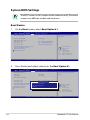
System BIOS Settings...................................................................................A-4
Common Problems and Solutions....................................................... A-10
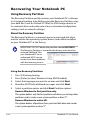
Recovering Your Notebook PC................................................................ A-16
Using Recovery Partition ........................................................................ A-16
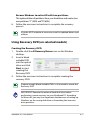
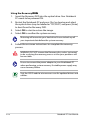
Using Recovery DVD (on selected models)....................................... A-17
DVD-ROM Drive Information................................................................... A-19
Blu-ray ROM Drive Information(on selected models)..................... A-21
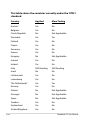
Internal Modem Compliancy................................................................... A-22
Declarations and Safety Statements..................................................... A-26
Notebook PC User Manual