1
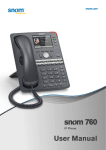
snom UC Edition and snom 715/D715/710 Using the phone with UC Edition Using the phone with snom UC Edition This guide describes the use of phones running snom UC Edition firmware version 8.8.3 and higher with Microsoft LyncTM. As long as the phone is connected to your network and the Lync server, it will use the data in your Lync account, even when your computer is turned off or when you are not signed in to Lync on your PC. For more information on setting up and connecting the hardware and for any other information not covered in this User Guide for UC Edition, please refer to the User Manuals which you can download from snom's web page at www.snom.com. Brief introduction to input modes and navigation Input modes: 123: Numerals abc: Small letters ABC: Capital letters Current input mode: Next input mode: Changing input mode: : Moving cursor to the left : Move cursor to the right Redialing Deleting character to the left of the cursor Directories, call lists, contact list, favorites The current input mode is indicated in the information line. Press the left function key underneath the display to switch to the input mode indicated by the symbol directly above it in the function key line. Text in Information Line = current input mode Press function key to switch to input mode indicated by symbol in Function Key Line 123 abc ABC Entering numerals, letters, special characters, and symbols When entering letters and special characters, pause briefly after each character until the cursor has moved forward so that you won't write over the last character you entered. Pausing is not necessary when entering numerals. For more information, please refer to the User Manual. 5