1
6
Accessibility
To use the accessibility options, open
Accessibility.
Settings > System >
To view detailed information about setting up these options, visit
Android Accessibility. Options for people with visual impairments
include the following:
Captions: You can turn on captions for your device and specify
the language, text size, and style. For some apps, you have to turn
on the captions in the app itself.
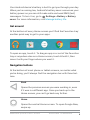
TalkBack is a screen reader from Google that comes with your
Android phone. It uses spoken feedback to describe events, such
as notifications, and the results of your actions, such as opening
an app. When TalkBack is on, you have to double-tap in order to
select something. TalkBack settings let you control the nature of
TalkBack speech, feedback, and touch exploration (Explore by
touch).
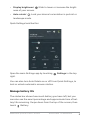
Explore by touch is a system feature that works with TalkBack,
allowing you to touch your device’s screen and hear what’s under
your finger via spoken feedback. It is helpful to people with low or
no vision. In TalkBack settings, you can change the settings of Explore by touch, like managing gestures and how lists are scrolled.
ANDROID QUICK START GUIDE
ACCESSIBILITY
46