1
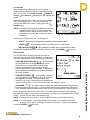
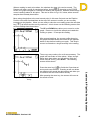
function is used, DCAPP analyses the data in reverse
form (from last point to first point) suppressing points that
cause negative attenuations. These points can be reenabled at anytime. The following options are available
when using this function:
- Use disabled points
- If the user has manually disabled (suppressed) any
points in a survey, these points will still be used in any
calculations as if they had not been disabled.
- Don’t use disabled points
- If the user has manually disabled (suppressed) any
points in a survey, these points will not be used in any
calculations, e.g. if the user knows that point is
erroneous.
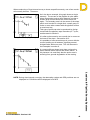
- Remove from start
- Negative attenuations are often seen at the start of
surveys caused by surveying too close to the Signal
Generator. When the Filter Negative Attenuation
functions is used, DCAPP analyses the data in reverse
form and will assume that the Start Point is always
correct, which may not be the case. Selecting Remove
From Start will analyse any negative attenuations at the
start of a survey after the initial calculations have been
completed.
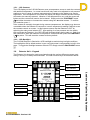
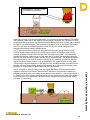
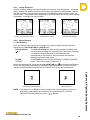
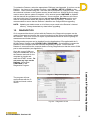
11.1.3. Pipeline Details
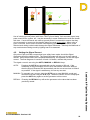
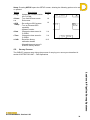
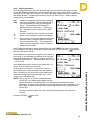
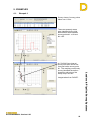
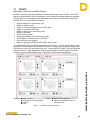
The PIPELINE DETAILS ( ) form allows the user to enter useful information about the
pipeline and the survey conditions. This can be used as a reference when looking back
over previous surveys or can be used to note the conditions prior to a repeat survey being
carried out. To change any details, simply select the appropriate box and enter the new
information. When changing Pipeline Diameter or Wall Thickness, the units used must be
entered or you will be prompted for them. e.g. A 16 inch pipeline should be entered as 16”
or 406mm. If a diameter or wall thickness is changed DCAPP will ask if this change
should be applied to ALL surveys. Selecting YES will change all surveys in the
downloaded file; selecting NO will change only the current survey.
Note:
Leaders in Pipeline Survey Systems
The Original File Name field is not user definable – see How to download in
section 11.2 for more details.
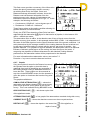
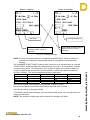
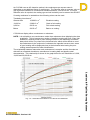
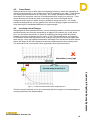
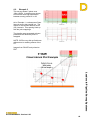
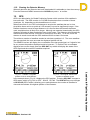
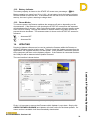
Fig 11.5 – Survey details
CC--SSCCA
ANN22001100
SYSTEM MANUAL Version 6.03
66