1
Telephone & Voicemail Tips
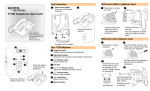
Telephone Tips for the Nortel 3904 Handset
MESSAGES (Find more information on page 20 of the user manual.)
•If you see the Message light, pick up the handset and press the
Message key.
• This connects you to the Message Center.
•Enter your mailbox number (normally your extension) and press the
# key.
•Enter your password and press the # key to retrieve your message(s).
FORWARDING CALLS (Find more information on page 16 of the user manual.)
•Press the Forward key and dial the extension to which you want to
forward your calls, then press the Done key.
•Press the CheckFW key to display the number to which your calls are
forwarded, then press the CancelFW key to cancel forwarding.
TRANSFERRING CALLS (Find more information on page 13 of the user manual.)
• Press the Transfer key to put the caller on hold.
• Dial the number of the intended recipient and announce the call.
•Press the Connect key to complete the transfer or press the Swap key
to switch between callers.
CONFERENCE CALLS (Find more information on page 18 of the user manual.)
• Press the Conference key while on a call.
• The other party is placed on hold while you receive a dial tone.
•Dial another number. You can then switch between callers using the
Swap key or press the Connect key to complete the conference.
• If there is no answer, press the Line key to return to the original caller.
• You can conference up to six people.
CALL PICKUP (Find more information on page 17 of the user manual.)
• Used in offices where phones are grouped.
•Lift the handset and press the Call Pickup key to answer any ringing
phone within your group.
Voicemail System Tips
GENERAL INFORMATION
•To access the Voicemail System dial 3113 on campus, 781-3113 for
local off-campus calls or 315-781-3113 if you are calling long distance.
•If you have a message button on your phone you can lift your handset
and press the message button to enter the system.
•Your mailbox number is the last four digits of your phone number and
the default password is 3200.
•When you log in and enter your mailbox number, press the # key then
enter your password again followed by the # key.
•Note: The first time you log in you will be asked to change your
password. Please follow the instructions.
COMMON VOICEMAIL FUNCTIONS
84 Change your password
821 External greeting for off-campus callers
822 On-campus callers
823 Temporary greeting
829Personal Verification. If you don’t want your phone number used
when you leave a message, you can record your name and
department at this prompt.
•All recordings start when you press 5 and end when you press
the # key.
• To play back press 2, to delete press 76.
• To re-record press 5.
• When listening to your messages (after you have logged into the system)
•Press 2 to play a message.
•Press 1 to skip backwards.
•Press 3 to go forward.
•Press # to pause.
•Press 2 to continue.
•Press 6 to go to the next message.
•Press 4 to go to the previous message.
•If you want to hear a specific message, press 86, the message
number and # key.
•To delete a message, press 76 while playing the message.
•If you have deleted a message in error, pressing 76 during the
same session will restore the deleted message.
continued on back
Voicemail System Tips continued
FORWARDING A MESSAGE
• After hearing the message, press 73 to forward.
•Enter the mailbox number (phone number) to which you want to forward
the message and press #.
•Repeat this step for any other mailbox and then press # again.
•To record an introduction press 5, wait for the tone, then speak.
•End the recording by pressing the # key. To send the message press 79.
•To send a message without a recording press 73, phone number, #, #, 79.
EXPRESS MESSAGING
•Dial 3112 and enter the extension number of the person you want to
contact then press the # key.
•You will hear that person’s Personal Verification.
•Wait for the tone and leave a message.
•From off campus dial 781-3112 or 315-781-3112.
If you have questions please call the Helpdesk at 315-781-4357 (or dial HELP
on campus).
3-08