1
AC Charger
Car Charger
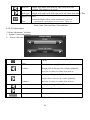
Status of the LCD light
Operating System
Navigation Software
Video Player
100/230V charger, 5V/1.5A
DC9-24V, 5V/1.5A
When charging, the red light is on; when
charge finished, the blue light is on.
Microsoft Windows CE 5.0
SD card
ASF,AVI,WMV,3GP,MP4,FLV;
MP3 and WMA
Audio Player
E-Album, JPG, GIF, BMP, PNG
TXT
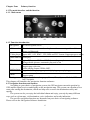
[FM Transmitter]
[Screen
adjustment]
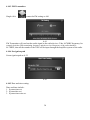
System setting
[Default set] [Volume] [Power] [Backlight] [Time
and Date] [Language] [Sys Info]
Operating Temperature : 0 to 60℃
Temperature
Storage Temperature :-20 to 60℃
Working humidity range 45% to 80%RH
Photo viewer
EBook Viewer
Storage humidity range
30% to 90%RH
Atmospheric pressure
86KPa to 106KPa
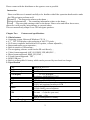
This chapter will give an introduction of the apparent components and basic function
of the GPS Navigator and it will help you to be familiar with the basic operation quickly.
2.3 Product appearance
Chapter Three
Manual Instruction
3.1 Power supply and charge
If this navigator is first used, please use AV adaptor to fully charge it.
3.1.1 Power supply
There are three types of supplying power: battery, adaptor, USB cable.
GPS navigator uses the Li-battery to supply power when it is not connected with adaptor. The
mark [ ] on the up right of interface indicate the current electric volume.
GPS navigator uses the external power when it is connected with the adaptor.
GPS navigator uses the USB cable to supply power when the GPS connects to the PC.
【Remark】This machine adopt built-in, unchangeable Lithium battery. At normal condition (if
the back light is not so bright), the actual supply hour can be different because of the different
way using the navigator. Some function (audio playing, video playing, bright back light) will
consume a large power, which will reduce the using hour.
【Note】This machine adopts built-in, unchangeable Lithium battery. In order to avoid fire and
burning, please do not poke, bump or take it apart or throw it into fire or water.
3.1.2 Use the travel charger to supply power
When the GPS navigator is first used, please use the AC adaptor to charge it.
1.
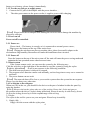
Connect the DC part of the adaptor with the power interface at the left side of the unit
(The power interface is same as USB interface );
2. The other part connect to the power socket, it supplies power while charging.
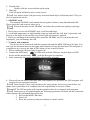
【Remark】Red LED indicates it’s being charged. Please wait until it is fully charged and don’t
pull out the adaptor while charging. When it is fully-charged, the LED will turn to Blue. If low
3