1
Fixture Linking (Master/Slave Mode)
1. Connect the (male) 3 pin connector side of the
DMX cable to the output (female) 3 pin connector of
the first fixture.
2. Connect the end of the cable coming from the
first fixture which will have a (female) 3 pin connector to the input connector of the next fixture consisting of a (male) 3 pin connector. Then, proceed
to connect from the output as stated above to the
input of the following fixture and so on.
A quick note: Often,
the setup for MasterSlave and Standalone
operation requires that
the first fixture in the
chain be initialized for
this purpose via either
settings in the control
panel or DIP-switches.
Secondarily, the fixtures
that follow may also require a slave setting.
Check the “Operating Adjustments” section in this manual for complete instructions for this type of setup and configuration.
4. OPERATING ADJUSTMENTS
The Dip Switches
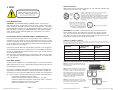
All of the various functions of the ROCKER PANEL™ RGBAW are set up using
the 10-position DIP switch located on the rear of the unit. Using this set of
switches, you can select several different standalone, master/slave and DMX
operating modes. The chart below describes the various operating modes and
their respective DIP switch settings.
Function
All Red
DIP 1
DIP 2
DIP 3
DIP 4
DIP 5
DIP 6
DIP 7
Slow
Fast
DIP 8
DIP 9
DIP 10
ON
All Green
ON
All Blue
ON
All Amber
ON
All White
ON
Strobes
Auto Chase
Slow
Med.
Fast
Hyper
Sound Active
OFF
OFF
OFF
OFF
OFF
OFF
OFF
OFF
ON
OFF
Slave
ON
OFF
OFF
OFF
OFF
OFF
OFF
OFF
OFF
ON
1
2
4
8
16
32
64
128
256
ON
DMX CH. #
ON
OFF
Mounting & Rigging
This fixture may be mounted in any SAFE position provided there is
enough room for ventilation.
It is important never to obstruct the fan or vents pathway. Mount the
fixture using a suitable “C” or “O” type clamp. The clamp should be
rated to hold at least 10x the fixture’s weight to ensure structural stability. Do not mount to surfaces with unknown strength, and ensure
properly “rated” rigging is used when mounting fixutres overhead.
Adjust the angle of the fixture by loosening both knobs and tilting the
fixture. After finding the desired position, retighten both knobs.
• When selecting installation location, take into consideration lamp
replacement access (if applicable) and routine maintenance.
• Safety cables MUST ALWAYS be used.
• Never mount in places where the fixture will be exposed to rain,
high humidity, extreme temperature changes or restricted ventilation.
ROCKER PANEL RGBAW Manual Rev. A
Page 9
Copyright (c) 2010 Blizzard Lighting, LLC
The Control Panel LED Display shows the menu items you select from
the menu map on page #11. When a menu function is selected, the
display will show immediately the first available option for the selected
menu function. To select a menu item, press <ENTER>.
Press the <MENU> button repeatedly until you reach the desired
menu function. Use the <UP> and <DOWN> buttons to navigate the
menu options. Press the <SAVE> button to select the menu function
currently displayed, or to enable a menu option. To return to the previous option or menu without changing the value, press the
<MENU> button.
ROCKER PANEL RGBAW Manual Rev. A
Page 10
Copyright (c) 2010 Blizzard Lighting,
LLC