1
Chapter 1: Release notes and installation guide for UNIX
1
1 Release notes and installation guide for UNIX
This chapter assumes that the environment variable PATH includes <prefix>/bin, where
<prefix> points to the SICStus installation directory. The installation directory is specified
during installation, see Section 1.3 [UNIX installation], page 1. For example:
csh,tcsh> setenv PATH "/usr/local/bin:$path"
sh,bash,ksh> export PATH="/usr/local/bin:$path"
1.1 Setting SP PATH under UNIX
The SP_PATH environment variable can be used to override the location of the SICStus
Runtime Library. There are two situations where it is justified to use it.
1. The --moveable option has been given to spld when building the executable.
2. The executable is a runtime system, and NULL is passed in the third argument to
SP_initialize.
The correct value of this variable in both cases is ‘/usr/local/lib/sicstus-3.8’, assuming
SICStus was installed in ‘/usr/local’.
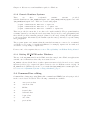
1.2 The Crypt Utility
The SICStus binary distributions are encrypted with the crypt program. If you do not
have crypt on your machine, you can download a public domain crypt utility available via
anonymous FTP from
ftp://ftp.sics.se/archive/sicstus3/crypt.tar.gz
The enclosed README files describes how to compile it.
1.3 Installation
Most users will install SICStus from a binary distribution. These are available for all
supported platforms. Information on how to download and unpack the binary distribution
is sent by email when ordering SICStus.
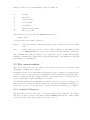
Binary distributions are installed by executing a interactive installation script called
InstallSICStus. Type
% InstallSICStus
and follow the instructions on the screen.
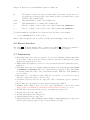
During the installation, you will be required to enter your site-name and license code. These
are included in the download instructions.