1
TEST REPORT
Digital/Analog TV, Satellite and Cable Signal Analyzer
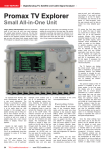
Promax TV Explorer
Small All-in-One Unit
Large, Heavy and Expensive: these are words
that most of you have up until now used whenever
the subject signal analyzer comes up. The fact that
it doesn’t always have to be this way was demonstrated by the Spanish company Promax. Not long
ago we were told about their newest model Prodig
5 TV Explorer so naturally we wanted to have a test
sample sent to us right away. The package we were
waiting for arrived just a few days ago. We quickly
unpacked everything and placed the 23x16x7.6 cm
analyzer on the table. We were used to seeing analyzers that were twice the size and at a weight of
only 1.9 kg, it was a true featherweight.
easy-to-read and self-explanatory buttons. If you want to take
advantage of all of the TV Explorer’s functions, you will have to do
plenty of “learn-by-doing” since
the user manual won’t be able to
answer too many detailed questions.
Of course the first step would
be to select the type of signal
you would like to measure. From
there you go to the spectrum
analyzer display.
With analog
terrestrial signals as well as with
DVB-T and DVB-C signals, active
channels would immediately be
visible as peaks on the display.
In satellite reception mode the
correct switching voltage must
first be selected as does the
proper band and any DiSEqC
parameters must also be chosen.
The TV Explorer can supply 5V,
13V, 15V, 18V, 24V as well as 13V
and 18V in combination with a
22 kHz signal. If necessary, the
analyzer can switch to an external source of power.
The TV Explorer can display
the actual power usage of the
LNB or multiswitch; an especially
interesting feature. The DiSEqC
1.0 protocol is included for multifeed systems as DiSEqC 1.2 for
motorized antennas. DiSEqC 1.1
and 1.3 (USALS) are unfortunately not supported.
As expected from Promax, this
unit’s workmanship left us with
a very good impression.
The
chassis is surrounded by rubber
to help protect it from damage
while at the same time allowing
it to be easily stood up. Also
included in the package was a
plastic carrying case to help protect it from moisture and dirt, a
power supply, a charger cable for
a vehicle as well as a variety of
adapter plugs and a user manual
written in English, French and
Spanish.
Despite its light weight, the
built-in Li battery can power the
Prodig-5 for up to 3.5 hours.
This is an exceptionally long time
compared to some of its larger
brothers.
The front panel sports a 5inch TFT color display, four
status LED’s, a set of up/down/
left/right arrow buttons plus a
set of 12 pushbuttons to control the analyzers various functions. Naturally, the buttons are
designed so that moisture and
dirt cannot get behind them.
An adjustment knob is used for
varying the frequency and is also
used as the on/off switch. The
antenna connector can be found
on the top of the unit and can be
used not only for satellite signals
but also for terrestrial and cable
signals. The manufacturer even
thought to include a Scart connector on the left side of the box
through which the output of the
actual display signal is available
and also external signals can be
connected. An RS-232 port on
the rear panel for sending measurement results to a PC and for
uploading new software is also
included.
Unfortunately, the
included user manual seemed
somewhat lean and only gave
14 TELE-satellite International — www.TELE-satellite.com
a brief description of the unit’s
more important features.
Everyday Use
Promax wanted to take advantage of the increasing digitalization and thus paid very close
attention to the receiver’s digital
DVB-S, DVB-C and DVB-T compatibility. An analog terrestrial
tuner is also included that happens to support the PAL, NTSC
and SECAM TV standards. The
OSD (on-screen display) is available in English, German, Spanish, French and Italian while an
integrated light sensor automatically controls the displays contrast and brightness for optimum
readability.
After looking over the handbook for a short time, every
user should become familiar with
the elementary functions of the
The spectrum display of the TV
Explorer is available in two different modes. In the first mode
the display acts at a reduced
speed with an overall picture
generated at a slower measurement speed that may not show
every weak signal. In the Align
Mode, the spectrum display is
initially generated and then kept
up to date at a much faster pace
thereby making it ideal for precise adjustments. Additionally,
in this mode the signal strength
can also be presented audibly.
The arrow buttons can be used to
zoom in on individual frequency
ranges or reposition the y-axis of
the signal strength display.
Once the initial settings have
been taken care of, the first frequency can be selected that can
later be looked at much more
closely.
Frequency selection
is handled either by the control
knob or by direct entry using the
integrated 10-button keypad.
The frequency entered can be
either the downlink frequency or
the transponder IF. With terrestrial signals it can be as simple as
entering in the correct channel
number. In digital mode a push
of the Scan button is enough
for the TV Explorer to attempt
to find more information on the
selected transponder/frequency.
If it’s an analog signal, the unit
will recognize this and indicate
this by lighting the corresponding status LED.
Since there is no integrated
analog satellite tuner, picture
and sound can only be displayed
in terrestrial mode. In satellite
mode, only measurement data is
displayed. If it’s a digital transponder, the automatic scan function of the TV Explorer comes
into play. In just a short time
the symbolrate, FEC and other
critical data of the transponder is
identified. With a push of the TV
button, the PMT’s are read, the
channel list is displayed and the
first receivable channel is presented. The TV Explorer uses
an easy-to-read Info bar to display not only information such as
PID’s and resolution but also the
actual measured datarate, the
service provider as well as any
encryption used by the channel.
This makes it easy to identify what satellite you happened
to land on while adjusting the
antenna. Otherwise it would also
help to have a quick look at a frequency list such as can be found
at www.satcodx.com.
The TV Explorer supports the
measurements of VBER, C/N,
signal strength, MER and CBER to
help with any fine tuning adjustments. The VBER measurement
indicates the number of error
bits after Viterbi error correction
while the C/N (carrier-to-noise
ratio) indicates the noise figure.
MER is the modulation error rate
and CBER is the number of error
bits after error correction. All of
this data can be displayed in an
easy-to-read graphic while the
other values are minimized and
placed near the bottom of the
display.
To help make things even
easier, the user can set up a
number of different satellite profiles (several are already preprogrammed into the unit). This
takes some of the guesswork out
of setting up a multifeed system
on multiple connectors since the
TV Explorer by using the stored
profiles will automatically adjust
for the correct DiSEqC, polarization and band settings.
In addition to this box being
used as an analyzer, the TV
Explorer would also make an
interesting tool for the diehard
feedhunter. Thanks to the spec-
trum display, new signals can be
found as soon as they appear
and with the help of the Autoscan function can be recognized
and identified. Aside from picture and audio, all of the signal’s
critical data such as PID’s, FEC,
symbolrate, resolution, datarate,
TV standard, etc., are displayed
on the screen.
Unfortunately,
the display of MPEG 4:2:2 signals
is not possible. The handling of
DVB-T and DVB-C signals as well
as analog terrestrial signals is
just as simple and professionally done.
The capabilities of
the small TV Explorer seem to be
unlimited here as well.
To properly test the TV
Explorer we hooked it up to a
USALS antenna and were very
much amazed. Through its light
weight and small size and also
its handy carrying case, this unit
(contrary to its larger cousins) is
perfect for antenna alignment in
hard to reach localities. Since the
analyzer is not DiSEqC 1.3 compatible, we simply used an FTA
receiver with integrated USALS
and routed the video signal to
the analyzer through the built-in
Scart connector. With a push of
a button we were able to switch
back and forth between our
measurement results and the
FTA receiver. It doesn’t get any
easier than this.
We also have to give praise to
the manufacturer’s competent
and quick-to-respond technical
support team. After posing a
technical question anonymously,
we are happy to say that we got
the desired and, above all, correct answer within 24 hours.
There’s no doubt: the TV
Explorer will be the tool of choice
in the TELE-satellite test center
in the future.
Measurement Results
Snapshot of Hotbird (13° east)
horizontal high band
Signal display in DVB-S
modes
TECHNIC
DATA
Manufacturer
Promax Electronica, S. A., Barcelona, Spain
E-mail
[email protected]
Tel
+34-93-260 20 02
Fax
+34-93-338 11 26
Model
Prodig-5 TV Explorer
Function
Professional Digital/Analog TV, Satellite, Cable Signal Analyzer
Frequency Range
Band 1: 45-865 MHz
Measurement Range
Terrestrial: 10-120 dBuV
Band 2: 950-2150 MHz
Satellite: 30-120 dBuV
Accuracy
Terrestrial: +/- 1.5 dB
Satellite: +/- 2.5 dB
Monitor
5” TFT Color Screen
Color Systems
PAL, NTSC, SECAM
TV Standards
M, N, B, G, I, D, K and L
QPSK Symbolrates
2-45 Msps
Power Supply
Li-Ion 7.2V/11Ah
3.5 hours Operation without Recharge
3.0 hours Recharging Time
Operating Temperature
+
Automatic recognition of
symbolrate and FEC
5-40°C
Expert conclusion
Measurement Antenna align
Mode
Mode
(ms)
The TV Explorer is an exceptionally handy,
lightweight and compact analyzer that comes with
everything you’d expect in a modern piece of test
equipment. It has no trouble handling any kind of
digital signal and can also deal with analog terresThomas Haring
TELE-satellite
trial signals as well. It is easy and logical to operate
Test Center
and should there ever be a problem, the manufacAustria
turer’s first class technical support team is there to
help. The TV Explorer would not only be a tool for the professional;
it would also be an excellent addition to the test equipment rack of
any satellite hobbyist.
-
The user manual only provides a general overview of the TV
Explorer’s basic functions. The manufacturer should consider
making some improvements here.
Terrestrial
8 MHz
16 MHz
32 MHz
50 MHz
100 MHz
200 MHz
500 MHz
Full
210
264
440
242
462
510
632
932
122
188
114
90
138
228
280
257
Satellite
16 MHz
32 MHz
50 MHz
100 MHz
200 MHz
500 MHz
Full
144
348
348
416
600
610
714
144
144
348
228
224
352
470
Sampling rates of the TV Explorer
spectrum analyzer
www.TELE-satellite.com — TELE-satellite International
15