1
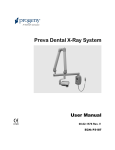
JB-70 Dental X-Ray System User Manual 00-02-1568 Rev. U ECN: P3250 0120 Attention: The equipment must only be installed and operated in accordance with the safety procedures and operating instructions given in this manual and in the User Manual for the purposes and applications for which it was designed. Modifications and/or additions to the equipment may only be carried out by Progeny - A Midmark Company or by third parties expressly authorized to do so. Such changes must comply with legal requirements as well as with the generally accepted technical rules. It is the responsibility of the user to ensure that existing legal regulations regarding installation of the equipment with respect to the building are observed. X-RAY PROTECTION: X-ray equipment may cause injury if used improperly. The instructions contained in this manual must be read and followed when operating the JB-70. Your dealer will assist you in placing the JB-70 in operation. The JB-70 Dental X-Ray System provides a high degree of protection from unnecessary xradiation. However, no practical design can provide complete protection nor prevent operators from exposing themselves or others to unnecessary radiation. JB-70 More Than Imaging. Excellence. Midmark Corporation 675 Heathrow Drive Lincolnshire, Illinois 60069 U.S.A. Phone: (888) 924-3800 Fax: (847) 415-9801 progenydental.com JB-70 JB-70 Dental X-Ray System User Manual 00-02-1568 Rev. T ECN: P2966 Midmark Corporation 675 Heathrow Drive Lincolnshire, Illinois 60069 U.S.A. Phone: (888) 924-3800 Fax: (847) 415-9801 progenydental.com © Progeny Dental 2003, U.S. Patents D470237 and D469182. Table of Contents General Information……………………………………………………………………………. 2 Indications for Use……………………………………………………………………………2 Contraindications……………………………………………………………………………. 2 Warnings/Precautions ............................................................................................................ 2 Product Description ................................................................................................................ 3 Compliance with Applicable Standards .................................................................................. 5 Certified Components ............................................................................................................ 5 EC Declaration of Conformity ................................................................................................. 6 Authorized Representatives ................................................................................................... 7 Explanation of Symbols on Technical Labels ......................................................................... 8 Obtaining Technical Support .................................................................................................. 8 Operating the JB-70 Dental X-Ray System ..................................................................... 9 Operator Panel Controls......................................................................................................... 9 Taking an X-Ray ...................................................................................................................11 Using the 12 in Cone (30-A2200) ..........................................................................................11 Recommended Maintenance ........................................................................................ 12 Regular Maintenance ............................................................................................................12 Cleaning and Disinfecting......................................................................................................12 Checking System Functions ..................................................................................................13 System Function Checklist ....................................................................................................14 Solving Performance Issues.......................................................................................... 16 Performance Issues ..............................................................................................................16 Obtaining Technical Support .................................................................................................16 Setting Pre-programmed Exposure Times .................................................................... 17 Power On Settings ................................................................................................................17 Pre-programmed Exposure Times ........................................................................................17 TABLE FOR OFFICE USE ....................................................................................................19 Preset Times .........................................................................................................................19 Changing Programmed Exposure Times ...............................................................................20 Specifications ................................................................................................................ 21 JB-70 Dental X-Ray System ..................................................................................................21 General Information JB-70 General Information Indications for Use The JB-70 Intraoral Dental X-Ray is to be used as an extraoral source of x-rays in Dental radiography. Contraindications: none Warnings/Precautions Radiation Safety Only qualified and authorized personnel may operate this equipment observing all laws and regulations concerning radiation protection. • The operator at all times must remain 6ft. (2m) from the focal spot and the Xray beam for operator protection. • Full use must be made of all radiation safety features on the equipment. • Full use must be made of all radiation protection devices, accessories and procedures available to protect the patient and operator from x-ray radiation. Electrical Safety • • • • Explosion Safety 2 Only qualified and authorized service personnel should remove covers on the equipment. This equipment must only be used in rooms or areas that comply with all applicable laws and recommendations concerning electrical safety in rooms used for medical purposes, e.g., IEC, US National Electrical code, or VDE standards concerning provisions of an additional protective earth (ground) terminal for power supply connection. Before cleaning or disinfecting, this equipment must always be disconnected from the main electrical supply. The JB-70 Dental X-Ray System is ordinary type medical equipment without protection against ingress of liquids. To protect against short-circuit and corrosion, no water or any other liquid should be allowed to leak inside the equipment. This equipment must not be used in the presence of flammable or potentially explosive gases or vapors, which could ignite, causing personal injury and/or damage to the equipment. If such disinfectants are used, the vapor must be allowed to disperse before using the equipment. General Information JB-70 Product Description The JB-70 Dental X-Ray System is a state-of-the-art intra-oral x-ray machine. The JB-70 consists of five components, as shown in Figure 1 Component Diagram: the Control Unit, the Tubehead, the Articulating Arm, the Horizontal Arm and the Cone. Control Unit The Control Unit provides for the input power connection and control of the Tubehead and Operator Panel. It provides automatic line voltage compensation, kVp control and exposure time control. The Control Unit consists of the mounting base and Operator Panel. Tubehead The Tubehead contains the x-ray tube, high voltage transformer, and Cone. The Tubehead is shipped already assembled to the Articulating Arm. Note: There is a small hole in the plastic handle covering the back of the Tubehead. Under no circumstances should this hole be blocked as it provides an air vent to allow the Tubehead oil to expand and contract as the unit is operated. Articulating Arm The Articulating Arm provides the articulation support for the Tubehead and the reach and coverage of the Tubehead to the patient. The Articulating Arm allows smooth movement for precise positioning and does not drift or vibrate when left in position. Horizontal Arm The Horizontal Arm helps provide the necessary reach for the JB-70. The Horizontal Arm pivots smoothly around a shaft inserted in the top of the Control Unit. The Horizontal Arm contains an access cover to connect the cable from the Horizontal Arm to the Control Unit. The Horizontal Arm is available in three lengths, providing reaches of 56, 66 and 76 inches. Cone The Cone establishes the distance from the x-ray tube to the patient’s skin. It provides positioning assistance and collimates the x-ray beam to within a defined circle at its end. The JB-70 is shipped with the standard 8 inch Cone attached to the Tubehead. A 12 inch Cone (30-A2200) can be ordered as an option. Eight and 12” rectangular cones available. Installation and Service The JB-70 Dental X-Ray System should only be installed and serviced by approved dealer personnel. Contact Progeny – A Midmark Company at (888) 924-3800 if you need assistance locating an approved dealer. 3 General Information Figure 1 Component Diagram 4 JB-70 General Information JB-70 Compliance with Applicable Standards Radiation Protection The certified components of the JB-70 Dental X-Ray System comply with Radiation Performance Standards 21 CFR, Subchapter J, at the time of manufacture. The certified components of the JB-70 Dental X-Ray System comply with IEC 60601-1-3 Radiation protection/x-ray equipment. UL 2601-1 File Number: E181750 Classified by Underwriters Laboratories Inc. with respect to electrical shock, fire and mechanical hazards only in accordance with UL 60601-1, and CAN/CSA C22.2 NO, 601.1-M90, and to the following particular standards, IEC60601-2-7, IEC60601-2-28 and IEC60601-2-32. EMI/EMC IEC60601-1-2 Certified Components 120V System Component Tubehead, Blue Tubehead, Gray Control Unit Cone 8 in. Cone 12 in. Cone 8 in. Rectangular Cone 60mm Cone 59mm Cone 36mm x 46mm Reference Number 30-A1005 30-A1011 30-A0001 30-A2016 30-A2033 30-A2041 30-A2101 30-A2107 30-A2112 230V System Component Tubehead, Blue Tubehead, Gray Control Unit Cone 8 in. Cone 12 in. Cone 8 in. Rectangular Cone 60mm Reference Number 30-A1007 30-A1016 30-A0003 30-A2195 30-A2200 30-A2198 30-A2196 5 General Information JB-70 EC Declaration of Conformity Name and Description of Product Progeny JB-70 Catalog Model I7017, 76 inch reach, 120Volt (for gray unit I7017G) 30-A0001, Control, 120Volt 30-A2025, Extension Arm, Long Catalog Model I7016, 66 inch reach, 120Volt (gray I7016G) 30-A0001, Control, 120Volt 30-A2034, Extension Arm, Short Catalog Model I7015, 56 inch reach, 120Volt (gray I7015G) 30-A0001, Control 120Volt 30-A2038, Extension Arm, Compact Catalog Model I7027, 76 inch reach, 230Volt (gray I7027G) 30-A0003, Control, 230Volt 30-A2025, Extension Arm, Long Catalog Model I7026, 66 inch reach, 230Volt (gray I7026G) 30-A0003, Control, 230Volt 30-A2034, Extension Arm, Short Catalog Model I7025, 56 inch reach, 230Volt (gray I7025G) 30-A0003, Control, 230Volt 30-A2038, Extension Arm, Compact Class: IIb Reference Numbers to which Conformity is Declared The following regulatory documents apply: UL 60601-1 IEC 60601-1-2 IEC 60601-1-3 IEC 60601-2-7 IEC 60601-2-28 IEC 60601-2-32 Medical Device directive ISO 13485 FDA 510K File Number K020070 Declaration Midmark Corporation declares that the products described herein meet all the applicable Essential Requirements of the EC Medical Device Directive 93/42/EEC in Annex I. For Class IIb products described herein, the product is manufactured, inspected, tested and released in accordance with the approved quality assurance system established in accordance with ISO 13485 and Annex II of the EC Medical Device Directive under the Supervision of the SGS United Kingdom Ltd., a Notified Body. 6 General Information Contact JB-70 Technical Support [email protected] Authorized Representatives North America Midmark Corporation 675 Heathrow Dr. Lincolnshire, IL 60069 Phone: 888-924-3800 Fax: 847-415-9801 Europe CE Partner 4U Esdoornlaah 13 3951DB Maarn The Netherlands Phone: +31.343.442.524 Fax: +31.343.442.162 7 General Information JB-70 Explanation of Symbols on Technical Labels Type B: Protection against electric shock (IEC 60601.1-1988) Consult written instructions in User’s Manual. ATTENTION RAYONS-X: OPERATION SEULEMENT PAR DU PERSONNEL AUTORISE. VOIR MANUEL DE L’OPERATEUR. WARNING X-RAY THIS X-RAY UNIT MAY BE DANGEROUS TO PATIENT AND OPERATOR UNLESS SAFE EXPOSURE FACTORS AND OPERATING INSTRUCTIONS ARE OBSERVED. X-RAY EMISSION Mains HOT WIRE Mains NEUTRAL WIRE Earth Ground Obtaining Technical Support Contact 8 Midmark Corporation 675 Heathrow Dr. Lincolnshire, IL 60069 Phone: 888-924-3800 Fax: 847-415-9801 Operating Instructions JB-70 Operating the JB-70 Dental X-Ray System Operator Panel Controls Figure 2 JB-70 Operator Panel Exposure Time Selection 9 The JB-70 Dental X-Ray System has 30 pre-programmed exposure times. The exposure time that is used when taking an x-ray is determined by the combination of the Tooth Selection, Image Receptor Type and Patient Size that is selected on the Operator Panel. The pre-set exposure times can also be adjusted using the up and down Exposure Time arrows. • For a table of the pre-programmed exposure times set at the factory, refer to the Pre-programmed Exposure Times table later in this manual. • For a procedure for modifying pre-programmed exposure times, refer to Changing Programmed Exposure Times later in this manual. Operating Instructions Exposure Button JB-70 The Exposure button is used to initiate an x-ray exposure. For a complete exposure, the button must be pressed and held until the Radiation Indicator no longer illuminates and the audible signal is no longer heard. Releasing the Exposure button immediately terminates the x-ray exposure. CAUTION: Releasing the Exposure button prior to the completion of the x-ray exposure will result in an incomplete exposure of the image. This may require the operator to re-take the radiograph. When a premature release of the Exposure button occurs, the system will flash the time display on and off until the operator presses either the UP or DOWN arrow key next to the time display. Normal operation will then resume. Ready Indicator The Ready Indicator illuminates when the system is ready to make an exposure. Immediately after an exposure, the Ready Indicator flashes until the x-ray tube cools down sufficiently to make the next exposure. When the Ready Indicator is flashing, no exposure can be made. Radiation Indicators The JB-70 has a visible and an audible Radiation Indicator. When an exposure is in progress, the Radiation Indicator on the Operator Panel is illuminated and a audible tone is heard. The exposure is complete when the Radiation Indicator is extinguished and the audible tone is no longer heard. 10 Operating Instructions JB-70 Taking an X-Ray 1. Turn the power switch, located on the base of the Control Unit, to the “On” position. The Ready Indicator on the front of the Operator Panel will light. 2. Exposure time can be selected by either using the pre-programmed exposure times or by simply adjusting the time manually up or down to the desired time. If selecting the time manually, skip steps 3-5. 3. Verify that the unit is set for the correct Image Receptor Type. The icon for the currently selected Image Receptor Type is illuminated. To change the Image Receptor type, press the Image Receptor Type button until the correct Image Receptor Type is selected. 4. Verify that the system is set for the appropriate Patient Size. The icon for the currently selected Patient Size is illuminated. The change the Patient Size, press the Patient Size button until the correct Patient Size is selected. 5. Verify that the unit is set for the Tooth to be imaged. The icon for the currently selected Tooth is illuminated. To change the Tooth Selection, press the Tooth Selection button until the correct Tooth is selected. 6. If desired, the Exposure Time Selection up or down buttons can be used to change the pre-set exposure time. Note: When the Time Selection buttons are used, the Tooth Selection, Image Receptor Type and Patient Size buttons are turned off. 7. Position the Tubehead to the patient using standard accepted positioning procedures. 8. Press and hold the Exposure button until the audible signal is no longer heard and the Radiation Indicator is no longer illuminated. Releasing the Exposure button or coil-cord hand switch at any time will immediately terminate the exposure. Note: When using the coil-cord hand switch, it is recommended that the operator exit the operatory if possible. Note: In order to comply with regulations and good safety practices, the technique factors must be visible to the operator from the remote location. 9. Return the Tubehead to the storage position. Note: Be careful not to bang the Tubehead on the wall when returning it to the storage position. Using the 12 in Cone (30-A2200) The JB-70 is set at the factory for use with the standard supplied 8 in (20 cm) cone. A 12 in (30 cm) long cone (30-A2033) is available. Using the long cone requires the use of longer exposure times, which can be programmed into the system by changing an internal electrical setting. Only a qualified service agent should preform this modification. Contact your service agent to make the change. 11 Recommended Maintenance JB-70 Recommended Maintenance Regular Maintenance In the interest of equipment safety, a regular maintenance program must be established. This maintenance program should consist of cleaning and disinfecting as well as annual system function checking. It is the owner’s responsibility to arrange for this service and to assure that the personnel performing this are fully qualified to service Progeny Dental x-ray equipment. Cleaning and Disinfecting Employ personal protective equipment to prevent the spread of infections Clean the outside of the system a damp towel or non-alcohol based disinfectant. Cleaning / Disinfecting CAUTION: • Do not allow liquids to drip into the system electronics • Do not spray cleaner or disinfectant directly onto the machine • Protect the system from contamination using barriers available from dental distributors • Follow the disinfectant manufacturer’s recommendations when using their cleaner or disinfectant Cleaning Methods If not using a barrier, between each patient, perform the following cleaning and disinfecting steps. 1. Remove gross bio-burden from the cone, handles and structure with a disposable towel moistened with water. 2. Dry the cone, handles and structure with disposable towels. 3. Wipe the cone, handles and structure with a germicidal broad spectrum disinfectant product following the disinfectant manufacturer’s instructions. 4. Clean any remaining disinfectant residue from the system with a disposable towel moistened with water. This additional step prevents possible product discoloration or corrosion. 5. Dry the cone, handles and structure with disposable towels. Caution! The JB-70 Dental X-Ray System is not waterproof. Use only moistened, not saturated, towels. 12 Recommended Maintenance JB-70 Checking System Functions Important Notice The following checks must be performed at the installation of the JB-70 Dental X-Ray System and as part of the recommended maintenance at least every twelve months after installation. Failure to perform these checks may result in an installation that does not comply with U.S. Radiation Performance Standards 21 CFR Subchapter J. If the JB-70 Dental X-Ray System does not perform the functions below, see the Troubleshooting section of this manual or contact Technical Support. Do not use the system until the problems are resolved. 13 Recommended Maintenance JB-70 System Function Checklist Wall Mounting Ensure that the wall support is adequate and that the system is properly mounted to the wall. Labels Ensure that all certified components bear labels that include the model and serial number, date of manufacture and a statement of certification as noted elsewhere in this manual. Indication of Technique Factors Verify that the “70 kV – 7 mA” is legible on the label of the Operator Panel. Tubehead Check for oil leaks or other evidence that could indicate internal damage. Replace the Tubehead, if necessary. Tubehead Rotation Ensure that the Tubehead maintains its position around the horizontal axis while remaining easy to rotate and position. Also, check the vertical pivot of the Tubehead for easy movement while remaining in position after movement. Suspension Check that all movements are smooth and quiet. Verify that the Tubehead is properly counterbalanced for vertical drift and that the Horizontal and Articulating Arms do not drift horizontally. Power Switch Verify that the switch is working properly and that the Ready Indicator is illuminated when the power switch is in the ON position. Operator Panel Controls With the power switch, located at the base of the Control Unit, in the ON position, verify that a time indicates on the Operator Panel. Also, check the function of the selection buttons for Exposure Time, Tooth Selection, Image Receptor Type and Patient Size. Pressing a selection button should cause indicator lamps to indicate the selected item. Exposure Button Verify that the Exposure button on the Operator Panel is functioning properly. To make an exposure, press and hold the Exposure button until the Radiation Indicator is extinguished and the audible signal is no longer heard. Exposure Indicators Make several exposures and verify that the Radiation Indicator illuminates and the audible signal is heard. Premature Termination Indicator (Optional) Select the longest exposure time possible using the Exposure Time buttons. Initiate an exposure but release the Exposure button after a brief period of time before the timer terminates the exposure. Verify that the exposure time flashes, indicating a premature termination. Press the up or down time arrows to clear the flashing time display. Coil-cord Hand Switch (Optional) If a coil-cord hand switch is used, inspect the switch housing and coil cord for damage or wear. Replace if evidence of damage is present. 14 Recommended Maintenance JB-70 User Information Make certain that the user of the system has received a copy of the User Manual. New Tube Seasoning Procedure X-ray tubes which sit dormant for several months can become electrically unstable. To remedy this condition it is recommended to perform a “new tube seasoning procedure”. This process will establish stable high voltage operation and, will ultimately extend the life of the tube. Repeat this procedure before returning to normal operation any time the system has been unused for more than two months. 1. 2. 3. 4. Verify system operation. Energize the system. Select the exposure time of one second. Make ten exposures at this level, observing the normal cooling time. 5. Proceed with the remainder of the installation. 15 Solving Performance Issues JB-70 Solving Performance Issues Performance Issues Light X-Ray If the x-rays are lighter than desired, check the following: 1. Verify that the exposure time is appropriate for the examination. If using preprogrammed exposure times, make sure that the proper image receptor type is selected. 2. Verify proper operation of the film processor. No X-Ray If no x-ray is produced, check the following: 1. Verify that the line cord (if one is in use) is properly connected. 2. Verify that the power switch is in the ON position. Obtaining Technical Support Contact 16 Midmark Corporation 675 Heathrow Dr. Lincolnshire, IL 60069 Phone: 888-924-3800 Fax: 847-415-9801 Specifications JB-70 Setting Pre-programmed Exposure Times Power On Settings When the JB-70 Dental X-Ray System is powered on, the Operator Panel selections are those that were in use when the system was last powered off. Pre-programmed Exposure Times The table below shows the pre-programmed exposure times for each combination of Tooth, Image Receptor Type and Patient Size on the Operator Panel. These exposure times can be modified using the procedure that follows the table. Times for 8 inch (20 cm) Cone in Seconds 60 Hz (50 Hz Times in Parentheses) Digital Receptor D-speed Film E/F Speed Film Adult Child Adult Child Adult Child Incisor 0.100 (0.120) 0.050 (0.060) 0.300 (0.360) 0.150 (0.180) 0.183 (0.220) 0.100 (0.120) Bicuspid 0.133 (0.160) 0.067 (0.080) 0.300 (0.360) 0.150 (0.180) 0.183 (0.220) 0.100 (0.120) Bitewing 0.100 (0.120) 0.050 (0.060) 0.367 (0.440) 0.167 (0.200) 0.200 (0.240) 0.117 (0.140) Lower Molar 0.100 (0.120) 0.050 (0.060) 0.367 (0.440) 0.167 (0.200) 0.200 (0.240) 0.117 (0.140) Upper Molar 0.167 (0.200) 0.083 (0.100) 0.417 (0.500) 0.200 (0.240) 0.233 (0.280) 0.133 (0.160) Tooth Selection 17 Specifications JB-70 Times for 12 inch (30 cm) Cone in Seconds 60 Hz (50 Hz Times in Parenthesis) Digital Receptor D-speed Film E/F Speed Film Adult Child Adult Child Adult Child Incisor 0.233 (0.280) 0.117 (0.140) 0.600 (0.720) 0.300 (0.360) 0.367 (0.440) 0.183 (0.220) Bicuspid 0.300 (0.360) 0.150 (0.180) 0.600 (0.720) 0.300 (0.360) 0.367 (0.440) 0.183 (0.220) Bitewing 0.233 (0.280) 0.117 (0.140) 0.733 (0.880) 0.333 (0.400) 0.417 (0.500) 0.200 (0.240) Lower Molar 0.233 (0.280) 0.117 (0.140) 0.733 (0.880) 0.333 (0.400) 0.417 (0.500) 0.200 (0.240) Upper Molar 0.367 (0.440) 0.183 (0.220) 0.833 (1.00) 0.417 (0.500) 0.467 (0.560) 0.233 (0.280) Anatomy The above tables are a guide by which the user may change. If the suggested exposure time does not produce the density desired, use table on next page to write the best time for this office. 18 Specifications JB-70 TABLE FOR OFFICE USE Preset Times Anatomy Incisor Bicuspid Bitewing Lower Molar Upper Molar 19 Digital Receptor D-speed Film E/F Speed Film Adult Adult Adult Child Child Child Specifications JB-70 Changing Programmed Exposure Times The JB-70 Dental X-Ray System has a programming mode during which the exposure times can be modified. Note: When the system is in programming mode, it ignores the x-ray exposure circuit such that when the Exposure button is pressed no x-ray is made. When in programming mode, pressing the Exposure button stores the current Operator Panel settings. 1. To enter programming mode, press and hold the Image Receptor Type, Tooth Type or patient size buttons while turning ON the power. The Ready Indicator will flash to indicate that the system is in programming mode. 2. Select the combination of technique factors whose exposure time is to be changed. a. Use the Image Receptor Type button to select the receptor type. b. Use the Tooth Selection button to select a tooth. c. Use the Patient Size button to select the patient size. 3. Use the Time Selection buttons to change the exposure time for the combination of tooth, image receptor type and patient size. Note: When the Time Selection buttons are used, the Tooth Selection, Image Receptor Type and Patient Size buttons are turned off. 4. After the exposure times have been set, press the Exposure button to store the exposure times. 5. Repeat steps 2 and 4 until exposure times have been set for all combinations of image receptor, tooth and patient size. 6. When the exposure times have been stored, power off the system. To return the system to normal operational mode, power it on without holding any selection buttons. Figure 3 Exposure Time Selection Buttons 20 Specifications JB-70 Specifications JB-70 Dental X-Ray System The following specifications contain information required to be provided to the user per Federal Regulation 21 CFR. Line Voltage for 120 VAC +/- 10% 50/60 Hz Operation 230 VAC +/- 10% 50/60 Hz Line Load Max. current 10 amps Maximum Rated Tube Potential kVp Accuracy 70 KVp +/-10% Tube Current 7 mA +/- 2 mA Exposure Time Selections 50 ms through 1.65 seconds for 60 Hz operation 60 ms through 2.0 seconds for 50 Hz operation. Timer Accuracy +/- 34 ms Source to Skin Distance 8 inch (20 cm) 12 inch (30 cm) Minimum Half Value Layer 1.7 mm Aluminum equivalent at 70 kVp Minimum Inherent Filtration 2 mm Aluminum equivalent @ 70 kVp Focal Spot 0.7 mm (IEC 336) Automatic Cooling Time 30 times the exposure time wait before the next exposure can begin Leakage Technique Factors 0.25 mA at 70 kVp Target Angle 20 degrees Operating Temperature +50 F/+113 F (+10 C/+45 C) Storage Temperature -31F/+150 F (-35 C/+66 C) Maximum Altitude 12,000 ft Cone Focal Length 8 inch(20 cm) Round or Rectangular 12 inch(30 cm) Round or Rectangular Diameter of X-Ray 2.7 inch (6.9 cm) at the end of the Cone 21 Specifications Measurement Bias JB-70 A filament warm up time of 0.217 seconds precedes each exposure. During this time, a very low level of radiation is produced. The peak tube potential varies during the filament warm up from approximately 60 kVp to 85 kVp. The amount of radiation produced during this time is very small and is not included in the kVp measurement or the exposure time measurement. The reason for this is that radiation meters will use the average peak kVp seen, even when extremely low amounts of radiation are produced. Also, the time for preheat to complete does not contribute to the time of radiation exposure. For this reason, most non-invasive radiation meter manufacturers provide a dental measurement bias offset in a dental version of their instrument. For example, the Unfors 512 DENT, has a dental preheat bias offset of 5, 50, or 150 milliseconds. The 5 milliseconds setting is the default. Using the 150 msec offset, the trace amount of radiation produced at the beginning of preheat is ignored, resulting in accurate kVP measurement. For time measurements using the Unfors 512 do not set an offset. After the exposure subtract 103 milliseconds from the overall time measurement. Example: Using the Unfors 512 DENT: 1. After power on, press the parameter key to display the kVp window. Press and hold the Parameter key for at least 4 seconds until the “d.5”. Press the Parameter key one time to display “d.50”. Press again to display “d.150”. Press and hold the Parameter key until “0” is displayed. The 150 msec delay is now set. Then press the key to return to measurement mode. This will ignore 150 milliseconds of preheat. 2. Set the JB-70 exposure time on the control panel for 0.200. Make an exposure. Repeat to ensure consistency of measurement. Record the kVp reading from the meter. 3. For exposure times turn the Unfors 512 OFF than back ON, do not program an offset. Make several exposures to ensure consistency. Time Display: 0.303 – 0.103 = 0.200, the time to be recorded. This is described in the Unfors manual under extended functions for kVp and time measurement. Using the Radcal 4082: See section labeled Dental Operation in the meter manual. Turn the meter on using the DENT button and scroll to threshold setting 5. Using this setting, the measurements should allow for preheat bias offset. 22 Specifications JB-70 Tube Rating Charts Thousands of H.U. Anode Cooling Curve 3000 1 0 2 6 5 4 3 Time in Minutes 7 8 9 10 Tubehead Cooling Curve Stored Heat (thousands of HU) 100 90 80 70 60 50 40 30 20 10 0 25 23 50 100 Time in Minutes 200