1
2.2 Windows Configuration Utility
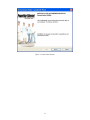
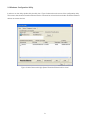
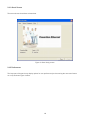
In order to run the utility, double-click the utility icon. Figure 2 shows the main screen of the configuration utility.
This screen shot shows a Powerline Ethernet device connected as a local device and other Powerline Ethernet
devices as remote devices.
Figure 2: Main Screen with High-Speed Powerline Ethernet device Local
9