1
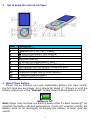
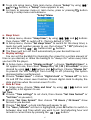
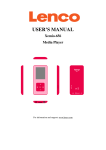
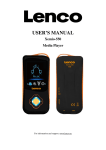
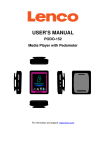
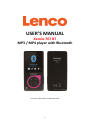
1. Get to know the controls on Player
Item
1
2
3
4
5
6
7
8
9
10
11
12
Description
TFT LCD Display
Button (On / Off, Play / Pause)
Button (Previous / Fast-Rewind)
Button (Next / Fast-Forward)
M Button (Menu)
Button (Previous Menu / Exit)
Micro USB Port (PC Connection / Charge)
Microphone Position (mono, inside USB port)
Micro SD Memory Card Slot
Earphone Output Jack (3.5mm Stereo)
Button (Volume Down)
Button (Volume Up)
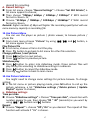
2. About Player Battery
Player has an internal, non–user-replaceable battery. For best results,
the first time you use player, let it charge for about 3 ~ 4 hours or until the
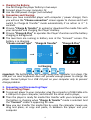
battery status icon in the “Connect” screen shows that the battery is in full.
Battery is full
Note: Player may continue use battery power after it’s been turned off. For
maintain the battery life and performance, if unit isn’t used for a while, the
battery need to be recharged, recharging the battery at least once per
month.
3