1
ESR9850
802.11b/g/n SOHO Router
2.4GHz
300Mbps
Gigabit
11N Router / Repeater
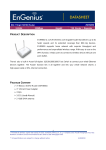
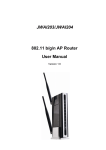
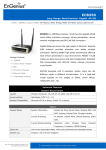
ESR9850 is a 2T2R Wireless 11N Gigabit Router that delivers up to
6x faster speeds and 3x extended coverage than 802.11g devices.
ESR9850 supports home network with superior throughput and
performance and unparalleled wireless range. With easy to use on
the WPS function, it helps users to connect to wireless device with
just one push button.
There's also a built-in 4-port full-duplex 10/100/1000/1000 Fast
Package Contents
- 1* 802.11n SOHO Router (ESR9850)
- 1* 12V/1A Power Adapter
Switch to connect your wired-Ethernet devices together. The
Router function ties it all together and lets your whole network
shares a high-speed cable or DSL Internet connection.
- 1*QIG
- 1*CD (User’s Manual)
- 2 *2dBi SMA antenna
Software Features
System
System OS: Linux OS
System boot up time is <= 45 Sec
Utility
Easy Setup Wizard
Router User Interface
Access method
Web Based (HTTP 1.0 / 1.1)
Browser Compatibility
Microsoft Internet Explorer 5.5/6/7 , Safari
Ver1.2,Firefox 2.0 or later
Status
System Status
System
System Up Time, Device Name,
Information
Wireless MAC, LAN MAC, Country,
Current Time, Firmware Version,
Management VLAN ID
Current IP
IP Address, Subnet Mack, Default
Setting
Gateway, DHCP
ESR9850
802.11b/g/n SOHO Router
2.4GHz
300Mbps
Gigabit
11N Router / Repeater
Current
Operation
Wireless
Channel/
Setting
MSSID Setting
2.4Ghz
mode,
Wireless
Frequency,
TX/RX:
L2
packet
Mode,
Isolation,
counts
&
traffics in Kbytes
Client List
List current associated clients.
Show only authorized and associated clients
- SSID
- MAC address
- Channel
- Security Type
- Mode (Infrastructure / Ad-hoc)
- Traffic in Kbytes
System Log
displays a list of events that are triggered on the
Ethernet and Wireless interface. This log can be
referred to when an unknown error occurs on the
system or when a report needs to be sent to the
technical support department for debugging purposes
Wireless Functional List
Wireless Radio On/Off
Y
Software button / Disable or Enable WiFi radio
Y
AP
Y
Router
Y
WDS AP
N
WDS Bridge
N
CB (2.5 NAT)
Y
Repeater
Switch of 802.11 modes
Y
B/G/N
Channel setting
Y
Manual
Y
Auto / Best Channel Selection
Transfer rate setting
Y
Auto and Manual
Output Power Control
Y
10% / 25% / 50% / 75% / 100%
Distance Control bar &
N
use KM instead of numbers
button
Operation mode
ESR9850
802.11b/g/n SOHO Router
2.4GHz
300Mbps
Gigabit
11N Router / Repeater
ACK timeout Setting
RSSI Indicator
N
CB/ CR/ Repeater Mode
Signal Strength
N
CB/ CR/ Repeater
WiFi QoS
Y
WMM
Power Saving
Y
Wireless LAN power saving
Multiple BSSID (Multi
Y
4 BSSID for 2.4Ghz
AP)
N
4 BSSID for 5Ghz
Y
Each BSSID should has its own WiFi & security settings
Y
WPS : Enable / Disable
WPS
Wi-Fi Protected Setup Information
- WPS Current Status:
unConfigured
- Self Pin Code:
- SSID:
- Authentication Mode:
Disable
- Passphrase Key:
- WPS Via Push Button:
- WPS via PIN:
Security
WEP
Y
WEP(64/128bit)
WPA/ WPA2
Y
WPA-PSK(Personal),WPA2-PSK(Personal),WPA/WPA2-PSK(Personal),
WPA-EAP(Enterprise),
WPA2-EAP(Enterprise),WPA/WPA2-EAP(Enterprise)
TKIP/ AES
Y
Hidden
Y
TKIP / AES
ESSID
MAC address
Y
MAC address filtering (Both in WLAN and LAN), up to 50 field
filtering
L2 Isolation
Desired / Preferred SSID
Y
Y
BSSID Support
Profile item can be arranged for preference
Profile on the top represents higher preference
User is allowed to move profile UP/Down
Site Survey
Y
Scan current AP, display information:
SSID, MAC, Channel, Security, Signal, Mode (Infra/Adhoc)
Allow to add to AP profile (preferred SSID)
Channel Bandwidth
Y
N Mode: 20,. 40, Auto
ESR9850
802.11b/g/n SOHO Router
2.4GHz
Selection
Y
300Mbps
Gigabit
11N Router / Repeater
B/G Mode: 10, 20, Auto
Functional List
Router function On/Off Button
N
Router function on/off * (in web UI)
--UI option to enable/disable routing function
--when routing function disabled, WAN port setting will NT be
shown. (DHCP also disable)
ON: Full wireless router function (Default Router IP:192.168.1.1 )
OFF: Wireless AP & Switching HUB function(Default Router
IP:192.168.1.1 )
LAN Settings
Y
IP (check validity and DHCP server IP range)
MAC
DHCP server
Y
Router
NAT/ NAPT
Y
Port Forwarding
Y
Port Mapping
Y
DHCP Range, Lease Time, Client list
Virtual Server: every single IP should support more than one
service port (UI forbids that)
Port Tagging
Y
ALG
Y
FTP and Popular network applications (TBD)
Y
PPTP, IPSEC, L2TP passthrough
Server Type
Y
PPTP, IPSEC, L2TP
Encryption
Y
56bit (DES), 168bit (3DES), 256bit (AES)
Max tunnels
Y
Key
Y
Pre-shared key
Y
MD5/SHA-1
Y
MAC/ IP/ Port base bandwidth control
N
MSSID based bandwidth control
N
Physical port-based bandwidth control
VP
VPN
N
pass-thru
management
Authenticatio
n
QoS
Filter
URL
Y
URL-Keyword blocking, 20 site can be registered
ing
IP
Y
IP Filtering with scheduling function
Port
Y
TCP / UDP
ESR9850
802.11b/g/n SOHO Router
2.4GHz
ICMP
Block Ping From
300Mbps
Gigabit
11N Router / Repeater
Y
Y
Enable / Disable option box (DoS)
DMZ
Y
DMZ Support
SPI
Y
Stateful Packet Inspection
Anti-DoS attack
Y
Hacker Shield
WAN
Firewall
Dynamic DNS
Y
Jumbo Frame Support
Y
9216bytes
IPv6 Support
N
IPv6
LAN side VLAN function
N
Change in WAN side MAC
Y
Clone WAN port MAC supported
Y
PAP/CHAP/MS-CHAP / MS-CHAPV2
Y
Always (keep trying if fail)
Y
On demand / Manual
Y
Idle Time Out(disconnect if idled for a certain time)
address
WAN side
PPPoE
form
SNMP
Multi PPPoE
N
DHCP Client
Y
Fixed IP
Y
SNMP V1/ V2C
N
- SNMP Active : Disabled / Enabled
MIBI, MIBII
N
- SNMP Version : V1/V2c/ALL
Private MIB
N
- Read Community :
- Set Community :
- System Location :
- System Contract :
- Trap Active : Disabled / Enabled
- Trap Manager IP :
Administration
Remote Login
VLAN Management
N
User Name
Y
Password
Y
Confirmed Password
N
Authentication Data should be encrypted while transmission
Y
Enable / Disable Checkbox
Y
Management Port
N
VLAN Active: Disabled / Enabled
ESR9850
802.11b/g/n SOHO Router
2.4GHz
300Mbps
Gigabit
11N Router / Repeater
Special VLAN ID: 1~4095
Backup/ Restore Setting
Y
Save Current Setting
Restore Saved Setting
Reset to Factory Default
Firmware Upgrade
Y
Firmware Upgrade
Firmware Recovery
Display at
NTP
Y
time
Manual setting
Y
for Time Server
E-mail Notification function
N
UPnP
Y
Discovery Tool
N
(Email Alert Setting)
A scanner for existing devices
Must list device IP and MAC
Power Saving
Y
Save energy for WLAN and LAN interfaces.
- WLAN :
- Ethernet :
Diagnosis
Y
Enable / Disable
Enable / Disable
Address to Ping : Y
Ping Frequency : N
Telnet Server: N
CLI
N
Command Line Interface (accessible only with special account)
For RMA, SQA, Engineering purpose
Emergency Recovery Page
Y
A self-aid page for users in case of firmware upgrade failure
Captive Portal
N
WiFi-Dog
FTP Server
N
Folder root on USB device
User Account management
Allow external access on/off
Nte: character coding?
SAMBA
N
Windows Compatible file sharing
Nte: character coding?
Web-Based File Server
N
File download / upload
Allow external access on/off
ESR9850
802.11b/g/n SOHO Router
2.4GHz
300Mbps
Gigabit
11N Router / Repeater
Technical Specifications
Hardware Specifications
MCU
RT3052, 384MHz embedded RF/MAC/BBP
Gigabit: Realtek 8366RB
Memory
32MB SDRAM (16 + 16; enhanced performance)
Flash
4MB
PCB dimension
150mm * 100mm
Physical Interface
WAN: One 10/100/1000 Fast Ethernet RJ-45
LAN: Four 10/100/1000 Fast Ethernet RJ-45
Rest button
Power Jack
WPS (WiFi Protected Setup)
LEDs Status
Power Status
WAN (Internet connection)
LAN1~LAN4
WLAN(Wireless connection)
Power Requirements
Power Supply: 200 to 240 VDC ± 10% (ETSI) 100 to 120 VDC ± 10% (FCC)
Device: 12V/1A
Top Panel (LED status)
WAN
1 ( Link-> blue on, traffic->blink)
LAN
4 ( Link-> blue on, traffic->blink)
WLAN
1 ( Link-> blue on, traffic->blink)
Power/Status
1 ( On-> red Test/reset default->blink)
ESR9850
802.11b/g/n SOHO Router
2.4GHz
300Mbps
Gigabit
11N Router / Repeater
Rear Panel (Interface)
ANT
DC Jack
LAN 10/100/1000
WAN
RESET
ANT
RF SPECIFICATION
Frequency Band
2.400~2.484 GHz
Modulation Technology
OFDM: BPSK, QPSK, 16-QAM, 64-QAM
DBPSK, DQPSK, CCK
Operating Channels
11 for North America, 14 for Japan, 13 for Europe
Wireless Setting
Wireless Mode – 11b/ 11g /11n
Channel Selection (Setting varies by Country)
Channel Bandwidth (Auto, 20Mhz, 40Mhz)
Transmission Rate
11g: Best. 54, 48, 36, 24, 18, 12, 11, 9, 6, 5.5, 2, 1 in Mbps
Guard Interval 800ns
Guard Interval 400ns
MCS index
20MHz(Mbps)
40MHz(Mbps)
20MHz(Mbps)
40MHz(Mbps)
0
6.5
13.5
0
6.5
1
13
27
1
13
2
19.5
40.5
2
19.5
3
26
54
3
26
4
39
81
4
39
5
52
108
5
52
6
58.5
121.5
6
58.5
7
65
135
7
65
8
13
27
8
13
9
26
54
9
26
10
39
81
10
39
11
52
108
11
52
12
78
162
12
78
13
104
216
13
104
14
117
243
14
117
ESR9850
802.11b/g/n SOHO Router
2.4GHz
15
Receive Sensitivity
(Typical)
Available transmit
power
130
IEEE802.11n(2RX)
MCS0/8 @ -91dBm
Gigabit
270
IEEE802.11g (2RX)
6Mbps@ -92dBm
15
130
IEEE802.11b (1RX)
1Mbps@ -93dBm
54Mbps@ -75dBm
11Mbps@ -91dBm
IEEE802.11n
IEEE802.11g
IEEE802.11b
6~54 Mbps@ typical 16
1, 11Mbps@ typical
dBm
17 dBm
MCS 0~15@
typical 16
Peak Gain = 2 dBi
Environment & Physical
Temperature Range
0 to 45° C - Operating, -10 to 70 ° C - Storage
Humidity
15%~95% typical
(non-condensing)
Dimensions
11N Router / Repeater
MCS7/15@ -74dBm
dBm
Antenna *2
300Mbps
Housing
170mm (L) x 111mm (W) x 26mm (H)